

Company Contact Scraper | Lead Scraper (Apollo Alternative)
Pricing
from $1.00 / 1,000 lead founds
Company Contact Scraper | Lead Scraper (Apollo Alternative)
🚀 Scrape leads, prospect emails & uncover employee profiles from any company domain — names, positions, LinkedIn URLs, and public contact info delivered in seconds.
Pricing
from $1.00 / 1,000 lead founds
Rating
5.0
(2)
Developer

Dxbear
Maintained by CommunityActor stats
1
Bookmarked
37
Total users
22
Monthly active users
8 days ago
Last modified
Categories
Share
🔎 Overview
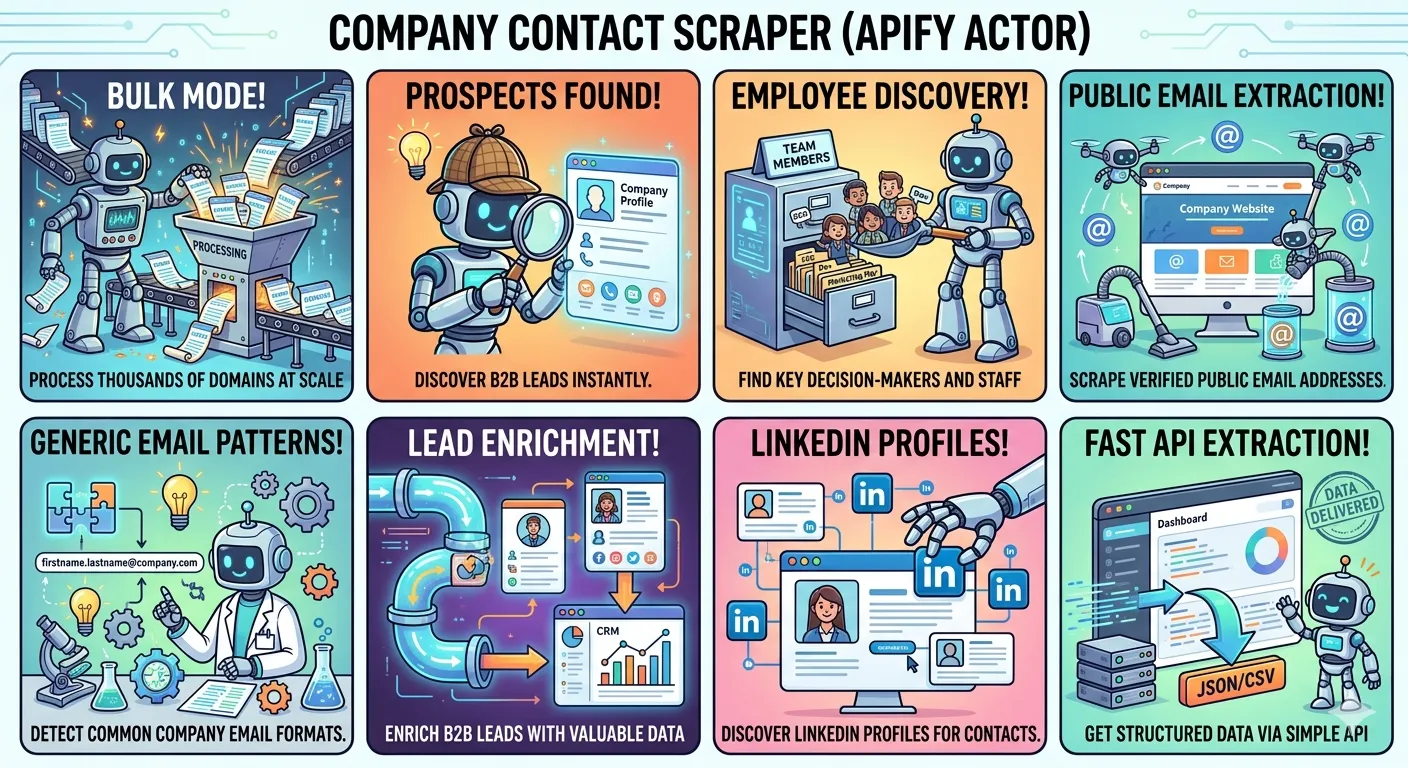
Company Contact Scraper Just enter a domain, and you can instantly uncover a wealth of information about any company, such as:
- 🏢 Company information — name, industry, size, location, LinkedIn page and more
- 👤 Employee profiles: names, job titles, and LinkedIn URLs
- 📧 Personal work emails: with confidence scores
- 📬 Company emails: publicly found addresses at that domain
- 📣 Generic inboxes: like
sales@,info@,support@
🚀 Quick Start
-
Click Try for free
-
Create a free Apify account (if you don't have one)
-
Go to the Input tab
-
Enter your list of domains, one per line — for example: apify.com , spyfu.com , mangools.com
-
In the input section, choose what data you want to retrieve
-
Click Run In a few seconds you'll get a rich contact profile for each company — employees, emails, and company info, all in one place.
⚙️ Input
| Field | Type | Description |
|---|---|---|
domains | array | List of company domains to look up |
getCompanyInfo | boolean | Get company name, industry, size, location, and LinkedIn |
getEmployees | boolean | Get employee names, job titles, and LinkedIn URLs |
getCompanyPublicEmails | boolean | Get publicly found personal emails at the domain |
getCompanyGenericEmails | boolean | Get generic inboxes like sales@, info@, support@ |
📦 Output
Each domain returns a structured object with the data you selected:
🎯 Who Is This For?
Company Contact Scraper designed specifically for sales teams, recruiters, and growth professionals who want to quickly transform company domains into valuable leads and gather prospect contact information.
🧑💼 Sales & Business Development
Stop wasting time tracking down contacts! Paste in your list of target domains, and you'll receive decision-maker names, titles, LinkedIn profiles, and public emails, all ready to seamlessly integrate into your outreach sequence or CRM.
📣 Marketers & Growth Teams
Enrich your target accounts with real contact data and reach the people who actually matter — CMOs, heads of growth, and demand gen leads.
🏢 Recruiters
Map out the org structure of any company before you pick up the phone. Know who's in engineering, HR, or leadership. and find a way to reach them directly.
🔍 Researchers & Analysts
Are you looking to create a dataset of companies within a specific niche? You can gather structured and consistent data from hundreds of domains all at once. think company size, industry, founding year, and key contacts, all neatly organized in one spot.
🤝 Founders & Consultants
Doing customer discovery or partnership outreach? Skip the guesswork and go straight to the inbox of the right person at any company you want to connect with.
⚡ Whether you're prospecting, enriching, or researching — if you have a domain, this actor turns it into a full contact profile.
💰 Pricing
This actor uses pay-per-result pricing — you only pay for the data you actually get back.
| Data Type | Free | Starter | Scale | Business |
|---|---|---|---|---|
| Employee / Prospect found | $3.00 / 1K | $2.50 / 1K | $1.50 / 1K | $1.00 / 1K |
| Public email found | $5.00 / 1K | $4.00 / 1K | $3.00 / 1K | $2.00 / 1K |
| Company information | $1.00 / 1K | $0.80 / 1K | $0.60 / 1K | $0.50 / 1K |
| Generic email list | $2.00 / 1K | $0.80 / 1K | $0.60 / 1K | $0.40 / 1K |
💡 Higher Apify plans unlock better rates. See all Apify plans →
How billing works
- Employees & prospects — charged per profile returned across all domains
- Public emails — charged per email address found across all domains
- Company information — charged once per domain, regardless of how much data is returned
- Generic email list — charged once per domain, regardless of how many generic emails are found (e.g.
sales@,info@,support@) - Platform usage — Apify's standard compute costs apply on top, and are cheaper on higher plans
🔗 Integrations & Automation
Company Contact Scraper integrates seamlessly with your existing tools and workflows, making it easy to automate lead generation, company enrichment, and contact discovery at scale.
⚡ Automation Platforms
Connect the actor to popular automation platforms:
Use these integrations to automatically discover employee profiles, enrich company records, collect business emails, and sync data across your sales and marketing stack.
🔌 API Access
Need full control? Run the actor programmatically using the Apify API.
With the API you can:
- Start actor runs
- Pass input dynamically
- Monitor run status
- Retrieve results in JSON format
- Integrate with your applications and backend services
API Documentation:
🤖 MCP Server Support
This actor can also be accessed through Apify's MCP (Model Context Protocol) server, allowing AI assistants and MCP-compatible tools to discover company information, employee profiles, and business contact data directly.
MCP Documentation:
📚 Documentation
For detailed setup instructions, API examples, integration guides, and advanced usage, please refer to the official Apify documentation:
❓ Frequently Asked Questions
Why do prospects not come with valid emails?
This actor is designed to discover all available employees and prospects associated with a company. Not every employee has a publicly available or verified email address.
In most cases, you don't need every employee. Instead, filter the prospects based on the roles, departments, or seniority levels you need, then use our B2B Email Finder actor to discover and verify contact information.
B2B Email Finder:
https://apify.com/dxbear/b2b-email-finder
Why does the actor store some data in the Key-Value Store?
The actor stores a small amount of data in Apify's Key-Value Store to save login sessions for certain services and accounts.
This allows the actor to quickly access resources without creating a new session every time it runs, resulting in faster execution, lower resource consumption, and improved reliability.
What are the minimum Apify requirements to run the actor?
The actor can run with as little as 1 GB RAM for small tasks.
However, we recommend:
- 1 GB RAM for testing and single-domain lookups
- 4 GB RAM for medium and large workloads
- 8 GB+ RAM for long-running or high-volume jobs
The actor uses a headless browser and processes multiple data sources, so larger workloads may require additional resources.
I entered a valid company domain, but no data was returned. Why?
While we have access to a large database containing millions of companies, we cannot guarantee that every company exists in our data sources.
Possible reasons include:
- The company is not present in our database
- The company has limited public information available
- The domain is very new
- The company has little or no online presence
Unfortunately, some domains may return limited or no results.
I only want employee/prospect data. Can I disable the other data?
Yes, absolutely.
You can disable company information, public emails, generic emails, and any other optional outputs.
Simply enable the data you need and disable the rest to reduce runtime and resource usage.
The actor failed to run. What should I do?
Occasionally, runs may fail because of temporary network issues, proxy availability, or third-party service interruptions.
Before reporting a problem:
- Try running the actor again.
- Verify that your input is valid.
- Check that sufficient memory has been allocated.
If the issue persists, please open an issue on the actor page. The developer is very active and typically responds within minutes.
Can I contact you for support?
Yes, support is always welcome.
We are happy to help with setup, troubleshooting, feature requests, and general questions.
I entered multiple domains, but only one was processed. Why?
Free Apify users can process one domain per run.
This limitation helps:
- Prevent abuse
- Reduce server load
- Ensure consistent service quality
- Keep the actor available for all users
You can still use all features of the actor, but free accounts are limited to a single domain per run.
🛠️ Support & Troubleshooting
If you encounter a problem, something is broken, or the actor is not working as expected, please consider the following steps before leaving a negative review:
📬 How to Get Help
- 🐛 Submit an Issue: Open an issue. I am highly active, and you will receive a reply within minutes! ⏱️
- ✉️ Contact via Email: Prefer direct communication? Feel free to reach out to me directly via email.
⭐ Why Good Reviews Matter
Positive reviews are the fuel that helps me continue maintaining, updating, and fixing this actor! 🚀 Your support keeps this actor alive.
⚠️ VERY IMPORTANT NOTE: Please reach out before leaving a bad review! Most issues are caused by minor configuration errors or temporary website changes, which can usually be fixed in just a few minutes.
If I fail to resolve your issue after we have tried, you are absolutely welcome to share your honest feedback. My goal is to ensure everything works perfectly for you! 🤝💯


![✨Leads Finder - $1.5/1k leads with Emails [Apollo Alternative] avatar](https://images.apifyusercontent.com/hQh95d2BMIK4aiNBVTAopmRKraOLFaDFmflsEsCTEKM/rs:fill:76:76/cb:1/aHR0cHM6Ly9hcGlmeS1pbWFnZS11cGxvYWRzLXByb2QuczMudXMtZWFzdC0xLmFtYXpvbmF3cy5jb20vaUpPU0hXZDl4ZmFoRzBTWm0tYWN0b3ItSW9TSHF3VFI5WUdoemNjZXotYmdMcjdPbmo0Qy1jb21wYW55X3NjcmFwZXIucG5n.webp)


