

Loom Scraper | 🎥Downloader & 📄 Transcript
Pricing
$12.99/month + usage
Loom Scraper | 🎥Downloader & 📄 Transcript
🎥 Advanced Loom scraper that extracts & downloads videos, transcripts, and metadata from individual videos and entire 🗂️folders. Supports bulk operations, multiple formats (SRT, VTT, TXT, XML), and authentication. 📚 Ideal for content archiving and knowledge management.
Pricing
$12.99/month + usage
Rating
4.7
(13)
Developer

FlowExtract API
Maintained by CommunityActor stats
18
Bookmarked
273
Total users
8
Monthly active users
42 days
Issues response
14 days ago
Last modified
Categories
Share
🎥 Loom Scraper - Videos & Folders
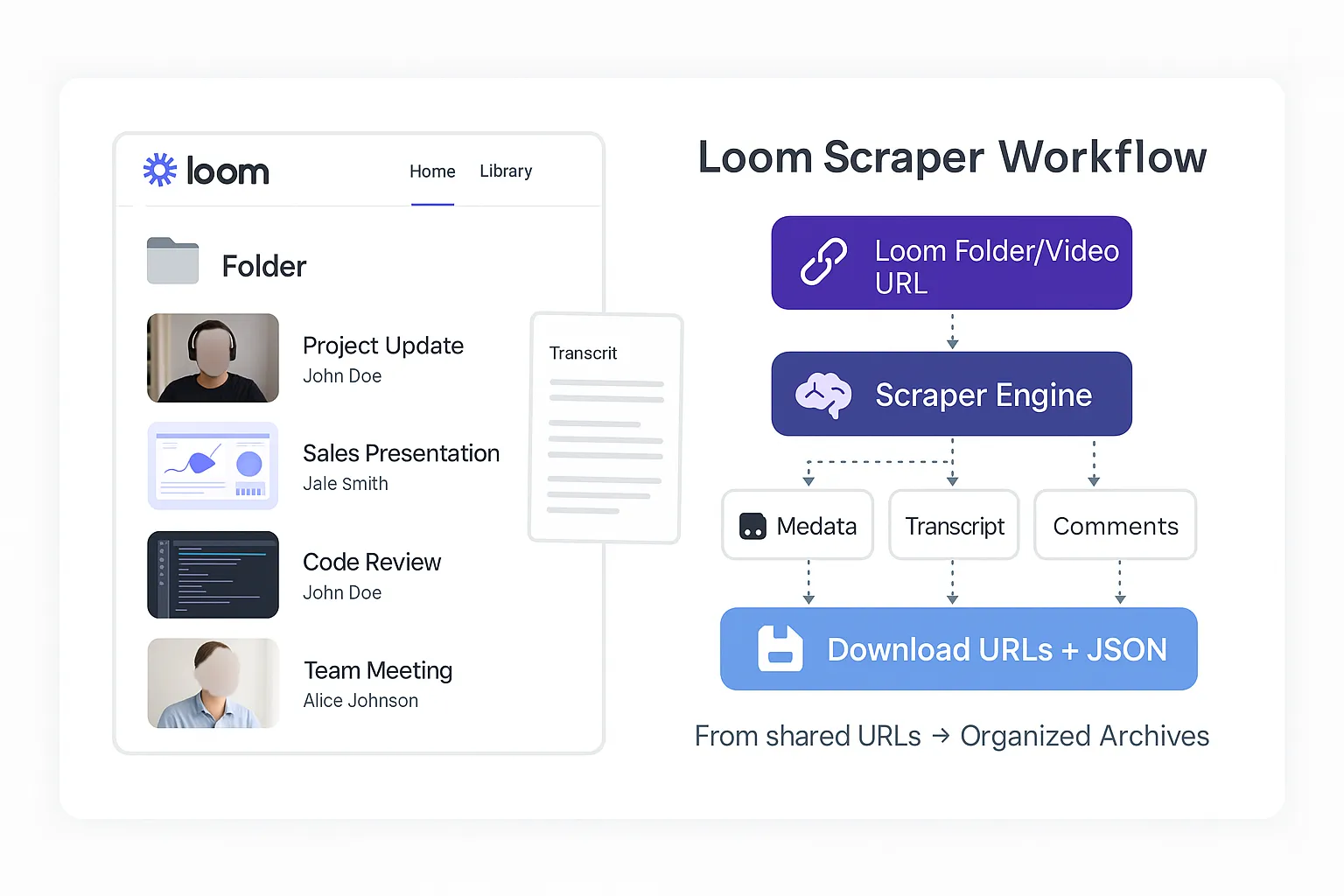
Transform your Loom videos into searchable, downloadable archives with complete metadata, transcripts, and comments across individual videos and entire folders.
Perfect for content creators, educators, and businesses who need to archive, analyze, or repurpose their Loom content without coding complexity.
🚀 Key Benefits & Use Cases
📚 For Educators & Trainers
- Archive online courses and tutorial libraries with searchable transcript databases
- Backup training materials before expiration and generate study notes automatically
- Create comprehensive knowledge bases from video content
💼 For Business Teams
- Archive team presentations, meeting recordings, and video communications
- Generate meeting transcripts for documentation and compliance
- Build searchable knowledge databases from organizational video content
🎯 For Content Creators
- Bulk download and organize video libraries with rich metadata
- Create searchable video databases with full transcript capabilities
- Repurpose content across platforms efficiently
🔍 Complete Data Extraction
📹 Video Intelligence
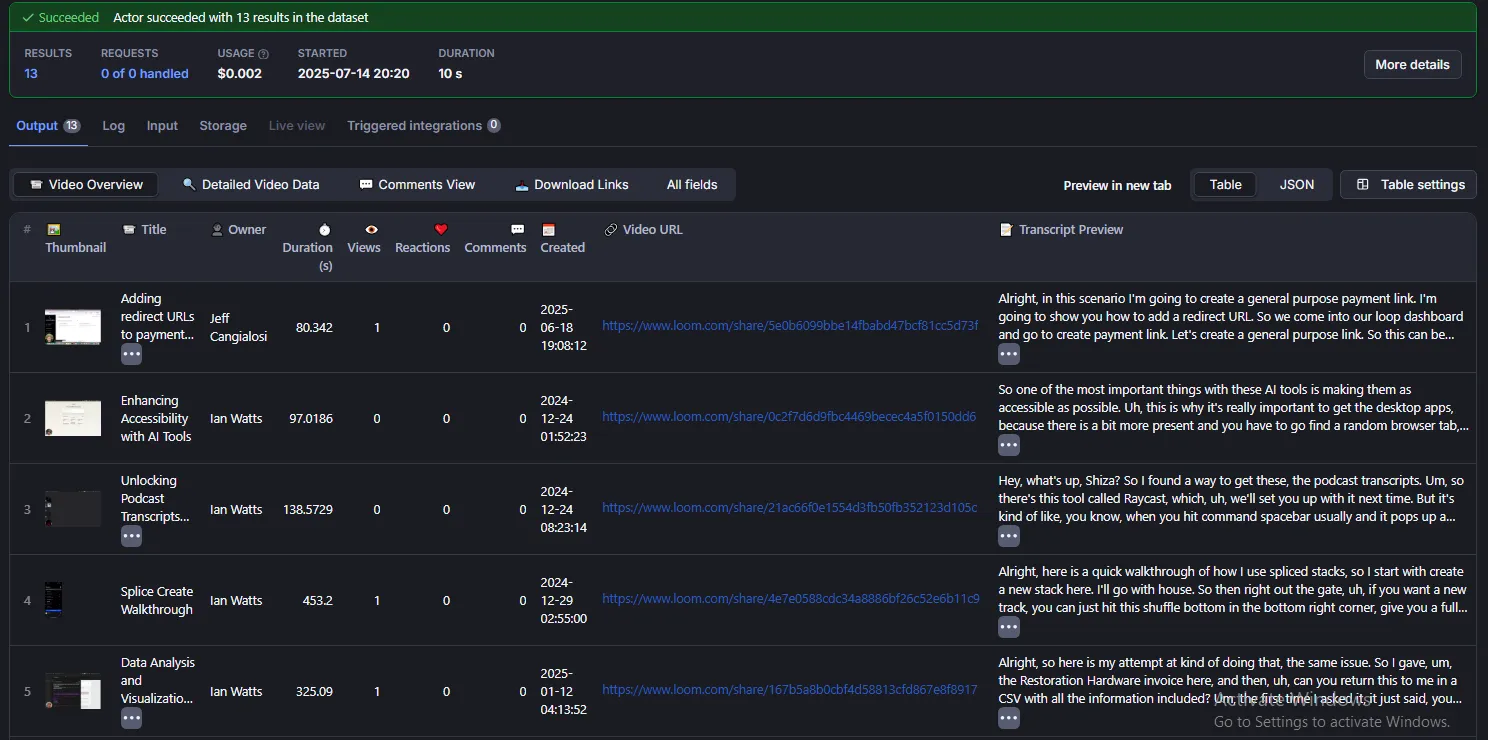
- Metadata: ID, title, description, thumbnails, creation date, duration, quality
- Engagement: Views, reactions, comments count and full comment threads
- Technical: File format, direct download URLs, sharing links
- Creator: Owner information, avatars, profile data
📄 Transcript Processing
- Multiple Formats: SRT, VTT, TXT, XML exports with precise timestamps
- Clean Text: Formatted, readable content ready for analysis
- Search Ready: Full-text search capabilities across your library
- Integration: Compatible with video players and analysis tools
📂 Folder Operations
- Bulk Processing: Handle entire folders automatically with progress tracking
- Mixed Operations: Combine individual videos and folders in one request
- Batch Reports: Summary statistics and completion status for each folder
⚠️ Important: Account Videos vs Individual URLs
Account Videos Processing (includeAccountVideos: true)
- Processes all videos from your Loom account
- Supports date filtering (
startDate,endDate) - Supports custom sorting (
videoSortOrder) - Requires authentication (email/password or cookies)
Individual URL Processing (default behavior)
- Processes only the specific URLs you provide
- Date filters and sort order are ignored
- Works with or without authentication
- Processes videos in the order you list them
⚙️ Configuration Options
🔗 Input URLs
Process individual videos, entire folders, or mixed content:
⏱️ Advanced Download Settings
pollMultiplier (Number)
- Default:
0.02 - Range:
0.01–1.0 - Only applies when:
downloadVideo: true
Loom does not return a download URL instantly it prepares the MP4 file in the background first. The scraper keeps re-signaling Loom until the URL is ready. This multiplier controls the maximum time it will wait, calculated as:
| Video Length | Default wait (0.02) |
|---|---|
| Under 25 min | 30s (minimum) |
| 30 min | ~36s |
| 2.5 hours | ~180s |
💡 If you see timeout errors on long videos, increase this value (e.g. 0.05 or 0.1).
💡 For short video libraries, keep the default.
📥 Download Options
🎞️ downloadVideo (Boolean)
- Default:
false - Format: Original MP4 quality preserved
- Use Case: Full video archiving and offline access
- Note: ✅ Works even when owner has disabled downloads in video settings
- How it works: When requested, Loom prepares the MP4 asynchronously in the background
the scraper automatically re-signals Loom and polls until the URL is ready. Small videos (~2min) may take ~10s, longer videos can take up to 3 minutes or more. - OOM handling: If the download actor runs out of memory, the scraper automatically retries with double memory (up to your plan limit)
🔗 returnVideoUrl (Boolean)
- Default:
false - Use Case: Get the direct Loom CDN link without downloading via the Universal Downloader
- Output: Adds
cdn_urlto thevideo.downloadobject a signed MP4 link from Loom's CDN - ⚠️ Note: CDN URLs are signed and temporary they expire after a few hours
How downloadVideo and returnVideoUrl interact:
downloadVideo | returnVideoUrl | What happens |
|---|---|---|
false | false | No download, no URL skip entirely |
false | true | Return CDN URL only (no Universal Downloader cost) |
true | false | Full download via Universal Downloader |
true | true | Full download + CDN URL in output |
📄 downloadTranscript (Boolean)
- Default:
false - Integration: Ready for video players and analysis tools
📄 outputFormat (String)
- Default:
"srt" - Options:
"srt": Standard subtitle format (most compatible)"vtt": Web-friendly with CSS styling support"txt": Clean text without timestamps"xml": Full metadata structure
📅 Account Videos Options (Only when includeAccountVideos is enabled)
These parameters only work when scraping your own Loom account videos. They have no effect when processing individual video URLs or public folders.
📅 startDate (String)
- Default:
"2016-01-01" - Format:
"YYYY-MM-DD" - Purpose: Filter videos by earliest upload date to include from your account
- ⚠️ Note: Only applies to your own account videos, not individual URLs
📅 endDate (String)
- Default:
"2030-12-31" - Format:
"YYYY-MM-DD" - Purpose: Filter videos by latest upload date to include from your account
- ⚠️ Note: Only applies to your own account videos, not individual URLs
📅 videoSortOrder (String)
- Default:
"ASC" - Options:
"ASC": Oldest to Newest - Shows the earliest videos first"DESC": Newest to Oldest - Shows the most recently uploaded videos first
- ⚠️ Note: Only applies when processing your own account videos, not individual URLs or folders
⚠️ Smart Memory Management for Video Downloads
When downloadVideo is enabled, this Actor uses intelligent resource allocation powered by our specialized Universal File Downloader to optimize memory usage and prevent failures. The Actor automatically analyzes each video's file size and dynamically allocates the optimal amount of memory needed for successful downloads.
✅ How It Works
Tier-Aware Allocation: The scraper auto-detects your Apify plan (Free vs Paid) at runtime and caps the download actor's memory to stay within your plan limits no manual configuration needed.
| Plan | Platform Total | Loom Scraper (parent) | Universal Downloader (child) max |
|---|---|---|---|
| Free | 8 GB | 128 MB (minimum) | 4 GB |
| Paid | 32 GB | 128 MB (minimum) | 16 GB |
Automatic OOM Retry: If the download actor runs out of memory (exit code 137), the scraper automatically retries with the next memory tier (doubled) no user intervention needed. If the retry also fails or the plan limit is already reached, you get a clear error explaining what happened.
| Attempt | What happens |
|---|---|
| 1st try | Auto-calculated memory based on video file size |
| OOM detected | Scraper doubles memory to next tier and retries |
| 2nd try succeeds | Done video downloaded |
| 2nd try fails / at plan limit | Clear error message + upgrade link for Free users |
Dynamic Resource Calculation: The Actor examines each video file before downloading and calculates the exact memory requirements based on file size, ensuring efficient resource usage without waste.
Intelligent Timeout Management: Download timeouts are calculated based on file size and estimated connection speed, ensuring downloads complete successfully without unnecessary waiting.
Enterprise-Grade Download Engine: Powered by our Universal File Downloader Actor, which provides advanced proxy support, retry mechanisms, and streaming technology for reliable downloads of any size.
💡 Benefits for Users
- Zero Configuration: Auto-detects your plan, picks the right memory, retries on failure
- Prevents Silent Failures: OOM crashes now show clear error messages instead of silent N/A
- Cost Efficient: Starts with the minimum needed, only scales up if necessary
- Handles Any Size: From small clips to multi-gigabyte recordings, all processed reliably
- Batch Processing: Each video in a folder gets its own optimized resource allocation
- Skip the Downloader: Use
returnVideoUrl: trueto get the CDN link directly and handle downloads yourself no Universal Downloader cost
📖 Learn more about Apify usage and resources
🔐 Authentication & Private Content Access
The Actor supports scraping your private Loom videos - perfect for backing up private workspaces or archiving internal content that isn't publicly shared.
Authentication Methods (in priority order):
✅ Method 1: Email + Password (Recommended)
- Automatic login with fresh session
- Access to all private videos in your account
- Secure credential handling (encrypted and cleared after use)
🍪 Method 2: Browser Cookies (Fallback)
Getting Browser Cookies
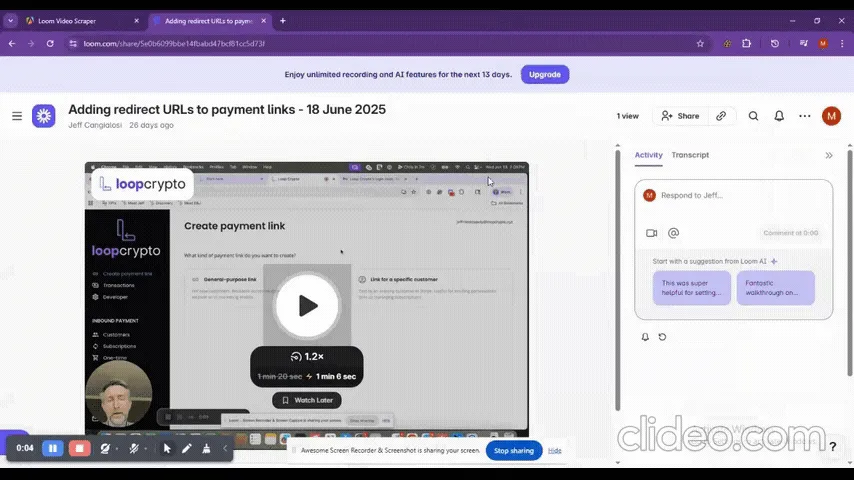
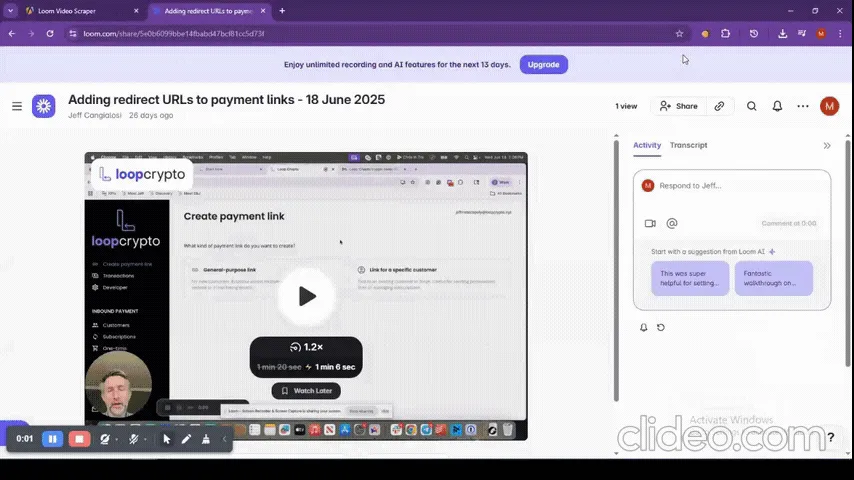
- Install Extension:
| 🍪 Cookie-Editor Extension | 📋 Copy Cookies Extension |
|
|
-
Export Process:
- Navigate to loom.com and log in
- Use extension to export cookies as JSON
- Paste into
customCookiesparameter
-
Authentication Priority:
- Email + Password → Fresh login (highest priority)
- Custom Cookies → Fallback method
- No Auth → Public content only
📊 Sample Output Structure
🎯 Configuration Examples
Basic Video Archive
Complete Folder Backup
Set memory in your run configuration: 2 GB or more
Account Videos with Date Filter & Sort
Mixed Content: URLs + Account Videos
Get Direct CDN URLs (no Universal Downloader)
Returns the signed Loom CDN URL in video.download.cdn_url download it yourself in your own app. No Universal Downloader cost, no OOM issues.
📄 Advanced Features
Reliability & Performance
- State Management: Auto-resume from interruption points with progress tracking
- Error Handling: Robust recovery with automatic retry mechanisms
- Storage Optimization: Efficient file organization with direct download URLs
- Detailed Logging: Complete processing history and performance monitoring
Content Processing
- Platform Updates: Migration support for Loom platform changes
- Batch Operations: Efficient bulk processing with folder progress tracking
- Multiple Formats: Structured file naming and organized output
🛠️ Troubleshooting
Authentication Issues
- Verify credentials: Check email/password accuracy
- Update cookies: Ensure browser cookies are current
- Try fallback: Use alternative authentication method
Missing Content
- Transcripts: Must be enabled by video owner (Settings → Audience → Transcript → Toggle ON)
- Private videos: Requires valid authentication
- Permissions: Verify sharing permissions with content creator
Performance Issues
- Download URL timeout: If you see timeout on long videos, increase
pollMultiplier(e.g. from0.02to0.05). Loom prepares downloads asynchronously and longer videos need more preparation time. - OOM / N/A download URLs: The scraper now auto-retries with more memory on OOM failures.
If it still fails, your video may be too large for your plan. Free plan users can
upgrade their plan for more memory,
or use
returnVideoUrl: trueto get the CDN link and download it yourself. - Large folders: Split into smaller batches
- Slow processing: Check network connection and Loom server status
🤝 Support & Resources
Getting Help
- 🌐 Website: flowextractapi.com
- 📧 Email: flowextractapi@outlook.com
- 🙋 Apify Profile: FlowExtract API
- 💬 GitHub Issues: FlowExtractAPI
Social Media
- 💼 LinkedIn: flowextract-api
- 🐦 Twitter: @FlowExtractAPI
- 📱 Facebook: flowextractapi
🌟 Related Actors by FlowExtractAPI
🎬 Video & Media
- YouTube Transcript Extractor - Extract transcripts with timestamps
- YouTube Scraper Pro - Complete channel and playlist extraction
- Zoom Scraper - Download recordings and transcripts
- Loom Scraper - Loom video and transcript extraction
🏠 Real Estate
- Idealista Scraper API - Spanish property data with API
- Idealista Scraper - Real estate listings extractor
🛠️ Developer Tools
- Screenshot - Fast webpage screenshots
- Ultimate Screenshot - Advanced screenshot tool
- Network Security Scanner - Security vulnerability scanner
📱 Social Media
- Facebook Ads Scraper Pro - Extract Facebook ads data


