
SaaS Pricing Intelligence Analyst
Pricing
from $0.01 / 1,000 results
SaaS Pricing Intelligence Analyst
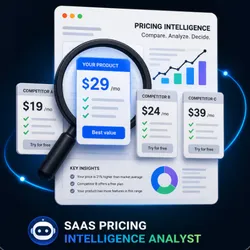
Compare SaaS pricing pages and generate deterministic competitive pricing reports.
Pricing
from $0.01 / 1,000 results
Rating
0.0
(0)
Developer

Geovanis Lopez
Maintained by CommunityActor stats
0
Bookmarked
3
Total users
2
Monthly active users
3 months ago
Last modified
Categories
Share
Automatic SaaS Pricing Intelligence Analyst for Apify.
Compare one SaaS pricing page with up to 10 competitors, normalize compatible plans, and generate deterministic executive insights about price position, free plans, free trials, sales-assisted models, and data reliability.
This Actor is designed for manual review and pricing research workflows. It does not use an LLM, does not build a custom dashboard, and does not promise perfect coverage on every website. It returns a structured JSON report that is easy to inspect in Apify Console or via the API.
What it does
The Actor receives a company pricing URL and one or more competitor pricing URLs. It fetches each page, extracts pricing evidence, normalizes compatible plans, and produces a comparison only when the cohort is materially comparable.
When the data is sufficient, the Actor returns a comparison_ready result with executive insights and a consultant-style report. When pages are partially missing, blocked, or structurally incompatible, the Actor still returns the best useful result it can and explains the limits through warnings.
Input
Required fields:
companyUrl: SaaS pricing page to analyze.competitorUrls: 1 to 10 competitor pricing page URLs.
Optional fields:
currency: free text hint such asEURorUSD.language:enores, defaulten.
Example:
Output
The dataset item includes these top-level blocks:
statusexecutionSummarycompanycompetitorsmarketSummarypriceComparisoninsightswarningsreportgeneratedAt
Example:
How prices are compared
The Actor only compares plans that match on:
- currency;
- billing period;
- pricing unit.
Unknown values are treated carefully. If the cohort is too small or too inconsistent, the Actor leaves the pricing benchmark unresolved instead of inventing a result.
Reliability and warnings
Typical warnings include:
- pages that redirect;
- pages without public pricing;
- mixed currencies;
- incompatible billing periods;
- incompatible pricing units;
- partially blocked or incomplete pages.
Those warnings are part of the product output and should be reviewed before using the result in decision-making.
Languages
The Actor supports:
- English (
en) - Spanish (
es)
Templates are stored separately for each language and are not machine-translated on the fly.
Local run
Testing
Cost and performance
Cost depends on the number of URLs, the complexity of the pages, and whether pages are slow, blocked, or highly dynamic.
In local validation, a four-page run completed in a few seconds without browser rendering. Real Apify usage will vary with network conditions and page structure, so pricing should leave room for that variability.
Integrations
The Actor works with standard Apify Console workflows, API usage, and downstream automations that consume dataset output.
Limitations
- It does not scrape every website perfectly.
- It does not use a browser renderer or an LLM.
- It can return
insufficient_datawhen pages are not comparable enough. - It should not be treated as a guarantee of market completeness.
- It is intended for pricing intelligence workflows, not generic website scraping.


