

Frameskim: YouTube frames and moments for AI agents
Pricing
from $0.12 / video processed
Frameskim: YouTube frames and moments for AI agents
YouTube frames and screenshots at exact timestamps, the words spoken between them and the moments that answer a query, from any public video URL: video for LLM and AI agents, MCP and automations.
Pricing
from $0.12 / video processed
Rating
0.0
(0)
Developer

Frameskim Tools
Maintained by CommunityActor stats
0
Bookmarked
10
Total users
7
Monthly active users
6 hours ago
Last modified
Share
Let your agent watch the video. Frameskim turns one public YouTube URL into frames and screenshots at exact timestamps, the words spoken between them, and the moments that best answer a question: video for LLM input, for AI agents.
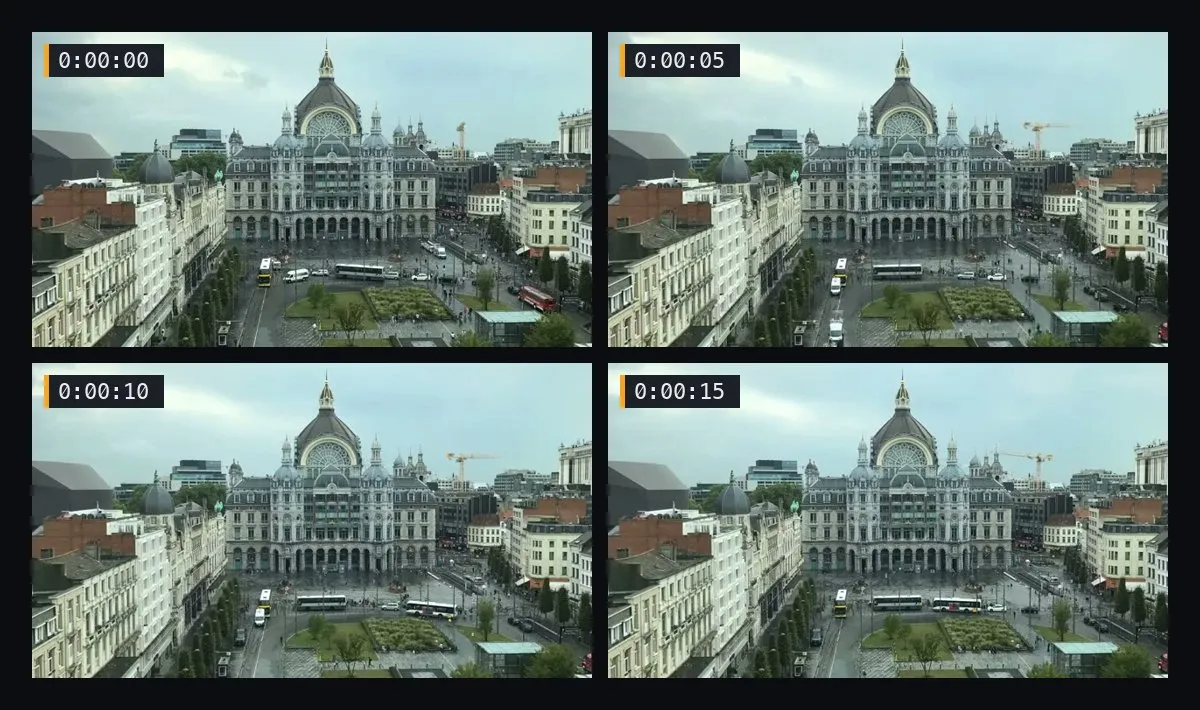
Use it to:
- Turn a YouTube tutorial into a step-by-step guide with screenshots.
- Give an LLM that cannot watch video the frames and the words of a video.
- Take screenshots of a video for docs, support answers and bug reports.
- Find where a video says something and see the frame.
- Build thumbnails and storyboards from the moments you pick.
Extract video frames from YouTube at exact timestamps
Three modes, one video per run:
- frames: a frame every N seconds over the range you pick.
- segment: the same frames plus the transcript text spoken between each frame and the next, and a ready-to-paste Markdown block.
- moments: give a query in plain language; Frameskim scores the transcript and returns the top moments that answer it, each with its frame.
Frames come from the video itself (up to 480p) when YouTube allows it. When it blocks the download, Frameskim falls back to YouTube's storyboard (low resolution) instead of failing, and says so in the run summary (lowResolutionFallback: true).
YouTube screenshots with the words spoken
In segment mode each frame comes with what is said until the next one, and the summary item has a Markdown block with one line per frame: the timestamp, the words and the image link. Paste it into a doc, a ticket or a prompt as a guide with screenshots.
Find the moment in a YouTube video that answers a question
Ask in plain language ("when does the parachute deploy") and set topK: you get the best moments first, each with the window where it is said, a score, the words and the frame from the middle of the window.
Pricing
Pay per event, no subscription. Apify bills each event and never more than the spending limit you set for the run.
| Event | Price (USD) | When |
|---|---|---|
video-processed | $0.12 | Once per run that delivers frames, with quality: standard |
video-processed-hd | $0.60 | Once per run when quality: hd attempts the full-resolution download (replaces video-processed) |
frame-media | $0.015 | Per frame taken from the video itself |
frame-storyboard | $0.002 | Per frame taken from the storyboard fallback |
moment-search | $0.02 | Once per moments search |
Quality: hd charges 0.60 USD per video once a full-resolution download is attempted, even if YouTube blocks it and the frames fall back to storyboard; standard charges 0.12 and uses storyboard when full resolution would cost too much.
A run that ends with an error ("... Nothing was charged.") is not billed. If your spending limit covers fewer frames than you asked for, you get the first ones and the summary says stoppedByBudget: true.
Typical runs: frames with 20 frames from the video costs $0.42 (a 10-minute video, one frame every 30 s); segment with 3 storyboard frames costs $0.126; moments with 5 moments from the video costs $0.215.
Examples
frames
Input:
Output (one item per frame, then a summary item):
segment
Input:
Output: the same items with a text field (what is said until the next frame); the summary adds markdown, one line per frame with [ts], the text and the image link.
moments
Input:
Output: one item per moment, best first; frameTs/frameTime are the second the frame was taken, the middle of the window (values shortened):
YouTube frames API for AI agents
The response is the list of items, ending with the summary. Images are signed links that open without a token.
Use it from Claude (MCP)
Add the Apify MCP server with this actor as a tool:
Then ask, for example: "Use Frameskim to find where this video says the parachute deploys and show me the frame."
The tool starts a run and returns its status; the agent then reads the results with the server's get-dataset-items tool (Claude does this on its own). A search takes about a minute.
Integrations
- Schedule it. Save a run as a task and add a schedule in Apify to capture frames of new videos on a fixed day and hour: how to schedule tasks.
- Chain it after another actor. Start Frameskim when a YouTube scraper finishes and pass it the video URLs it found: Actor-to-Actor integrations.
- n8n. Use the n8n template that turns a YouTube tutorial into a guide with screenshots.
- Make, Zapier and webhooks work through Apify's own integrations, and Claude through the MCP server above.
Ready-made tasks (screenshot at a timestamp, frames every N seconds) are in the Tasks tab of this page.
Related actors
- YouTube Transcript: the words of the same videos, timestamped, up to 100 per run.
- Instagram & TikTok Toolkit: transcripts with timestamps and 3 frames per Reel or TikTok.
- YouTube Scraper: finds the video URLs of a search, a channel or a playlist to pass here.
- Fast YouTube Channel Scraper: lists the videos of a channel.
Limits
- Single public videos only: one video per run, no channels, playlists or searches.
maxFramesis 50 by default; a longer range widenseveryto stay under it.moments: 3 searches per month on the free plan and 200 per day on paid plans, over up to 540 transcript windows of a video (about 3 hours).- Each run respects your Apify spending limit: fewer frames and
stoppedByBudgetwhen it runs short, and an error with nothing charged when it does not cover the video. - Videos need captions for
segmenttext and formoments.
FAQ
Why are some frames low resolution? YouTube blocks many automated downloads. Instead of failing, Frameskim uses YouTube's storyboard images and charges the lower storyboard price. quality: hd pays for a full-resolution attempt.
Which languages? Any language the video has captions in; set lang (default en) and Frameskim falls back to the original language.
What if a run fails? The status message says why and ends with "Nothing was charged." Retry later if YouTube blocked the request.
Where do my frames live? Only in your run's own Apify storage, with your plan's retention. Frameskim keeps no copies.
Official YouTube API and alternatives
Is there an official YouTube API for screenshots or frames? No. In the YouTube Data API videos resource there is no method that returns frames at a timestamp: snippet.thumbnails holds a few preset thumbnails of the video, not the frames you choose. Frameskim returns the frame at each second you ask for.
Frameskim vs doing it by hand? By hand you open the video, scrub to each second and capture the screen, or you write your own extraction code and keep it working as YouTube changes. Frameskim does that for you, lines the frames up with the words spoken, falls back to YouTube's storyboard instead of failing, and bills only what it delivers.
Legal
Not affiliated with YouTube or Google. By running Frameskim you confirm you have the right to process each video you submit.
Takedown requests: open an issue in the Issues tab of this page or write to support@frameskim.dev. Blocked videos and channels are refused on the next run.


