

YouTube Video Transcribe
Pricing
from $10.00 / 1,000 results
YouTube Video Transcribe
Transcribe YouTube videos by extracting subtitles and metadata, and push the results directly to the Apify Dataset.
Pricing
from $10.00 / 1,000 results
Rating
0.0
(0)
Developer
Entertained Rattlesnake
Maintained by CommunityActor stats
0
Bookmarked
11
Total users
1
Monthly active users
4 months ago
Last modified
Categories
Share
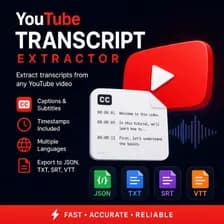
Transcribe YouTube videos by extracting their subtitles/transcripts together with basic metadata (title, channel, views, subscribers).
Results are pushed directly to the Apify Dataset — no files are saved.
Input
startUrls— list of YouTube video URLs.timestamps— iftrue, the returnedtextwill include[HH:MM:SS.mmm]prefixes per line.
Output
Each video produces one Dataset item. The dataset schema is defined in .actor/dataset_schema.json and includes two preset views in the Apify Console: Overview (all key fields) and Transcript (just the video and its text).
| Field | Type | Description |
|---|---|---|
videoUrl | string (uri) | Canonical URL of the YouTube video. |
videoId | string | 11-character YouTube video identifier. |
videoTitle | string | null | Video title as reported by YouTube. |
channelName | string | null | Display name of the channel that published the video. |
views | string | null | View count at the time of extraction (raw value from YouTube). |
subscribers | string | null | Channel subscriber count as a human-readable string (e.g. 70.1K). |
text | string | Full transcript. Includes [HH:MM:SS.mmm] prefixes when timestamps is true. |
Example item:
Proxy
Apify Residential Proxy (US) is used by default for all requests.


