

Airbnb Images Scraper - Cheapest
Pricing
from $1.00 / 1,000 results
Airbnb Images Scraper - Cheapest
Airbnb Images Scraper — Extract Airbnb listing images including image URLs, listing names, captions, property details, host information, locations, and listing URLs. Useful for property research, visual content collection, competitor analysis, and rental market insights.
Pricing
from $1.00 / 1,000 results
Rating
0.0
(0)
Developer

Fast Data API
Maintained by CommunityActor stats
0
Bookmarked
2
Total users
0
Monthly active users
8 days ago
Last modified
Categories
Features
Share
Airbnb Images Scraper — Photos, Location and Rating Data
Airbnb Images Scraper turns an Airbnb room link into one structured record with its full photo gallery. Paste a room link or listing ID and get every photo as a full-size URL, plus the title, location, map coordinates, star rating and review count. Every response is structured JSON — ready to pass directly to an LLM, index into a vector store, or feed a computer-vision pipeline. No Airbnb account or login is needed. Start with one listing, then scale to your whole portfolio.
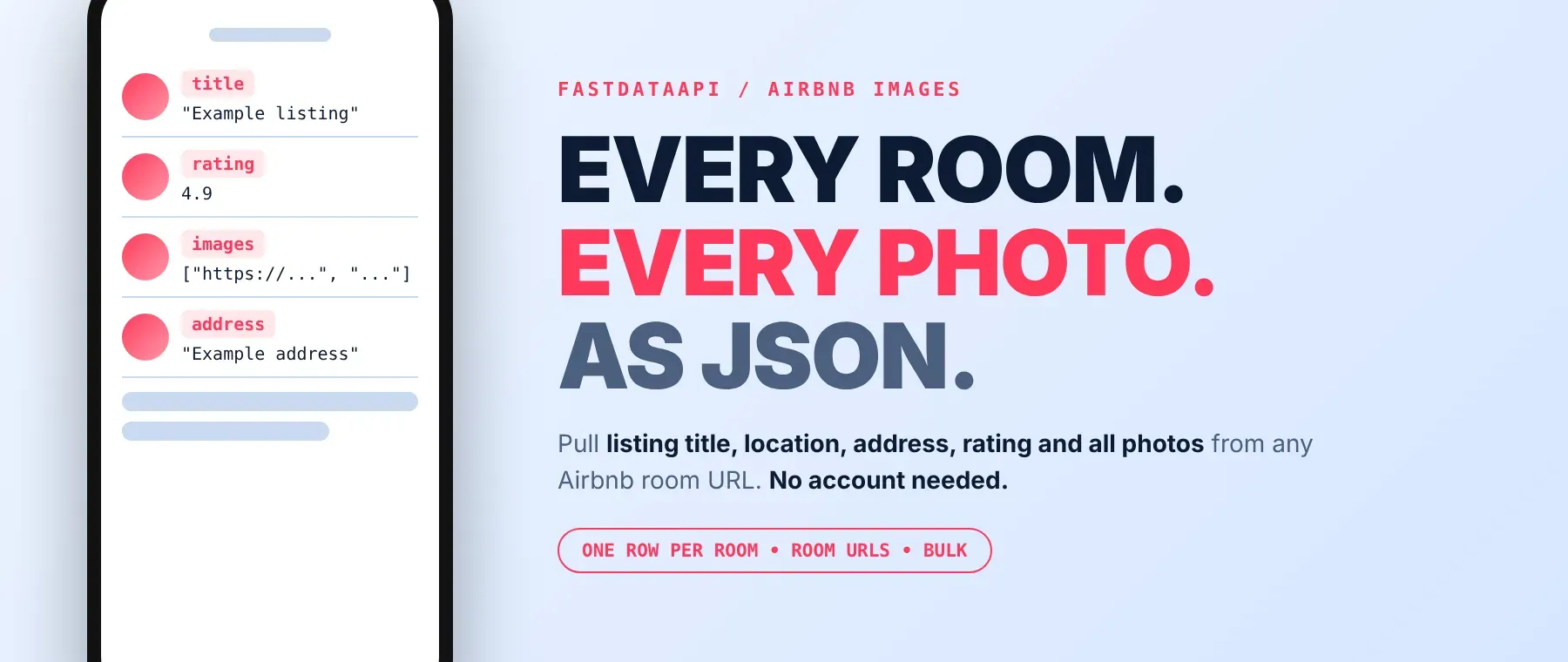
What data can I extract with Airbnb Images Scraper?
Using this Airbnb listing API, you will be able to extract Airbnb images and the following listing data:
| 🔗 Listing URL | 🏷️ Title | 📍 Location | 🏠 Address |
|---|---|---|---|
| 🧭 Map coordinates | ⭐ Star rating | 💬 Review count | 📸 Full photo gallery |
A listing that failed or no longer exists returns only the listing URL and an error message instead of the fields above, and that row is not charged.
How to use Airbnb Images Scraper
Anyone who wants to scrape Airbnb photos and a listing's basic details without opening a browser can run this with a list of room links and get one row back per listing.
Copy to your AI assistant:
Airbnb Images Scraper MCP Server: use these Actors from ChatGPT, Claude or Cursor
Point your AI assistant at Apify's MCP server with this Actor already attached as a tool, and it can read Airbnb listing data on its own: it calls this Actor with the room links you give it, then hands back the photos, rating and location it collected. No glue code, no scraping logic written into your prompts, and no separate API client to maintain.
Step by step
- Create a free Apify account.
- Open this Actor's page in the Apify Store.
- Paste your Airbnb room links or listing IDs into Airbnb room URLs, one per line.
- Click Start (or send your API request).
- Download or stream your results in JSON, CSV or Excel.
How to scale Airbnb Images Scraper to bulk
Add more room links to the same urls list - there is no fixed cap in the input, so one run can cover as many listings as you paste in. To download Airbnb photos for a large portfolio, split the links across a few runs so each stays easy to monitor, or call the Apify API from a script and loop over batches of links, reading each run's dataset as it finishes. Scheduling the same list on a recurring Apify schedule keeps a photo archive up to date as hosts add or remove photos.
✨ Features
It fetches clean, structured Airbnb listing photos and details ⚡. It works as an Airbnb photos scraper and an Airbnb gallery scraper in one, and it's ideal for photo audits, portfolio comparisons, computer-vision datasets, and AI agents that need a listing's images and basic facts in one call.
It extracts, per listing:
- Full photo gallery – every photo as a full-size URL, cover photo first
- Title and location – the listing title plus city, region and country
- Map coordinates – latitude and longitude
- Star rating and review count – the listing's overall rating and number of reviews
⚡ Works from a plain room link, with no Airbnb account, login or browser needed.
Use cases 💡
- Short-term rental host — audit your own listing's photo set against nearby competitors.
- Property manager — use it as an Airbnb photo downloader to archive every managed listing.
- Market researcher — map listings by coordinates and compare ratings across an area.
- Computer-vision engineer — build an Airbnb photo dataset tied to location and rating.
- AI agent builder — pull a listing's photos and rating mid-conversation to describe a stay.
Building an AI agent? Connect this Actor over MCP and let it call the actor on its own.
Why choose this actor?
- Every photo in the gallery, not a preview. A recorded run returned 44 full-size photos for one listing and 57 photos total across 3 listings, well past the handful most page previews show.
- The numbers behind each listing. A recorded listing came back with a 4.95 star rating from 240 reviews, its exact map position, and its address line, all in a single row.
- One row in just over half a second. The same run's first row landed in 0.6 seconds, and all 4 links - including one removed listing - finished in 1.3 seconds.
⬇️ Input
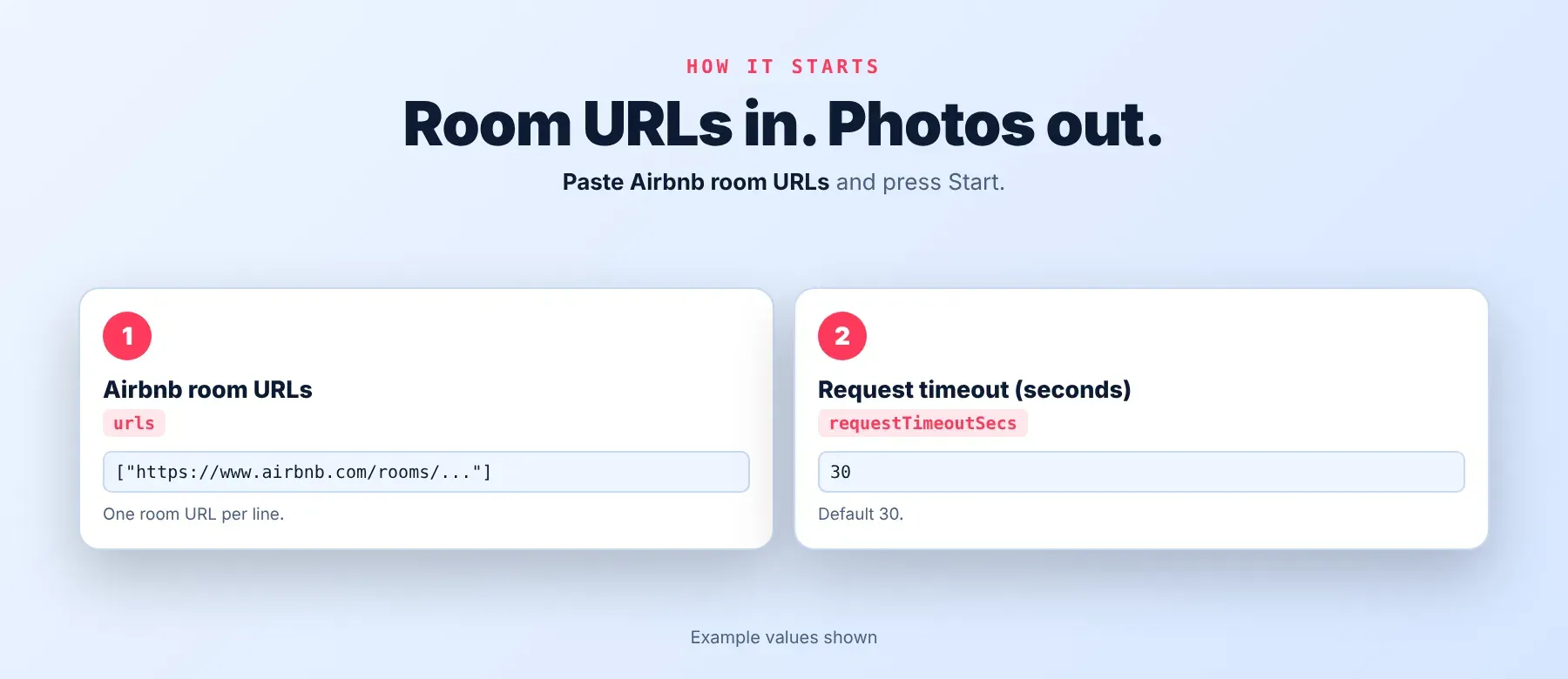
Airbnb Images Scraper takes a list of Airbnb room links or listing IDs; urls is the only field that needs at least one entry.
| Parameter | Required | Type | Description | Example value |
|---|---|---|---|---|
urls | Yes | Array | Airbnb room links or listing IDs, one per line. Any Airbnb country site works, as well as a plain listing ID. | ["https://www.airbnb.com/rooms/782682596976136912"] |
requestTimeoutSecs | No | Integer | Maximum time to wait for one request to Airbnb, 5-120 seconds (default 30). | 30 |
proxyConfiguration | No | Object | Apify Proxy settings; on routes every request through the proxy from the start, off starts direct and switches to the residential proxy if Airbnb blocks the connection. | {"useApifyProxy": true, "apifyProxyGroups": ["RESIDENTIAL"]} |
Free plan limits
Users on the Apify free plan can fetch up to 20 listings per run (all URLs together) and 200 listings per month. When the limit is reached, the run finishes successfully with a status message explaining the limit. Upgrade to any paid Apify plan to remove these limits.
Example input
⬆️ Output
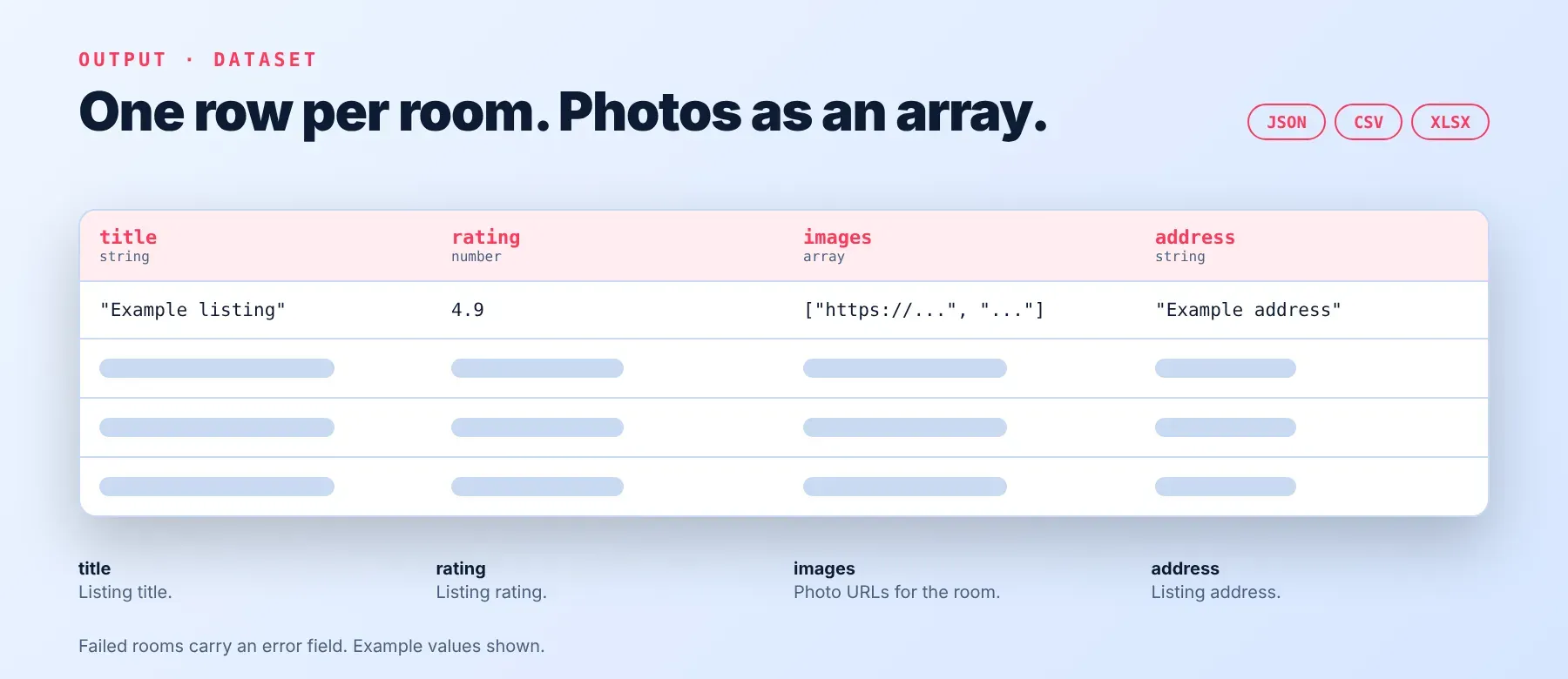
Every listing is one typed JSON item with the same fields on every run; a listing that failed or no longer exists returns a shorter, uncharged row with only the URL and an error message instead. Export the dataset as JSON, CSV or Excel.
Example output
How does it work?
Airbnb Images Scraper reads the same public listing page any visitor sees, without logging in or opening a browser window. It makes plain, direct requests to Airbnb's own site and, when a request is blocked, automatically retries and switches to a residential proxy for the rest of the run so the next listings go through cleanly. Listings that still fail are tried again a few more times after a short pause, and only a listing Airbnb genuinely no longer has, or one that never loads, gets an error row instead of data. The output fields stay the same shape on every run, so your code never has to adjust when Airbnb changes how its pages look internally. Only data any visitor can see without an account is ever returned.
How do you integrate Airbnb Images Scraper into your stack?
Airbnb Images Scraper works with what you already use: a REST API from any language, MCP for AI agents, and no-code tools.
Using Airbnb Images Scraper with the Apify API
Call this Actor's run-sync endpoint from any language that can send an HTTP POST request with your Apify API token and the same urls input shown above, then read the rows straight from the response. Works in Go, Ruby, Node.js, Python, cURL — any language that can make an HTTP request, so you can call it like any Airbnb listing images API from your own code.
MCP integration for AI agents
This registers Airbnb Images Scraper as a tool your agent can call directly, so it can fetch a listing's photos and details without any scraping code written into your prompt. The command below starts the MCP server with this Actor already added as a tool, so the agent can run it right away with the room links you give it, then read the photos, rating and location out of the response. Works with Claude Code, Cursor and Windsurf, and any other MCP-compatible client.
No-code tools (n8n, Make, LangChain)
In n8n, use the Apify node's "Run an Actor" action, or the HTTP Request node pointed at the run-sync endpoint with your token. In Make, use the Apify app's "Run an Actor" module followed by "Get Dataset Items". In LangChain, install langchain-apify and wrap this Actor with its ApifyActorsTool helper to run it as a tool inside an agent chain.
Is it legal to scrape Airbnb data?
Scraping publicly available data is generally considered lawful, though Airbnb's own Terms of Service restrict automated access to its site. Airbnb Images Scraper only returns listing data and photos that any visitor can see without logging in or creating an account - nothing from behind a login. Listing photos are copyrighted by their owners, so check that your intended use of the images is permitted before relying on them commercially. Under GDPR and similar laws, scraping public data is generally permissible, but storing and using any personal data it contains must still comply with local data-protection rules. Consult legal counsel if your use case involves bulk storage of personal data.
Frequently asked questions
What fields does Airbnb Images Scraper return?
It returns the listing's title, location, address, map coordinates, star rating, review count and its full photo gallery. See the data fields section.
Does Airbnb Images Scraper require an Airbnb account or login?
No. Only public listing data is extracted, and no credentials are needed to run it.
How fast does Airbnb Images Scraper run?
In a recorded run, 4 room links returned the first row in 0.6 seconds and finished all 4 - including one removed listing - in 1.3 seconds. Data is read live from Airbnb on every run, never cached.
What happens if a listing is private, removed or doesn't exist?
A listing Airbnb no longer has, or one that can't be loaded after every retry, comes back as its own row with only the URL and an error message instead of the usual fields, and that row is not charged.
Can I scrape multiple Airbnb listings at once?
Yes. Add as many room links or listing IDs as you need to the urls list, one per line, and each one comes back as its own row.
Does Airbnb Images Scraper work with Claude, ChatGPT and other AI agent tools?
Yes — it's available as an MCP tool. Use claude mcp add --transport http apify "https://mcp.apify.com?tools=fastdataapi/airbnb-images-scraper" to register it in Claude Code, Cursor or Windsurf. Any agent that can call an HTTP endpoint can also use the REST API directly.
Does Airbnb Images Scraper return data in a format LLMs can use directly?
Yes. Every row is typed, normalized JSON with the same field names on every run, so you can pass it straight to an LLM, index it into a vector store, or feed it to an agent tool with no extra parsing.
What happens when Airbnb changes its layout or anti-bot system?
This actor is maintained and updated when Airbnb changes its pages, so your calls keep returning the same JSON fields with no changes needed on your end.
Can I use Airbnb Images Scraper without managing proxies or browser infrastructure?
Yes. Retries and proxy switching happen automatically on the actor's side when Airbnb blocks a request. You send one request and get structured JSON back, with no proxy accounts or browser setup to maintain.
Which Airbnb Images Scraper fields work best for AI training data and RAG indexing?
For RAG, index the title and location text together with the photo URLs. For training data or analysis, the star rating, review count and map coordinates are already typed numbers, so no cleanup is needed.
Your feedback
Found a bug or a field that doesn't look right? Let us know so the actor can be kept accurate as Airbnb changes. Every report is read and fixes are shipped as they're found.


