

Airbnb Scraper
Pricing
from $1.34 / 1,000 results
Airbnb Scraper
Airbnb Scraper — Extract Airbnb listing data including names, prices, locations, ratings, reviews, amenities, guest capacity, availability, host details, images, and listing URLs. Useful for rental research, price comparison, competitor analysis, and market insights.
Pricing
from $1.34 / 1,000 results
Rating
0.0
(0)
Developer

Fast Data API
Maintained by CommunityActor stats
0
Bookmarked
2
Total users
1
Monthly active users
a day ago
Last modified
Categories
Share
Airbnb Scraper — Price Breakdown, Ratings and Coordinates
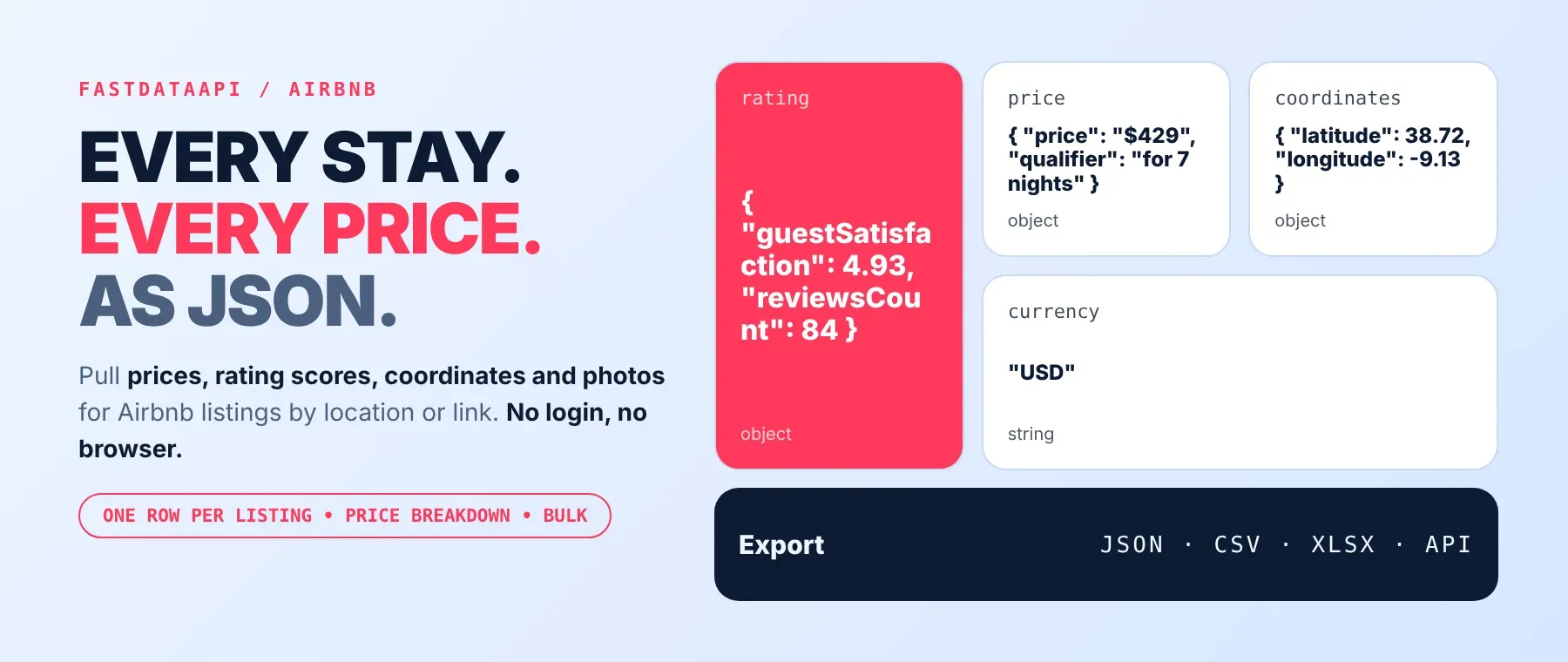
Airbnb Scraper pulls Airbnb stay listings for any location and your exact travel dates. Each result carries the listing title, description, photo, guest ratings, map coordinates and the full price for those dates — nightly cost, discounts, taxes and the final total. Every response is structured JSON — ready to pass directly to an LLM, index into a vector store, or feed a travel-pricing pipeline. No Airbnb account or login is needed. Start with one city, then add as many locations as your search needs.
What data can I extract with Airbnb Scraper?
Using this Airbnb listing API, you will be able to extract the following Airbnb listing data:
| 🖼️ Main photo | 🆔 Listing ID | 📝 Title | 📄 Full description |
|---|---|---|---|
| ⭐ Guest ratings (7 categories + review count) | 💰 Price for your dates (nightly cost, discounts, taxes, total) | 📍 Map coordinates | 🔗 Listing link (with your dates, currency and language) |
| 📦 Currency used | 🌍 Language/region used |
How to use Airbnb Scraper
Anyone who needs to scrape Airbnb by location — a traveler comparing prices, a host benchmarking competitors, or a market researcher — gets one clean row per listing from a single run.
Copy to your AI assistant:
Airbnb Scraper MCP Server: use these Actors from ChatGPT, Claude or Cursor
Point your AI assistant at this Actor and it can read Airbnb on its own: listings by location and dates, including price and availability for direct listing links. No glue code, no scraping logic in your prompts. Your agent gets this Actor as soon as it connects — no searching or adding required, since the actor ID is already in the MCP URL below.
Step by step
- Create a free Apify account.
- Open the Actor in the Apify Store.
- Enter the Airbnb place name, search link or listing link, and your check-in and check-out dates.
- Click Start (or send your API request).
- Download or stream your results in JSON, CSV or Excel.
How to scale Airbnb Scraper to bulk
Add more than one line to locationQueries or startItems to search many places or listing links in a single run — each location gets its own up-to-maxItems cap, independent of the others. Listing links always give one row each, so a list of links scrapes a fixed, predictable number of rows, letting you scrape Airbnb prices by date across many neighbourhoods in one run. Running the same input on a schedule turns this into a recurring price tracker: rerun weekly and compare the price breakdown for the same listings over time.
✨ Features
Airbnb Scraper fetches clean, structured listings from Airbnb ⚡, working as both an Airbnb rental scraper and an Airbnb price scraper for short-term rental pricing research, market analysis before listing or investing, travel-planning tools and recurring price tracking. It extracts, per listing:
- Title and description – the listing's name and full text description
- Guest ratings – overall score plus six category ratings and the review count
- Price for your dates – nightly cost, discounts, taxes and the final total
- Map coordinates – latitude and longitude
- Listing link – a ready-made URL with your dates, currency and language already applied
⚡ Every listing is saved to the dataset as soon as its page of search results is ready, not held back to the end of the run.
Use cases 💡
- Short-term rental host — compare nightly price breakdowns against nearby listings before setting your own rate.
- Market researcher — map supply, ratings and price levels of a city before investing or listing.
- Travel-planning tool builder — show stays with photos, ratings and the total price for those dates.
- Competitor tracker — rerun the same locations weekly to follow price changes on nearby listings.
- AI agent builder — feed listing titles, descriptions and ratings into a RAG pipeline as context.
Building an AI agent? Connect Airbnb Scraper over MCP and let it call the actor on its own.
Why choose this actor?
- Listings saved while the search is still running. A recorded run returned 4 listings from 1 location and 1 direct listing link in 3.5 seconds, with the first listing already stored in the dataset after 1.5 seconds.
- A full price picture, not just a nightly rate. A recorded listing came back with a $429-for-7-nights headline price, a $20.43 long-stay discount and $31.36 in taxes broken out on their own line, for a $459.49 grand total.
- Twelve input fields, one Actor. Locations, search links or listing links, check-in and check-out dates, currency, language, max listings per location, max search pages, a strict-area toggle, plus region, country and proxy-country settings — enough to run this as a full Airbnb market data scraper for one city or many at once.
⬇️ Input
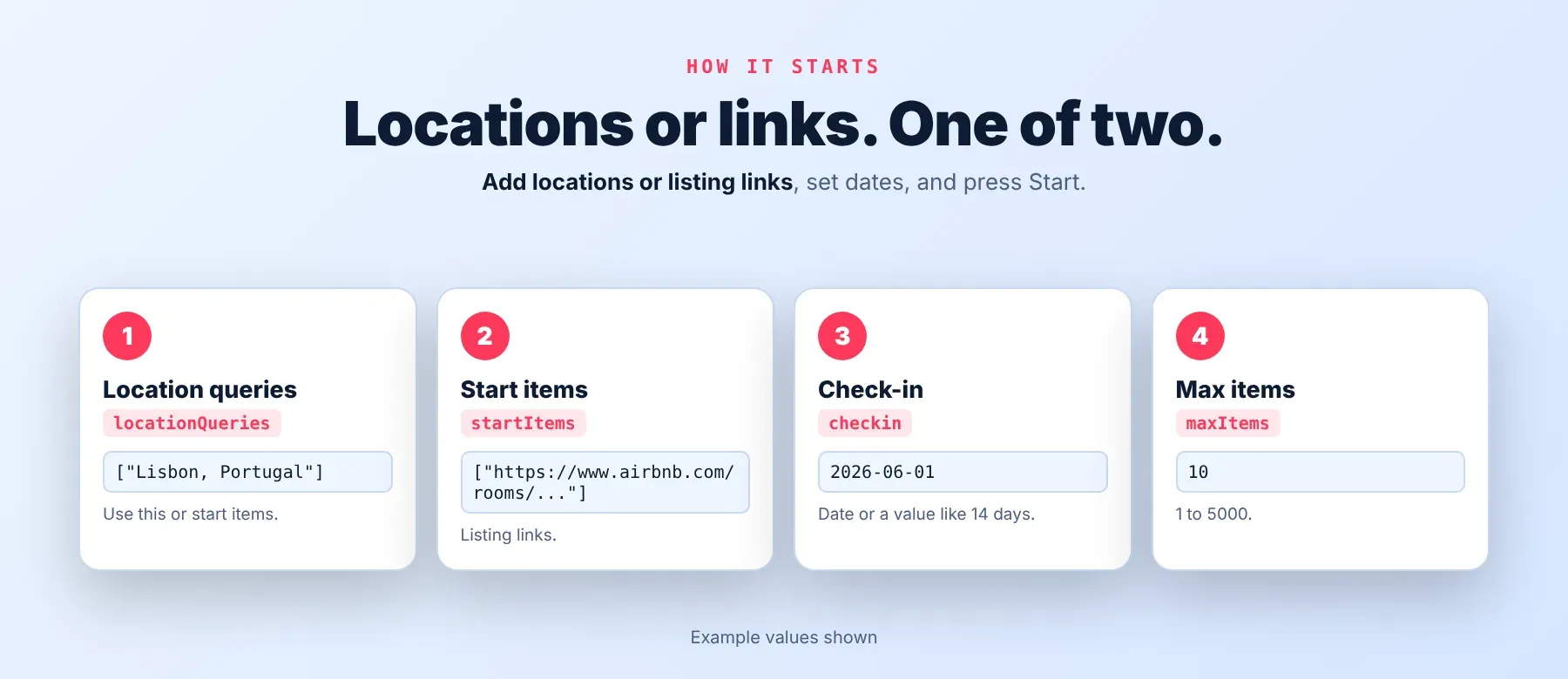
This Actor accepts one or more locations (locationQueries) and/or one or more Airbnb search links, listing links or listing IDs (startItems) — add at least one of the two. Every other field is optional.
| Parameter | Required | Type | Description | Example value |
|---|---|---|---|---|
locationQueries | No* | Array of strings | Places to search, one per line: a city, a neighbourhood or "City, Country" (US places can also use City--ST). Each location returns up to maxItems listings. | ["Lisbon, Portugal"] |
startItems | No* | Array of strings | Airbnb search links (searched like a location), listing links or plain listing IDs (scraped directly, one row each). | ["https://www.airbnb.com/rooms/38259633"] |
checkin | No | String | Check-in date: a calendar date or a relative date such as "14 days". Default 2026-06-01. | "14 days" |
checkout | No | String | Check-out date, after check-in. Default 2026-06-08. | "21 days" |
currency | No | String | Currency of every price in the results. Default USD. | "USD" |
locale | No | String | Language and region Airbnb uses for listing texts and price labels. Default en-US. | "en-US" |
maxItems | No | Integer | Maximum listings saved per location or search link, 1–5000. Default 10. Free plan: up to 20 listings per run (all locations and links together) and 200 per month. | 3 |
maxPages | No | Integer | Maximum search result pages read per location (about 40 listings per page), 1–500. Leave empty to read as many pages as Airbnb shows. | (empty) |
strictGeo | No | Boolean | Keep only listings inside the area Airbnb matched for your location. Default true. | true |
state | No | String | Optional region or state filter. | (empty) |
country | No | String | Optional country filter. | (empty) |
proxyConfiguration | No | Object | Proxy settings; the run always uses the Apify residential proxy, and a country chosen here is applied. | {"useApifyProxy": true} |
* Add at least one location or link. A run without either stops right away with a clear status message.
Free plan limits
Users on the Apify free plan can fetch up to 20 listings per run (all locations and links together) and 200 listings per month. When the limit is reached, the run finishes successfully with a status message explaining the limit. Upgrade to any paid Apify plan to remove these limits.
Example input
This is the real input used for the recorded run quoted throughout this page:
⬆️ Output
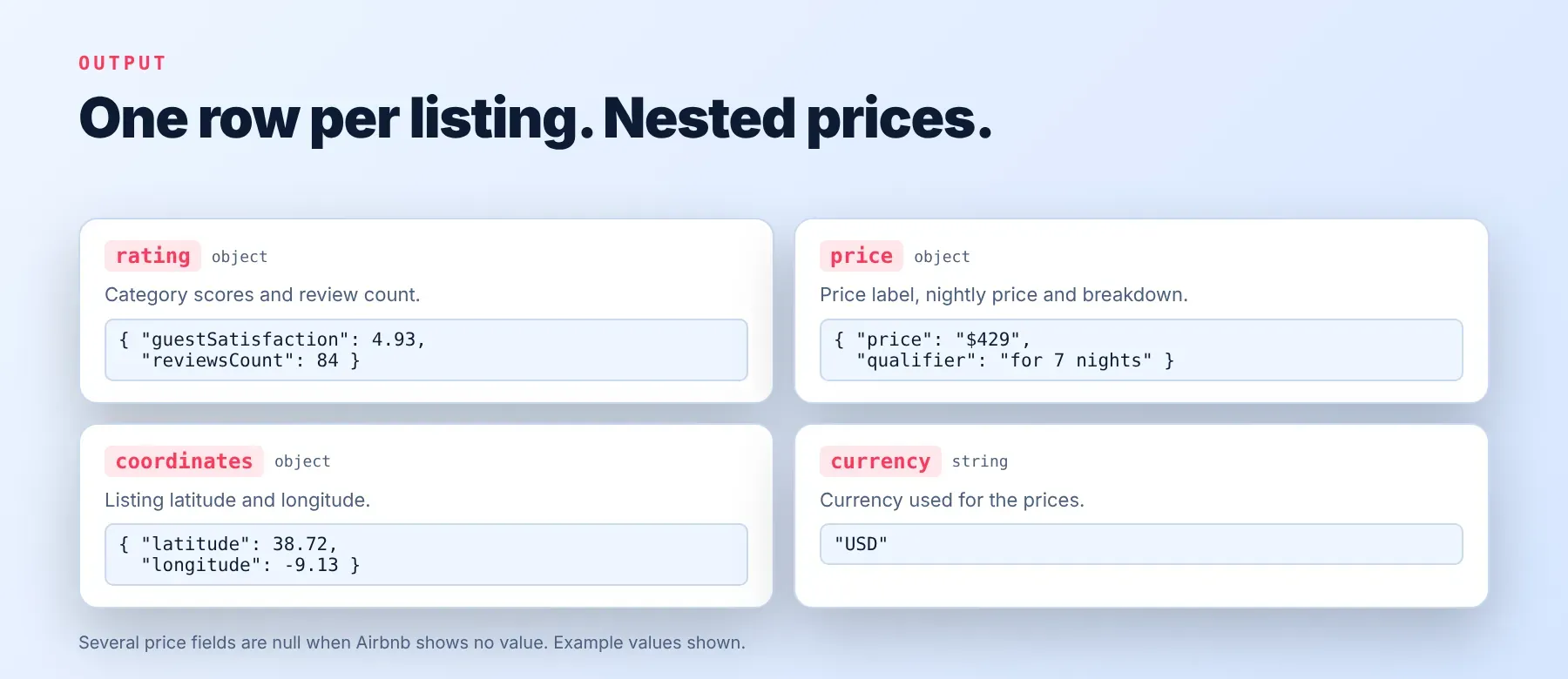
Every listing is one typed, normalized JSON item with the same schema on every run — listings are saved to the dataset as each search page finishes, not held back to the end. Export your results as JSON, CSV or Excel.
Example output
A real row from the recorded run above (description shortened):
How does it work?
It works as a plain-HTTP Airbnb listings scraper: it reads the same public listing and search pages that any visitor's browser loads — no browser is opened and no Airbnb account is used. Requests run through Apify's rotating residential proxy, each on a fresh session, so one blocked or slow request doesn't stop the run; a failed request is retried with growing waits before the Actor tries again a little later. Only data that is publicly visible without logging in is collected — nothing hidden behind a login is read or guessed, which is what keeps this an honest Airbnb data scraper rather than one that fabricates missing fields. The output schema stays the same fixed shape even when Airbnb changes how its pages work internally, so your integration keeps working without changes on your side.
How do you integrate Airbnb Scraper into your stack?
It works with what you already use: call it as an Airbnb search API from any language over REST, connect it to an AI agent through MCP, or wire it into a no-code workflow tool.
MCP integration for AI agents
Register Apify's MCP server as a callable tool for your AI agent using the command below.
This registers this Actor as a ready-to-call tool for your agent — once connected, it can run it with your location and dates, all without you writing any scraping logic into your prompts. Compatible with Claude Code, Cursor and Windsurf.
No-code tools (n8n, Make, LangChain)
In n8n, use the Apify node's "Run an Actor" action pointed at this Actor, then follow it with a "Get Dataset Items" step to pull the listings. In Make, the Apify app's "Run an Actor" module starts the run, and "Get Dataset Items" reads the results back into your scenario. In LangChain, install langchain-apify and wrap this Actor with ApifyActorsTool, passing your location and date inputs the same way you would through the API.
Is it legal to scrape Airbnb data?
Scraping publicly available data from the web is generally lawful, though Airbnb's own Terms of Service restrict automated access to its site. Airbnb Scraper returns only listing data that any visitor without an Airbnb account can see — nothing from behind a login. Under GDPR, scraping public data is generally permissible, but storing and using it must still comply with local data-protection law; a listing description can mention a host by name, which may count as personal data. Consult legal counsel if your use case involves bulk storage of personal data.
Frequently asked questions
What fields does Airbnb Scraper return?
Every listing comes back with its title, description, main photo, guest ratings and the full price breakdown for your dates, plus map coordinates. See the data fields section for the complete list.
Does Airbnb Scraper require an Airbnb account or login?
No. Only listing data that any visitor can see without logging in is extracted — no credentials are needed.
How fast does Airbnb Scraper run?
A recorded run returned 4 listings from 1 location and 1 direct listing link in 3.5 seconds, with the first listing already saved to the dataset after 1.5 seconds. Every listing is live data, read at run time — nothing is cached.
What happens if a listing is private, removed or doesn't exist?
A listing Airbnb no longer shows is skipped and logged as no longer available; it never appears as a fake or empty row in your dataset. A location Airbnb can't match is also skipped and logged, while every other location or link in the same run keeps going.
Can I scrape multiple Airbnb locations or listings at once?
Yes. Both locationQueries and startItems take an array, so you can search many places and scrape many listing links in a single run — each location is capped at maxItems listings independently of the others.
Does Airbnb Scraper work with Claude, ChatGPT, and other AI agent tools?
Yes — Airbnb Scraper is reachable through Apify's MCP server. Run claude mcp add --transport http apify "https://mcp.apify.com?tools=fastdataapi/airbnb-scraper" to register it as a callable tool in Claude Code, Cursor or Windsurf. Any agent that can call an HTTP endpoint can use the REST API directly.
Does Airbnb Scraper return data in a format LLMs can use directly?
Yes. Every response is typed, normalized JSON with the same field names on every run. There's no HTML to parse and no selectors to maintain — pass the response straight to an LLM, index it into a vector store, or feed it to an agent tool with no transformation step.
What happens when Airbnb changes its layout or updates its anti-bot system?
It's maintained and kept up to date. When Airbnb changes how its pages work, the Actor is updated so your calls keep returning the same JSON schema with no changes required on your end.
Can I use Airbnb Scraper without managing proxies or browser infrastructure?
Yes. Proxy rotation runs on the Actor's side, switching between a direct connection and Apify's residential proxy automatically when needed. You send one request and get structured JSON back — no proxy accounts and no browser setup to maintain.
Which Airbnb listing fields work best for AI training data and RAG indexing?
For RAG indexing: the description and title carry the richest text context for a listing. For training data: the guest ratings, review count, price and coordinates are the most structurally consistent numeric fields across listings. All fields are typed primitives — strings, numbers, booleans — with no normalization needed.
Your feedback
Found a bug or a field that doesn't match what Airbnb shows? Let us know — every report is read and fixes ship, so it keeps working as Airbnb changes.


