

Mobile.de Scraper
Pricing
from $1.00 / 1,000 results
Mobile.de Scraper
Mobile.de Scraper scrapes mobile.de vehicle listings in bulk from search URLs, listing URLs, search terms or make and model: price, price rating, mileage, specs, equipment, images, financing, dealer contact and reviews. Export JSON, CSV or Excel, or use the API.
Pricing
from $1.00 / 1,000 results
Rating
0.0
(0)
Developer

Fast Data API
Maintained by CommunityActor stats
0
Bookmarked
2
Total users
1
Monthly active users
7 days ago
Last modified
Categories
Features
Share
Mobile.de Scraper — Prices, Specs, Equipment and Dealer Contacts
Mobile.de Scraper extracts vehicle listings from mobile.de, Germany's largest vehicle marketplace: price and price rating, mileage, power, first registration, fuel, gearbox, full equipment list, photos, an AI summary of each ad, financing offers, and the seller's address, phone numbers, ratings and newest reviews. Every response is structured JSON — ready to pass directly to an LLM, index into a vector store, or feed a car-pricing or dealer lead-generation pipeline. No mobile.de account or cookies needed. Start with one model, then track every make and region you trade in.
What data can I extract with Mobile.de Scraper?
Using this mobile.de Listing API, you will be able to extract the following mobile.de vehicle listing data:
| 🏷️ Title, make and model | 💶 Price, net price and VAT | 📊 Price rating vs. market | 💱 Price in USD and GBP |
|---|---|---|---|
| 🛣️ Mileage | ⚡ Power (kW and hp) | 📅 First registration | ⛽ Fuel and consumption |
| ⚙️ Transmission | 🚗 Body type and colour | 🧾 Previous owners | ✅ Accident-free and damage status |
| 🧰 Full equipment list | ✨ Seller highlights | 🤖 AI summary, tags and insights | 📝 Description (HTML and text) |
| 🌍 Translated description (optional) | 🖼️ All photos | 🔋 EV battery details (if available) | 🏦 Financing offers |
| 🏢 Seller name, type and address | 📞 Phone numbers and WhatsApp | ⭐ Seller rating and review count | 💬 Newest dealer reviews (up to 10) |
| 🕒 Opening hours | 📍 Vehicle location (ZIP, city) | 🆔 Listing ID, vehicle number, HSN/TSN | 🗓️ Posted, modified and renewed dates |
How to use Mobile.de Scraper
Car dealers, importers and analysts use it to get every mobile.de listing for a model, a filter set or a dealer in one run, with price, specs and seller contact in each row.
Copy to your AI assistant:
Mobile.de Scraper MCP Server: use these Actors from ChatGPT, Claude or Cursor
Point your AI assistant at this actor and it can read mobile.de on its own: vehicle listings with prices, specs, equipment and seller details. No glue code, no scraping logic in your prompts.
Step by step
- Create a free Apify account.
- Open Mobile.de Scraper in the Apify Store.
- Paste mobile.de search or listing URLs, type search terms, or enter make and model (e.g.
BMW|320), then set filters if you need them. - Click Start (or send your API request).
- Download or stream your results in JSON, CSV or Excel.
How to scale Mobile.de Scraper to bulk
Every search URL, search term and make & model entry is its own input and gets up to Max listings per input rows, so 3 models with a limit of 100 return up to 300 listings in one run. Searches with more than 2,000 results are split into price bands automatically, so one input can return thousands of listings (a recorded run returned 2,100 unique listings for one model). A listing that two inputs both find is returned once. For daily tracking, save your input as a task and schedule it in Apify Console, or start runs from your own code through the API.
✨ Features
Mobile.de Scraper fetches clean, structured vehicle listings from mobile.de ⚡. It's ideal for used-car price research, sourcing stock for export, dealer lead lists and monitoring new listings for a model or a region. It extracts, per listing:
- Price and price rating – asking price, net price and VAT, and how the site rates it against the market
- Vehicle specs – mileage, power, first registration, fuel, gearbox, engine size, previous owners, colour
- Equipment – the full equipment list plus the seller's highlights
- AI summary – the site's short summary of the ad, with tags and insights
- Photos – every image of the ad in large size
- Seller – name, type, address, phone numbers, WhatsApp, opening hours, rating, review count and newest reviews
- Financing – monthly rate, term, down payment and interest of each finance offer
- Prices in USD and GBP – converted with the day's reference exchange rates
⚡ Search-card mode (full details off) skips the per-listing detail pages for quick, light runs over thousands of listings.
Use cases 💡
- Car dealer — price your stock against same-model listings by mileage and year.
- Importer — find VAT-deductible used cars under a price limit across Germany.
- Lead generation team — build dealer lists with phone numbers, address and rating.
- Market analyst — track asking prices and price ratings for a model every week.
- AI agent builder — feed listings and AI summaries into a RAG car-buying assistant.
Building an AI agent? Connect Mobile.de Scraper over MCP and let it call the actor on its own.
Why choose this actor?
- Hundreds of full listings in under a minute. A recorded run returned 300 BMW 320 listings with full details and dealer reviews in 47 seconds; a search-card run returned 2,100 unique listings in 18 seconds.
- The whole ad, not just the card. A recorded BMW 320i Touring came back with 22 photos, its full equipment list, an AI summary, 3 dealer phone numbers, a 4.9 seller score from 251 ratings and the newest dealer reviews.
- 13 vehicle categories, 25+ filters. Cars, motorbikes, motorhomes, vans, trucks, trailers, buses, machines and e-bikes, filtered by price, mileage, power, year, fuel, gearbox, body type, colour, condition, VAT, seller, country, ZIP radius and posted date.
⬇️ Input
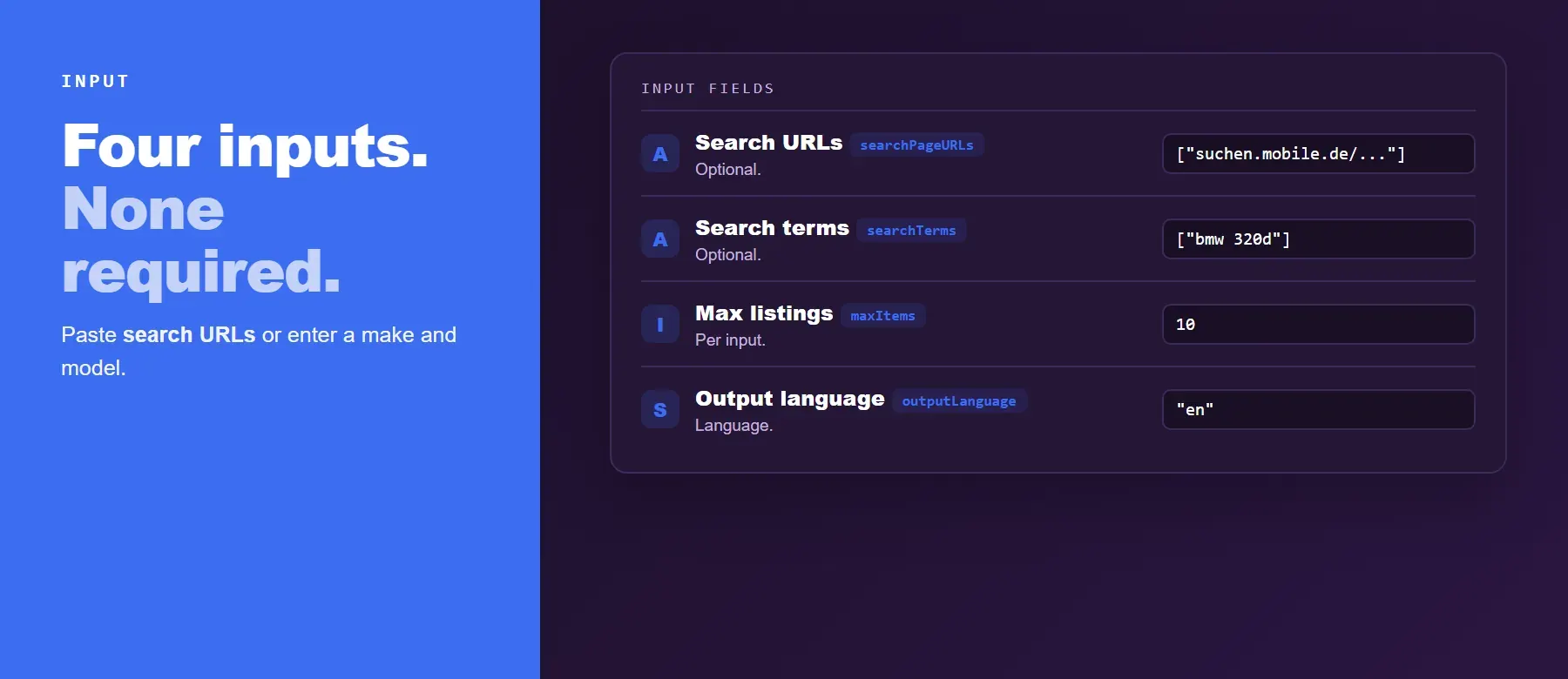
The actor takes mobile.de search or listing URLs, search terms, or make & model entries (any one of them is enough); every list can hold many entries. No field is required on its own.
| Parameter | Required | Type | Description | Example value |
|---|---|---|---|---|
searchPageURLs | No | array | mobile.de search result URLs and/or listing URLs or ids. Each search URL is one input. | ["https://suchen.mobile.de/fahrzeuge/search.html?ms=3500%3B10%3B%3B&s=Car&vc=Car"] |
searchTerms | No | array | Free-text searches; each term is its own input. Filters apply to every term. | ["M Sport"] |
models | No | array | `Make | Model` or a make alone. Without search terms each entry is its own input; with search terms they narrow every term's search. |
maxItems | No | integer | Listings per input (each URL, term or model). Default 10, minimum 1. | 100 |
searchCategory | No | string | Vehicle category for terms, models and filters: Car, Motorbike, Motorhome, VanUpTo7500, TruckOver7500, SemiTrailerTruck, SemiTrailer, Trailer, Bus, ConstructionMachine, AgriculturalVehicle, ForkliftTruck, EBike. Default Car. | "Car" |
sort | No | string | Standard (site relevance), price, mileage, first registration or posted date, lowest/oldest or highest/newest first. Default Standard. | "Price (lowest first)" |
includeDetails | No | boolean | Full listing details (default) or search-card fields only. | true |
reviewLimit | No | integer | Newest dealer reviews per listing, 0-10. Default 5. | 3 |
outputLanguage | No | string | Language of labels and translated values: en, de, fr, it, es, nl, pl, ro, ru, cs, tr. Default en. | "en" |
translateDescriptionTo | No | string | Also translate the seller's description into this language. Empty = off. | "en" |
priceMin / priceMax | No | integer | Price range in EUR. | 5000 / 30000 |
mileageKmMin / mileageKmMax | No | integer | Mileage range in km. | 0 / 150000 |
powerKwMin / powerKwMax | No | integer | Power range in kW. | 100 / 200 |
registrationDateYearMin / registrationDateYearMax | No | integer | First registration year range. | 2018 / 2023 |
fuelType | No | array | Petrol, Diesel, Electric, Hybrid, Hybrid Diesel, Plug-in hybrid, LPG, CNG, Hydrogen, Ethanol, Other. | ["Petrol", "Diesel"] |
transmission | No | array | Manual, Automatic, Semi-automatic. | ["Automatic"] |
vehicleType | No | array | Cabrio, Estate car, Limousine, SUV, Small car, Sports car, Van, Other. | ["Estate car"] |
exteriorColor | No | array | Beige, Black, Blue, Brown, Gold, Green, Grey, Orange, Purple, Red, Silver, White, Yellow. | ["Black"] |
condition | No | array | New and/or Used. Empty = both. | ["Used"] |
showDamagedVehicles | No | string | Any (default), false = hide damaged, true = only damaged. | "false" |
sellerType | No | string | Any (default), Dealer, Private. | "Dealer" |
vatStatus | No | string | Any (default), Deductible, Not deductible. | "Deductible" |
excludeKeywords | No | array | Skip listings whose title, subtitle or highlights contain any of these words. | ["Unfall"] |
location | No | string | Any (default) or a two-letter country code of the vehicle's location. | "DE" |
zipCode | No | string | German ZIP code to search around. | "80331" |
radiusKm | No | integer | Radius around the ZIP code in km (default 50). | 50 |
radiusMiles | No | integer | The same radius in miles, used when the km radius is empty. | 30 |
sellerId | No | string | Only this dealer's vehicles (numeric dealer id). | "462331" |
fromDate / toDate | No | string | Posted date range, YYYY-MM-DD. | "2026-11-01" / "2026-11-10" |
maxAgeMinutes | No | integer | Only listings posted in the last N minutes. | 1440 |
automaticPaging | No | boolean | Read pages up to the limit (default) or only the page a search URL points at. | true |
maxConcurrency | No | integer | Listings loaded at the same time, 1-20. Default 5. | 5 |
maxRetries | No | integer | Attempts per request, 1-10. Default 3. | 3 |
requestDelaySecs | No | number | Pause between result pages, 0-10 s. Default 0.2. | 0.2 |
proxyConfiguration | No | object | Optional proxy to start with. Default no proxy. | {"useApifyProxy": false} |
Free plan limits
Users on the Apify free plan can fetch up to 20 listings per run (all inputs together) and 200 listings per month. When the limit is reached the run finishes successfully with a status message explaining the limit. Upgrade to any paid Apify plan to remove these limits.
Example input
Accepted URL formats: search result pages (suchen.mobile.de/fahrzeuge/search.html?...), listing pages (suchen.mobile.de/fahrzeuge/details.html?id=... and suchen.mobile.de/auto-inserat/.../<id>.html) and bare listing ids.
⬆️ Output
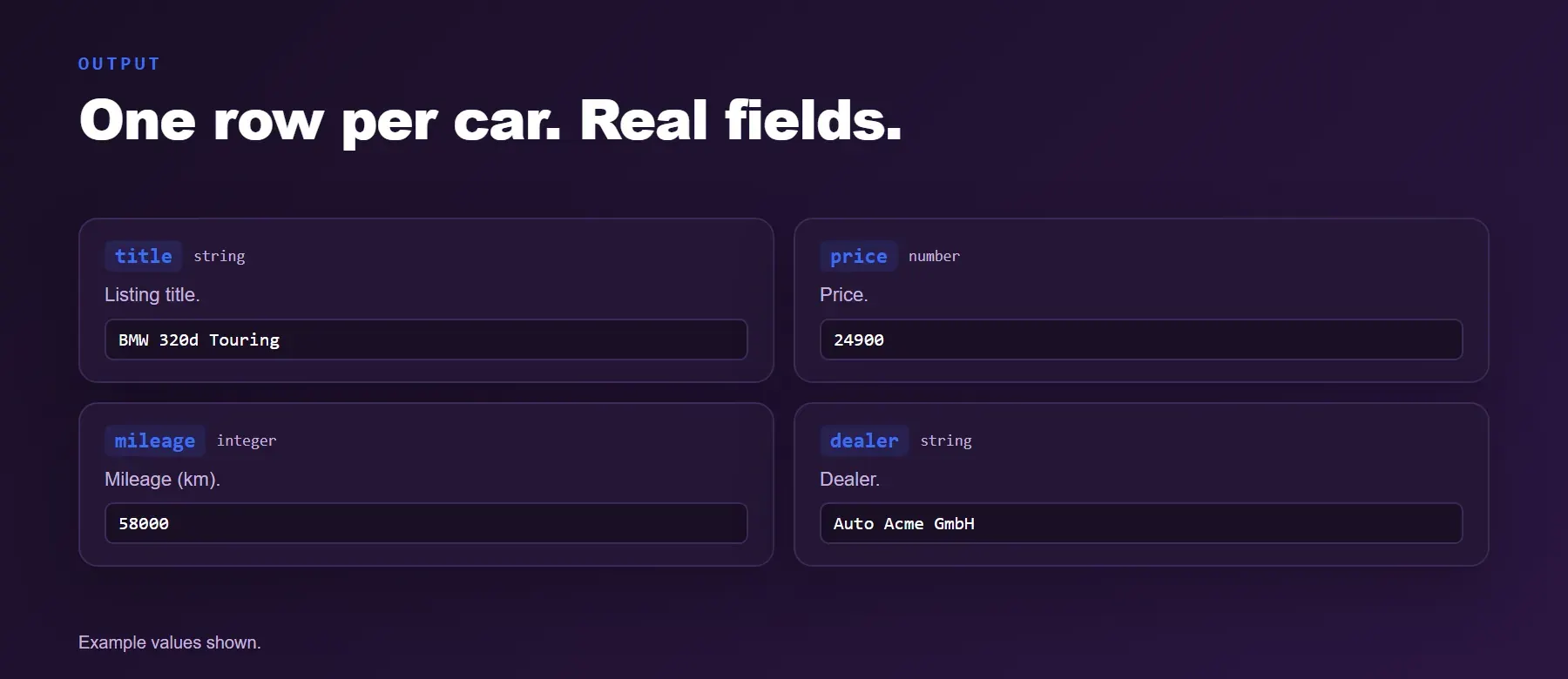
Every listing is one typed, normalized JSON item with the same schema on every run; values a listing doesn't have are null. Export formats: JSON (default), CSV, Excel — and the Output tab has Overview, Vehicle, Price, Seller, Equipment & description, Media and Listing views.
Example output
How does it work?
Mobile.de Scraper reads the same public listing data any visitor of mobile.de sees, without a mobile.de account. You give it search URLs, search terms or make and model with filters; it turns them into the site's own searches, reads the result pages up to your limit and then loads each listing's full details, the dealer's profile and newest reviews. Searches with more than 2,000 results are read in price bands so nothing past the site's paging limit is lost. It starts without a proxy and switches to a proxy by itself, retrying when a request is blocked. Rows appear in the dataset while the run is going, and the output schema stays the same from run to run, so your code keeps working.
How do you integrate Mobile.de Scraper into your stack?
It works with what you already use: the REST API from any language, MCP for AI agents, and no-code tools.
Using Mobile.de Scraper with the Apify API
Works in Go, Ruby, Node.js, cURL — any language that can make an HTTP request.
MCP integration for AI agents
This registers Mobile.de Scraper as a tool your agent can call directly. It works in Claude Code, Cursor and Windsurf: ask for "used BMW 320 estates under 25,000 EUR near Munich" and the agent fills the input, runs the actor and reads the listings back.
No-code tools (n8n, Make, LangChain)
- n8n — use the Apify node ("Run an Actor") with
fastdataapi/mobile-de-scraper, or the HTTP Request node pointed at the run-sync endpoint with your token. - Make — use the Apify app's "Run an Actor" module, then "Get Dataset Items" to pass the listings to your next step.
- LangChain — install
langchain-apifyand addApifyActorsTool("fastdataapi/mobile-de-scraper")to your agent's tools.
Is it legal to scrape mobile.de data?
Scraping publicly available listing data from mobile.de is generally legal. Mobile.de Scraper returns only public data — what any visitor sees without logging in. Listings can contain personal data such as a private seller's or a dealer contact's name and phone number; under GDPR, collecting public data is generally permissible, but storing and using it must comply with local data-protection law. Consult legal counsel if your use case involves bulk storage of personal data.
Frequently asked questions
What fields does Mobile.de Scraper return?
Each listing comes with its price and price rating, mileage, power, first registration, equipment list and the seller's contact details, plus photos, an AI summary, financing offers and dealer reviews. See the data fields section.
Does Mobile.de Scraper require a mobile.de account or login?
No. Only public listing data is extracted, and no credentials are needed.
How fast does Mobile.de Scraper run?
A recorded run returned 5 BMW 320 listings with full details in about 5 seconds and 300 in 47 seconds; with full details off, 2,100 listings took 18 seconds. Data is read live, not from a cache.
What happens if a listing is removed or doesn't exist?
A removed or expired listing URL produces no row and no charge; the log names it ("listing not found (removed or expired)") and the status message counts it. A search that matches fewer listings than your limit returns what exists, and the status message says how many and why; an unknown make or ZIP code is reported instead of running an unfiltered search.
Can I scrape multiple mobile.de listings at once?
Yes. Put many search URLs, search terms or make & model entries in one run; each gets up to Max listings per input, and listing URLs return one row each.
Does Mobile.de Scraper work with Claude, ChatGPT, and other AI agent tools?
Yes — Mobile.de Scraper is available as an MCP tool. Register it in Claude Code, Cursor or Windsurf with claude mcp add --transport http apify "https://mcp.apify.com?tools=fastdataapi/mobile-de-scraper"; any agent that can call an HTTP endpoint can use the REST API directly.
Does Mobile.de Scraper return data in a format LLMs can use directly?
Yes. Typed, normalized JSON with consistent field names. No HTML parsing, no selectors. Pass it straight to an LLM, index it into a vector store, or feed it to an agent tool — no transformation step.
What happens when mobile.de changes its layout or updates its anti-bot system?
This actor is maintained and updated. When mobile.de changes, the actor is updated and your calls keep returning the same JSON schema with no changes on your end.
Can I use Mobile.de Scraper without managing proxies or browser infrastructure?
Yes. The actor starts without a proxy and switches to a proxy by itself when it gets blocked, and it needs no browser. You send one request and get structured JSON back.
Which mobile.de listing fields work best for AI training data and RAG indexing?
For RAG: the text-rich fields — the description, AI summary, equipment list and seller highlights. For training data: the numeric and boolean fields — price, mileage, power, registration year, previous owners, accident-free flag and price rating. All fields are typed values, so no normalization is needed.
Your feedback
Found a bug or missing a field? Let us know in the actor's Issues tab. Every report is read, and fixes ship quickly.


