
Target Category Scraper
Pricing
from $0.67 / 1,000 results
Target Category Scraper
Target Category Scraper scrapes Target.com products from category URLs, search keywords or product URLs in bulk: price and sale price, rating, reviews, UPC, DPCI, variants, seller and store stock near any ZIP code. Export JSON, CSV or Excel, or use the API.
Pricing
from $0.67 / 1,000 results
Rating
0.0
(0)
Developer

Fast Data API
Maintained by CommunityActor stats
0
Bookmarked
2
Total users
1
Monthly active users
7 days ago
Last modified
Categories
Features
Share
Target Category Scraper — Prices, UPC, Variants and Store Stock
Target Category Scraper returns Target.com products from any category, search keyword or product link. For each product you get the title, brand, current and regular price, sale flag and discount, rating and review count, UPC and DPCI, variants with their own prices, seller, images, features, and stock at the Target store nearest to your ZIP code (shipping, pick-up, in-store status and quantity). Every response is structured JSON — ready to pass directly to an LLM, index into a vector store, or feed a pricing or catalog pipeline. No Target account or cookies needed. Start with one category, then track whole departments.
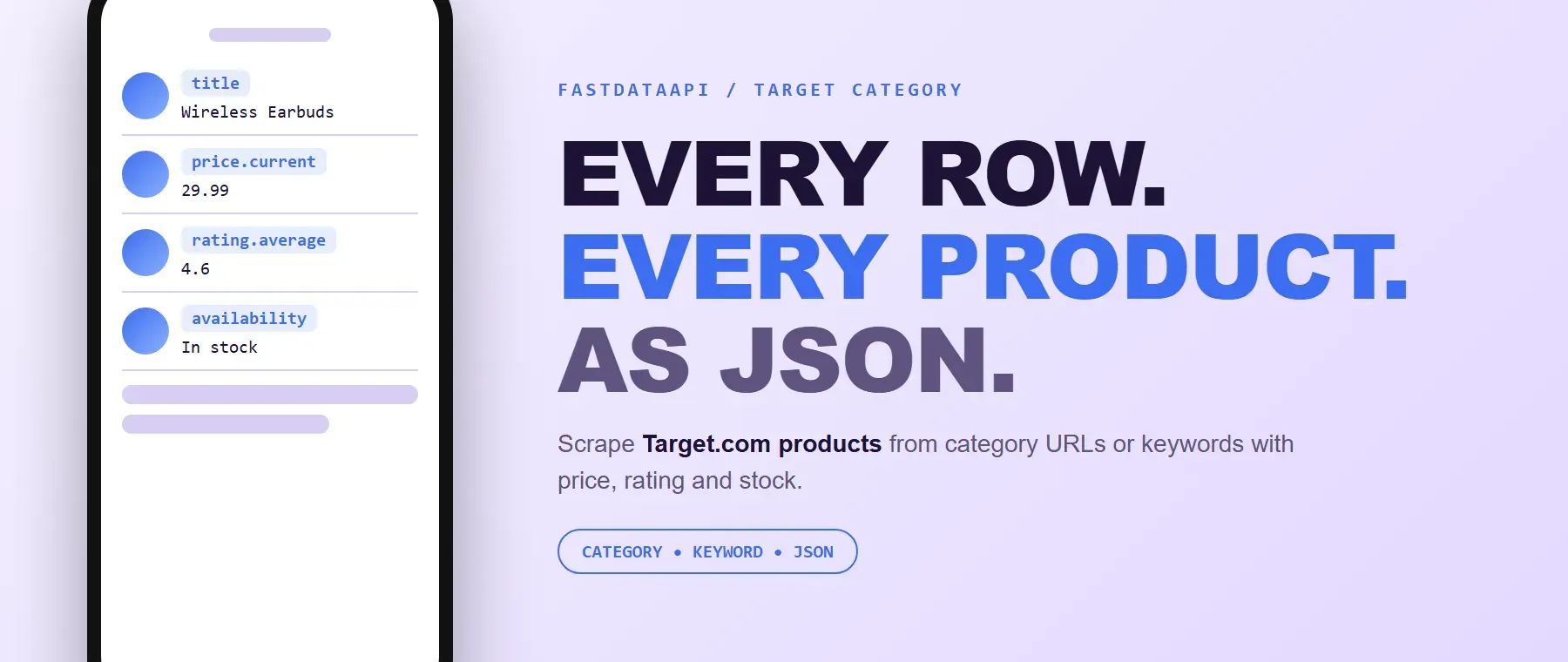
What data can I extract with Target Category Scraper?
Using this Target Category API, you will be able to extract the following Target product data:
| 🏷️ Product title | 🏭 Brand | 💲 Current price | 🧾 Regular price |
|---|---|---|---|
| 🔻 On sale flag and save percent | 💬 Price text and price type | 📈 Price range for product families | 💱 Currency |
| ⭐ Rating and rating count | 🗣️ Review count | 🔥 "Bought in last month" | 📢 Sponsored flag |
| 🔢 UPC barcode | 🆔 TCIN and DPCI | 🎨 Variants with price, UPC, DPCI and stock | 👪 Parent TCIN |
| 📝 Description | ✅ Feature bullets | 🖼️ Images and thumbnail | 🗂️ Item type and category ID |
| 🚚 Shipping status | 🛍️ Pick-up status | 🏬 In-store status | 📦 Quantity at the nearest store |
| 🏪 Store name and ID | 🛒 Seller and marketplace flag | 🔗 Product link | 🔎 Position, search keyword and input category |
How to use Target Category Scraper
Built for retailers, brands, price analysts and resellers who want Target's catalog, prices and local stock in one run.
Copy to your AI assistant:
Target Category Scraper MCP Server: use these Actors from ChatGPT, Claude or Cursor
Point your AI assistant at this actor and it can read Target on its own: products of any category or search, with prices, UPCs, variants and local stock. No glue code, no scraping logic in your prompts.
Step by step
- Create a free Apify account.
- Open Target Category Scraper in the Apify Store.
- Paste Target category URLs, search keywords or product URLs.
- Click Start.
- Download or stream your results in JSON, CSV or Excel.
How to scale Target Category Scraper to bulk
Put as many categories, keywords and product links as you need into the three lists, one per line. Each category and each keyword returns up to Max products per input on its own, so 3 categories with a limit of 100 return up to 300 rows; each product link returns one row. Several inputs run at the same time, and each page of products is saved as soon as it is ready. For ongoing price or stock tracking, schedule the actor in Apify Console or call it from your own code on a timer.
✨ Features
Target Category Scraper fetches clean, structured product data from Target.com. It's ideal for price monitoring, assortment research, UPC matching, local stock checks and building product catalogs for AI agents.
It extracts, per product:
- Price – current and regular price, the price text Target shows, price type, on-sale flag, save percent, and the min-max range for product families and collections.
- Identifiers – TCIN, DPCI, UPC barcode, parent TCIN and category ID.
- Variants – every color or size with its own price, UPC, DPCI, link and stock status.
- Store stock – shipping, pick-up and in-store status and the quantity at the Target store nearest to your ZIP code, with the store's name and ID.
- Product details – title, brand, description, feature bullets, images, item type, seller and marketplace flag.
- Signals – rating, rating count, review count, "bought in last month" and the sponsored flag.
⚡ Categories (with their filters), keyword searches and single product links all work in the same run, sorted the way you choose.
Use cases 💡
- Price analyst — track Target prices, sale flags and discounts across a whole category.
- Brand manager — check how your products rank, rate and sell next to competitors.
- Reseller — find in-stock products near a ZIP code with the store quantity.
- Catalog team — match products to your catalog by UPC, DPCI and TCIN.
- AI agent builder — feed product data into a RAG index for shopping assistants.
Building an AI agent? Connect Target Category Scraper over MCP and let it call the actor on its own.
Why choose this actor?
- Fast at volume. A recorded run returned 300 products from one category in 138 seconds, every one with UPC, description and store stock.
- Real numbers per product. A recorded product came back at $34.99 (regular price), rated 4.4 from 88 ratings with 48 reviews, UPC 840467319419, DPCI 082-04-9481, 10 in stock at the Mpls Nicollet Mall store.
- Three ways in. Category URLs (filters kept), search keywords and product links or TCINs, with six sort orders and sponsored products on request.
⬇️ Input
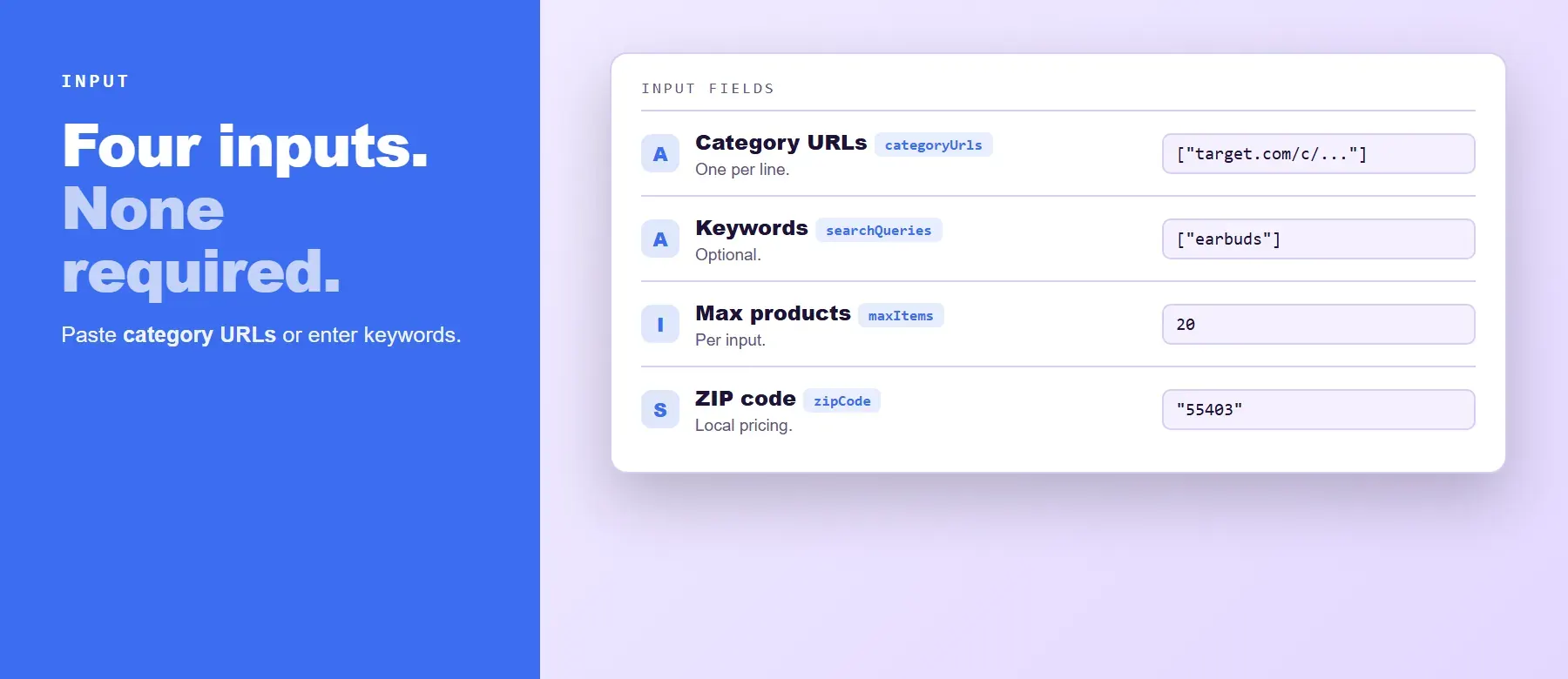
The actor takes Target category URLs, search keywords or product URLs. Fill at least one of the three lists.
| Parameter | Required | Type | Description | Example value |
|---|---|---|---|---|
| categoryUrls | One of three | array | Target category links or IDs, one per line. Filters in the link are kept. | ["https://www.target.com/c/kitchen-dining/-/N-hz89j"] |
| searchQueries | One of three | array | Keywords to search on Target, one per line. | ["coffee maker"] |
| productUrls | One of three | array | Target product links or TCINs. One row per product; a variant link returns that variant. | ["1014534035"] |
| maxItems | No | integer | Products per category and per keyword. Target lists at most 1,200; 0 = all. Default 20. | 100 |
| sort | No | string | featured, price_low, price_high, rating, bestselling, newest. Default featured. | "price_low" |
| zipCode | No | string | US ZIP code; the nearest store gives the stock fields. Default 55403. | "10001" |
| storeId | No | string | Store whose prices are shown. Default 3991 (online prices). | "3991" |
| includeDetails | No | boolean | Description, review count, UPC, seller, variants and store stock. Default true. | true |
| includeSponsored | No | boolean | Also return sponsored products. Default false. | false |
| startPage | No | integer | Start at this results page (24 per page), 1-50. Default 1. | 1 |
| categoryTree | No | array | top for the top-level categories, or category URLs/IDs for their sub-categories. Rows go to the categories dataset and are not charged. | ["top"] |
| maxConcurrency | No | integer | Result pages loaded at the same time, 1-20. Default 4. | 4 |
| maxRequestRetries | No | integer | Attempts per failed request, 1-10. Default 3. | 3 |
| requestTimeoutSecs | No | integer | Seconds to wait for one answer, 5-120. Default 30. | 30 |
| requestDelaySecs | No | integer | Pause before each result page, 0-30 seconds. Default 0. | 0 |
| proxyConfiguration | No | object | Optional proxy. By default the actor starts without one and switches to a proxy by itself when refused. | {"useApifyProxy": false} |
Accepted formats:
- Category:
https://www.target.com/c/kitchen-dining/-/N-hz89j,https://www.target.com/c/coffee-makers-kitchen-appliances-dining/-/N-5xtrrZ5y761(with a filter),hz89j - Product:
https://www.target.com/p/-/A-1014534035, a link with?preselect=<variant TCIN>,1014534035
Free plan limits
Users on the Apify free plan can fetch up to 20 products per run (all inputs together) and 200 products per month. When the limit is reached the run finishes successfully with a status message explaining the limit. Upgrade to any paid Apify plan to remove these limits.
Example input
⬆️ Output
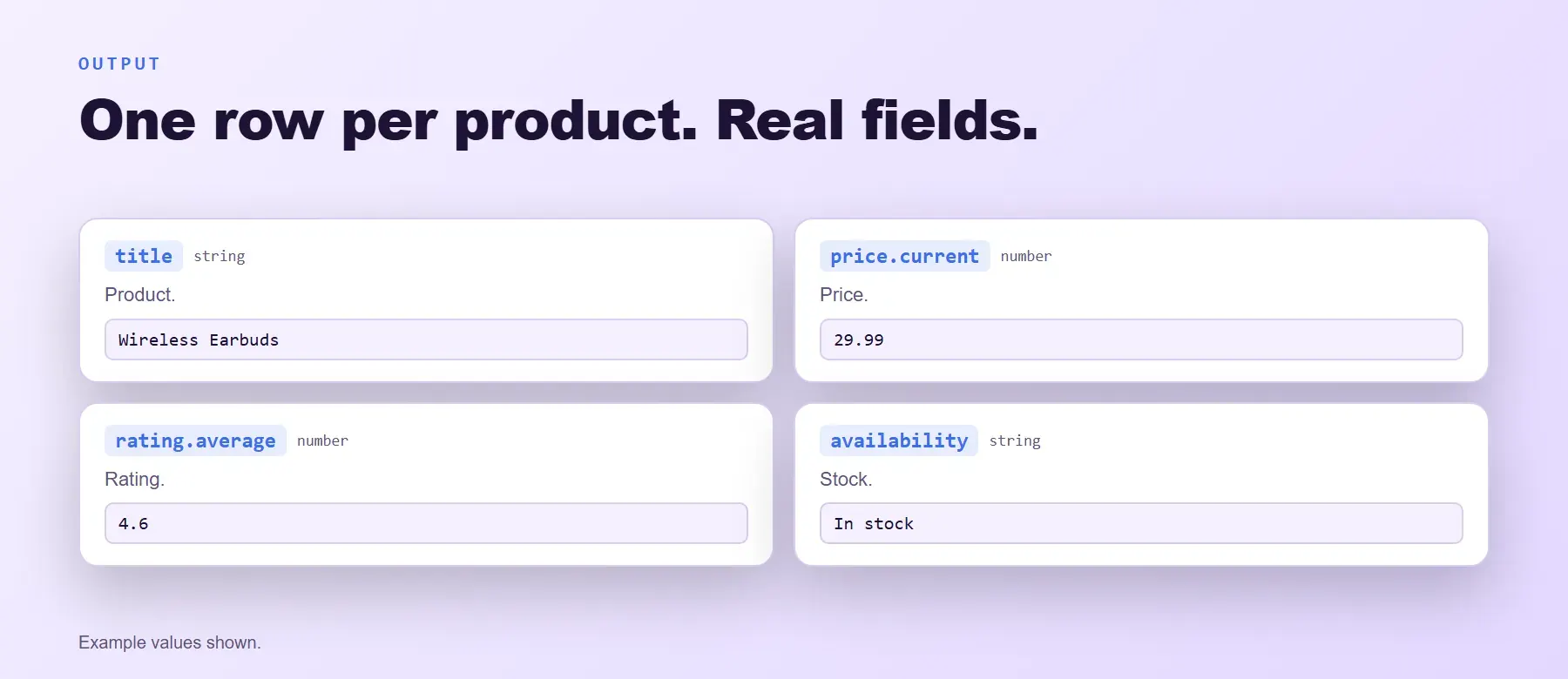
Each product is one row. The Output tab has four views: Overview, Price, Stock and Details.
Example output
Product families (colors, sizes) list each variant in variants with id, title, price, upc, dpci, url and availability.
How does it work?
The actor reads public Target data — the same products, prices and store stock any visitor sees without logging in. You give it a category, a keyword or a product; it walks the result pages, then adds each product's details, variants and stock at the store nearest to your ZIP code. It needs no Target account and no browser. Requests start on a direct connection; when Target refuses one, the actor retries and switches to a proxy by itself, so you never set up proxies. Target shows at most 1,200 products per category or search, so use category filters or sort orders to reach more. Every product comes back in the same normalized JSON shape on every run, and the actor is maintained and updated when Target changes.
How do you integrate Target Category Scraper into your stack?
It works with what you already use: the REST API from any language, MCP for AI agents, and no-code tools.
Using Target Category Scraper with the Apify API
Works in Go, Ruby, Node.js, cURL — any language that can make an HTTP request.
MCP integration for AI agents
Add the actor to your AI agent with one command:
This registers Target Category Scraper as a tool your agent can call directly. It works with Claude Code, Cursor and Windsurf, so your agent can look up Target products, prices and local stock and reason over them on its own.
No-code tools (n8n, Make, LangChain)
n8n: use the Apify node ("Run an Actor") with fastdataapi/target-category-scraper, or the HTTP Request node pointed at the run-sync endpoint with your token.
Make: add the Apify app's "Run an Actor" module, then "Get Dataset Items" to pass the products to the next step.
LangChain: install langchain-apify and use ApifyActorsTool("fastdataapi/target-category-scraper") as a tool in your agent.
Is it legal to scrape Target data?
Collecting publicly available Target product data is generally legal. Target Category Scraper returns only publicly available data — what any user sees without logging in: product listings, prices and store stock. It collects no personal data. Storing and using the data must still comply with local law and Target's terms; consult legal counsel if you are unsure about your use case.
Frequently asked questions
What fields does Target Category Scraper return?
Each product comes with its title, brand, current and regular price, rating, review count, UPC, DPCI, variants and stock at the nearest store, plus many more. See the data fields section.
Does Target Category Scraper require a Target account or login?
No. Only public product data is extracted, and no credentials are needed.
How fast does Target Category Scraper run?
A recorded run returned 300 products from one category in 138 seconds, and 90 products for 2 categories and 1 keyword in 48 seconds. Detail pages are fetched at a steady, polite pace so long runs are not refused. Data is live, not cached.
What happens if a category or product doesn't exist?
That input returns no rows: the log marks it "not found" and the run's status message counts it, while the other inputs run normally. An entry that is not a Target link or ID is skipped and counted the same way.
Why did I get fewer products than Max products per input?
Target lists at most 1,200 products per category or search, and some searches match fewer. The run's status message says how many each input found. Use category filters, another sort order or Start page to reach more.
Can I scrape multiple Target categories at once?
Yes. Add as many categories, keywords and product links as you like; each category and keyword returns up to your per-input limit, and every row carries its source_category_id or search_query.
Does Target Category Scraper work with Claude, ChatGPT, and other AI agent tools?
Yes — Target Category Scraper is available as an MCP tool. Register it in Claude Code, Cursor or Windsurf with claude mcp add --transport http apify "https://mcp.apify.com?tools=fastdataapi/target-category-scraper". Any agent that can call an HTTP endpoint can use the REST API directly.
Does Target Category Scraper return data in a format LLMs can use directly?
Yes. It returns typed, normalized JSON with consistent field names. No HTML parsing, no selectors: pass it straight to an LLM, index it into a vector store, or feed it to an agent tool with no transformation step.
What happens when Target changes its site?
The actor is maintained and updated when Target changes, and your calls keep returning the same JSON schema with no changes on your end.
Can I use Target Category Scraper without managing proxies or browser infrastructure?
Yes. The actor starts on a direct connection and switches to a proxy by itself when Target refuses a request. No proxy accounts, no headless browser setup, no maintenance.
Which Target product fields work best for AI training data and RAG indexing?
For RAG, use the text-rich fields: title, description, feature bullets, brand and item type. For training data, use the numeric and boolean fields: price, regular price, save percent, rating, rating count, review count, store quantity, and the on-sale, sponsored and marketplace flags. All fields are typed values with no normalization needed.
Your feedback
Found a bug or missing a field? Let us know in the actor's Issues tab. Every report is read, and fixes ship to keep the actor working.


