

TripAdvisor Review Scraper
Pricing
from $1.68 / 1,000 results
TripAdvisor Review Scraper
TripAdvisor Review Scraper — Extract TripAdvisor reviews, ratings, review text, reviewer details, travel dates, photos, business information, and review URLs. Ideal for sentiment analysis, hospitality research, competitor analysis, and customer feedback monitoring.
Pricing
from $1.68 / 1,000 results
Rating
0.0
(0)
Developer

Fast Data API
Maintained by CommunityActor stats
0
Bookmarked
3
Total users
2
Monthly active users
11 days ago
Last modified
Categories
Security
Limited permissionsShare
TripAdvisor Review Scraper — Ratings, Text, Photos and Owner Replies
TripAdvisor Review Scraper extracts every review from a TripAdvisor hotel, restaurant or attraction page: star rating, full review text, trip type, sub-ratings, photos, owner replies and the reviewer's public profile. Every response is structured JSON — ready to pass directly to an LLM, index into a vector store, or feed a review sentiment analysis pipeline. No TripAdvisor account or login is needed — paste a review page link or a place name and get one row per review. Start with one hotel, then scale to every property you track.
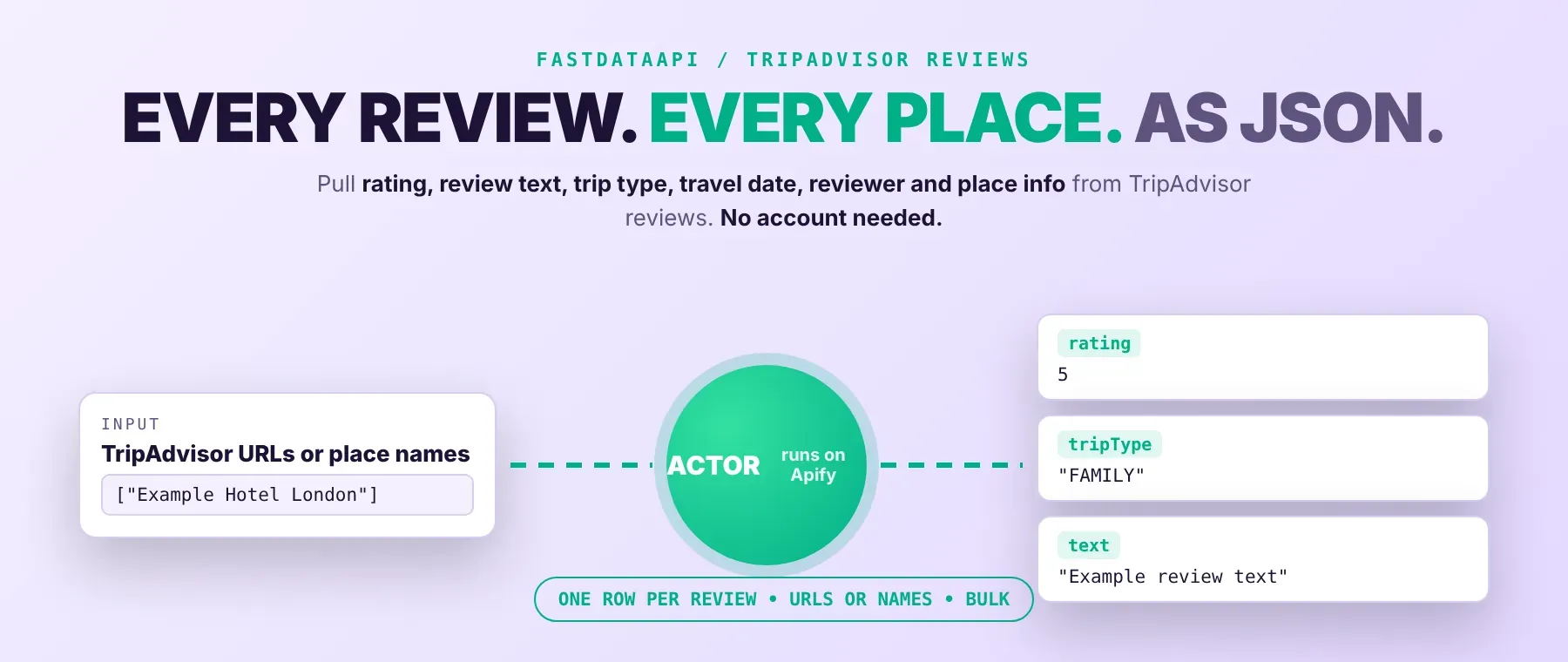
What data can I extract with TripAdvisor Review Scraper?
Using this TripAdvisor Reviews API, you will be able to extract the following TripAdvisor review data:
| ⭐ Star rating | 📝 Full review text | 👤 Reviewer profile | 💬 Owner reply |
|---|---|---|---|
| 📊 Sub-ratings (aspects) | 📸 Review photos | 🧳 Trip type | ✈️ Travel month |
| 🏷️ Review title | 📅 Published date | 📱 Published from (if shared) | 🌍 Review language |
| 🛏️ Room tip (hotels) | 👍 Helpful votes | 🆔 Review ID | 🔗 Review URL |
| 📍 Place ID | 🏨 Place details | 🕒 Scraped-at timestamp |
How to use TripAdvisor Review Scraper
Anyone who wants to scrape TripAdvisor reviews without building their own scraper can run this Actor and get every review from one run as structured rows.
Copy to your AI assistant:
TripAdvisor Review Scraper MCP Server: use these Actors from ChatGPT, Claude or Cursor
An AI assistant connected to Apify's MCP server can call this TripAdvisor reviews API directly as a tool, run it for a list of places, and read the reviews back mid-conversation. No glue code, no scraping logic written into your prompts, and no separate API key to manage beyond the one Apify connection your agent already has.
Step by step
- Create a free Apify account.
- Open the Actor's page in the Apify Store.
- Enter a TripAdvisor review page link or a place name.
- Click Start (or send your API request).
- Download or stream your results, or export TripAdvisor reviews to CSV, Excel or JSON.
How to scale TripAdvisor Review Scraper to bulk
The place list takes as many entries as you want, so add every TripAdvisor review page URL or place name you want to track and they all run in the same session, up to three at a time. This is how to scrape bulk TripAdvisor reviews by URL: one run can mix hotels, restaurants and attractions, and duplicate links to the same place are scraped once. For a recurring pull, set up an Apify schedule to rerun the same place list daily or weekly so new reviews keep arriving in fresh runs, or call the Actor from a script with a different place list each time.
✨ Features
TripAdvisor Review Scraper fetches clean, structured reviews from TripAdvisor hotel, restaurant and attraction pages. It's ideal for reputation monitoring, competitor research, review sentiment analysis and travel market research. It extracts, per review:
- Star rating and text – the exact score and the full review as written
- Trip details – travel month and trip type (family, couples, solo, business, friends)
- Sub-ratings – aspect scores such as Rooms, Service, Value, Location or Food
- Photos – every photo attached to the review, with captions
- Owner reply – the place's public response, when there is one
- Reviewer profile – name, username, home town, avatar and contribution counts
⚡ Every review is saved as soon as its page is read, so results start filling the dataset within a couple of seconds of starting the run (a recorded run stored its first review after 2.0 seconds).
Use cases 💡
- Hotel manager — run this TripAdvisor hotel reviews scraper on your own property and flag reviews with no reply.
- Competitor researcher — compare ratings and sub-ratings across hotels or restaurants in one city.
- Sentiment analyst — feed review text and ratings into a TripAdvisor review sentiment analysis pipeline.
- Travel researcher — collect TripAdvisor attraction reviews and rating histograms for a destination.
- AI agent builder — pass review JSON into a RAG pipeline as grounded guest-feedback context.
Building an AI agent? Connect TripAdvisor Review Scraper over MCP and let it call the actor on its own.
Why choose this actor?
- Every review streamed in as it's read. A recorded run saved 100 reviews from one hotel in 4.2 seconds, with the first review stored after 2.4 seconds.
- Three places at once, filters applied by TripAdvisor itself. A recorded run collected 71 reviews from three places — a hotel, an attraction and a restaurant — in 3.3 seconds; one place returned all 11 reviews it has on TripAdvisor, since that's the real total.
- The full picture behind each review, not just a star count. A sample review came back with its owner reply, a guest room tip, two photos and the reviewer's travel details attached.
⬇️ Input
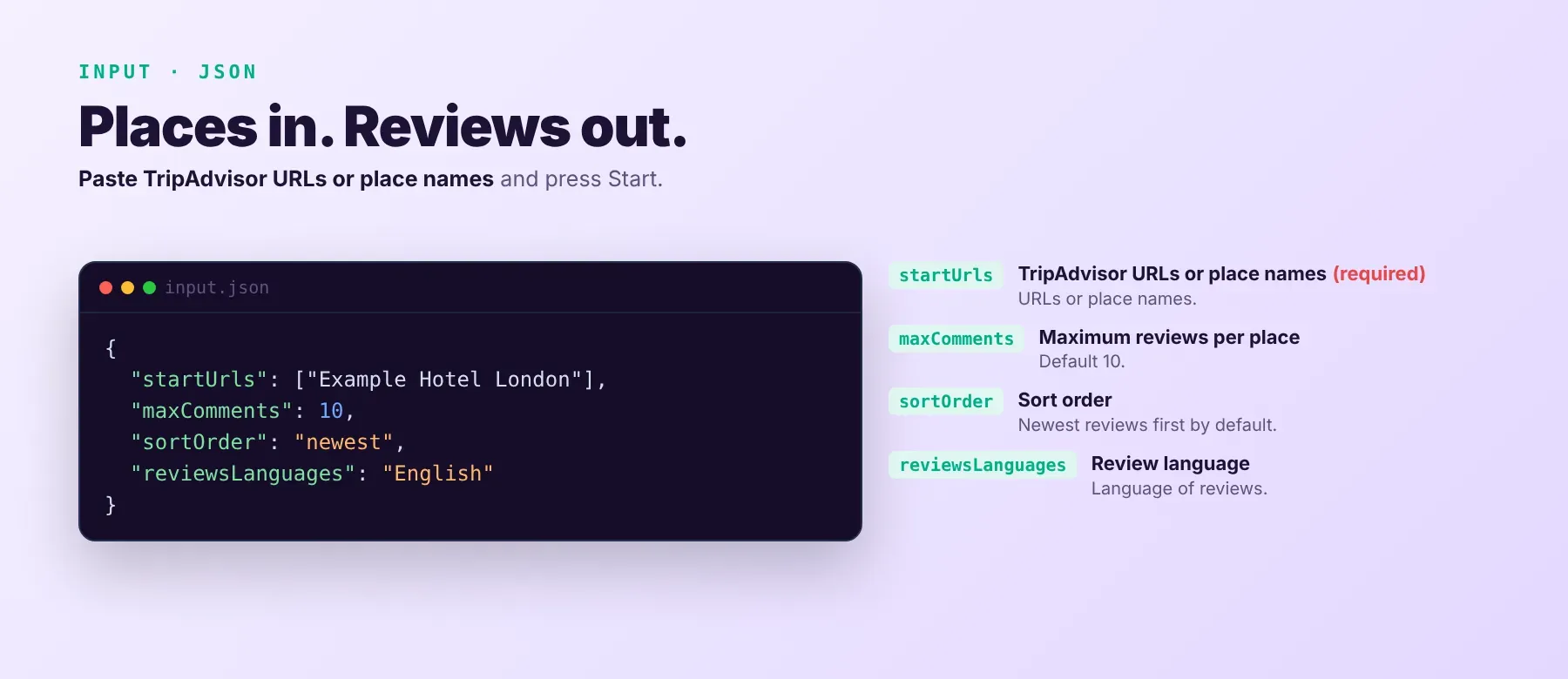
Paste one or more TripAdvisor review page links or place names into startUrls — the only required field, and the one place this doubles as a TripAdvisor hotel reviews scraper, a TripAdvisor restaurant reviews scraper, or an attraction review scraper, all in the same run. Everything else narrows what comes back per place.
| Parameter | Required | Type | Description | Example value |
|---|---|---|---|---|
startUrls | Yes | Array | TripAdvisor review page links (any country domain) or place names, one entry per place. Works for hotels, restaurants and attractions; duplicate entries are scraped once. | ["https://www.tripadvisor.com/Hotel_Review-g60763-d208453-Reviews-Hilton_New_York_Times_Square-New_York_City_New_York.html"] |
maxComments | No | Integer | Maximum reviews to save per place, 1–10,000 (default 10). A place with fewer matching reviews gives all it has. Free plan: up to 20 reviews per run (all places together) and 200 per month; paid plans have no limit. | 100 |
sortOrder | No | String | Order reviews are collected in: newest (default), oldest, relevant or rating. | "newest" |
reviewsLanguages | No | String | Only reviews written in this language, or ALL_REVIEW_LANGUAGES for every language (default English). | "English" |
reviewRatings | No | String | Only reviews with these star ratings: ALL_REVIEW_RATINGS (default), POSITIVE, NEGATIVE, AVERAGE, or one exact star count 1–5. | "ALL_REVIEW_RATINGS" |
scrapeReviewerInfo | No | Boolean | Add the reviewer's public profile to every row (default true). Off leaves the user field null. | true |
reviewQueryId | No | String | Advanced, optional. Pins TripAdvisor's internal review-list identifier; leave it empty and the Actor works out the current one on its own. | "" |
proxyConfiguration | No | Object | Apify Proxy settings (default: Apify residential proxy). | {"useApifyProxy": true, "apifyProxyGroups": ["RESIDENTIAL"]} |
A run without any TripAdvisor link or place name stops right away with a clear status message.
Free plan limits
Users on the Apify free plan can fetch up to 20 reviews per run (all places together) and 200 reviews per month. When the limit is reached, the run finishes successfully with a status message explaining the limit. Upgrade to any paid Apify plan to remove these limits.
Example input
⬆️ Output
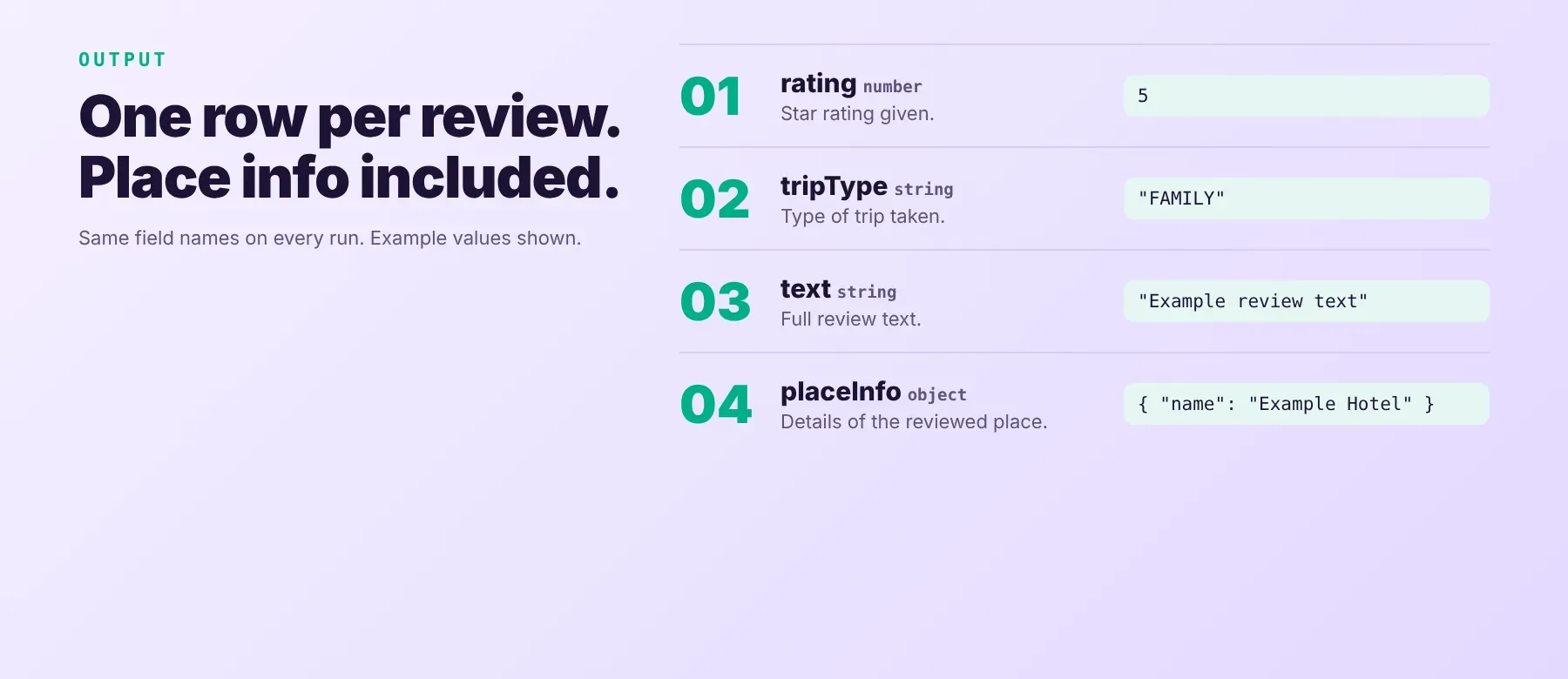
Use this to extract TripAdvisor reviews as one typed, normalized JSON item per review, with the same field names on every run. Export your results as JSON, CSV or Excel straight from the run, so you can download TripAdvisor reviews to CSV for a spreadsheet or feed the JSON straight into a pipeline.
Example output
A real row from a recorded run:
How does it work?
TripAdvisor Review Scraper reads the same public review pages any visitor sees on TripAdvisor, through plain HTTP requests — no browser is opened. Requests go through Apify's residential proxy by default, or start on a direct connection and switch to the proxy automatically once TripAdvisor starts blocking it. A blocked request is retried on a fresh connection rather than failing the run, and a wrong or removed listing is skipped and reported instead of stopping the whole run. Only data any visitor can see without logging in is returned — nothing from behind a TripAdvisor account. Each review is normalized into the same set of fields on every run, so the schema an integration reads today keeps working even when TripAdvisor changes its page layout or anti-bot checks. A place name with no direct link is matched to a TripAdvisor page through a public search first.
How do you integrate TripAdvisor Review Scraper into your stack?
It works with what you already use: a REST API from any language, MCP for AI agents, and no-code tools.
MCP integration for AI agents
This registers Apify's MCP server with this Actor already available as a tool. Once connected, Claude, Cursor or Windsurf can call it directly with a review page link or place name — no searching for the Actor and no separate integration code required on your side. The agent gets the same structured JSON rows back that a normal run produces, ready to read or summarize in the same conversation.
No-code tools (n8n, Make, LangChain)
In n8n, use the Apify node's "Run an Actor" operation, or the HTTP Request node pointed at the run-sync endpoint with your token. In Make, use the Apify app's "Run an Actor" module, then "Get Dataset Items" to read the reviews. In LangChain, the langchain-apify package wraps any Apify Actor, including this one, as a callable tool.
Is it legal to scrape TripAdvisor data?
Scraping publicly available data is generally lawful, although TripAdvisor's Terms of Use restrict automated access. This Actor returns only reviews that any visitor can see without logging in, nothing from behind a TripAdvisor account. Reviewer names, usernames, home towns and avatars are personal data under GDPR and CCPA, so storing and using them must have a lawful basis and follow local data-protection law; turn off "Include reviewer profile" if you don't need it. Consult legal counsel if your use case involves bulk storage of personal data.
Frequently asked questions
What fields does TripAdvisor Review Scraper return?
The top fields are star rating, full review text, trip type, sub-ratings and the reviewer's profile. See the data fields section for the full list.
Does TripAdvisor Review Scraper require a TripAdvisor account or login?
No. Only public review data is extracted, and no TripAdvisor credentials are needed to run this TripAdvisor review extractor.
How fast does TripAdvisor Review Scraper run?
A recorded run saved 100 reviews from one hotel in 4.2 seconds, and a run against three places returned 71 reviews in 3.3 seconds. Results are read live from TripAdvisor, not served from a cache.
What happens if a link is wrong or a listing has been removed?
A wrong link or a removed listing is skipped and named in the log and the run's status message, and it isn't charged; the other places in the same run keep going. A place with no reviews matching your filters is reported as such, and the run still succeeds.
Can I scrape multiple TripAdvisor places at once?
Yes. startUrls takes multiple entries — hotels, restaurants and attractions can be mixed in one run — and up to three places are scraped at the same time.
Does TripAdvisor Review Scraper work with Claude, ChatGPT, and other AI agent tools?
Yes — it is available as an MCP tool. Use claude mcp add --transport http apify "https://mcp.apify.com?tools=fastdataapi/tripadvisor-review-scraper" to register Apify's MCP server with this Actor in Claude Code, Cursor or Windsurf. Any agent that can call an HTTP endpoint can use the REST API directly.
Does TripAdvisor Review Scraper return data in a format LLMs can use directly?
Yes. Typed, normalized JSON with consistent field names, no HTML parsing and no selectors. Pass it straight to an LLM, index it into a vector store, or feed it to an agent tool with no transformation step.
What happens when TripAdvisor changes its layout or anti-bot system?
This Actor is maintained, and when TripAdvisor changes, it's updated so your calls keep returning the same JSON schema with no changes on your end.
Can I use TripAdvisor Review Scraper without managing proxies or browser infrastructure?
Yes. Proxy rotation and retrying after a block run on the Actor's side. You send one request and get structured JSON back, with no proxy accounts and no browser setup to maintain.
Which TripAdvisor review fields work best for AI training data and RAG indexing?
For RAG, the text-rich fields: the review text, the owner reply and the room tip. For training data, the numeric and boolean fields: star rating, helpful votes and the sub-rating values. All fields are typed primitives — strings, integers, booleans — so no extra normalization is needed.
Your feedback
Found a bug or a place that didn't come out right? Let us know so we can keep this Actor accurate as TripAdvisor changes. Every report is read, and fixes ship as soon as they're found.


