

VK Email Scraper
Pricing
from $1.99 / 1,000 results
VK Email Scraper
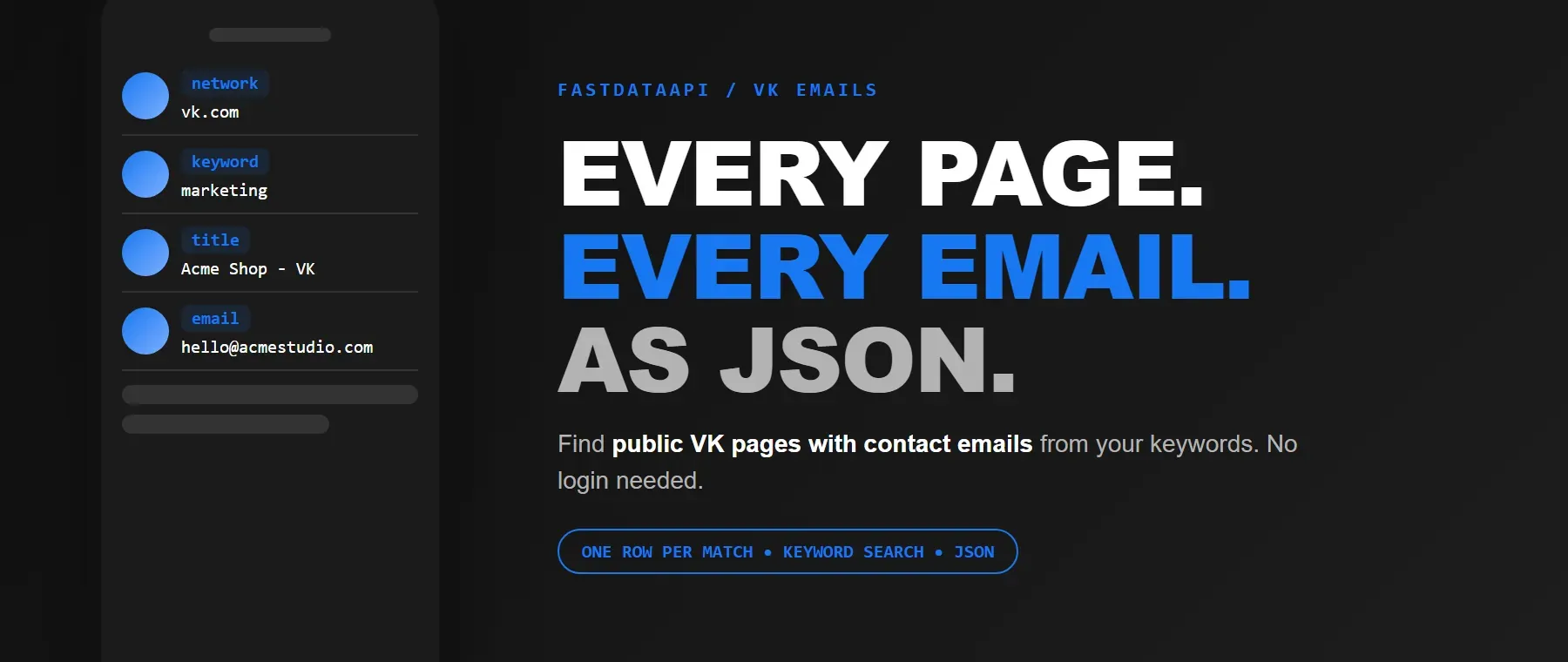
VK Email Scraper finds public VK pages with contact emails from your keywords: page title, snippet, link and email, one row per match. Filter by location and email domain. No VK account or login. Export as JSON, CSV or Excel, or use the API.
Pricing
from $1.99 / 1,000 results
Rating
0.0
(0)
Developer

Fast Data API
Maintained by CommunityActor stats
0
Bookmarked
2
Total users
1
Monthly active users
a day ago
Last modified
Categories
Share
VK Email Scraper — Titles, Snippets, Links and Email Addresses
VK Email Scraper searches Google for public VK pages that match your keywords and returns the page title, a text snippet, the page link and the email address it finds there. It is a practical vk email finder for any niche - groups, community pages, sellers - with no VK account, login or cookies required. Every result comes back as structured JSON, ready to feed an LLM, a vector store or a lead-generation pipeline. Start with one keyword, then scale to as many as your list needs.
What data can I extract with VK Email Scraper?
Using this vkontakte email extractor, you will be able to extract the following VK page data:
| 🌐 Source network | 🔑 Matching keyword | 📝 Page title | 📄 Text snippet |
| 🔗 Page link | 📧 Email address |
How to use VK Email Scraper
Anyone who needs to find emails on vk by niche - marketers, recruiters, community managers - gets a ready-to-use list from one run.
Copy to your AI assistant:
VK Email Scraper MCP Server: use these Actors from ChatGPT, Claude or Cursor
Point your AI assistant at Apify's MCP server and it can find and call this actor directly - no glue code, no scraping logic in your prompts.
Step by step
- Create a free Apify account - the free plan covers up to 200 emails a month.
- Open VK Email Scraper in the Apify Store.
- Enter one or more keywords.
- Click Start.
- Download or stream your results in JSON, CSV or Excel.
How to scale VK Email Scraper to bulk
Add as many keywords as you like in one run - each keyword is searched on its own, and several run at the same time, so a long list does not run one keyword after another. Raise the maximum-emails setting up to 100,000 per keyword if you need deep coverage on a smaller list instead of a wide one. For a list that refreshes on its own, schedule the actor to run on a timer and pull new results automatically. In short, it's a vk wall post email scraper that scales from one niche to your whole list.
✨ Features
VK Email Scraper fetches clean, structured results from public VK pages. It's ideal for building lead lists by niche, using it to extract emails from vk profiles and wall posts, running outreach campaigns and feeding a CRM or automation pipeline.
It extracts, per result:
- Email address – the public contact address found on the page
- Page link – where the match was found, so you can verify it yourself
- Title – the page's heading, usually the start of a wall post
- Text snippet – the surrounding text that shows the email in context
- Location filter – narrow results to a city or region
- Email domain filter – keep only the domains you care about, e.g. @gmail.com
⚡ No VK account, login or cookies needed, and a blocked page is retried automatically.
Use cases 💡
- Marketer — build a list of groups and sellers in your niche who share a public email.
- Recruiter — as a vk group contact email finder, find community admins with a listed contact address.
- Community manager — see which public VK pages in a niche publish contact details.
- Growth marketer — as a vk lead generation tool, build outreach lists by keyword and city.
- AI agent builder — feed the structured JSON straight into a RAG pipeline or lead-scoring agent.
Building an AI agent? Connect VK Email Scraper over MCP and let it call the actor on its own.
Why choose this actor?
- Up to 100,000 emails per keyword. The maximum-emails setting accepts anywhere from 1 to 100,000 per keyword, and you can search as many keywords as you want in one run.
- Real vk contact emails, not guesses. A recorded run returned a real wall post with a seller's email read straight from the comment text - addresses cut off mid-snippet, placeholder text and prose fragments are rejected, so every email in the dataset is one a person actually published.
- Automatic retries, fewer blank runs. A blocked or failed page is retried automatically, up to 3 attempts, before the actor moves on.
⬇️ Input
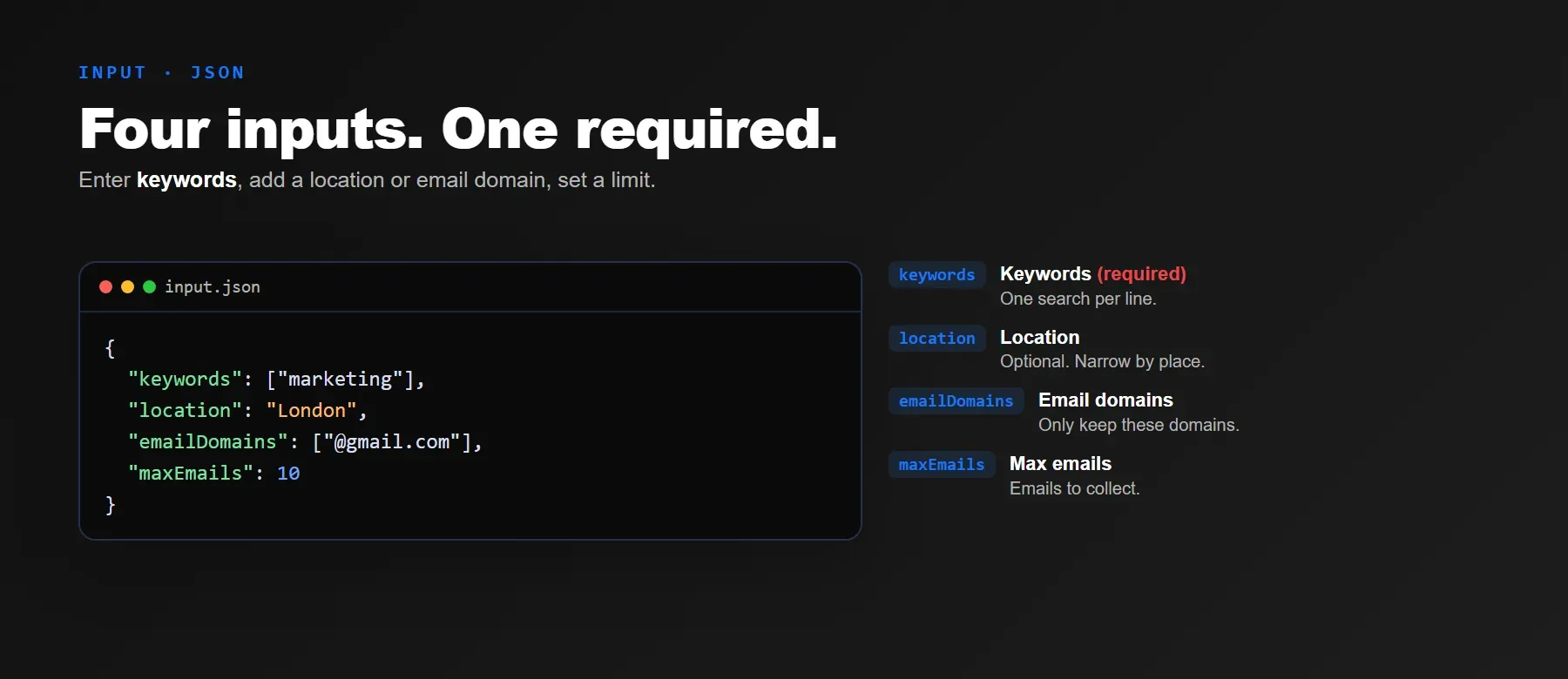
This actor accepts one or more keywords - keywords is the only required field. Location and email-domain filters narrow the search, and the maximum-emails setting controls how many results come back per keyword.
| Parameter | Required | Type | Description | Example value |
|---|---|---|---|---|
| keywords | Yes | array | One or more keywords to search. Each keyword is searched separately. | ["fitness coach", "makeup artist"] |
| location | No | string | Optional city or region. Empty searches worldwide. Default: empty. | "London" |
| emailDomains | No | array | Keep only emails from these domains (the @ is optional). Empty keeps any domain. Default: empty. | ["@gmail.com", "@outlook.com"] |
| maxEmails | No | integer | Maximum emails per keyword, 1-100,000. Default: 10. | 100 |
| engine | No | string | Processing engine. Only "legacy" is available. Default: "legacy". | "legacy" |
| proxyConfiguration | No | object | Connection settings. Default picks a suitable proxy automatically. | {"useApifyProxy": false} |
Free plan limits
Users on the Apify free plan can fetch up to 20 items per run (all keywords together) and 200 items per month. When the limit is reached, the run finishes successfully with a status message explaining the limit. Upgrade to any paid Apify plan to remove these limits.
Example input
⬆️ Output
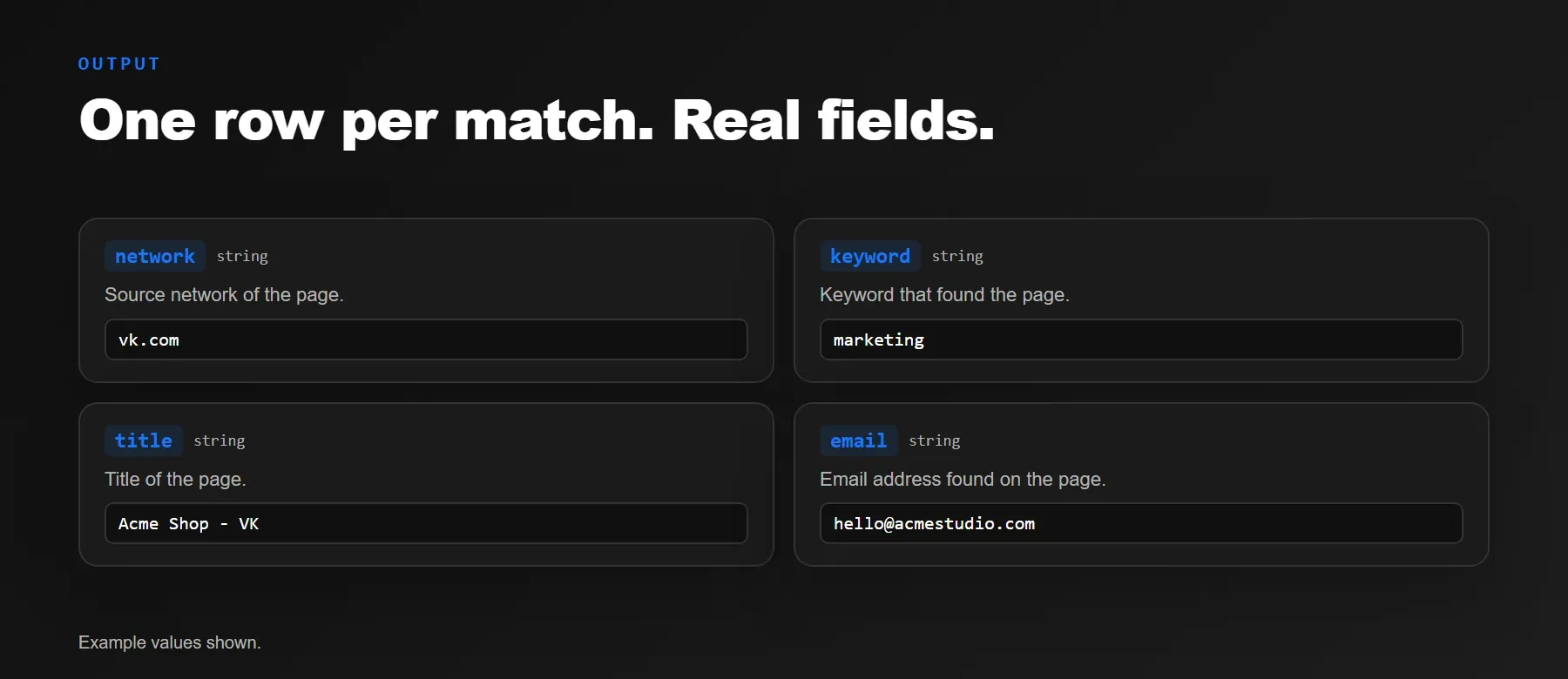
Every result is one typed, normalized JSON item with the same six fields on every run: the source network, the matching keyword, the page title, a text snippet, the page link and the email address. Export your results as JSON, CSV or Excel.
Example output
How does it work?
The actor searches Google for public VK pages that match your keywords, then reads the title, text snippet, page link and email address straight off each result - no VK account or login needed. Requests go through rotating proxies, and a blocked or failed page is retried automatically with a fresh connection. Think of it as a vk community email lookup you can run by keyword, with no login and no cookies required. Only publicly visible text is read - nothing a visitor without an account could not already see. The output schema is normalized and stays the same shape on every run, so a layout change on VK never changes your data pipeline.
How do you integrate VK Email Scraper into your stack?
It fits naturally into existing CRM or outreach workflows, whether you call it from code, from an AI agent, or from a no-code tool: a REST API from any language, the Apify MCP server for AI agents, or a no-code tool like n8n or Make.
MCP integration for AI agents
Point your AI assistant at Apify's MCP server and it can find and call this actor directly - no glue code, no scraping logic in your prompts.
This preloads VK Email Scraper directly as a tool your agent can call - no searching for or adding the actor afterward needed. Works in Claude Code, Cursor and Windsurf.
No-code tools (n8n, Make, LangChain)
In n8n, use the Apify node's "Run an Actor" action, or the HTTP Request node pointed at the run-sync endpoint with your API token. In Make, use the Apify app's "Run an Actor" module followed by "Get Dataset Items". In LangChain, install langchain-apify and call ApifyActorsTool() once the actor is live in your account.
Is it legal to scrape VK data?
Using this actor to scrape vk business emails from public pages is generally considered legal in most jurisdictions, though the exact rules vary by country. The actor returns only publicly available data - the title, text snippet, link and email address any visitor can already see without logging in. Email addresses found this way come from public text on the page, and using them must still follow anti-spam law such as CAN-SPAM or GDPR, which limits how collected contact details may be stored and used. Consult legal counsel if your use case involves bulk storage of personal data.
Frequently asked questions
What fields does VK Email Scraper return?
Every result includes the source network, the matching keyword, the page title, a text snippet, the page link and the email address - see the data fields section.
Does VK Email Scraper require a VK account or login?
No. The actor reads only public pages and needs no cookies, login or account.
What happens if a keyword has no matching public page?
Nothing is returned for that keyword rather than an error row. If you expected results, try a broader keyword, remove the location filter or add more email domains.
Can I search multiple keywords at once?
Yes. Pass an array of keywords in one run - each one is searched on its own and several run side by side, with every result tagged by the keyword that found it.
Does VK Email Scraper work with Claude, ChatGPT and other AI agent tools?
Yes - VK Email Scraper is available as an MCP tool.
It's preloaded in Claude Code, Cursor or Windsurf - no need to search for it. Any agent that can call an HTTP endpoint can use the REST API directly.
Does VK Email Scraper return data in a format LLMs can use directly?
Yes. Every result is typed, normalized JSON with consistent field names - no HTML parsing, no selectors. Pass it straight to an LLM, index it into a vector store, or feed it to an agent tool.
What happens when VK changes its layout or anti-bot system?
The actor is maintained and updated whenever the public page layout changes, so your calls keep returning the same JSON schema with no changes on your end.
Can I use VK Email Scraper without managing proxies or browser infrastructure?
Yes. Proxy rotation and retrying blocked pages run on the actor's side. You send one request and get structured JSON back - no proxy accounts to set up, and no browser to install or maintain, since the actor doesn't use one.
Which fields work best for AI training data and RAG indexing?
For RAG indexing: the page title, text snippet and page link carry the descriptive context worth embedding. For training data: the keyword and email fields are plain strings - every field is a typed primitive, so no extra normalization is needed.
Your feedback
Found a bug or missing a field? Let us know in the actor's Issues tab. We read every report and ship fixes, so your note helps keep the data accurate for everyone.


