

Walmart Data Extractor
Pricing
from $0.67 / 1,000 results
Walmart Data Extractor
Walmart Data Extractor extracts Walmart products from category, search and product URLs or a keyword: price, brand, specifications, ratings, seller and stock status, with optional reviews.
Pricing
from $0.67 / 1,000 results
Rating
0.0
(0)
Developer

Fast Data API
Maintained by CommunityActor stats
0
Bookmarked
2
Total users
1
Monthly active users
6 days ago
Last modified
Categories
Features
Share
Walmart Data Extractor — Prices, Specs, Ratings, Sellers and Stock
Walmart Data Extractor pulls full product records from Walmart.com category pages, search pages, product pages or a plain keyword. Each row carries the product name, brand, current and was-price, stock status, images, category path, specifications, star rating, review count and seller, with optional customer reviews on top. Every response is structured JSON — ready to pass directly to an LLM, index into a vector store, or feed a price monitoring pipeline. No Walmart account or cookies needed. Start with one category, then add every shelf you track.
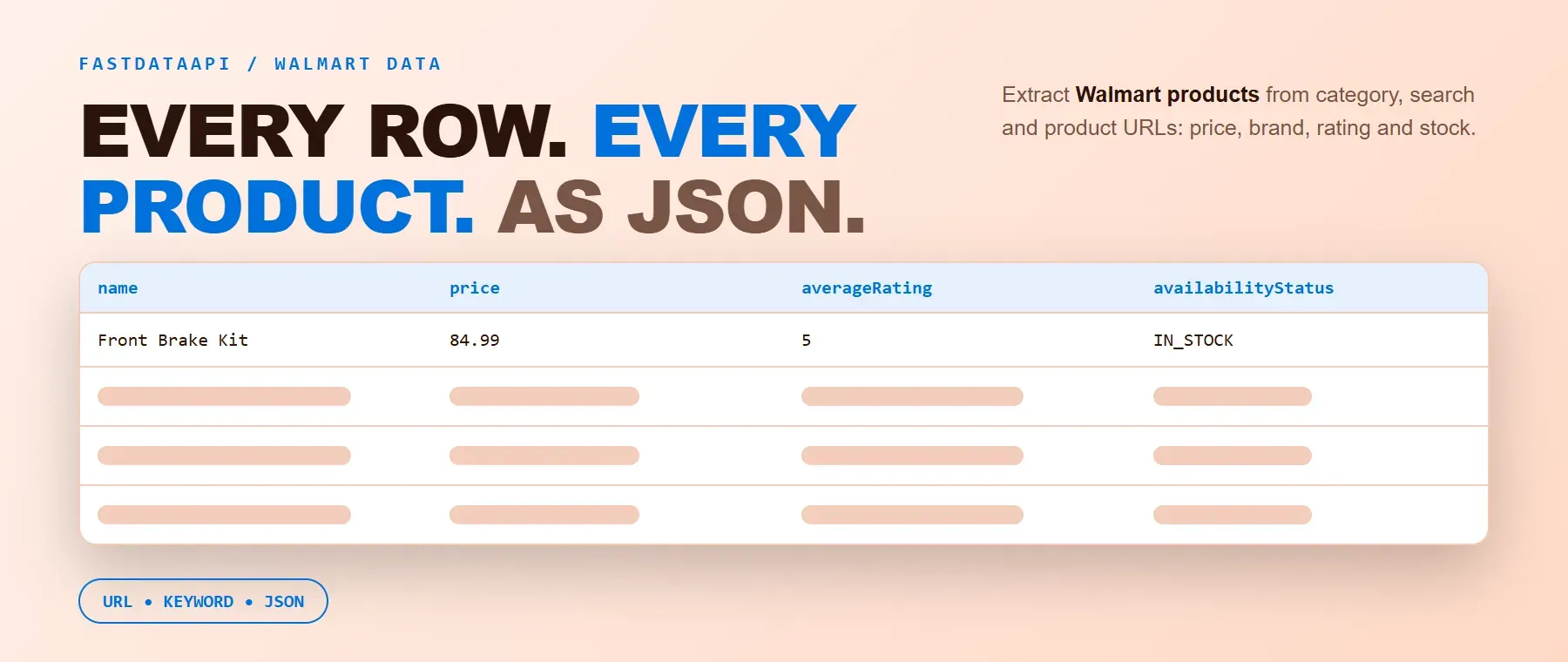
What data can I extract with Walmart Data Extractor?
Using this Walmart Product API, you will be able to extract the following Walmart product data:
| 🏷️ Product name | 🏭 Brand | 💲 Current price | 🔻 Was-price and savings |
|---|---|---|---|
| 📦 Stock status | ⭐ Star rating | 💬 Review count | 🏪 Seller name and type |
| 🖼️ Images (all angles) | 🗂️ Category path | 📋 Specifications | 📝 Short and long description |
| 🎨 Variants (sizes, colors) | 🔢 UPC and part number | 🚚 Fulfillment and shipping options | 🆔 Item ID and product link |
| 🗣️ Reviews block (optional) | 🔗 Input it came from | 🧭 Data source (product page or results tile) |
How to use Walmart Data Extractor
Built for sellers, analysts and AI builders who want a clean Walmart product feed from category, search or product URLs in one run.
Copy to your AI assistant:
Walmart Data Extractor MCP Server: use these Actors from ChatGPT, Claude or Cursor
Point your AI assistant at the actor and it can read Walmart on its own: category shelves, search results, product pages, prices, sellers and reviews. No glue code, no scraping logic in your prompts.
Step by step
- Create a free Apify account.
- Open Walmart Data Extractor in the Apify Store.
- Paste Walmart category, search or product URLs, or type a keyword.
- Click Start (or send your API request).
- Download or stream your results in JSON, CSV or Excel.
How to scale Walmart Data Extractor to bulk
Put as many category, search and product URLs as you like into startUrls and add one keyword in search; every input gets its own maxItems limit and the inputs run one after another in a single run. For recurring jobs, save the input as a task and schedule it daily or weekly, or call the API from your own loop with a different URL list each time. Use endPage to keep a large category to its first few results pages.
✨ Features
Walmart Data Extractor fetches clean, structured products from Walmart.com. It's ideal for price monitoring, competitor assortment checks, catalog and marketplace listings, and feeding product context to AI agents. As a Walmart category scraper and product page reader in one, it extracts, per product:
- Price – current price, was-price, unit price, savings and price range for variants
- Walmart stock status – in stock, out of stock and the fulfillment and shipping options
- Walmart product specifications – the attribute list shown on the product page (material, size, fitment, count per pack and more)
- Seller – seller name, seller ID and whether Walmart or a marketplace seller ships it
- Ratings – average star rating and review count, plus the optional review summary and top reviews
- Catalog data – brand, category path, UPC, manufacturer part number, variants and all images
⚡ No browser and no Walmart login: it reads the public product pages any shopper sees and only charges for products that were really saved.
Use cases 💡
- Pricing analyst — track current and was-prices of a category every morning.
- Marketplace seller — compare rival sellers, ratings and stock status on shared listings.
- Category manager — scrape Walmart products by shelf to map brands and price bands.
- Catalog team — fill product pages with UPCs, specifications and images.
- AI agent builder — give an agent live Walmart product details as RAG context.
Building an AI agent? Connect Walmart Data Extractor over MCP and let it call the actor on its own.
Why choose this actor?
- A whole shelf in one run. A recorded run read the brake pads category and saved 10 full product records in about 8 seconds; a larger run saved 60 products with reviews from two results pages.
- The full product page, not just the tile. A recorded brake kit came back with its $84.99 price, 5-star rating from 8 reviews, seller, UPC 665083020705, a five-level category path and nine specification lines.
- Four input types, one Walmart scraper. Category pages, search pages, product pages and a plain keyword, with per-input limits, a last-page limit, a ZIP code hint, two review options and two custom output functions.
⬇️ Input
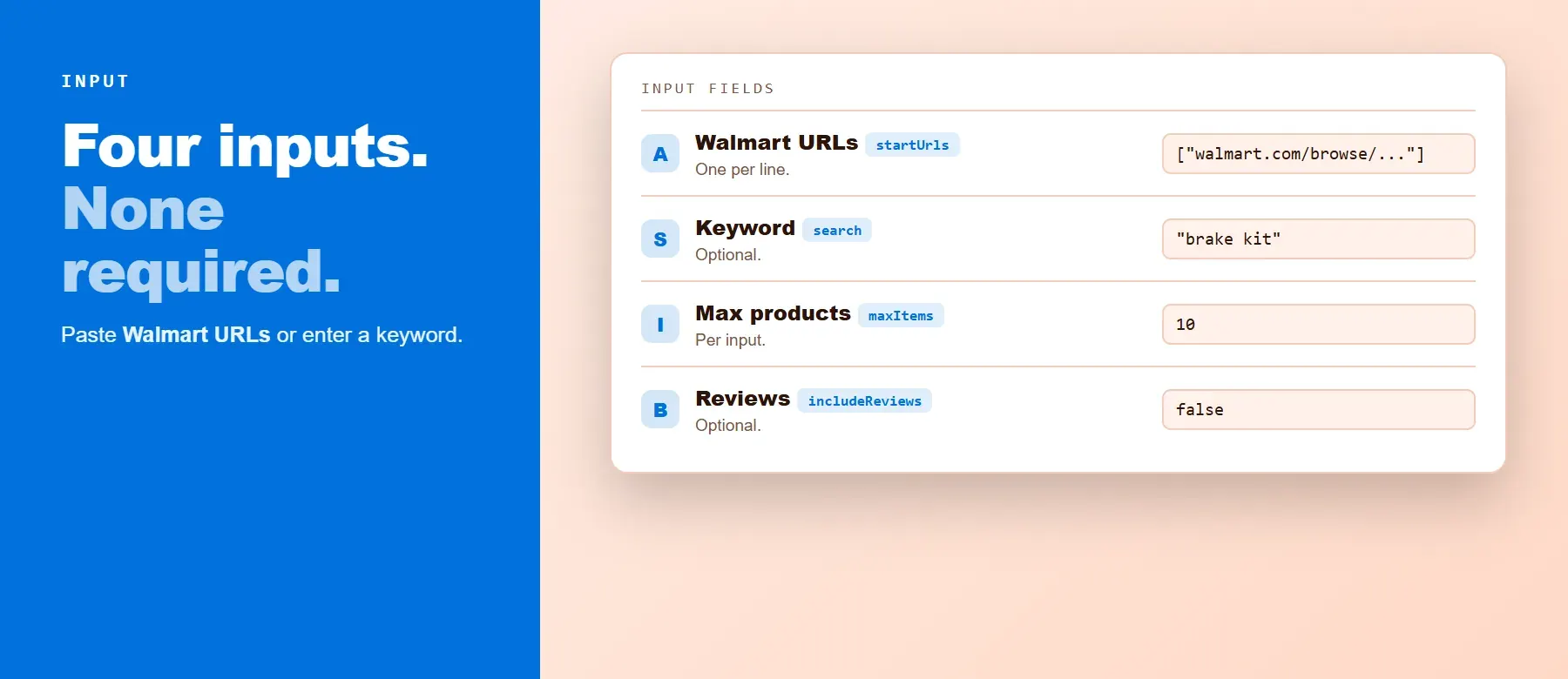
The actor accepts a list of Walmart URLs (category, search or product /ip/ pages), one keyword, or both. Nothing is strictly required, but each run needs at least one URL or a keyword.
| Parameter | Required | Type | Description | Example value |
|---|---|---|---|---|
startUrls | No* | array | Walmart category/browse, search and product (/ip/) URLs. Add as many as you like. | ["https://www.walmart.com/browse/auto-tires/brake-pads/91083_1074765_9038935_4670095_4582920"] |
search | No* | string | One keyword, searched on Walmart and added as one more input. | "laptop" |
maxItems | No | integer | Products to save for EACH URL or keyword (min 1). Empty = all results pages. A product URL always gives one product. | 10 |
endPage | No | integer | Last results page to read (min 1; about 40 products per page). Empty = no page limit. | 3 |
zipCode | No | string | US ZIP code sent as a delivery/pickup location hint (best effort). | "10001" |
postalCode | No | integer | Deprecated alias of zipCode, kept for older saved inputs. | 10001 |
includeReviews | No | boolean | Attach the review summary and top reviews to each product. Default false. | true |
onlyReviews | No | boolean | Keep only the product identifiers and the reviews block. Default false. | false |
extendOutputFunction | No | string | Python def extendOutputFunction(product) returning a dict merged into every row. | "def extendOutputFunction(product):\n return {'inStock': product.get('availabilityStatus') == 'IN_STOCK'}" |
outputFilterFunction | No | string | Python def outputFilterFunction(product) returning a reshaped dict, or None to drop the product. | "def outputFilterFunction(product):\n return product if (product.get('price') or 0) < 100 else None" |
proxy | No | object | Optional own proxy. Default {"useApifyProxy": false}; the actor picks a working connection by itself. | {"useApifyProxy": false} |
* Add at least one URL in startUrls or a keyword in search.
Free plan limits
Users on the Apify free plan can fetch up to 20 products per run (all URLs and keywords together) and 200 products per month. When the limit is reached, the run finishes successfully with a status message explaining the limit. Upgrade to any paid Apify plan to remove these limits.
Example input
⬆️ Output
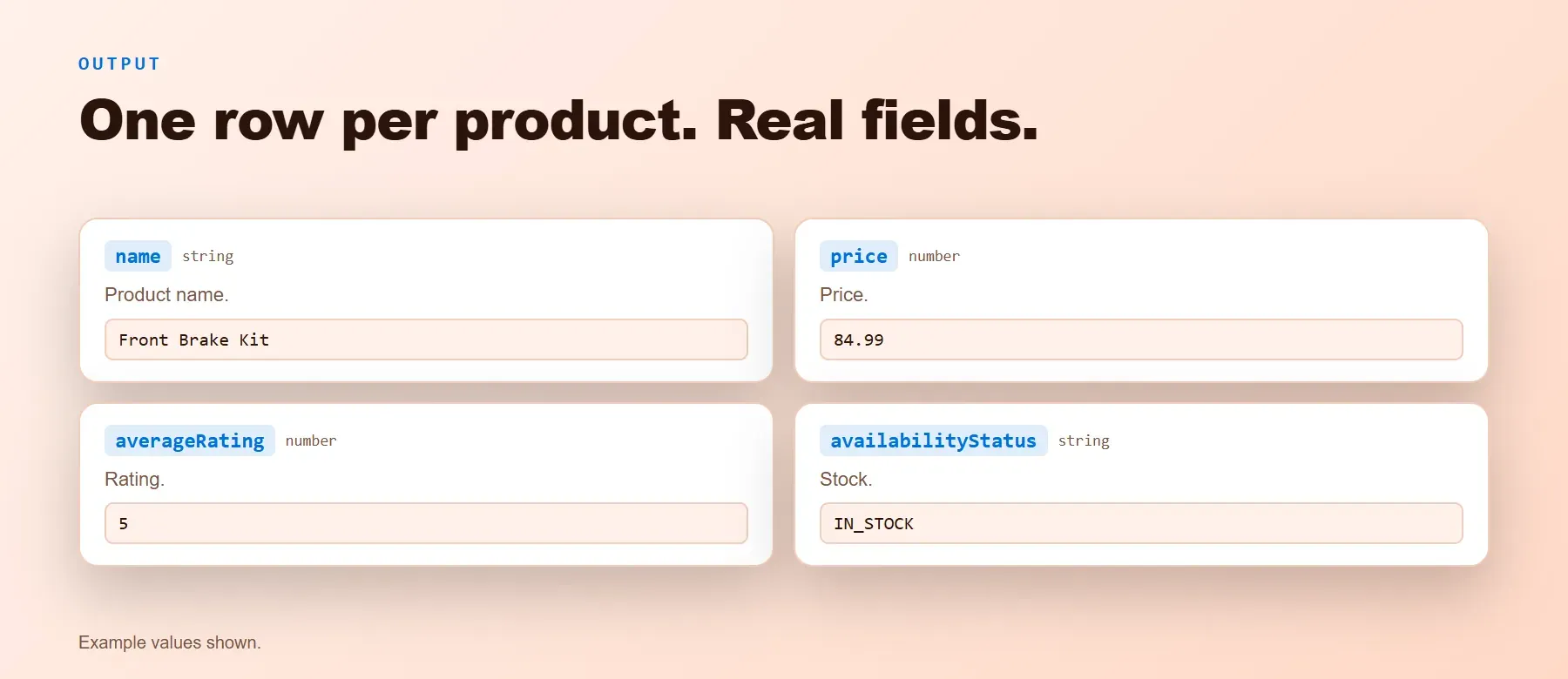
Every product is one JSON item with easy table columns next to the complete product page record (about 190 fields), with the same keys on every run; export it as JSON, CSV or Excel. An input that gives no product adds one free row with the input URL and an error message, so you always know which input failed.
Example output
The first item is shortened: real rows carry the full price block, every image, every specification line, variants and fulfillment options. dataSource is search_result when a product page was not available and the results-page tile was saved instead (fewer fields; unknown ones are null).
How does it work?
The actor reads the same public pages any shopper sees on Walmart.com, with plain HTTP requests and no browser. For a category or search it opens the results pages one by one, keeps only the real result grid (not the recommendation carousels), skips sponsored and variant tiles that open the same product, and then loads each product page, several at a time, to get the full record. It connects directly first and switches to a proxy, then to a US residential proxy, only when Walmart refuses the connection. Only publicly visible data is returned — nothing that needs a Walmart account. The output keys stay the same on every run, so your code keeps working when Walmart changes its page design.
How do you integrate Walmart Data Extractor into your stack?
It works with what you already use: the REST API from any language, MCP for AI agents, and no-code tools.
Using Walmart Data Extractor with the Apify API
Works in Go, Ruby, Node.js, cURL — any language that can make an HTTP request.
MCP integration for AI agents
Add the actor to Claude Code, Cursor or Windsurf with one command:
This registers Walmart Data Extractor as a tool your agent can call directly. Ask it for the prices of a category, the seller of a product or the specifications of a model, and it runs the actor and reads the JSON it gets back.
No-code tools (n8n, Make, LangChain)
- n8n — use the Apify node with "Run an Actor" and pick
fastdataapi/walmart-data-extractor, or the HTTP Request node pointed at the run-sync endpoint with your token. - Make — add the Apify app's "Run an Actor" module, then "Get Dataset Items" to pass every product to your sheet or database.
- LangChain — install
langchain-apifyand useApifyActorsTool("fastdataapi/walmart-data-extractor")as a tool in your agent.
Is it legal to scrape Walmart data?
Collecting publicly available product information such as prices, specifications and ratings is generally allowed. Walmart Data Extractor returns only public data — what any visitor sees without logging in. Customer reviews can include reviewer nicknames: under GDPR and similar laws, scraping public data is generally permissible, but storing and using it must comply with local data-protection law. Consult legal counsel if your use case involves bulk storage of personal data.
Frequently asked questions
What fields does Walmart Data Extractor return?
Each product comes with its name, brand, current price, stock status and star rating, plus the seller, images, category path, specifications and the full product record. See the data fields section.
Does Walmart Data Extractor require a Walmart account or login?
No. Only public product data is extracted, and no credentials or cookies are needed.
How fast does Walmart Data Extractor run?
A recorded run saved 10 products from a category in about 8 seconds; a results page holds about 40 products. Data is read live, not from a cache.
What happens if a product doesn't exist or a URL gives nothing?
The run keeps going and adds one free row for that input with sourceUrl, sourceSection and error (for example "Product page not found or not available right now."). Filter rows that have an error key in your code.
Can I scrape multiple Walmart products at once?
Yes. Put many category, search and product URLs in startUrls and add one keyword; maxItems applies to each input on its own. A single product (/ip/) URL works too, so you can extract Walmart data for one item and turn on includeReviews to get its Walmart product reviews in the same row.
Does Walmart Data Extractor work with Claude, ChatGPT, and other AI agent tools?
Yes — Walmart Data Extractor is available as an MCP tool. Register it with claude mcp add --transport http apify "https://mcp.apify.com?tools=fastdataapi/walmart-data-extractor" in Claude Code, Cursor or Windsurf. Any agent that can call an HTTP endpoint can use the REST API directly.
Does Walmart Data Extractor return data in a format LLMs can use directly?
Yes. Typed, normalized JSON with consistent field names. No HTML parsing, no selectors — pass it straight to an LLM, index it into a vector store, or feed it to an agent tool with no transformation step.
What happens when Walmart changes its layout or updates its anti-bot system?
The team maintains the actor. When Walmart changes, the team updates the actor — your calls keep returning the same JSON schema with no changes on your end.
Can I use Walmart Data Extractor without managing proxies or browser infrastructure?
Yes. Connection switching and retries run on the actor's side, and no browser is needed. You send one request and get structured JSON back.
Which Walmart product fields work best for AI training data and RAG indexing?
For RAG: the product name, short and long description, specifications and customer review text. For training data: price, was-price, star rating, review count and stock status, which come as numbers, booleans and short codes.
Related scrapers
| Scraper | What it extracts |
|---|---|
| Walmart Search Scraper | Walmart search results by keyword |
| Walmart Reviews Scraper | Customer reviews of Walmart products |
| Amazon Product Scraper | Amazon product details and prices |
| Amazon Search Products Scraper | Amazon search results |
| Ebay Product Scraper | eBay product details |
Your feedback
Found a bug or missing a field? Let us know. The team reads every report and ships fixes, so the actor keeps up with Walmart.


