

AI Web Extractor
Pricing
from $17.60 / 1,000 page extracteds
AI Web Extractor
Extract structured data from any web page with plain-English instructions — no CSS selectors. Powered by OpenAI. Actively maintained. · More no-code data tools → datatools-hub.vercel.app
Pricing
from $17.60 / 1,000 page extracteds
Rating
0.0
(0)
Developer

Fredrik Hansson
Maintained by CommunityActor stats
0
Bookmarked
2
Total users
1
Monthly active users
7 hours ago
Last modified
Categories
Share
Extract structured data from any web page with a plain-English instruction — no CSS selectors, no brittle scrapers.
Give it a list of URLs and tell it what you want in plain English ("product name, price and whether it's in stock"). It fetches each page, reads it with OpenAI, and returns clean, consistent JSON — one record per page.
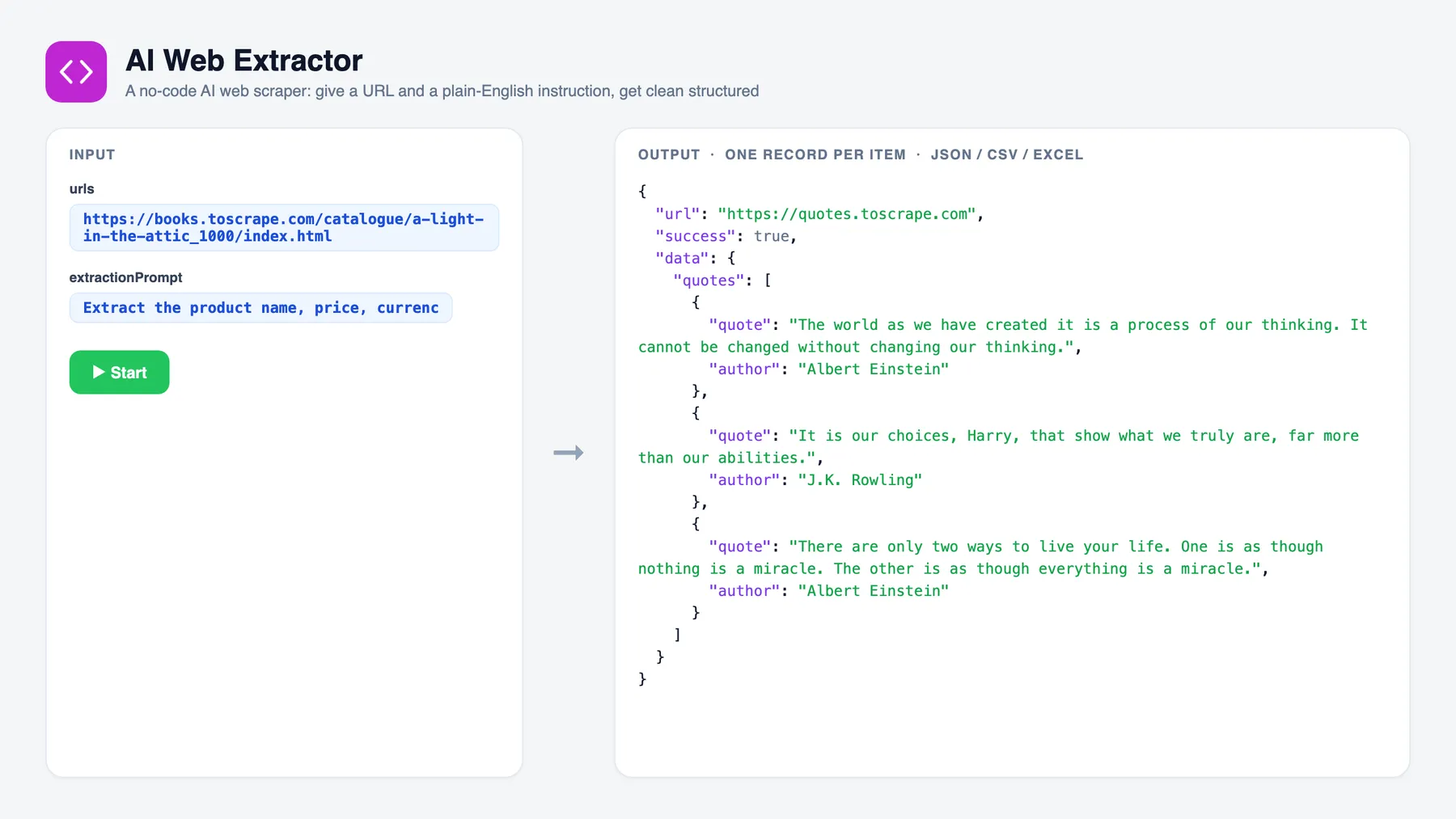
Quick start
- Fill in the input — set the fields in the input tab (prefilled with a working example).
- Click Start — the Actor runs and writes one record per item to the dataset.
- Get your data — export to JSON, CSV or Excel, or pull it via the API.
Why it's different
Traditional scrapers break every time a site changes its HTML, and each new site needs new selectors. This Actor uses an LLM to read the page like a person, so:
- Works on any site — the same instruction extracts from a shop, a news article, a company page, a listing.
- No selectors, no maintenance — describe the fields once; it adapts across layouts.
- Consistent output — optionally pin the exact JSON shape so every page returns the same fields.
- Agent-ready — the perfect tool for AI agents (via the Apify MCP server): "read this page and give me X."
Use cases
- No-code scraping — pull prices, specs, contacts, articles or any fields from a list of URLs without writing code.
- Lead / data enrichment — enrich a list of company or product URLs into a structured dataset for your CRM or spreadsheet.
- AI agents — call it as a tool so an agent can turn any URL into structured JSON on demand.
- Monitoring — run it on a schedule to track fields (price, availability, status) across pages over time.
Input
| Field | Type | Default | Description |
|---|---|---|---|
urls | string[] | — (required) | The pages to extract from. |
extractionPrompt | string | — (required) | Plain-English description of the fields you want. |
schemaHint | string | — | Optional: the exact field names / JSON shape you want back, for consistent output across pages. |
maxResults | integer | 100 | Max pages to process (one charge per page extracted). |
maxConcurrency | integer | 5 | Pages processed in parallel. |
model | string | gpt-4o-mini | OpenAI model override. |
Output
One dataset item per page:
| Field | Type | Description |
|---|---|---|
url | string | The page URL. |
success | boolean | Whether extraction succeeded. |
data | object | null | The extracted structured data (shape follows your prompt / schemaHint). |
error | string | Present only when success is false. |
Real OpenAI token usage and an estimated cost are logged per run and stored in SUMMARY.
Use it as an AI-agent tool (Apify MCP)
Once published, this Actor is callable through the Apify MCP server (https://mcp.apify.com). An agent can be told "open this page and extract the pricing table" and call this Actor directly — plain-English in, structured JSON out.
Pricing
Pay-per-event: one page-extracted event per page successfully extracted. Pages that fail (unreachable, blocked) are reported but not charged.
Environment variables
| Variable | Required | Purpose |
|---|---|---|
OPENAI_API_KEY | Yes | Powers the extraction. |
OPENAI_MODEL | No | Alternative way to override the model (input model takes precedence). |
Notes & limitations
- v1 reads server-rendered HTML (fetched with realistic browser headers to get past basic anti-bot). Pages that render their content entirely with client-side JavaScript may return little data — a JavaScript-rendering option is planned for the next version.
- Page text is truncated before being sent to the model to keep token cost bounded; very long pages are summarised to their main content.
- The model is instructed to use
nullfor fields it can't find and never to invent data.
Run it locally
License
ISC.
Related actors
- Argus — Autonomous Intelligence Agent — Describe a mission in plain English; Argus plans what to watch, gathers from public
- Nordic Public Tenders (Norway, Finland, Sweden) — Collects public procurement notices from Norway (Doffin), Finland (Hilma) and Sweden
- AI Company Enrichment — Turn a list of domains into structured company profiles — firmographics, contacts


