JSON Transformer - jq & JMESPath for Datasets, APIs, Files
Pricing
from $0.20 / 1,000 output rows
JSON Transformer - jq & JMESPath for Datasets, APIs, Files
Reshape any JSON with a jq or JMESPath expression: an Apify dataset, a JSON or JSON Lines URL, a key-value record or pasted JSON. Flatten, cast, rename, then save to a dataset or a CSV, XLSX, JSON or JSONL file. The glue step for n8n, Make and Apify integrations.
Pricing
from $0.20 / 1,000 output rows
Rating
0.0
(0)
Developer

Cemal Atakli
Maintained by CommunityActor stats
0
Bookmarked
3
Total users
2
Monthly active users
4 days ago
Last modified
Categories
Security
Limited permissionsShare
JSON Transformer - jq & JMESPath for Apify Datasets, APIs and JSON Files
Reshape any JSON with a jq or JMESPath expression, without a server, a Lambda or a code node. Point it at an Apify dataset, a JSON / JSON Lines URL (any REST API), a key-value store record, or paste JSON, write one expression, and get clean rows in a dataset plus an optional CSV, Excel (XLSX), JSON or JSONL file with a public download link.
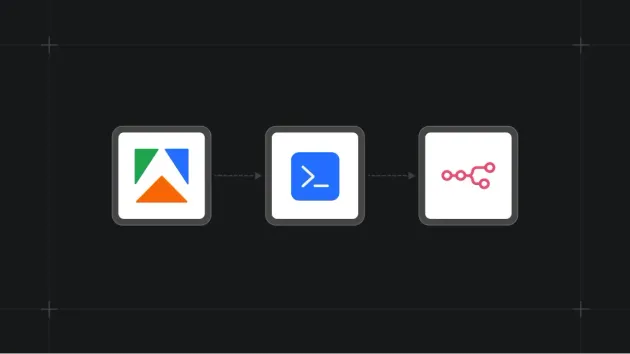
It is the glue step between Actors and tools such as n8n, Make, Zapier and Apify integrations: pick the fields you need, rename nested keys, filter, group and aggregate, explode arrays into rows, then hand the result to the next step.
What it does
- Real jq (the official libjq C library through the
jqPython binding):select,map,group_by,reduce,to_entries,split,test(regex),@csv,$variablesand the rest of the language. - JMESPath (the AWS CLI
--querylanguage) for simple projections and filters. - Two modes: whole document (like
jqon a file; a dataset becomes one array) or per item (likejq -con JSON Lines; datasets are streamed page by page with low memory). - After the expression (optional): flatten nested objects (
address.city), convert types ("$1,299"->1299), rename fields, keep only selected fields, remove nulls. - Output: dataset rows and/or one file (CSV, XLSX, JSON, JSONL) in the key-value store, with its public URL in the
OUTPUTrecord. - Errors never charged: a bad expression fails fast; an item the expression fails on is skipped, counted and
sampled in
OUTPUT.errorSamples.
JSON Transformer or Dataset Filter & Transform?
| You want... | Use |
|---|---|
| Expressions (jq / JMESPath), reshaping nested JSON, aggregates, JSON from APIs or KV records | JSON Transformer (this Actor) |
| No-code filter rules, dedupe, "only new since last run", CSV / XLSX input files | Dataset Filter & Transform |
Use cases
- Turn a scraper's nested output into a flat table for Google Sheets or a CRM import.
- Call a JSON API and keep only what you need:
.data.items[] | {id, title, price: .pricing.amount}. - Aggregate a dataset:
group_by(.category) | map({category: .[0].category, count: length}). - Convert JSON Lines to CSV / Excel, or JSON to JSONL, in one step.
- Extract the useful part of another Actor's
OUTPUTrecord for the next Actor in a pipeline. - Give AI agents a safe, deterministic JSON reshaping tool.
Input example
Per-item jq with a variable on a dataset (e.g. from a webhook integration):
JMESPath:
Use exactly one source: jsonUrl, datasetId, kvStoreId + kvRecordKey, or inlineJson.
Output example
How results become rows: each object the expression emits is one row; an emitted array is split into one row per
element (turn off "One row per array element" to keep it); a number or string x becomes {"value": x}; null is
dropped. The OUTPUT record holds counts, error samples, the file link and the charges.
Pricing
Pay per event, no subscription:
| Event | Price |
|---|---|
| Output row | $0.0002 ($0.20 per 1,000 rows) |
| Output file saved (CSV / XLSX / JSON / JSONL) | $0.002 |
| Actor start | $0.00005 |
| Actor | Price |
|---|---|
| JSON Transformer (this) | $0.0002 per row, $0.002 per file |
| humble-echidna/dataset-transform | $0.001 per row |
| rl1987/jq-helper | $0.01 per conversion |
Set a maximum cost per run: the Actor stops cleanly at that limit, keeps the delivered rows and still saves the file.
FAQ
Can it read any dataset ID? It reads datasets in your own account, datasets shared with you, and public
datasets. Another user's private dataset is not accessible (the Actor runs with limited permissions and only gets
access to storages you select or own). Use the dataset picker or {{resource.defaultDatasetId}} in integrations.
Which jq? The official libjq bundled in the jq Python package (1.13). All standard filters work. Reading
other inputs (input, inputs), modules (import) and env / $ENV are disabled; pass values with jqVariables.
How big can the input be? Per-item mode streams datasets, so millions of items work. Whole-document mode loads
everything into memory: raise the run memory for very large inputs, or use maxInputItems for a preview.
URL downloads are capped by maxFileSizeMb (default 200 MB).
My expression returns nothing. In whole-document mode the input is the full array, so start with .[], or
switch on "Apply to each item separately".
Private APIs? Add httpHeaders (e.g. an Authorization header) for your own endpoints. Only fetch data you are
allowed to use.
Use with AI agents / Apify MCP
The Actor is available as a tool in the Apify MCP server (gazidev/json-transformer).
An agent can paste JSON into inlineJson (or pass a dataset ID from a previous tool call) with a jq expression and
get deterministic, typed rows back, instead of reshaping data inside the language model.