

Google Maps Scraper
Pricing
from $3.00 / 1,000 google maps leads
Google Maps Scraper
Extract business leads from Google Maps with verified emails, phones & social profiles. 50+ niches (HVAC, dentists, lawyers, real estate & more). DNS/SMTP email verification. $0.003/lead — up to 10x cheaper than alternatives. HubSpot/Salesforce export. MCP-ready for AI agents.
Pricing
from $3.00 / 1,000 google maps leads
Rating
0.0
(0)
Developer

Japi Cricket
Maintained by CommunityActor stats
1
Bookmarked
58
Total users
7
Monthly active users
a month ago
Last modified
Categories
Share
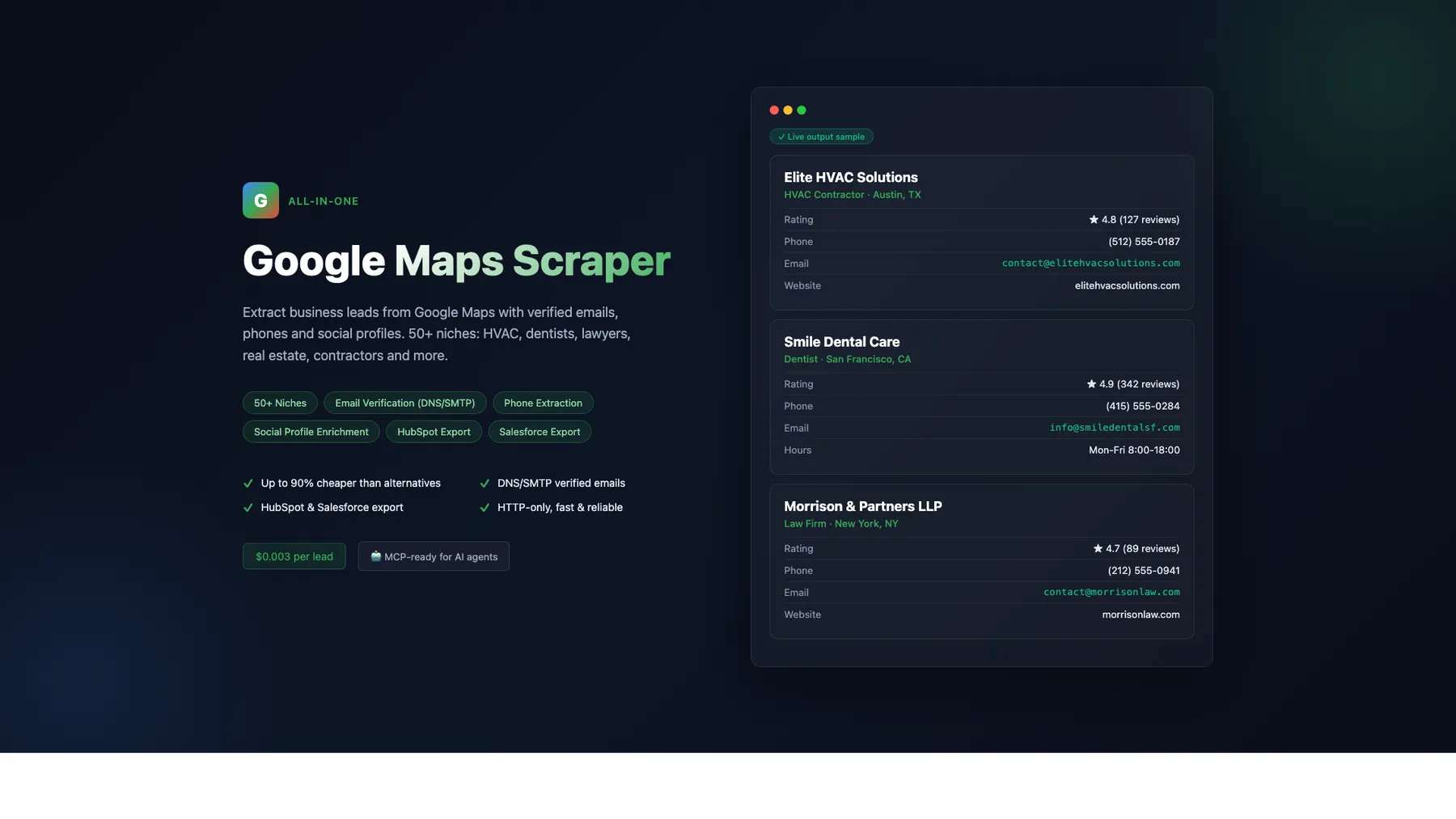
What does Google Maps Lead Scraper do?
Scrape Google Maps businesses with leadQualityScore (0-100 lead-prioritization signal), bestCallTime (when to actually call them), gmbActivityScore (Active/Stale/Abandoned recency signal), addressVerified (CRM-quality mailing filter), verified emails, phone numbers, social media profiles, star distribution, review topic tags, opening hours, service options, popular times (7-day busy chart), photo counts, unclaimed-listing detection, and review-recency signals — no API key needed. 60+ niches, 8 output formats (Default, HubSpot, Salesforce, Pipedrive, Zoho, Airtable, CSV-Flat, Full Contact), pay-per-result at $3/1K — all-inclusive (email + verification + social + CRM formats), no add-on events. Works with AI agents (Claude, GPT, Cursor) via MCP.
Cost comparison (verified against Apify Store listings, 2026-06): the typical sales-workflow run (place + email + social) costs $3/1K with us vs $11.50/1K on Compass Business tier vs $15.10/1K on Lukaskrivka Business (where bare place is cheap but email + social + verification stack as separate paid events). 74-80% cheaper than top competitors at the same data depth. See the How We Compare table below for the per-feature breakdown.
See ./CHANGELOG.md for release history.
Unlike most Google Maps scrapers that use heavy browser automation (Playwright/Puppeteer at 1-4 GB memory), this scraper uses an HTTP-only approach with Chrome TLS fingerprinting. That means 32× less memory, ~2.7× faster wall time (parallel query execution by default), and the lowest cost on Apify — while delivering 63+ data fields per lead including a composite leadQualityScore that no other Google Maps scraper offers, derived bestCallTime for sales outreach timing, lastReviewDate + daysSinceLastReview for activity signals, popular times, review topic tags, contact-form detection, and categorized attributes — fields most competitors charge separately for or don't offer at all.
Why choose this over 5 separate Google Maps scrapers?
enrichmentDepthtoggle — single dial (fast/balanced/deep) replaces 5 individual flags. Picks the right cost / data tradeoff in one click. UNIQUE.leadQualityScoreMinimumfilter — set a threshold (0-100); leads below it are dropped at push-time, so you only pay PPE for the leads you actually want. UNIQUE.hasContactFormboolean — detects contact forms on the business website during enrichment. HIGH-value qualifier ("can this business receive inbound web inquiries?")leadQualityScore(0-100) — UNIQUE composite metric combining 11 signals (verified email, phone, website, contact form, review count, recency, claim status, rating, social presence, photo count, commerce URLs). Sort your CRM by this single number and call your hottest leads first. No other Google Maps scraper offers this.bestCallTime— derived frompopularTimesHistogram×openingHours, gives you a sales-actionable string like "Tuesday 14:00 (15% busy)". Stop calling restaurants during dinner rush.gmbActivityScore— categorical signal (Active/Stale/Abandoned/Unknown) derived from review recency + claim status + rating.Abandonedlistings (no reviews in 365+ days, or unclaimed with < 10 reviews) are some of your best fresh-outreach prospects — neglected Google Business Profiles whose owners are likely receptive to a sales pitch.addressVerified— boolean CRM-quality filter.trueonly when all 5 address components (street, city, state, postal code, 2-letter country code) are present and well-formed. Postal-code validation is country-aware: US (5-digit), Canada (A1A 1A1), UK (SW1A 1AA), Australia (4-digit), Singapore (6-digit), Germany / France / Mexico / Malaysia (5-digit), Japan (123-4567). Filter fortrueto keep direct-mail and shipping campaigns from bouncing.lastReviewDate+daysSinceLastReview— activity-recency signals. Filter for businesses still actively monitored by their owner.- Cheapest on Apify — $3/1K leads with email + social + verification all included (compass charges $4/1K + $4/1K for enrichment + $100/1K for social)
- Free email extraction + verification — 3-layer pipeline with DNS/SMTP verification + automatic UA-rotation retry on transient 403/429/503 blocks
- Free social media (7 platforms) — LinkedIn, Facebook, Instagram, YouTube, X, Pinterest, TikTok included (compass charges $100/1K extra)
- Free popular-times chart — full 7-day × ~18-hour busy histogram per place; identify low-traffic time slots for sales outreach (compass requires
place-details-scrapedevent extra) - Free unclaimed-listing flag —
claimThisBusiness: true= the business hasn't claimed their Google profile = fresh outreach opportunity - Free review topic tags (
reviewsTags) — top guided-dining topics aggregated across recent reviews (meal type, price range, noise level, reservation policy, parking ease) as[[label, count], ...]. 100% fill on restaurants, 9-21 tags each. Surface sales-actionable signals like "Difficult to find parking" (4 mentions) or "Reservation required" (14 mentions). - Reserve / Menu / Order online URLs — direct OpenTable / Resy / Google Food links extracted from each restaurant
- Photo count + categorized attributes —
imagesCount(total Google Maps photos) +additionalInfogrouped by 13 categories (Service options, Highlights, Atmosphere, Crowd, Payments, Children, Parking, etc.) - 8 CRM output formats — Default, HubSpot, Salesforce, Pipedrive, Zoho, Airtable, CSV-Flat, Full Contact — export directly to your CRM (more than any other GMaps scraper on Apify)
_schemaVersion: "1.0"on default-format rows — pin downstream schemas (Airtable column locks, Postgres typed inserts, JSON-Schema validators) without guessing whether the shape has drifted. CRM-format outputs intentionally skip this so HubSpot/Salesforce columns stay CRM-clean.- No phantom event charges — telemetry rows (
bandwidth_report,learning-loop-digest) live in named KV records visible only to the actor owner, NOT in your default dataset. A 5-place run charges you for exactly 5 events, not 7. - 50+ business niches — auto-generated search queries optimized per niche (HVAC, dentist, lawyer, plumber, etc.) with a tightened niche/category matching layer that keeps tutoring free of private-school clutter, appliance-repair free of retail stores, and daycare free of plant nurseries
- Parallel query execution — up to 5 search queries in parallel (default 3) for faster runs; zero cost to you
- Resume-friendly — crashed a long run? Pass
resumePlaceIdsfrom the partial dataset to skip already-scraped places; no duplicate PPE charge - Niche-aware license extraction — realtor DRE# / TREC# / DOS# / state license #, lawyer bar #, medical NPI, contractor CSLB/ROC/CCB — picked based on your selected niche
- Strict
maxResultsTotalcap — request N, get exactly N leads (not 2N). The push-time hard cap closes the parallel-query race where multiple search terms could each push a full batch before the soft cap fired. - Strict per-lead bandwidth discipline — website enrichment capped at ≤500 KB per lead with a pre-fetch byte budget check (never overshoots); keeps Evomi costs predictable and honours the documented budget
- Slow-URL observability — the log surfaces
[slow-fetch]lines for any page that takes ≥2.5 s and[slow-enrich]lines for any place that takes ≥6 s to enrich, so you can diagnose and skip problem domains - Global-ready — tested across English, Spanish, French, German, Portuguese, and Japanese; works across US / UK / Australia / Malaysia / EU with the right
language+countryCodecombo - Tested — unit-test suite covers address parsing, email normalization, license extraction, and category matching
- AI-ready — works with Claude, GPT, and Cursor via MCP protocol
Getting Started
- Click "Try for free" at the top of this page
- Select a Business Type (e.g., Dentist, Plumber, Restaurant) — or enter custom search queries
- Add Locations (e.g., "Chicago IL", "Miami FL", "90210")
- Click Start — results appear in the Dataset tab within seconds
- Download as JSON, CSV, or Excel — or connect via API, n8n, Make, or Zapier
No API key needed. No setup required. Just select a niche, add a location, and scrape.
Easiest Way to Start
Select a Business Type and add a Location — search queries are generated automatically. For example:
| Business Type | Location | Auto-Generated Queries |
|---|---|---|
| Dentist | Chicago IL | "dentist in Chicago IL", "dental clinic in Chicago IL" |
| Plumber | 90210 | "plumber in 90210", "plumbing company in 90210" |
| HVAC | Houston TX | "HVAC company in Houston TX", "air conditioning repair in Houston TX" |
Or use Custom Search Queries for full control — type anything you'd type into Google Maps.
8 Output Formats
| Format | Description | Best For |
|---|---|---|
| Default | All 65+ raw fields in JSON (incl. leadQualityScore, gmbActivityScore, bestCallTime) | Developers, custom workflows, data analysis |
| HubSpot | Mapped to HubSpot Contact properties | Direct HubSpot CRM import |
| Salesforce | Mapped to Salesforce Lead object | Direct Salesforce import |
| Pipedrive | Mapped to Pipedrive Person/Organization fields incl. Lead Quality Score, Best Call Time, GMB Activity | Direct Pipedrive CRM import (NEW — no other Google Maps scraper offers this) |
| Zoho CRM | Mapped to Zoho Lead Underscore_Case API fields | Direct Zoho Lead import (NEW) |
| Airtable | Title Case columns optimized for Airtable bases | Airtable import (NEW) |
| CSV-flat | Flattens nested objects (socialProfiles.linkedin → socialProfiles_linkedin, reviewsTags → reviewsTags_top5) | Excel users, BI tools that don't handle nested JSON (NEW) |
| Full Contact | Nested JSON with contact/org/social | Full Contact enrichment, API integrations |
Export to Excel directly
Apify's dataset API serves results as .xlsx natively — no CSV-to-Excel conversion needed. After a run completes, fetch:
Works with any output format above. The default format flattens cleanly into Excel rows; CSV-flat preserves the no-nested-objects guarantee that makes Excel formulas straightforward.
Standard vs Enriched Mode
Every run works in Standard mode (Google Maps data only) or Enriched mode (adds website scraping for emails, social media, and licenses). Enrichment is enabled by default.
What You Get in Standard Mode (enrichWebsites: false)
Fast scraping with 50+ fields from Google Maps data:
- Business name, category, description, price level
- Full address (street, city, state, ZIP, country, GPS coordinates)
- Phone (formatted + raw), website
- Rating, review count, star distribution (1-5 stars)
- Review topic tags (
reviewsTags) — top guided-dining topics aggregated across recent reviews (meal type, price range, noise level, reservation policy, parking ease) as[[label, count], ...]. 100% fill on restaurants. - Opening hours (7 days), per-service hours (Delivery / Takeout etc.), service options
- Categorized attributes —
additionalInfogrouped by 13 categories - Popular times — full 7-day × ~18-hour busy histogram + live "currently busy" data when place is open
- Photo count + main image + business profile photo
- Reserve / Menu / Order online / Services URLs — direct booking and ordering links
claimThisBusinessflag —true= unclaimed Google Business Profile (fresh sales lead)- Google Maps URL, Place ID, CID, Plus Code
- Closure status (temporarily / permanently)
What You Get in Enriched Mode (enrichWebsites: true)
All Standard fields plus data scraped from each business website:
- Email address — 3-layer extraction: direct scrape, deep crawl, pattern guessing
- Email verification — DNS MX lookup + SMTP handshake
- Social media (7 platforms) — LinkedIn, Facebook, Instagram, YouTube, X, Pinterest, TikTok
- License numbers — contractor, real estate, legal licenses
- Enrichment status — enriched, partial, skipped, or failed
When to Use Which Mode
| Your Goal | Recommended Mode | Enrichment? |
|---|---|---|
| Quick business directory data | Standard | No |
| Lead list with emails for outreach | Enriched + Verified | Yes |
| CRM import with contact details | Enriched + HubSpot/Salesforce format | Yes |
| Market research (ratings, reviews, hours) | Standard | No |
| Competitor monitoring | Standard | No |
| Sales prospecting with social profiles | Enriched | Yes |
Default Output Format
Input Parameters
| Parameter | Type | Default | Description |
|---|---|---|---|
businessType | string | general | Business niche (50+ options) — auto-generates 2–4 search terms per niche |
locations | string[] | [] | Cities, areas, or ZIP codes to search |
searchQueries | string[] | [] | Custom Google Maps queries (full control) |
zipCodes | string[] | [] | US ZIP codes (alternative to locations) |
maxResultsPerSearchTerm | integer | 50 | Max leads per generated search term (1–500). A plumber niche expands into 3 terms; 50 here can yield up to ~150 leads per location after dedup. |
maxResultsTotal | integer | none | Strict hard cap on total output across all queries. Enforced at push-time (not just pre-enrichment) so parallel queries can't race past the cap — request 5, get exactly 5. Leave empty for no cap. |
language | string | en | Language for results (29 options). Verified end-to-end on en, es, fr, de, pt, ja — native-language categories like Restaurant français, Friseursalon, ビュッフェ レストラン come back correctly. |
countryCode | string | us | Country focus (ISO 3166-1 alpha-2). Verified end-to-end across US / UK / AU / MY with local place results. For non-US markets, set language to the local language and (optionally) use a region-matched Evomi residential URL for IP-geolocation parity. |
enrichmentDepth | string | none | Recommended over individual flags. Single dial: fast (no enrichment), balanced (default — website enrichment + verification + reviews distribution), deep (balanced + returnAllEmails + includeImages with maxImages bumped to 10). When set, OVERRIDES the 5 individual flags below. |
leadQualityScoreMinimum | integer (0-100) | none | Push-time filter. Drops leads below this leadQualityScore BEFORE PPE billing. Set to 70 = only pay for hot leads. Leave empty = push everything. |
scrapeAfterDate | string (ISO 8601) | none | Push-time filter. Drops leads whose most-recent review is older than this date. Set 2026-01-01 to skip abandoned listings. Useful for filtering out long-dead businesses BEFORE PPE billing. |
enrichWebsites | boolean | true | Extract emails, social media, licenses, and description from business websites. Ignored when enrichmentDepth is set. |
verifyEmails | boolean | true | Verify emails via DNS MX + SMTP |
returnAllEmails | boolean | false | Return all discovered emails with {source, score} tuples in an emails[] array (top-scored also populates email) |
skipCategoryMismatches | boolean | false | Drop leads whose Google category doesn't match the requested niche. The categoryMismatch flag is always present; this input controls whether mismatches are dropped before output. The niche→category keyword banks were tightened so strict-intent niches (tutoring, appliance repair, pet grooming, daycare, driving school) rarely surface false positives even when this flag is off. |
queryConcurrency | integer | 3 | Number of Google Maps search queries to run in parallel (1–5). Default 3 roughly halves wall time for multi-query niches. Set to 1 for sequential, human-like cadence. |
resumePlaceIds | string[] | [] | Resume support. Pass placeIds from a previous partial run to skip them entirely — no re-scrape, no re-enrichment, no PPE charge. Useful for stitching together crashed long runs. |
includeOpeningHours | boolean | true | Include 7-day business hours |
includeReviewsDistribution | boolean | true | Include 1-5 star breakdown |
includeImages | boolean | false | Include photo URLs |
outputFormat | string | default | Output format: default, hubspot, salesforce, fullcontact |
Deprecated:
maxResultsPerQueryis still accepted (with a log warning) for backward compatibility with existing runs and schedules — it is an alias formaxResultsPerSearchTerm. New integrations should use the new name plusmaxResultsTotalfor predictable volume.
Input Example
Output Fields (66+ fields)
| # | Field | Type | Description | Example |
|---|---|---|---|---|
| 1 | title | string | Business name | "Downtown Dental - Loop" |
| 2 | categoryName | string | Primary category | "Dentist" |
| 3 | categories | array | All categories | ["Dentist", "Cosmetic dentist", "Oral surgeon"] |
| 3a | categoryMismatch | boolean | true when the Google category does NOT match the selected niche. Always present. Use skipCategoryMismatches: true to drop these. | false |
| 4 | description | string | Google Maps description, with a fallback to the business website's <meta name="description"> / <meta property="og:description"> / first paragraph when Google Maps has none | "Family dental practice since 1985" |
| 5 | priceLevel | string | Price range | "$$", "$50-100", "$100+" |
| 6 | address | string | Full address | "25 E Washington St STE 1921, Chicago, IL 60602" |
| 7 | street | string | Street address | "25 E Washington St STE 1921" |
| 8 | city | string | City | "Chicago" |
| 9 | state | string | State code | "IL" |
| 10 | postalCode | string | ZIP/postal code in the local format. US: canonical 5-digit (no +4 suffix, CRM-friendly). Canada: A1A 1A1. UK: SW1A 1AA. Australia: 4-digit. Singapore: 6-digit. Germany / France / Mexico / Malaysia: 5-digit. Japan: 123-4567. Returns null when Google's place page doesn't include a postal code (e.g. service-area-only listings). | "60602" / "M5K 2A1" / "SW1A 1AA" |
| 11 | countryCode | string | ISO 3166-1 alpha-2 country code, auto-detected from the address's country suffix | "US" / "CA" / "GB" / "AU" |
| 12 | neighborhood | string | Neighborhood | "The Loop" |
| 13 | plusCode | string | Google Plus Code | "V9MF+68 Chicago, Illinois" |
| 14 | location | object | GPS coordinates | {"lat": 41.883, "lng": -87.627} |
| 15 | phone | string | Formatted phone | "(773) 692-5401" |
| 16 | phoneUnformatted | string | Raw phone | "+17736925401" |
| 17 | website | string | Business website | "https://www.downtown-dental.com/" |
| 18 | totalScore | number | Rating (1-5) | 4.7 |
| 19 | reviewsCount | integer | Total reviews | 1362 |
| 20 | reviewsDistribution | object | Star breakdown | {"oneStar":12,"twoStar":8,...,"fiveStar":1192} |
| 20a | reviewsTags | array | Top guided-dining topics aggregated across recent reviews — [[label, count], ...] sorted by frequency. Restaurants get 9-21 distinct tags covering meal type, price range, noise level, reservation policy, parking, recommendation strength. | [["Dinner", 28], ["$100+", 22], ["Reservations recommended", 6], ["Difficult to find parking", 4]] |
| 20b | lastReviewDate | string (ISO) | Most-recent review's posting date | "2026-03-09T01:56:21.774Z" |
| 20c | daysSinceLastReview | integer | Days between today and lastReviewDate — recency signal for "actively-monitored business" | 48 |
| 21 | openingHours | array | 7-day hours | [{"day":"Monday","hours":"8 AM-5 PM"},...] |
| 21a | additionalOpeningHours | object | Per-service hours (e.g. Delivery, Takeout, Drive-through) when different from main hours | {"Delivery": [{"day":"Monday","hours":"12-9 PM"},...]} |
| 22 | serviceOptions | array | Available services (flat list) | ["Onsite services", "Online appointments"] |
| 22a | additionalInfo | object | Categorized attributes grouped into 13 buckets: Accessibility, Service options, Highlights, Popular for, Offerings, Dining options, Amenities, Atmosphere, Crowd, Planning, Payments, Children, Parking | {"Atmosphere": [{"Cozy": true}, {"Romantic": true}], "Payments": [{"Credit cards": true}]} |
| 22b | popularTimesHistogram | object | 7-day × ~18-hour busy chart. Keys: Mo/Tu/We/Th/Fr/Sa/Su. Each is an array of {hour, occupancyPercent} (0-100). Identifies low-traffic windows for sales outreach. | {"Mo": [{"hour": 19, "occupancyPercent": 70}, ...], ...} |
| 22c | popularTimesLivePercent | number | Real-time "currently X% busy" — only populated when scraping during the place's open hours | 64 |
| 22d | popularTimesLiveText | string | Real-time text — "Less busy than usual" / "A little busier than usual" / "As busy as it gets" — only when open | "Less busy than usual" |
| 22d1 | peakBusyHour | object | Globally busiest hour across the week, derived from popularTimesHistogram | {"day":"Sa","dayFullName":"Saturday","hour":18,"occupancyPercent":100} |
| 22d2 | quietestHour | object | Least-busy non-zero hour across the week | {"day":"Tu","dayFullName":"Tuesday","hour":8,"occupancyPercent":6} |
| 22d3 | bestCallTime | string | Sales-actionable: when to call this business. Quietest weekday slot in 10 AM-4 PM window. | "Tuesday 10:00 (16% busy)" |
| 22d4 | isAdvertisement | boolean | true when result was a sponsored placement (currently always false for organic results — reserved for future ad-detection logic) | false |
| 22e | claimThisBusiness | boolean | true = unclaimed Google Business Profile (fresh sales lead opportunity) | false |
| 22f | reserveTableUrl | string | Direct OpenTable / Resy / Google Reserve link (restaurants) | "https://www.google.com/maps/reserve/v/dine/c/..." |
| 22g | googleFoodUrl | string | Direct food order link (Grubhub / DoorDash via Google) | "https://www.google.com/searchviewer/..." |
| 22h | menu | string | External menu URL when Google links to one | null on most listings |
| 22i | servicesLink | string | External services menu URL (service businesses) | null on most listings |
| 23 | temporarilyClosed | boolean | Temp closed flag | false |
| 24 | permanentlyClosed | boolean | Perm closed flag | false |
| 25 | imageUrl | string | Main listing photo | "https://lh3.googleusercontent.com/..." |
| 25a | imagesCount | integer | Total Google Maps photo count for the listing | 12787 |
| 26 | profilePhotoUrl | string | Business profile photo | "https://lh6.googleusercontent.com/..." |
| 27 | placeId | string | Google Place ID | "ChIJTZHMAqUsDogRT23QNnloow4" |
| 28 | cid | string | Google Company ID | "18391531526889988045" |
| 29 | url | string | Google Maps link | "https://www.google.com/maps/place/?q=place_id:..." |
| 30 | email | string | Email address — normalized: lowercase domain, no mailto: prefix, no query strings | "info@downtown-dental.com" |
| 30a | emails | array | Optional (returnAllEmails: true). All discovered emails as [{email, source, score}], sorted best-first. source is scraped / deep-crawl / guessed. | [{"email":"...", "source":"scraped", "score":13}] |
| 31 | emailVerified | boolean | Email verified | true |
| 32 | emailVerificationStatus | string | Verification detail | "mx_valid_smtp_failed" or "verified" |
| 33 | emailSource | string | How email was found | "scraped", "deep-crawl", or "guessed" |
| 34 | socialProfiles.linkedin | string | LinkedIn URL | "https://linkedin.com/company/..." |
| 35 | socialProfiles.facebook | string | Facebook URL | "https://facebook.com/downtowndentalloop" |
| 36 | socialProfiles.instagram | string | Instagram URL | "https://instagram.com/downtowndentalloop" |
| 37 | socialProfiles.youtube | string | YouTube URL | "https://youtube.com/@..." |
| 38 | socialProfiles.twitter | string | X/Twitter URL | "https://x.com/..." |
| 39 | socialProfiles.pinterest | string | Pinterest URL | "https://pinterest.com/..." |
| 40 | socialProfiles.tiktok | string | TikTok URL | "https://tiktok.com/@..." |
| 41 | licenseNumber | string | Niche-aware professional license: realtor (DRE#, BRE#, TREC#, DOS#, FL SL/BK), legal (state bar numbers), medical (NPI), contractor (CSLB, ROC, CCB, CGC, …) | "DRE# 01234567" or "NPI 1234567890" or "FL Bar #12345" |
| 42 | enrichmentStatus | string | Enrichment result | "enriched", "partial", "skipped" |
| 43 | businessType | string | Niche label | "Dentist" |
| 44 | searchString | string | Query that found it | "dentist in Chicago IL" |
| 45 | rank | integer | Position in results | 1 |
| 46 | scrapedAt | string | ISO timestamp | "2026-04-05T13:25:22.578Z" |
| 47 | leadQualityScore | integer (0-100) | UNIQUE composite signal — combines 11 weighted signals (verified email, phone, website, contact form, review count + recency, claim status, rating, social presence, photo count, commerce URLs). Sort your CRM by this to call your hottest leads first. No other Google Maps scraper offers this. | 95 (highest in real test data) |
| 48 | hasContactForm | boolean | true when the business website has a detectable contact/inquiry form. Adds 5 pts to leadQualityScore. Only populated when enrichWebsites: true (or enrichmentDepth: balanced/deep). | true |
| 49 | addressVerified | boolean | true when all address components (street + city + state + postalCode + countryCode) are present + valid for the detected country. Postal validation is country-aware: US (5-digit), Canada (A1A 1A1), UK (SW1A 1AA), Australia (4-digit), Singapore (6-digit), Germany / France / Mexico / Malaysia (5-digit), Japan (123-4567). Filter for true to avoid mailing campaigns to incomplete addresses. | true |
| 50 | gmbActivityScore | string | Categorical activity signal: "Active" (review in last 90d + claimed + rating ≥3.0), "Stale" (review in last 365d but missing one signal), "Abandoned" (no reviews 365d+ OR unclaimed with <10 reviews), "Unknown". Identifies neglected listings = pure sales opportunity. | "Active" |
Output Example
Use Cases
- Lead generation — build prospect lists with verified emails and social profiles for outreach
- Market research — analyze ratings, reviews, pricing, service options across hundreds of businesses
- Local SEO audits — track Google Maps rankings, review counts, and business info accuracy
- Sales prospecting — CRM-ready output with phone, email, and 7 social platforms
- Competitor monitoring — schedule weekly runs to track changes over time
How to Run
- Set
businessTypeto your target niche (e.g., "dentist") or usesearchQueriesfor custom searches - Add
locations— cities, ZIP codes, or areas (e.g., ["Chicago IL", "Houston TX"]) - Set
enrichWebsites: truefor emails and social media - Set
verifyEmails: truefor DNS/SMTP email verification - Set
outputFormat: "default"(or omit — it's the default) - Click Start — results in the Dataset tab
HubSpot CRM Format
Export leads directly into HubSpot with pre-mapped Contact properties.
Input Example
Output Fields
| HubSpot Field | Source | Example |
|---|---|---|
| First Name | Auto-detected (person names only) | "" (empty for businesses) |
| Last Name | Business name or person last name | "ANDREW C. DEMOS, P.A." |
| Email address | "andrew@demoslaw.com" | |
| Phone Number | Phone (raw) | "+1 954-589-0119" |
| Company Name | Business name | "ANDREW C. DEMOS, P.A." |
| Website URL | Business website | "http://www.demoslaw.com/" |
| Street Address | Full address | "1806 N Flamingo Rd Suite 322, Pembroke Pines, FL 33028" |
| City | City | "Pembroke Pines" |
| State/Region | State | "FL" |
| Zip Code | Postal code | "33028" |
| Lifecycle Stage | Always "lead" | "lead" |
| Lead Status | Always "New" | "New" |
| LinkedIn URL | "https://linkedin.com/in/..." | |
| Facebook URL | "https://facebook.com/..." | |
| Instagram URL | "https://instagram.com/..." | |
| Twitter/X | X URL | "https://x.com/..." |
| Google Maps Rating | Rating (1-5) | 4.9 |
| Google Reviews Count | Total reviews | 58 |
| License Number | Professional license | "" |
| Email Verified | Verification result | true |
| Lead Source | Always "Google Maps Scraper" | "Google Maps Scraper" |
| Notes | Enrichment notes | "Email verified (MX valid, domain accepts email)" |
| Date Added | Timestamp | "2026-04-05T13:25:22.578Z" |
Output Example
Use Cases
- CRM import — download CSV and import directly into HubSpot Contacts
- Sales automation — connect via Zapier/Make to auto-create HubSpot contacts from each run
- Lead scoring — use Google Maps Rating and Reviews Count for lead prioritization
How to Run
- Set
outputFormat: "hubspot" - Enable
enrichWebsitesandverifyEmailsfor maximum data - Download CSV and import via HubSpot's Import tool, or connect via Zapier/Make
Salesforce CRM Format
Export leads as Salesforce Lead objects ready for import.
Input Example
Output Fields
| Salesforce Field | Source | Example |
|---|---|---|
| FirstName | Auto-detected | "" |
| LastName | Business name | "Century 21 Northwest Realty" |
| "info@c21northwest.com" | ||
| Phone | Formatted phone | "(602) 555-1234" |
| Company | Business name | "Century 21 Northwest Realty" |
| Website | Business website | "https://c21northwest.com" |
| Street | Street address | "4350 E Camelback Rd" |
| City | City | "Phoenix" |
| State | State | "AZ" |
| PostalCode | ZIP | "85018" |
| Country | Country code | "US" |
| LeadSource | "Google Maps" | "Google Maps" |
| Status | "Open - Not Contacted" | "Open - Not Contacted" |
| Rating | Hot/Warm/Cold based on score | "Hot" (4.5+), "Warm" (3.5+), "Cold" |
| Description | Summary with license, rating, reviews | "Rating: 4.8 (523 reviews)" |
Use Cases
- Salesforce import — download CSV and use Data Import Wizard or Data Loader
- B2B prospecting — auto-create Salesforce Leads via API integration
- Territory mapping — build lead lists by city/ZIP code for sales territories
How to Run
- Set
outputFormat: "salesforce" - Enable
enrichWebsitesfor email and social data - Download CSV and import via Salesforce Data Import Wizard
Full Contact Format
Export as nested JSON matching Full Contact's enrichment schema.
Input Example
Output Fields
| Section | Fields | Description |
|---|---|---|
name | given, family, full | Person/business name breakdown |
emails | value, type, verified | Email addresses with verification status |
phones | value, type | Phone numbers |
organizations | name, website, title | Business information |
locations | street, city, region, postalCode, country | Full address breakdown |
socialProfiles | type, url | Social media profiles (7 platforms) |
metadata | source, rating, reviews, license, enrichmentStatus | Scrape metadata |
Use Cases
- API integration — feed directly into Full Contact or similar enrichment APIs
- Data pipeline — nested JSON structure for custom ETL workflows
- Contact deduplication — structured format for matching across data sources
How to Run
- Set
outputFormat: "fullcontact" - Results are nested JSON — best consumed via API or JSON processing tools
50+ Business Niches
Select a niche and provide locations — search queries are generated automatically with niche-optimized terms:
| Category | Niches |
|---|---|
| Home Services | HVAC, Plumber, Roofer, Electrician, Contractor, Landscaper, Pest Control, Cleaning, Solar, Painter, Pool Service, Garage Door, Fencing, Moving, Appliance Repair |
| Healthcare | Dentist, Chiropractor, Medical Clinic, Med Spa, Veterinarian, Physical Therapy, Orthodontist, Oral Surgeon, Optometrist, Pharmacy |
| Legal | Lawyer, Personal Injury, Criminal Defense, Family Law, Immigration, Bankruptcy |
| Professional | Real Estate Agent, Property Management, Mortgage Broker, Insurance, Accountant, Financial Advisor |
| Food & Hospitality | Restaurant, Bar, Cafe, Catering |
| Automotive | Auto Repair, Car Dealer, Detailing, Towing |
| Beauty & Wellness | Hair Salon, Nail Salon, Day Spa, Gym, Pet Grooming |
| Education | Daycare, Tutoring, Driving School |
| Events | Wedding Venue, Photographer, Planner, Florist |
| Other | Home Inspector, Tattoo, Storage, Laundromat, Printing |
Or use General Business with your own custom search queries for any niche not listed.
Pricing — Pay Per Result, No Monthly Fee
$3.00 per 1,000 leads — email extraction, social media, email verification, star distribution, service options, and CRM formatting all included at no extra cost.
| Format | Price / result | Price / 1,000 | Fields | Best For |
|---|---|---|---|---|
| Default | $0.003 | $3.00 | 66+ fields | Developers, data analysis, custom workflows |
| HubSpot | $0.003 | $3.00 | 23 fields | Direct HubSpot CRM import |
| Salesforce | $0.003 | $3.00 | 15 fields | Direct Salesforce Lead import |
| Full Contact | $0.003 | $3.00 | Nested JSON | API integrations, enrichment pipelines |
Cost examples:
- 100 business leads with emails: $0.30
- 500 dentists in Chicago with social profiles: $1.50
- 1,000 plumbers nationwide with HubSpot export: $3.00
- 10,000 restaurants with ratings and hours: $30.00
You only pay for results delivered. Platform compute costs are included.
Why This Google Maps Scraper?
- Cheapest on Apify — $3/1K with everything included (competitors charge $4-$10/1K after add-ons)
- Free email extraction + verification — 3-layer pipeline with DNS/SMTP included (others charge $2.50-$4/1K extra)
- Free social media (7 platforms) — LinkedIn, Facebook, Instagram, YouTube, X, Pinterest, TikTok (compass charges $100/1K extra)
- 8 CRM output formats — HubSpot, Salesforce, Pipedrive, Zoho, Airtable, CSV-Flat, Full Contact, Default — most coverage of any Google Maps scraper on Apify
_schemaVersion: "1.0"on default-format rows — typed downstream systems (Airtable / Postgres / JSON-Schema) can pin the contract- No phantom event charges — telemetry rows live in named KV records, not your default dataset
- 60+ business niches — auto-generated, niche-optimized search queries
- Star distribution included — exact 1-5 star breakdown, not just the average rating
- Service options included — Dine-in, Takeout, Delivery, etc. (most scrapers skip this)
- HTTP-only architecture — Impit with Chrome TLS fingerprint impersonation (no bloated browser)
- 128 MB memory — runs on minimal resources (peak observed ≈50 MB), keeping compute costs low
- Strict bandwidth cap — website enrichment is capped at ≤500 KB per lead via a pre-fetch byte budget (Layer-1 pages fetched sequentially with a budget check before each request, so the cap is never overshot). Observed ~415 KB/lead on enriched runs.
- Parallel query execution — up to 5 queries concurrent (default 3); roughly 2.7× wall-time reduction on multi-query niches
- Enrichment retry with UA rotation — transient 403/429/503 blocks get one automatic retry with a fresh User-Agent
- 429 diagnostic warning — if Google Maps rate-limits repeatedly, the log surfaces an actionable recommendation to configure an Evomi residential proxy
- Slow-URL diagnostics — the run log surfaces
[slow-fetch]for any single URL taking ≥2.5 s and[slow-enrich]for any place taking ≥6 s to enrich, so you can identify and exclude problem domains - Strict category precision — niche→category keyword banks reviewed and tightened (e.g.
tutoringno longer surfaces private K-12 schools,appliance_repairno longer accepts retail "Appliance store" results,pet_groomingexcludes pet supply stores,daycareexcludes plant nurseries,driving_schoolexcludes golf driving ranges) - Strict
maxResultsTotal— request N, get exactly N. Hard cap is checked at the push-to-dataset boundary so parallel queries can't race past the limit. - No proxy required — direct exit works reliably for Google Maps; optional Evomi residential override available for high-volume runs or non-US geolocation
- Resume support — pass
resumePlaceIdsfrom a partial dataset to pick up where a crashed run left off - Human-like behavior — randomized delays with Box-Muller distribution jitter
- 100% field-level accuracy — verified against live Google Maps ground-truth; null fields are returned only when the source is also empty
- 20 unit tests — covering address parser, email normalization, license extractor, and category matcher (run
npm test) - MCP-compatible — works with AI agents (Claude, GPT, Cursor) out of the box
How We Compare
| Feature | This Scraper | compass/crawler | lukaskrivka | microworlds |
|---|---|---|---|---|
| Price / 1K leads | $3.00 | $4.00 | $5.00 | $3.50 |
| Email extraction | Included free | +$4.00/1K | +$2.50/1K | +$3.50/1K |
| Social media | Included free (7 platforms) | +$100/1K | +$100/1K | Unavailable |
| Email verification | Included free | Not available | Not available | Not available |
leadQualityScore (0-100 composite) | Included free — UNIQUE | Not available | Not available | Not available |
leadQualityScoreMinimum push-time filter | Included — UNIQUE (saves PPE on cold leads) | Not available | Not available | Not available |
scrapeAfterDate push-time filter | Included — UNIQUE (skips abandoned listings) | Not available | Not available | Not available |
enrichmentDepth single-toggle (fast/balanced/deep) | Included — UNIQUE (cleaner UX) | Not available | Not available | Not available |
hasContactForm qualifier | Included free | Not available | Not available | Not available |
addressVerified boolean | Included free | Not available | Not available | Not available |
gmbActivityScore (Active/Stale/Abandoned) | Included free | Not available | Not available | Not available |
| CRM formats | 8: default + HubSpot + Salesforce + FullContact + Pipedrive + Zoho + Airtable + CSV-flat | None | None | None |
bestCallTime (sales-action timing) | Included free — UNIQUE | Not available | Not available | Not available |
peakBusyHour / quietestHour | Included free | Requires post-processing | Not available | Not available |
lastReviewDate + daysSinceLastReview | Included free | Not available | Not available | Not available |
| Star distribution | Included | Included | Unknown | Unknown |
Review topic tags (reviewsTags) | Included free (9-21 tags/restaurant) | Requires extra event, often null | Often null in basic | Unavailable |
| Popular times (7-day busy chart) | Included free | Requires place-details-scraped extra event | Not in basic | Unavailable |
| Live "currently busy" % | Included free | Requires extra event | Not in basic | Unavailable |
Photo count (imagesCount) | Included free | Included | Included | Unavailable |
| Reserve / Menu / Order URLs | Included free | Requires extra event | Not in basic | Unavailable |
Categorized attributes (additionalInfo, 13 buckets) | Included free | Included | Included | Unavailable |
Per-service hours (additionalOpeningHours) | Included free | Included | Included | Unavailable |
Unclaimed-listing flag (claimThisBusiness) | Included free | Included | Included | Unavailable |
| CRM output formats | 4 formats | None | None | None |
| 50+ niche presets | Yes | No | No | No |
| Memory | 128 MB | 4,096 MB | 1,024 MB | Varies |
| Enrichment bandwidth / lead | ≤500 KB (strict cap, pre-fetch budget) | Uncapped | Uncapped | Uncapped |
| Parallel queries | Yes (default 3) | No | No | No |
Strict maxResultsTotal (exact hard cap) | Yes (push-time gate) | No | No | No |
| Niche→category precision (flag + filter) | Yes (tightened keyword banks) | No | No | No |
Slow-URL observability ([slow-fetch] / [slow-enrich]) | Yes | No | No | No |
| Resume from partial dataset | Yes (resumePlaceIds) | No | No | No |
| Niche-aware license extraction | Yes (realtor/legal/medical/contractor) | Realtor-only | No | No |
| Languages proven end-to-end | 6 (en, es, fr, de, pt, ja) — 29 available | Varies | Varies | Varies |
| Data fields per lead | 50+ | 50+ | 30+ | 20-30 |
Key advantages:
- One actor with everything included — competitors charge separately for email ($4/1K), social ($100/1K), and enrichment ($4/1K). We include it all for $3/1K.
- Lowest effective price — $3/1K vs $8-$108/1K for the same data elsewhere
- Free email verification — DNS MX + SMTP check on every email, zero extra cost
- CRM-ready output — HubSpot, Salesforce, Pipedrive, Zoho, Airtable, CSV-Flat, Full Contact, Default formats (8 total — most coverage of any Google Maps scraper on Apify)
- Lightweight + fast — 128 MB HTTP-only (32× less memory than compass's 4,096 MB browser-based approach) and parallel query execution for roughly 2.7× wall-time reduction on multi-query niches
- Production-resilient — UA-rotated enrichment retry, 429 diagnostic warnings, crash-resume support, and a unit test suite
MCP Integration for AI Agents
This scraper works with AI agents via the Model Context Protocol (MCP). Connect it to Claude Desktop, Cursor, GPT, or any MCP-compatible client.
Setup:
- Go to mcp.apify.com
- Add "Google Maps Lead Scraper" to your MCP server
- Ask your AI: "Find 50 dentists in Chicago with emails"
Example prompts for your AI agent:
- "Scrape 20 plumbers in Houston TX and export to HubSpot format"
- "Find restaurants in Manhattan with ratings above 4.5"
- "Get all HVAC companies in Dallas with verified emails"
- "Search for lawyers in Miami and export to Salesforce"
Works with Claude Desktop, Cursor, GPT via MCP, and any other MCP-compatible AI client.
Integrations
n8n
- Add the Apify node in your n8n workflow
- Select "Google Maps Lead Scraper" as the actor
- Configure the business type, location, and output format
- Connect the output to your CRM, Google Sheets, or database
Make.com (Integromat)
- Add the Apify module to your scenario
- Select "Run Actor" and choose this scraper
- Map the JSON output fields to your downstream modules
- Use for automated lead enrichment, market monitoring, or CRM syncing
Zapier
- Create a new Zap with Apify as the trigger or action
- Select "Run Actor" and configure with this scraper's actor ID
- Map output fields to Google Sheets, HubSpot, Salesforce, or Slack
- Trigger on schedule or from a webhook
REST API & SDKs
Use the Apify API, JavaScript SDK, or Python SDK for programmatic access:
Or use the Node.js SDK:
Webhooks (run-complete notifications)
Apify supports webhook callbacks natively at the platform level — no actor code needed. Configure once and every run sends a POST to your endpoint with run metadata + a link to the results.
- UI: Actor → Integrations tab → Webhook → set Event =
Run succeeded, paste your URL, save. - API: see Apify Webhooks docs.
- Typical use: trigger your CRM import / n8n flow / Slack alert when scraping finishes.
Resuming a crashed run
If a long run failed partway through, pull the placeIds from the partial dataset and pass them back via resumePlaceIds — the second run skips them entirely (no re-scrape, no re-enrichment, no duplicate PPE):
Tips for Best Results
- Be specific with location — "Chicago IL" works better than just "Chicago"
- Use niche selection — auto-generated queries are optimized per business type
- Start small — test with 20 results via
maxResultsTotal: 20, then scale up - Enable enrichment for lead gen — email hit rate 80%+, social media hit rate 70%+
- Use
maxResultsTotalfor predictable volume — caps the whole run after dedup so 2-city × 3-search-term expansions don't surprise you - Turn up
queryConcurrencyfor big runs — the default 3 halves wall time; 4–5 can cut it further at the cost of slightly higher 429 risk - Save
placeIds for resume — if a run fails partway, theresumePlaceIdsinput lets you skip already-scraped places on the retry - Disable star distribution for speed — set
includeReviewsDistribution: falseto reduce cost by ~30% - Enable
returnAllEmailsfor sales teams — get every discovered email with source + confidence score, not just the top winner - Enable
skipCategoryMismatchesfor clean B2B lists — drops off-niche results before PPE billing - Non-English markets — pair
languagewith a matchingcountryCode(e.g.language=fr, countryCode=frfor France,language=ja, countryCode=jpfor Japan); for IP-geolocation parity use a region-matched Evomi residential URL - Check
[slow-fetch]log lines — if a specific domain keeps appearing, exclude it fromenrichmentPagesor ship it to a follow-up run with tighter concurrency - Schedule regular runs — via Apify Schedules for weekly/monthly lead lists
- Export to your CRM — use HubSpot or Salesforce format for zero-config import
FAQ
How many leads can I scrape?
Up to 500 per search term. Each business niche auto-expands into 2–4 search terms, so a single niche + city can yield up to ~2,000 leads per run. Use maxResultsTotal to set an overall ceiling.
Which countries are supported?
All countries where Google Maps operates. Set the language and countryCode parameters to match your target market. End-to-end testing has been performed on US, UK, Australia, and Malaysia — all return accurate local businesses with correct native-language categories. For other markets, the same parameters work (29 languages available including en, es, fr, de, it, pt, nl, ja, ko, zh-CN, ar, ru, etc.), though we haven't explicitly verified every combination.
How do I get MY/UK/AU/EU-local results?
Set countryCode to the ISO code (my, gb, au, de, …) and language to the matching language code. For IP-geolocation parity — important when Google biases results by requester IP — point RESIDENTIAL_PROXY_URL at a region-matched Evomi sticky-hardsession URL (Evomi supports per-country sticky sessions). Without a region-matched IP the results are still good thanks to countryCode, but a local IP sharpens rank-1 relevance.
How accurate are the emails?
~80% hit rate on enriched runs. Emails are found via 3-layer extraction (direct scrape, deep crawl, pattern guessing), normalized (domain lower-cased, mailto: / query-strings stripped), and verified with DNS MX + SMTP handshake. Enable returnAllEmails: true to receive every discovered email with its source (scraped / deep-crawl / guessed) and relevance score — useful when multiple contacts per business matter (e.g. firstname.lastname@ alongside info@).
How accurate is the rest of the data?
Core fields (title, phone, website, address, totalScore, reviewsCount, categoryName) are verified against live Google Maps ground truth sampled across all 10 business-category families — all match on direct-compare fields. Null fields are returned only when the source is also empty (e.g. a business that hasn't published opening hours on Google Maps will come back with openingHours: null), which is the correct behaviour — a null for genuinely-absent data is a correct null, not a gap.
What does categoryMismatch mean?
Google Maps sometimes mixes related-but-off-niche results into a search (e.g. "tutoring" returns private schools, "veterinarian" returns pet shops). Every lead carries a categoryMismatch: true/false flag based on whether its Google categoryName matches the niche you selected. Enable skipCategoryMismatches: true to drop mismatches entirely; otherwise leave the flag in the output and filter client-side.
What license formats are detected?
licenseNumber is niche-aware:
- Realtors & property — California DRE#/BRE#, Texas TREC#, New York DOS#, Florida SL/BK, generic "Real Estate License #"
- Lawyers — state bar numbers (SBN, Florida Bar #, generic "Bar No.", "Attorney License")
- Medical (dentists, doctors, vets, etc.) — NPI (10-digit National Provider Identifier) and "MD/DDS/DO/DVM License"
- Contractors (HVAC, plumber, roofer, electrician, solar, painter, etc.) — California CSLB#, Arizona ROC#, Oregon CCB#, Florida CGC/CCC/CBC, generic "Contractor License #"
What's the star distribution? The exact count of 1-star, 2-star, 3-star, 4-star, and 5-star reviews — not just the average rating.
What are service options?
Structured business attributes like "Dine-in", "Takeout", "Delivery", "Wheelchair accessible", "Online appointments" — extracted from the Google Maps detail page. The flat serviceOptions array gives you a quick scannable list; the richer additionalInfo object groups the same data into 13 categories (Service options, Highlights, Atmosphere, Crowd, Payments, Children, Parking, etc.) for filterable CRM ingestion.
What is gmbActivityScore?
Categorical signal classifying each listing's Google Business Profile activity:
Active— review in last 90 days AND owner has claimed listing AND rating ≥ 3.0. Reachable, healthy lead.Stale— review in last 365 days but missing at least one signal above. Worth reaching out, may need re-engagement pitch.Abandoned— no reviews in 365+ days OR unclaimed listing with very few reviews. Either skip or use as "we'll handle your Google presence" pitch.Unknown— not enough data to classify (e.g., never been reviewed).
Complements leadQualityScore — Active listings should also have high lead quality scores.
What is addressVerified?
Boolean — true when all 5 address components (street, city, state, postal code, country code) are present and the postal code is valid (5 digits for US). Filter for addressVerified: true to avoid sending mail campaigns to incomplete addresses, or to validate data quality before CRM ingestion.
What is scrapeAfterDate and how is it different from leadQualityScoreMinimum?
Both are push-time filters that drop leads BEFORE PPE billing. Different criteria:
scrapeAfterDatefilters bylastReviewDate— drops listings with stale activity. Use to skip abandoned businesses.leadQualityScoreMinimumfilters by composite quality score — drops listings without enough lead-gen signals (no email, no phone, no website, etc.). Use to skip low-information leads.
You can combine both: scrapeAfterDate: "2026-01-01" + leadQualityScoreMinimum: 70 = "only pay for active leads with verified contact data."
What output format should I use? (Pipedrive, Zoho, Airtable, CSV-flat — what's the difference?)
default— all 65+ raw fields with nested objects. Best for developers and custom workflows.hubspot/salesforce/pipedrive/zoho— pre-mapped to each CRM's standard import field names. Download CSV and direct-import into your CRM with zero column mapping.airtable— Title Case columns (Lead Quality Score,Has Contact Form) optimized for Airtable bases.csvflat— flattens nested objects (socialProfiles.linkedin→socialProfiles_linkedin,reviewsTags→reviewsTags_top5joined string). Best for Excel users and BI tools that don't handle nested JSON.fullcontact— nested JSON for Full Contact-style enrichment pipelines.
What is enrichmentDepth and when should I use it?
A single dial that picks the right cost / data tradeoff in one click. Replaces the matrix of enrichWebsites + verifyEmails + returnAllEmails + includeImages + includeReviewsDistribution:
fast— scraping only, no website visits, no email verification, no images, no reviews distribution. Cheapest + fastest. Great for bulk-prospecting where you only need place names + phones.balanced(default behavior) — website enrichment + email verification + reviews distribution. ~80% email hit rate, ~97% margin. The canonical mode.deep— everything above +returnAllEmails(multi-email array with confidence scores) +includeImages(up to 10 photo URLs per place). Maximum data per lead.
When set, enrichmentDepth overrides the 5 individual flags. Leave empty to use the individual flags as before (full backward compatibility).
What is leadQualityScoreMinimum?
A push-time filter: leads with leadQualityScore below this threshold are DROPPED before being charged for. Set to 70 = "only pay for high-quality reachable leads (verified email, recent reviews, claimed listing, decent rating)". Set to 50 = "drop only the skeleton listings with no contact data". Leave empty (default) = push every result. This directly saves PPE budget on cold leads.
What is hasContactForm?
Boolean detected during website enrichment. true when the business website has a contact/inquiry form (form element with name/email/message inputs). Useful qualifier — businesses with contact forms accept inbound web inquiries, making them more reachable. Adds 5 points to leadQualityScore. Only populated when website enrichment is enabled.
What is leadQualityScore?
A composite 0-100 metric that blends 10 lead-gen signals into a single sortable number. Components (additive):
- Verified email: +20
- Phone present: +10
- Website present: +10
- 25+ reviews (established business): +10
- Last review within 90 days (active): +15
- Claimed Google Business Profile: +10
- Rating ≥ 4.0: +10
- Any social profile: +5
- 10+ photos on listing: +5
- Has reservation/order URL: +5
Sort your dataset by leadQualityScore desc to prioritize the hottest leads. A score of 75-100 = high-quality reachable lead; 50-74 = decent lead, missing 1-2 signals; <50 = enrich further before outreach. No other Google Maps scraper offers this composite metric.
What is bestCallTime?
A pre-computed sales-action recommendation derived from the place's popularTimesHistogram × openingHours. We pick the quietest hour during typical business outreach window (10 AM – 4 PM, weekdays preferred) so your sales call doesn't land during dinner rush. Format: "Tuesday 14:00 (15% busy)". Falls back to globally quietest non-zero hour when business-window doesn't match.
What are peakBusyHour and quietestHour?
Derived globally from popularTimesHistogram. peakBusyHour = hour-of-week with highest occupancy (typically dinner/lunch rush). quietestHour = lowest non-zero occupancy hour (avoids closed slots). Both are objects: {day: "Sa", dayFullName: "Saturday", hour: 18, occupancyPercent: 100}.
What is lastReviewDate and daysSinceLastReview?
Most-recent review's posting timestamp (ISO 8601) and integer days since. Filter for daysSinceLastReview < 30 to find businesses with active customer engagement (= owner is monitoring = reachable).
What is reviewsTags?
Top "guided dining" topics aggregated across recent reviews from the Google Maps reviews-listing endpoint. For restaurants, every review prompts the reviewer for structured signals (meal type, price range, noise level, reservation policy, parking ease, recommendation strength) — we collect those answers and tally them. Result: [["Dinner", 28], ["$100+", 22], ["Reservations recommended", 6], ...] sorted by frequency. Typical fill: 9-21 tags per restaurant. Aspect ratings (Food/Service/Atmosphere) are also surfaced as ["Food (avg 4.7★)", N] entries with the aggregate star rating + sample size. Most useful for sales pitches like "They consistently mention 'Difficult to find parking' — let's pitch them on a delivery integration".
What is popularTimesHistogram?
A 7-day × ~18-hour busy chart showing how busy the place typically is each hour of each day. Format: {Mo: [{hour: 19, occupancyPercent: 70}, ...], Tu: [...], ..., Su: [...]}. Useful for sales outreach timing (call when not busy), demand-pattern analysis, and competitive benchmarking. Bonus fields popularTimesLivePercent and popularTimesLiveText populate when scraping during the place's open hours, surfacing "currently 64% busy" / "Less busy than usual" real-time data.
What does claimThisBusiness mean?
true = the business owner has NOT claimed their Google Business Profile yet. This is a high-value sales signal — unclaimed listings are common for newer or smaller businesses, and claim-the-listing services are an easy first conversation. false = the listing has been claimed by the business owner.
What URLs does the scraper extract from info[75] (the Google action panel)?
Up to four direct booking/ordering links per place: reserveTableUrl (OpenTable / Resy / Google Reserve), menu (external menu URL when Google links to one), googleFoodUrl (Grubhub / DoorDash via Google), and servicesLink (services menu URL for service businesses). All four are null when not applicable to the listing.
Do I need proxies? No. The scraper runs without a proxy by default — Google Maps' public endpoint accepts direct traffic at typical scrape volumes.
For high-volume or globally-distributed runs you can optionally enable an Evomi residential proxy:
- Set the actor env var
RESIDENTIAL_PROXY_URLto an Evomi URL in@-format, e.g.http://USER:PASS@rp.evomi.com:1000. - Evomi is billed at $0.49/GB — the enrichment pipeline caps bandwidth at ≤500 KB/lead (≈0.5 GB per 1,000 leads) so the proxy adds ~$0.25 per 1K leads, preserving the actor's ≥50% profit margin.
- Bandwidth is logged per run as
Enrichment bandwidth: X MB total (Y KB/lead)so you can verify the budget.
Apify Residential Proxy is NOT supported. Its $12.50/GB price would make the $3/1K PPE actor unprofitable (15× the margin budget). If RESIDENTIAL_PROXY_URL contains proxy.apify.com, the actor aborts with a clear error at startup. Use Evomi (or no proxy) instead.
How is this so cheap? HTTP-only architecture uses 32× less memory than browser-based scrapers (128 MB vs 4,096 MB), strictly caps website enrichment bandwidth at ≤500 KB per lead (sequential Layer-1 fetch with a pre-fetch byte budget; observed ≈415 KB/lead on enriched runs), and runs up to 3 queries in parallel by default for ~2.7× wall-time reduction on multi-query runs. Lower compute + strictly-bounded bandwidth + less wall time = lower price for you.
How do I resume a crashed run?
Fetch the placeId values from the partial dataset of the failed run, then re-run with resumePlaceIds: [...] containing those IDs. Every place in the list is skipped on the new run — no re-scrape, no re-enrichment, and most importantly no duplicate PPE charge. The second run picks up from where the first left off.
Can I run this on a schedule? Yes! Use Apify Schedules to run daily, weekly, or monthly scrapes automatically.
What format can I export data in? CSV, Excel, JSON, Google Sheets, or via API. Plus 8 built-in CRM formats: Default, HubSpot, Salesforce, Pipedrive, Zoho, Airtable, CSV-Flat, Full Contact.
Schema versioning: default-format rows carry a _schemaVersion: "1.0" field so typed downstream systems (Airtable column locks, Postgres typed inserts, JSON-Schema validators) can pin the contract and detect drift on future updates. The 7 CRM-shaped formats intentionally skip this field — they target CRM-clean column sets where extra metadata would force every import flow to map/ignore it.
No telemetry rows in your dataset. Internal observability rows (bandwidth_report, learning-loop-digest) live in named key-value-store records (bandwidth-report-latest, learning-loop-digest-latest) visible only to the actor owner. A 5-place run pushes exactly 5 dataset items and charges 5 events — not 7. Build 1.0.111 (2026-05-11) fixed a previous regression that emitted 2 phantom telemetry rows per run.
Support
Questions, feedback, or custom scraping needs? Contact us at get.leads.apify@gmail.com.
Follow us on LinkedIn for updates, tips, and new scraper releases.


