

Trustpilot Reviews Scraper
Pricing
from $0.30 / 1,000 results
Trustpilot Reviews Scraper
Import customer reviews from Trustpilot. Get review headline, text, rating, avatar, name, date, and URL. Download the data in JSON, CSV, and Excel formats for use in websites, spreadsheets, and reports.
Pricing
from $0.30 / 1,000 results
Rating
0.0
(0)
Developer

Wally
Maintained by CommunityActor stats
11
Bookmarked
677
Total users
62
Monthly active users
9.3 hours
Issues response
10 days ago
Last modified
Categories
Share
What does Trustpilot Reviews Scraper do?
Trustpilot Reviews Scraper enables you to extract customer reviews from Trustpilot. It can scrape:
- Review title: The headline or subject line of the review.
- Review text: The full body of the customer's experience.
- Star rating: The 1-5 star score.
- Reviewer name: The public name of the reviewer.
- Reviewer avatar: The URL to the user's profile image.
- Date: The timestamp of when the review was posted.
- Review URL: The direct link to the specific review.
- Review ID: The unique identifier for each specific review (crucial for deduplication).
You can download the extracted data in JSON, CSV, or Excel formats to use in websites, spreadsheets, and business reports.
How to scrape Trustpilot?
- Click on Try for free.
- Enter the URL of the Trustpilot business profile you want to scrape (e.g.,
https://www.trustpilot.com/review/www.shopify.com). - Click on Run.
- When the Actor has finished, preview or download your data from the Dataset tab.
Results
The results will be wrapped into a dataset which you can find in the Storage tab. Here's an excerpt from the dataset
you'd get if you apply the input parameters above:
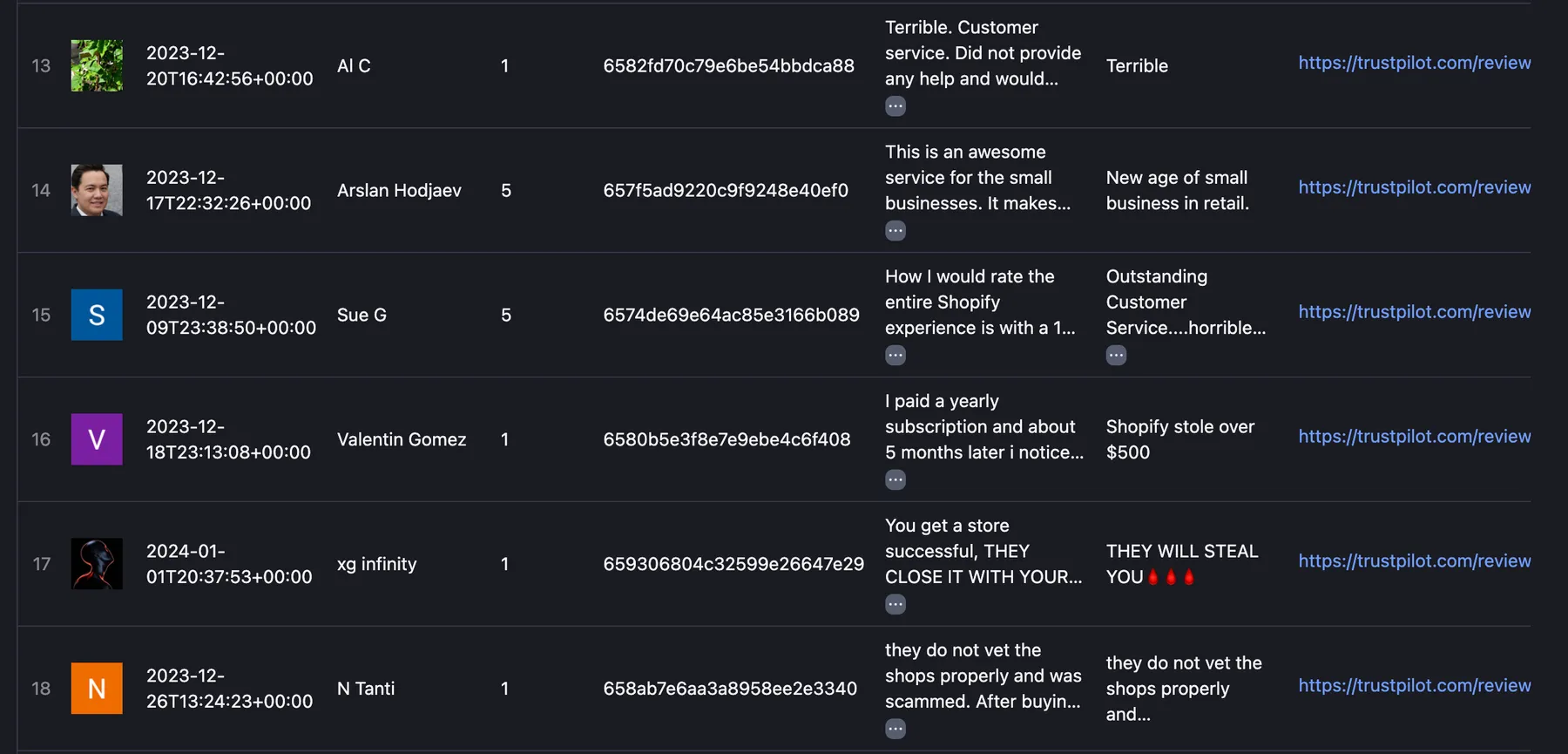
And here is the same data in JSON. You can choose in which format to download your Trustpilot reviews data: JSON, JSONL, Excel spreadsheet, HTML table, CSV, or XML.
How to display your Trustpilot reviews on a website?
Wally allows you to display Trustpilot reviews on any website:
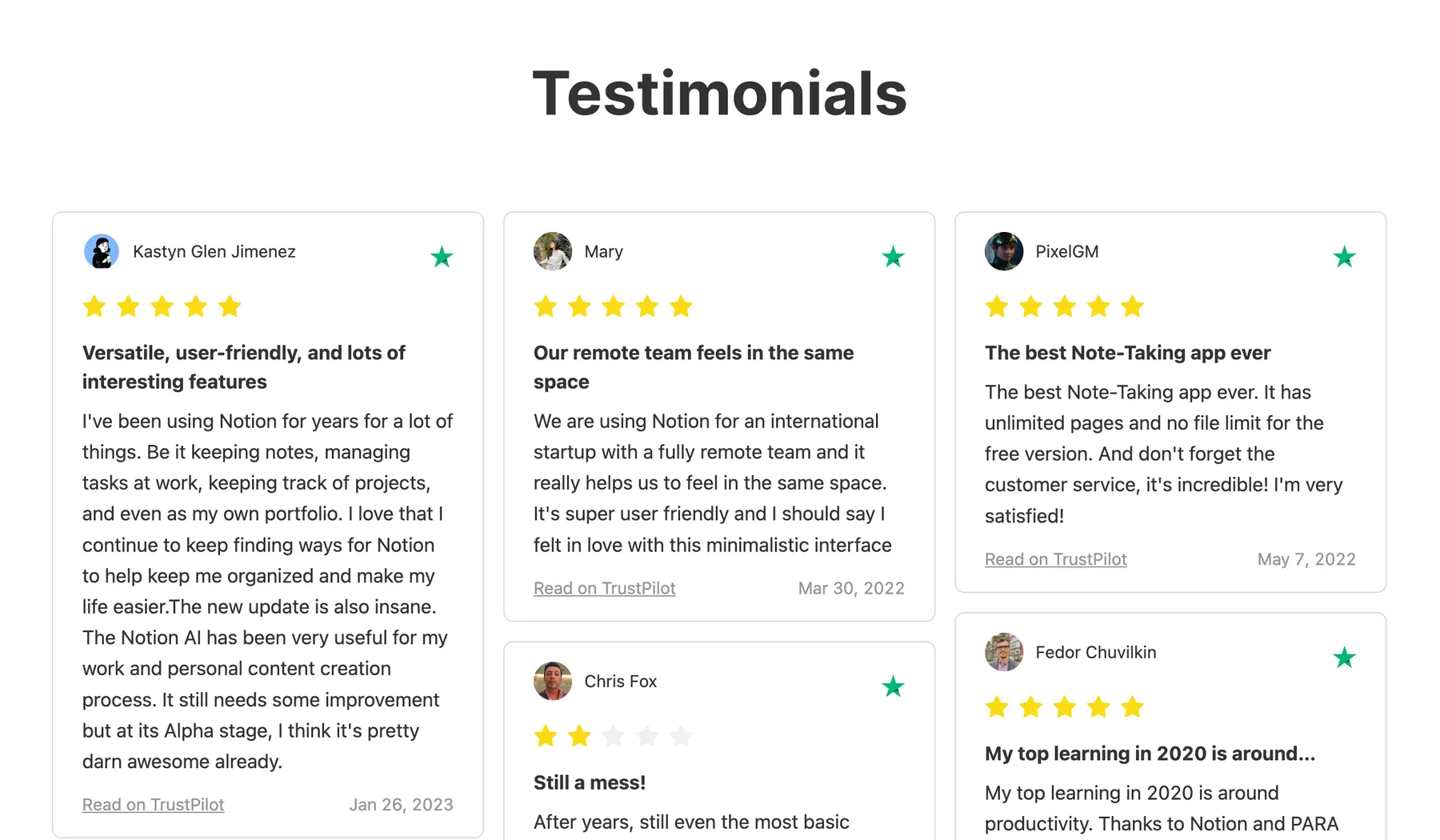
Key Features:
-
Customizable Widgets: Choose from multiple layouts (carousels, grids, or sliders) to fit your site's design.
-
Brand Alignment: Fully customize colors, fonts, and styles to match your existing branding.
-
Easy Integration: Simple setup process that doesn't require complex coding.
For a step-by-step guide on the installation process, refer to the Tutorial: How to embed Trustpilot reviews on a website.


![Trustpilot Reviews + AI Pain-Point Intelligence [$0.75💰] avatar](https://images.apifyusercontent.com/Po1dImTpRhmfcLh7g6udKbWb9mI31NBRqzIksrw1g6U/rs:fill:76:76/cb:1/aHR0cHM6Ly9hcGlmeS1pbWFnZS11cGxvYWRzLXByb2QuczMudXMtZWFzdC0xLmFtYXpvbmF3cy5jb20vbmduOHZSRVNUa3NleVdFNnAtYWN0b3ItSFl1T2tlMDB3WTRlbUxIejEtZUJ5MWNTdEZJYi10cnVzdHBpbG90LWxvZ28tdGV4dC1vbmx5LnBuZw.webp)

