

Bulk Email Verifier & List Cleaner — Keyless, Pay Per Email
Pricing
from $2.00 / 1,000 verified emails
Bulk Email Verifier & List Cleaner — Keyless, Pay Per Email
Bulk-validate emails at scale: syntax, MX-record lookup, disposable & role detection, catch-all & spam-trap flags, with a status + deliverability score per address. Keyless, pay-per-email, no credit packs or sales call. Agent-native (x402 + MCP). Cut bounce rates, protect sender reputation.
Pricing
from $2.00 / 1,000 verified emails
Rating
0.0
(0)
Developer

GoCreative AI
Maintained by CommunityActor stats
0
Bookmarked
2
Total users
1
Monthly active users
a month ago
Last modified
Categories
Share
Bulk Email Verifier & List Cleaner — MX, Syntax, Disposable & Role Check (Keyless, Pay Per Email)
📊 Example output (real run)
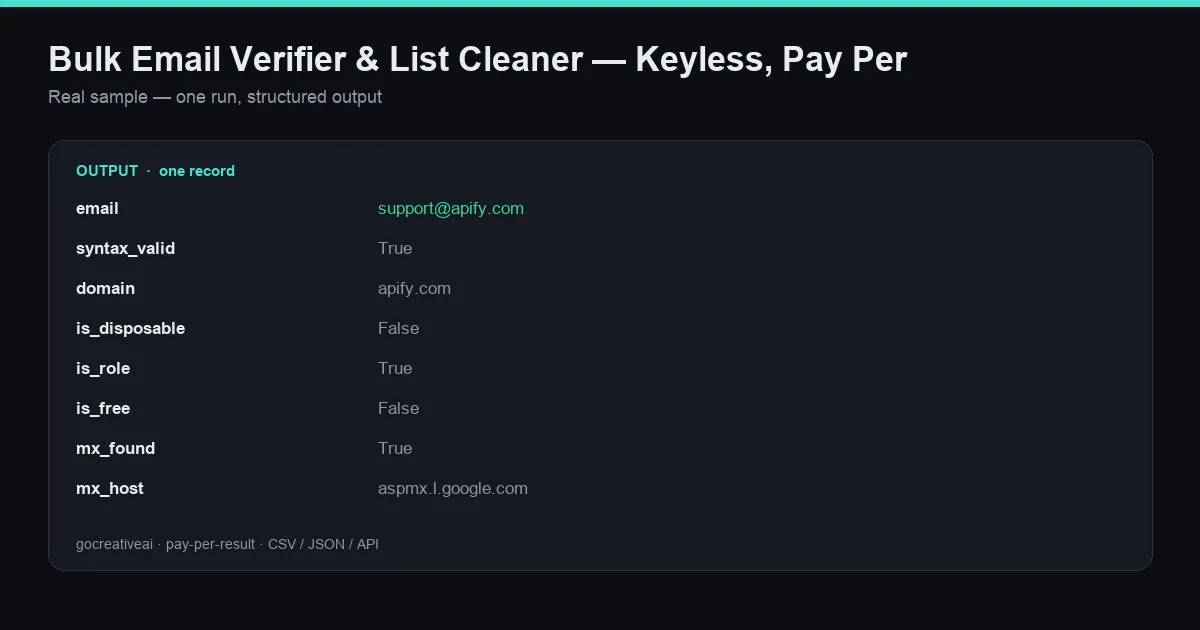
A real record from a live run — clean structured data, exported as CSV / JSON / Excel or via API.
Bulk-verify any list of emails for deliverability before you send: syntax check, MX-record lookup, disposable-domain detection, role-based & free-provider flags, catch-all detection, and an optional SMTP probe — with a clean status + score per address. Cut bounce rates, protect your sender reputation, and stop wasting sends on dead addresses. No API key, no signup, no seat license, no sales call. Pay only per email checked.
Why this over ZeroBounce / NeverBounce / Kickbox seat plans? Those gate verification behind credit packs, signup, and (at volume) a sales call. This actor is keyless and pay-per-run — paste a list, run, export the clean list. It's also agent-native (callable via x402 + MCP), so a verification step can sit directly inside an AI outbound agent.
What you get per email
| Field | Example (from a live run) |
|---|---|
email | support@apify.com |
syntax_valid | true |
domain | apify.com |
is_disposable | false |
is_role | true (role address like support@, info@) |
is_free | false (gmail/outlook/etc.) |
mx_found | true |
mx_host | aspmx.l.google.com |
smtp | skipped unless smtpCheck is on |
catch_all | domain accepts all addresses? |
status | valid / risky / invalid |
score | 50 (0–100 deliverability score) |
reason | role_based_address |
(Real row from a live run — not a mock.)
Input
- emails — the list to verify.
- smtpCheck — optionally probe the mailbox over SMTP for a stronger signal (slower; off by default).
- fromEmail — the MAIL FROM used for the optional SMTP probe.
- maxConcurrent — parallelism.
Best-fit use cases
- Clean a purchased or scraped list before importing to your ESP/CRM to protect domain reputation.
- Pre-send hygiene — drop
invalidand quarantinerisky/role/catch_allso only deliverable addresses get sequenced. - Enrichment pipelines — run right after any email-finder/scraper to validate what you just pulled.
- Agent workflows — an AI outbound agent can verify before it sends, keeping bounce rates low automatically.
Output formats
CSV, JSON, Excel — filter by status to export only the deliverable set.
Pricing & access
- Keyless / pay-per-run — no credit packs, no monthly seat, no sales call.
- Same verification is available agent-native on the GoCreative API (x402 + MCP discoverable).
Notes & honesty
status: riskyis a real, useful signal (role addresses, catch-all domains) — not a bug. Decide per your risk tolerance whether to send.- MX/syntax/disposable checks are deterministic; SMTP-mailbox results depend on the receiving server and are best-effort (many providers hide mailbox existence). This is a deliverability-hygiene tool, not a guarantee of inbox placement.


