

Google Maps Leads Scraper — Business Contacts
Under maintenancePricing
from $32.00 / 1,000 qualified leads
Google Maps Leads Scraper — Business Contacts
Under maintenanceSearch Google Maps for any business type and location, and get name, category, rating, address, phone, website and public contact email as clean rows.
Pricing
from $32.00 / 1,000 qualified leads
Rating
0.0
(0)
Developer

GoCreative AI
Maintained by CommunityActor stats
0
Bookmarked
6
Total users
1
Monthly active users
a month ago
Last modified
Categories
Share
Search Google Maps the way you would in the app — "marketing agencies in Austin TX" — and get the results back as a clean lead table: business name, category, Google rating, full address, phone, website, and the contact email published on the business's own site.
No API key. No Google Cloud billing. No paid upstream Actor.
How it works
What you receive
Name, category, address, phone, website, rating, coordinates and a contact email.
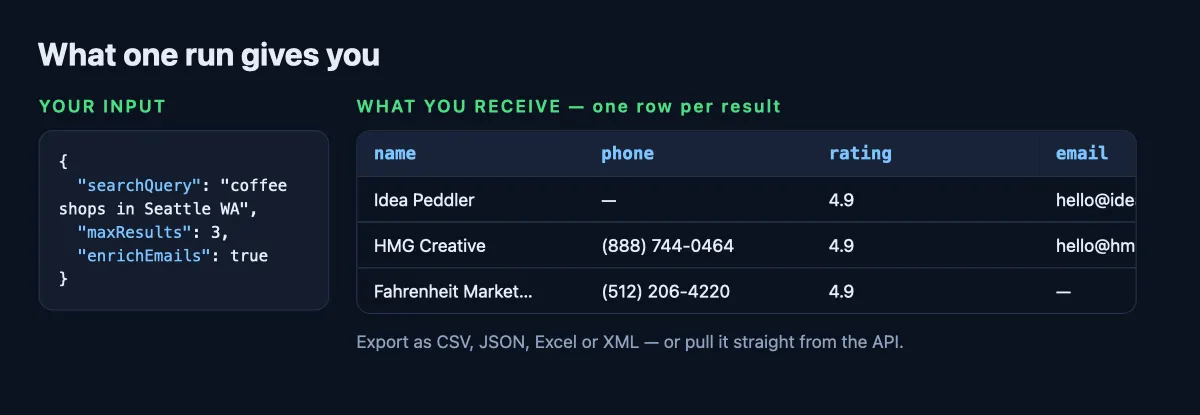
Every value above came from a real run of this Actor — not a mock-up. Download the same rows as CSV, JSON, Excel or XML, or pull them from the API.
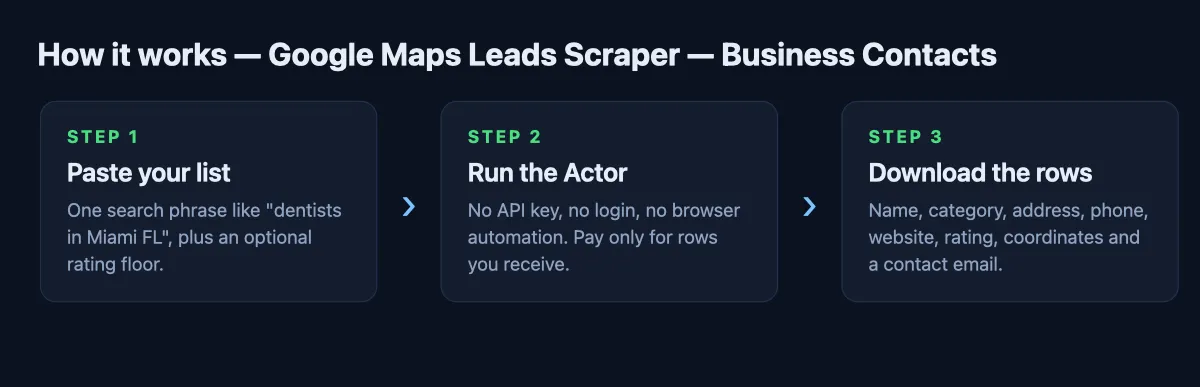
How it works
- Search — your query goes to Google Maps exactly as typed, with an optional map centre.
- Collect — one result page of businesses, with the details Maps shows publicly.
- Enrich — for each business that lists a website, the Actor opens it and reads the contact
address the company publishes (homepage,
/contact,/about). Nothing is guessed or bought. - Filter — drop anything under a rating you set, or keep only businesses with an email.
What you get
| Field | Example |
|---|---|
name | Blackhawk Digital Marketing |
category | Marketing agency |
rating | 4.9 |
address | 410 Baylor St Unit b Austin, TX 78703 |
phone | (512) 736-0127 |
website | https://www.blackhawkdm.com/ |
email / emails | hello@blackhawkdm.com |
latitude / longitude | 30.2705887 · -97.75662 |
maps_url | link back to the Maps listing |
search_query | the query that produced the row |
fetched_at | 2026-08-17T21:40:11+00:00 |
Every row carries search_query, so you can run several searches and still tell the results apart
in one export.
Input
| Option | Default | Notes |
|---|---|---|
searchQuery | (required) | What and where, as you'd type it into Maps. |
maxResults | 20 | 1–20 — one Google Maps result page. |
enrichEmails | true | Visit each site for a published email. Off = faster and cheaper. |
requireEmail | false | Keep only businesses with an email found. |
minRating | 0 | Drop businesses below this Google rating. |
latitude / longitude | US centre | Optional map centre for local searches. |
What people use it for
- Local agency prospecting — one search per city and trade, straight into your CRM.
- Territory research — pull every competitor in a category with ratings and addresses.
- Franchise and multi-location mapping — coordinates come with every row.
Export
Results land in a standard Apify dataset: CSV, JSON, Excel or XML download, or straight from the API, MCP or the JavaScript / Python clients.
Notes
- Emails come only from the business's own public website. Nothing is guessed from a pattern or bought from a third-party database, and no email is invented when none is published.
- Google returns one page of map results per search; narrow the query (or move the map centre) to cover a larger area rather than expecting hundreds of rows from one run.
- Google rate-limits cloud IP ranges, so runs go through Apify Proxy by default.


