

Reddit RSS Feed Replacement - New Posts & Comments
Pricing
from $0.95 / 1,000 post scrapeds
Reddit RSS Feed Replacement - New Posts & Comments
Reddit RSS ends 13 Nov 2026. Get only new posts from any subreddit, user or search on a schedule, as JSON, CSV or a ready RSS/Atom feed URL. Paste your old .rss links. No login, no API key.
Pricing
from $0.95 / 1,000 post scrapeds
Rating
0.0
(0)
Developer

Mayowa Ogedengbe
Maintained by CommunityActor stats
0
Bookmarked
2
Total users
1
Monthly active users
4 days ago
Last modified
Categories
Share
Reddit RSS feeds stop working on 13 November 2026. If you follow subreddits, users or searches in a feed reader, an n8n or Zapier workflow, a Slack/Discord alert or a spreadsheet, those feeds go silent that day.
This Actor keeps them running. Give it the same subreddits, users and searches (you can paste your old .rss links
as they are), put it on a schedule, and every run hands you only the posts that are new since the last check:
as a table, as JSON/CSV/Excel, or as a ready RSS feed link you can drop straight into your reader.
In short
| You give it | Subreddits, users, keyword searches or your old Reddit .rss links, one per line |
| You get | Every new post (title, author, text, score, comments, links, images) and your own RSS feed link |
| How often | Whenever you like: once, every hour, every day, every 15 minutes |
| What you need | A free Apify account. No Reddit account, no login, no API key, no app registration |
| What it costs | $0.50 per 1,000 new posts, $0.001 for a check that finds nothing new (pricing) |
▶ Watch the 85-second walkthrough
Who it's for
- Feed reader users (Feedly, Inoreader, FreshRSS, Miniflux, Thunderbird) who follow subreddits and don't want the feeds to die on 13 November.
- n8n, Make and Zapier builders whose workflows start from a Reddit RSS feed: swap in your new feed link and keep the rest of the workflow.
- Teams with Slack or Discord alerts for a subreddit, a competitor or a product name.
- Marketers, founders and researchers who track mentions of a keyword or brand across Reddit.
- Anyone who wants Reddit posts in a spreadsheet or database on a schedule.
How to use it (step by step)
1. Paste your feeds
Click Try for free (or Start) at the top of this page. In Subreddits, users, searches or posts, add one feed per line. The quickest way is Bulk edit: paste everything at once, then click Set.
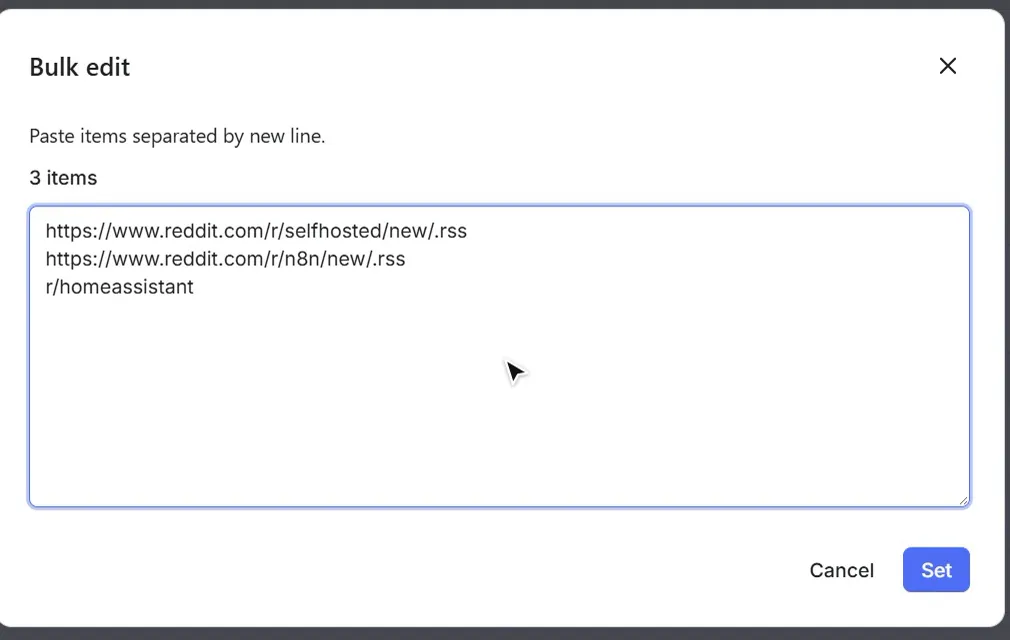
Everything below works, mixed in any order:
| You paste | What you get |
|---|---|
https://www.reddit.com/r/selfhosted/new/.rss | Your old RSS link, as it is: new posts in r/selfhosted |
r/n8n or https://www.reddit.com/r/n8n/ | New posts in r/n8n |
https://www.reddit.com/r/python+learnpython/new/ | Both subreddits (each becomes its own feed) |
u/spez | New posts by that user |
https://www.reddit.com/search/?q=%22home%20assistant%22&sort=new | Posts matching a Reddit search |
https://www.reddit.com/r/AskReddit/comments/1abc234/ | One post with its full comment thread |
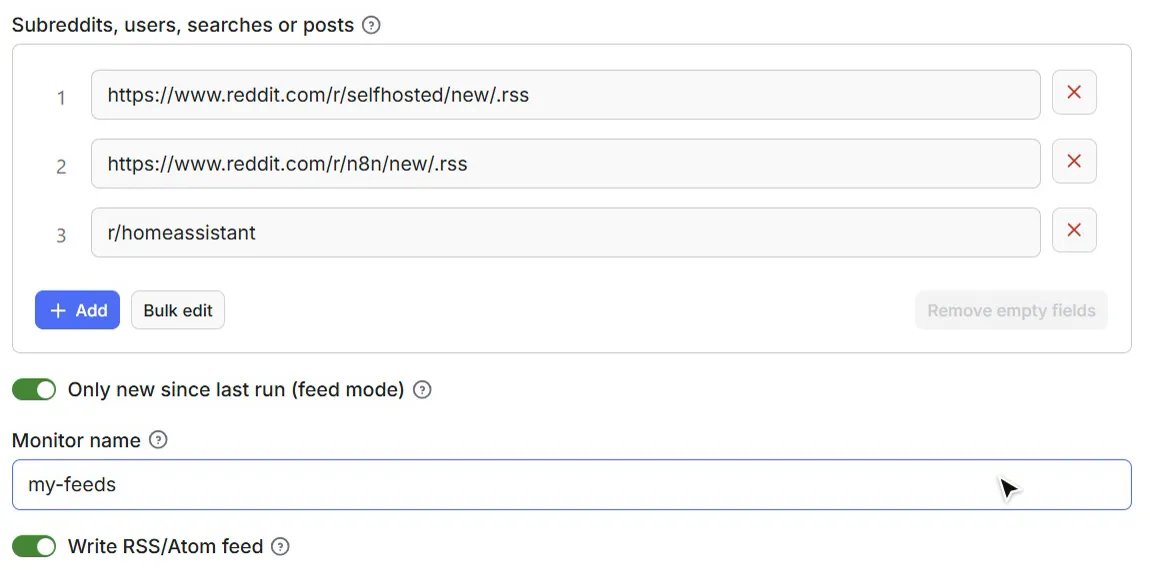
2. Keep "Only new since last run" switched on
This is what makes it a feed: each run remembers what it already gave you and returns only newer posts. Leave the Monitor name as it is for now (more on it below).
3. Press Start and see your posts
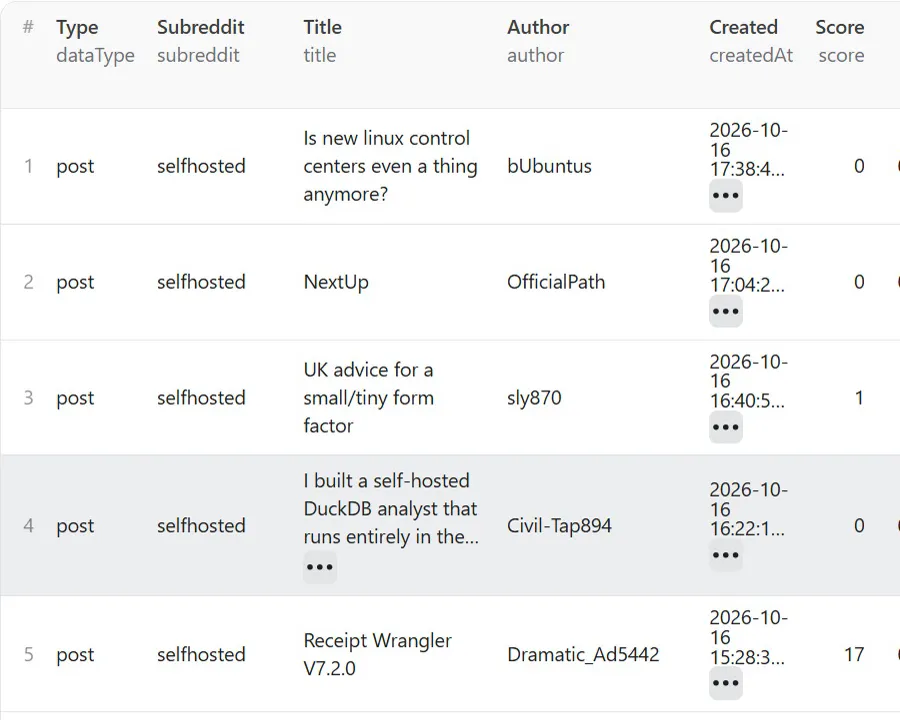
In our test, three subreddits took about 30 seconds and returned 75 posts (the latest 25 from each). They appear in the Output tab as a table. Download them as JSON, CSV, Excel, XML or HTML with Export.
4. Copy your RSS feed link
Open the run's Log tab. Near the end you'll find a line starting with RSS feed (stable URL, updated every run). That link never changes, so you only need to copy it once. (It's also in Storage → Key-value store → SUMMARY.)

Paste it wherever your old Reddit feed was: Feedly, Inoreader, FreshRSS, Miniflux, Thunderbird, or the RSS Read node in n8n. Here it is in n8n, reading the 75 posts from the run above:
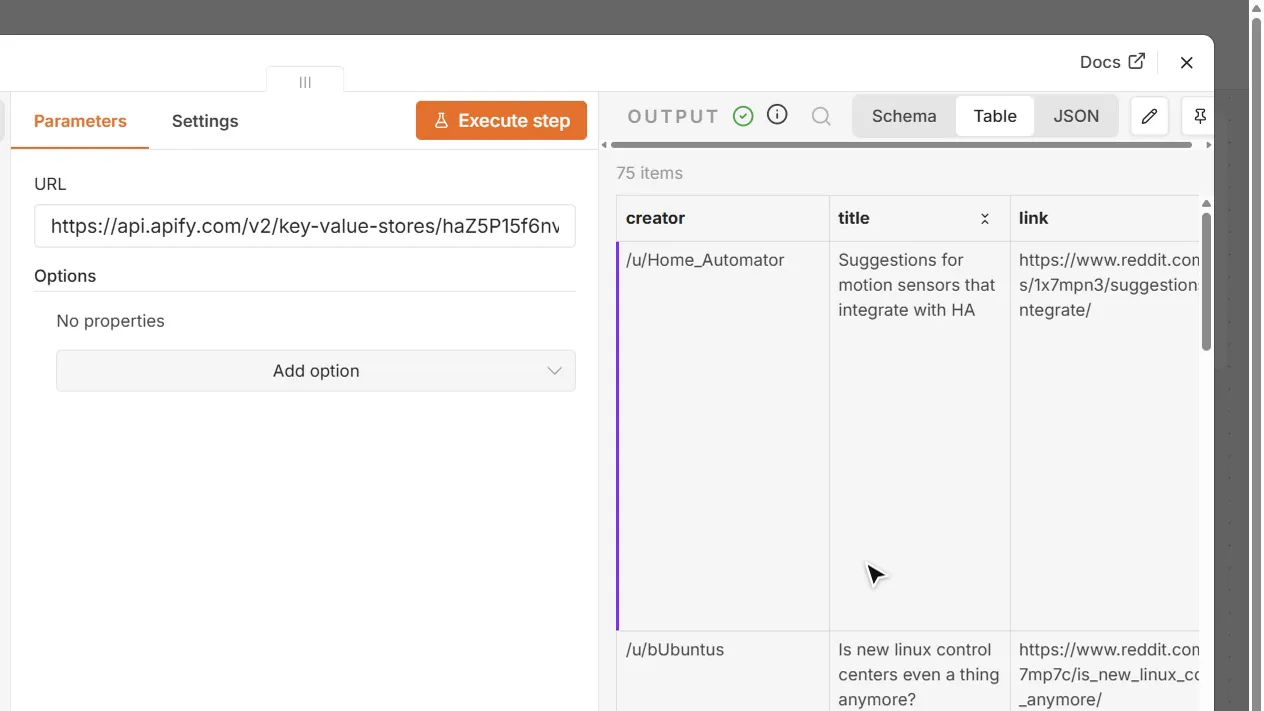
The link always holds the latest 100 posts across all the feeds in that schedule. You'll also find
…/feed-<monitor name>.atom next to it if your reader prefers Atom (the format Reddit's own feeds used).
5. Run it again: only what's new
Press Start again later and you get only the posts published since the last run. In our test, a second run returned 3 new posts, and nothing from the first run came back. A run that finds nothing new costs only $0.001.
6. Put it on a schedule
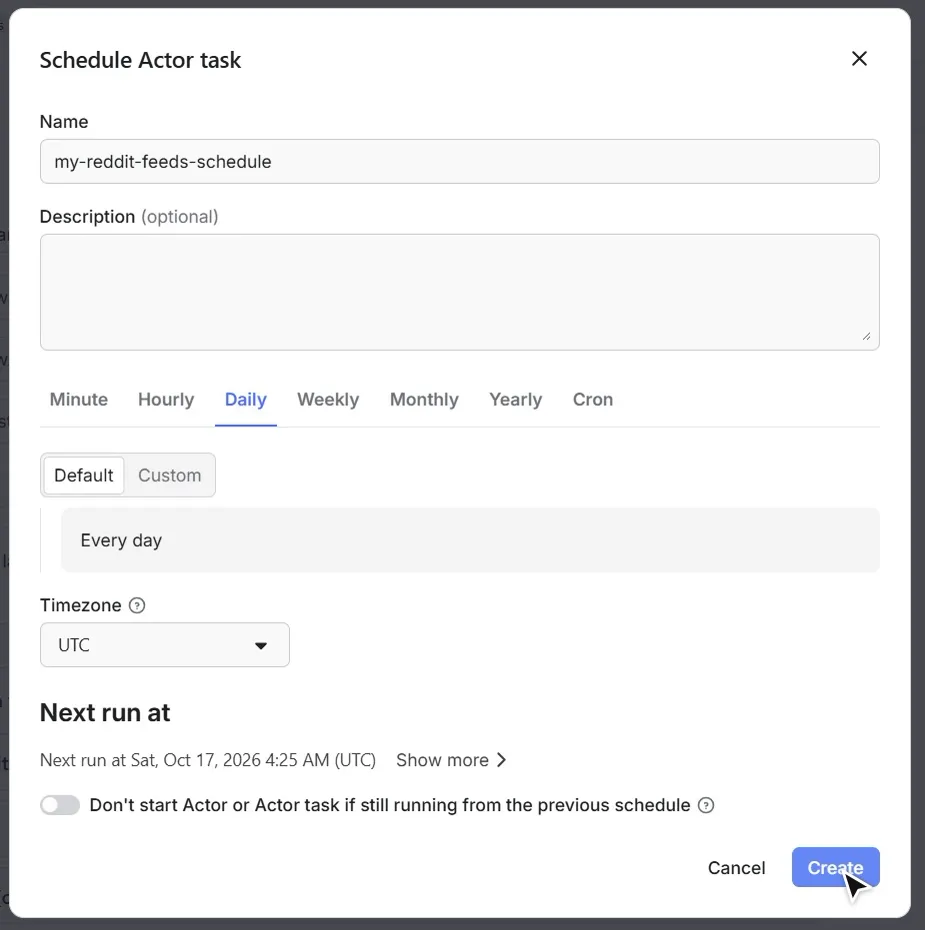
Click Save as a new task at the top of the page, give it a name, then open the task's ⋯ menu → Schedule. Pick Hourly, Daily or your own timing, and click Create. From then on, your feed link updates by itself.
What you get for each post
| Field | Example |
|---|---|
| Title | "Podcast Audio/Video downloader" |
| Text | The full post text (for text posts) |
| Subreddit, author | selfhosted, International-Table1 |
| Posted at | 2026-10-16T04:35:35.241Z |
| Score, upvote ratio, comments | 1, 1, 6 |
| Link, Reddit link | Where the post points, and the Reddit discussion |
| Flair, NSFW, spoiler | Need Help, false, false |
| Images and videos | Direct links to the media |
| Found via | Which of your feeds found it, e.g. r/selfhosted (new) |
A real record from our test run, as it appears in JSON:
Turn on Include comments to also get the comments of each new post, with who replied to whom (switch the Output view to Comments to see them).
Settings explained
| Setting | What it does | Tip |
|---|---|---|
| Subreddits, users, searches or posts | The feeds to follow, one per line (see the table in step 1) | Old .rss links work as they are |
| Only new since last run | Returns only posts the previous run didn't give you | Keep it on for anything scheduled |
| Monitor name | The feed's memory and the name of its RSS link | Use a different name per schedule (e.g. work, hobbies) to get separate feeds. Change it to start over |
| Write RSS/Atom feed | Keeps your RSS feed link up to date | Keep it on if you use a feed reader or n8n |
| Subreddit and user sort | New (like the old RSS feeds), Hot, Top or Rising | Leave on New for feeds |
| Time range | Past hour/day/week/… for Top and for searches | Ignored by New, Hot and Rising |
| Max posts per subreddit, user or search | How many posts the first run brings per feed (default 25) | Later runs only bring new posts anyway |
| Include comments / Max comments per post / Comment sort | Adds each post's comments | Off by default; comments are priced separately |
| Search keywords / Limit search to subreddits / Search sort | Keyword feeds: every post that mentions a word or phrase | Put a phrase in quotes, e.g. "home assistant" |
| Post URLs | Single posts with their full comment threads | |
| Advanced | Speed and reliability settings | Leave as is |
Keyword alerts in one minute: remove the example feeds, add your brand or product to Search keywords, keep Only new since last run on, and schedule it hourly. You get every new Reddit post that mentions it, and a feed link to plug into Slack, Discord or email through n8n, Make or Zapier.
Pricing
You only pay for what you get. Prices drop on higher Apify plans.
| What | Price per 1,000 (Free plan → Gold and above) |
|---|---|
| New post or comment since your last run | $0.50 → $0.35 |
| Posts in a first run, or with "only new" switched off | $1.40 → $0.95 |
| Comments | $1.40 → $0.95 |
| Each run | $0.001 |
What that looks like:
- 10 subreddits checked every hour, about 20 new posts each per day: 6,000 new posts a month ≈ $3, plus 720 runs ≈ $0.72, plus a one-off first run of 250 posts ≈ $0.35.
- A keyword you watch, about 100 new mentions a day: ≈ $1.50 a month.
- A check that finds nothing new costs only the $0.001 run fee.
Apify's free monthly credit covers small feeds completely.
Connect it to your tools
- Feed readers: use your RSS feed link (step 4).
- n8n: already have a workflow built on the RSS Read node? Keep it and just swap in your new feed link. Or add the Apify node → Run an Actor and get dataset, choose this Actor and your input, and connect the output to Slack, Discord, Telegram, Google Sheets or email.
- Make / Zapier: use the Apify app's Run Actor action on a schedule and map the results to your next step.
- API: every run can also be started with one HTTP call. See the API tab on this page for ready-made examples.
FAQ
Do I need a Reddit account or API key? No. You only need a free Apify account. There's no Reddit login, no API key and no app registration.
Will it keep working after 13 November 2026? Yes. That's what it's for: it doesn't depend on Reddit's RSS feeds.
How fresh are the posts? As fresh as your schedule. Hourly gets you posts within the hour; every 15 minutes is possible too.
Why did my run return nothing? That's good news: nothing new was posted since the last check. It costs only the $0.001 run fee. To get the latest posts again from scratch, change the Monitor name.
Can I keep separate feeds (for example work and hobbies)? Yes. Save one task per group, each with its own Monitor name. Each gets its own feed link.
Is my RSS feed link private?
The link is long and hard to guess, and it contains only public Reddit posts. Anyone you share it with can read it. If
your Apify account restricts storage access, add ?token=YOUR_API_TOKEN to the link.
What can't it follow? Private, banned or quarantined subreddits can't be followed; they're listed in the run summary and the rest of your feeds still run. r/all and r/popular aren't supported yet.
Does it include NSFW posts?
Only posts Reddit shows publicly, and they're marked with isNsfw: true so you can filter them out.
What data is collected? Only public information that anyone can see on Reddit.
More Reddit tools
- Reddit Search Scraper: search Reddit by keyword, or get alerts when your keyword is mentioned.
- Reddit Comments Scraper: every comment and reply from any Reddit post, with who replied to whom.
Questions or a feed that doesn't work? Open the Issues tab and we'll take a look.


