

TikTok Shop Scraper (No Login) - Sales & Stock in 10 Countries
Pricing
from $1.75 / 1,000 products
TikTok Shop Scraper (No Login) - Sales & Stock in 10 Countries
Scrape TikTok Shop products without an account in the US, UK, Singapore, Malaysia, Thailand, Philippines, Vietnam, Indonesia, Mexico and Japan: price, units sold, stock per variant, ratings, reviews, shipping and shop stats. By product URL, keyword or category, with a scheduled 'what changed' mode.
Pricing
from $1.75 / 1,000 products
Rating
0.0
(0)
Developer

Mayowa Ogedengbe
Maintained by CommunityActor stats
0
Bookmarked
2
Total users
1
Monthly active users
14 hours ago
Last modified
Categories
Share
TikTok Shop Scraper: products, units sold, stock and prices in 10 countries
See what is actually selling on TikTok Shop. Get the price, units sold, stock for every variant, rating, reviews, shipping and shop stats for any TikTok Shop product in the US, UK, Singapore, Malaysia, Thailand, Philippines, Vietnam, Indonesia, Mexico and Japan. Find products by keyword or category, or paste product links. No TikTok account, no login, no cookies.
▶ Watch the full walkthrough (4 min)
Built for product research, competitor tracking and sales monitoring: run it once to size up a niche, or put it on a schedule and get only the products whose sales, stock or price changed since the last run.
What you get for every product
| Sales | Units sold (TikTok Shop's own counter), rating, number of reviews, reviews per star |
| Price | Current price, original price and discount, highest variant price, currency |
| Stock | Stock for every variant (color, size, model...), total stock, in-stock flag, purchase limit |
| Product | Title, images, description (text and description images), specifications, category path, brand |
| Shop | Shop name and link, shop rating, shop units sold, shop reviews, number of products, followers |
| Shipping | Shipping fee, free-shipping flag, delivery days and estimated delivery dates |
| Reviews | Up to 5 recent reviews: rating, text, date, variant bought, verified purchase, photos |
| Promotion | For keyword results: the TikTok video promoting the product (creator, plays, likes) |
Countries
| Country | Product links / IDs | Keywords | Categories | Currency |
|---|---|---|---|---|
| 🇺🇸 United States | ✅ | ✅ | ✅ | USD |
| 🇬🇧 United Kingdom | ✅ | — | ✅ | GBP |
| 🇸🇬 Singapore | ✅ | — | ✅ | SGD |
| 🇲🇾 Malaysia | ✅ | — | ✅ | MYR |
| 🇹🇭 Thailand | ✅ | — | ✅ | THB |
| 🇵🇭 Philippines | ✅ | — | ✅ | PHP |
| 🇻🇳 Vietnam | ✅ | — | ✅ | VND |
| 🇮🇩 Indonesia (Shop | Tokopedia) | ✅ | — | ✅ | IDR |
| 🇲🇽 Mexico | ✅ | — | ✅ | MXN |
| 🇯🇵 Japan | ✅ | — | ✅ | JPY |
Coming in the next version: Germany, France, Spain, Italy, Ireland and Brazil.
Keyword search uses TikTok Shop's US keyword pages; for other countries, use categories or product links.
TikTok Shop scraper by country
The same Actor covers every country below: pick the country in the input (or paste a product link from that country) and the results come back in the local currency, with units sold, stock per variant, prices, ratings, reviews, shipping and shop stats. No login in any country.
TikTok Shop US scraper
Scrape TikTok Shop United States products without logging in: keywords such as stanley cup, categories, or product links. Prices in USD.
TikTok Shop UK scraper
Scrape TikTok Shop United Kingdom products without logging in: UK categories or product links (shop.tiktok.com/gb/pdp/...). Prices in GBP.
TikTok Shop Malaysia scraper
Scrape TikTok Shop Malaysia products without logging in: Malaysian categories or product links (shop.tiktok.com/my/pdp/...). Prices in MYR.
TikTok Shop Indonesia scraper
Scrape TikTok Shop Indonesia (Shop | Tokopedia) products without logging in: Indonesian categories or product links (shop-id.tokopedia.com/pdp/...). Prices in IDR.
TikTok Shop Philippines scraper
Scrape TikTok Shop Philippines products without logging in: Philippine categories or product links (shop.tiktok.com/ph/pdp/...). Prices in PHP.
TikTok Shop Thailand scraper
Scrape TikTok Shop Thailand products without logging in: Thai categories or product links (shop.tiktok.com/th/pdp/...). Prices in THB.
TikTok Shop Vietnam scraper
Scrape TikTok Shop Vietnam products without logging in: Vietnamese categories or product links (shop.tiktok.com/vn/pdp/...). Prices in VND.
TikTok Shop Singapore scraper
Scrape TikTok Shop Singapore products without logging in: Singapore categories or product links (shop.tiktok.com/sg/pdp/...). Prices in SGD.
TikTok Shop Mexico scraper
Scrape TikTok Shop Mexico products without logging in: Mexican categories or product links (shop.tiktok.com/mx/pdp/...). Prices in MXN.
TikTok Shop Japan scraper
Scrape TikTok Shop Japan products without logging in: Japanese categories or product links (shop.tiktok.com/jp/pdp/...). Prices in JPY.
How to use it (step by step)
1. Open the Actor and pick a country. The country is used for keywords, categories and bare product IDs. Product links always use the country in the link.
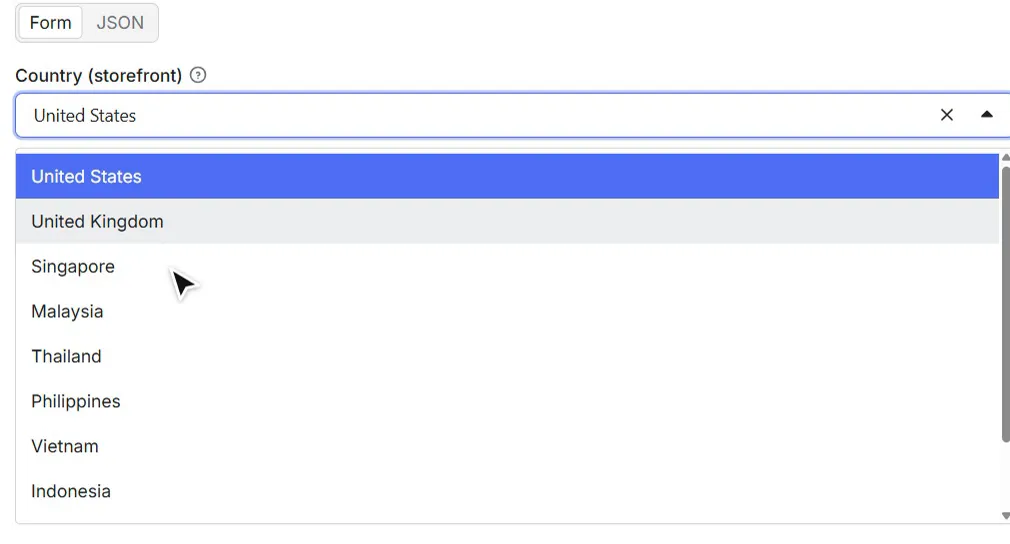
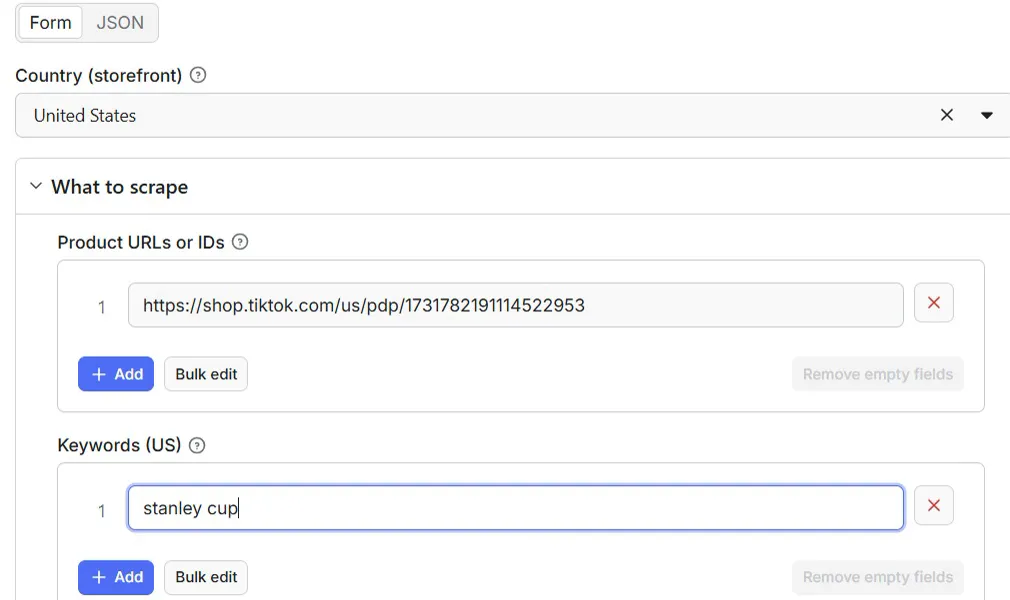
2. Tell it what to scrape. Fill in any mix of:
- Product URLs or IDs, e.g.
https://shop.tiktok.com/us/pdp/1729488565791527807orhttps://shop.tiktok.com/gb/pdp/... - Keywords (US), e.g.
stanley cup,phone cases,magnetic eyelashes - Categories, e.g.
Beauty & Personal Careor a category link such ashttps://shop.tiktok.com/th/c/phones-electronics/601739
3. Choose the options. Max products per keyword or category, full details on or off, subcategories, and the "only new or changed products" mode for schedules.
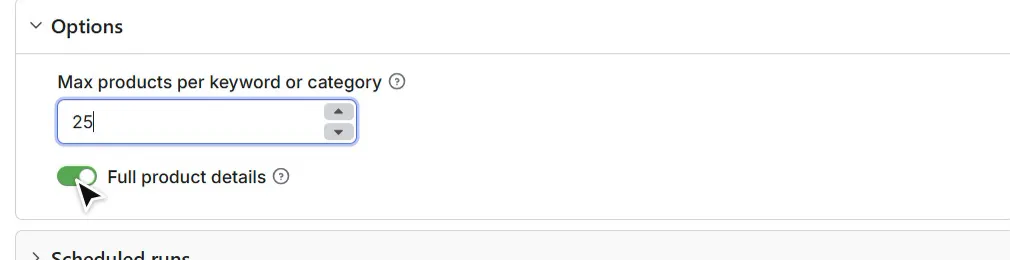
4. Press Start. A keyword with 25 products typically finishes in about 30 seconds.
5. Open the results. Use the Overview tab (one row per product) or the Variants tab (one row per variant with its own price and stock).
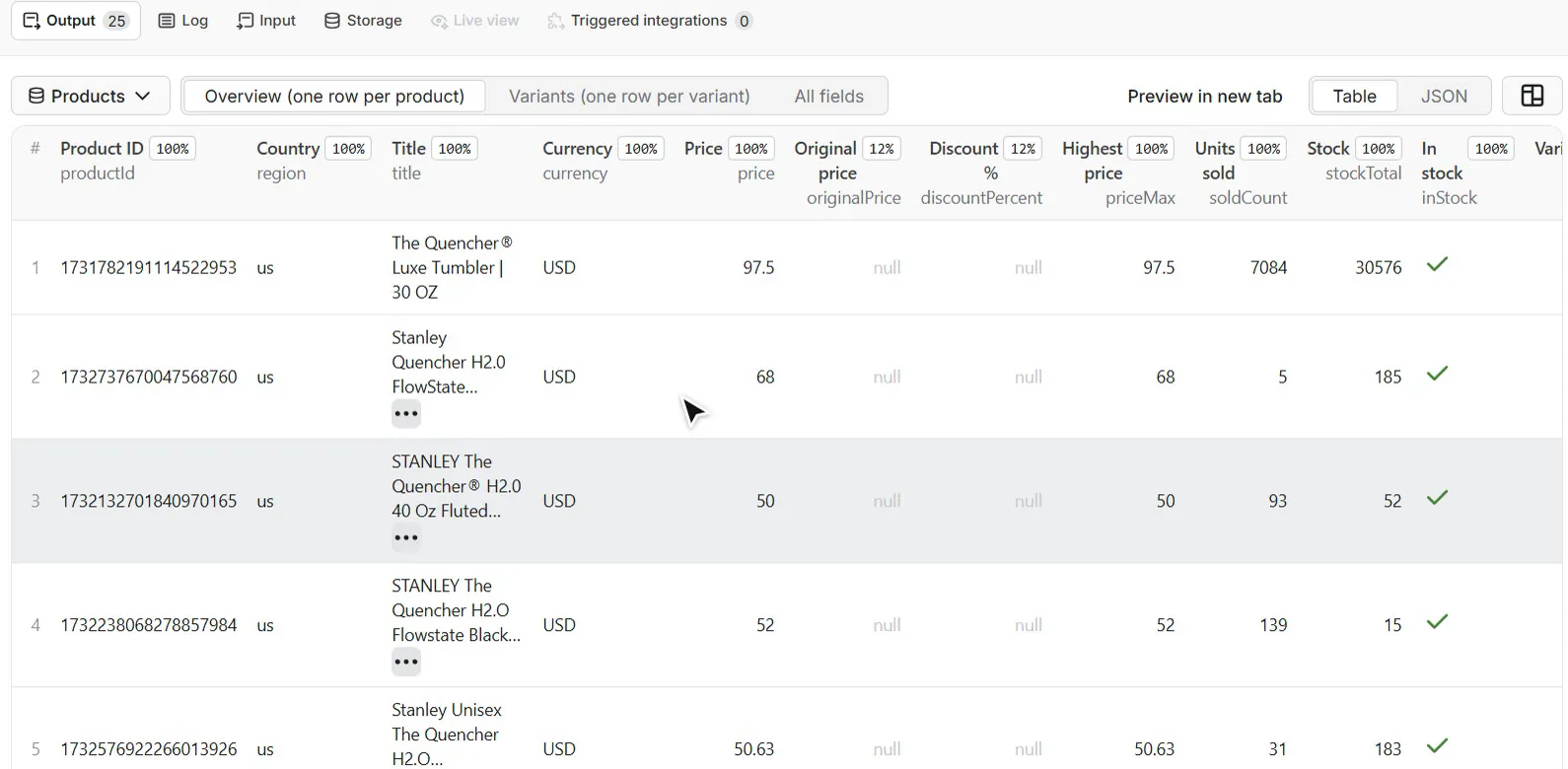
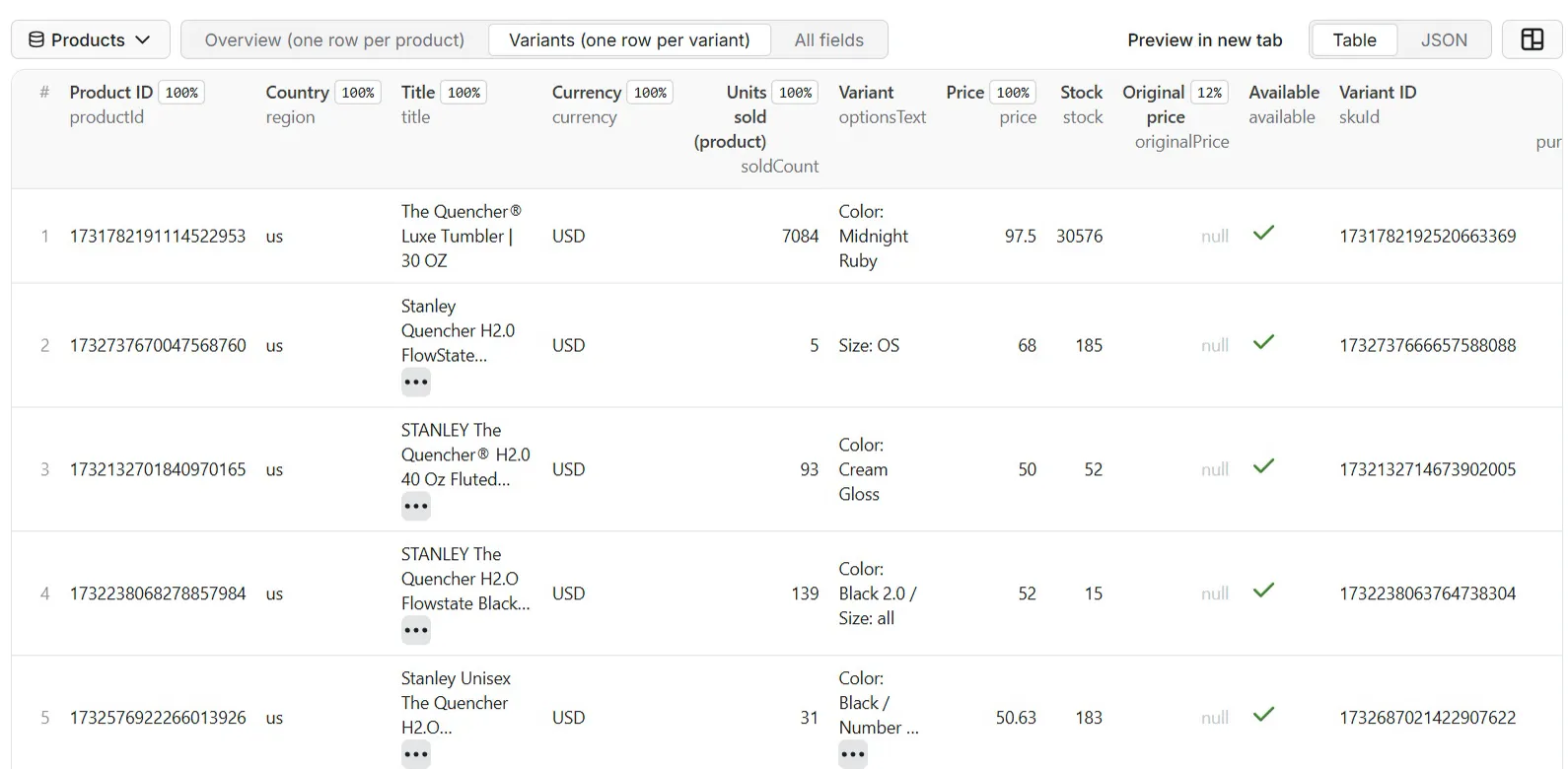
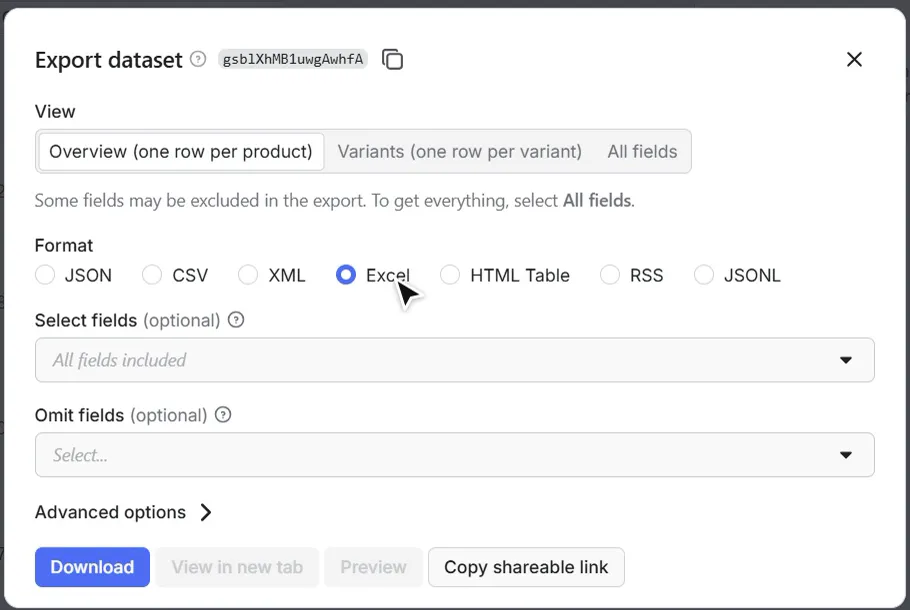
6. Export. Download as Excel, CSV, JSON or HTML, or use the API (examples below). For Excel and CSV, export the Overview or Variants view: products can have hundreds of variants, and spreadsheet exports of the full nested data are limited to 2,000 columns.
Input
| Field | What it does | Default |
|---|---|---|
region | Country for keywords, categories and bare IDs: us, gb, sg, my, th, ph, vn, id, mx, jp | us |
products | Product links or IDs from any of the 10 countries | — |
keywords | US keyword phrases | — |
categories | Category names or links (any of the 10 countries) | — |
includeSubcategories | Also sample the category's subcategories, for wider coverage | off |
maxProductsPerSource | Upper limit for each keyword and each category (1-1000) | 30 |
includeDetails | On: full product data. Off: list data only (title, price, units sold, rating, shop), cheaper and faster | on |
monitorChanges | Return only products that are new or whose units sold, stock, rating, reviews or price changed | off |
monitorName | Separate memory per schedule (e.g. competitors, beauty-uk) | default |
Example input:
With no input at all, the Actor returns a small live sample (5 US products) so you can see the output.
Output example
A real product from a "stanley cup" run (lists shortened):
Fields that a product does not have are null (or an empty list), so every row has the same columns.
Track sales and stock over time (scheduled runs)
-
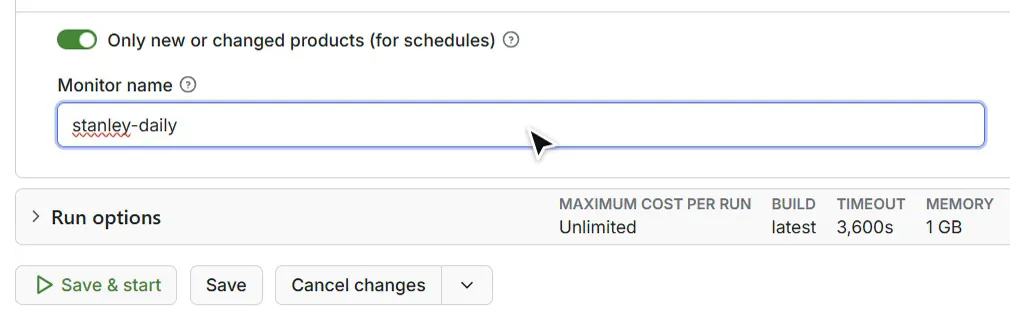
Turn on Only new or changed products and give the monitor a name.
-
Click Schedule and choose daily (or hourly, weekly...).
-
Every run returns only the products that are new or whose units sold, stock, rating, reviews or price moved, with a
changesfield:
soldDelta over a day is that product's daily sales; multiply by the price for an estimate of daily revenue.
Unchanged products are not returned and not billed.
Pricing
Pay only for results (Apify pay-per-event):
| Event | Price |
|---|---|
| Product with full details | $2.50 per 1,000 on the Free plan, down to $1.75 per 1,000 on Gold |
Product, list data only (includeDetails off) | $0.80 per 1,000 |
| Country listing access (once per run, per non-US country whose categories you browse) | $0.01 |
| Run start | $0.001 |
Examples:
- 100 US products from a keyword, full details: about $0.25.
- 100 products from a UK category: about $0.26 ($0.25 + $0.01 for UK listing access).
- Daily monitor of 500 products where 60 changed today: about $0.15 that day.
Product links never trigger the country listing access charge. Products that do not exist, duplicates and unchanged products (monitor mode) are never billed. You can cap any run with Apify's maximum cost setting; the run then stops cleanly with what it has.
Free Apify plan: runs started on Apify's free plan return up to 10 products per run. Any paid Apify plan removes this limit.
Use it from code or automation
API (cURL), run and get the products in one call:
Python
JavaScript
n8n / Make / Zapier: use the Apify node, action Run an Actor and get dataset items, Actor
headply/tiktok-shop-scraper, and the same JSON input. A daily schedule + Google Sheets node gives you a sales log
per product.
Ideas
- Product research: which products in a niche sell, at what price, with how many reviews.
- Competitor tracking: follow competitors' units sold, stock and prices every day.
- Stock alerts: catch products and variants about to sell out (
stockTotal,skus[].stock). - Creator and affiliate research: keyword results include the TikTok video promoting each product.
- Cross-country comparison: the same category in the US, UK, Southeast Asia, Mexico and Japan.
FAQ
Do I need a TikTok account or cookies? No. The Actor reads public TikTok Shop pages, as any visitor sees them.
Is "units sold" an estimate? No, it is the sold counter TikTok Shop shows on the product. Revenue is not shown
by TikTok; soldCount × price (or soldDelta × price in monitor mode) gives you an estimate.
Why can the same product show slightly different prices in two runs? TikTok Shop shows different visitors slightly different promotional prices on many products (we measured differences of up to about 12% within minutes). The Actor reports the price a new visitor sees at that moment. Units sold, stock and ratings are not affected. In monitor mode, price moves of 15% or less don't count as a change, so this doesn't flood your results.
Why did a category return fewer products than my maximum? Category pages show a rotating selection of the category's products. The Actor keeps collecting until it reaches your maximum or stops finding new products. Turn on Include subcategories for wider coverage.
A keyword returned nothing. Why? TikTok Shop has keyword pages for common shopping phrases. For rare phrases there is no page; the run summary says so and nothing is charged. Try a shorter or more common phrase, or a category.
Which countries are supported? The 10 above. Germany, France, Spain, Italy, Ireland and Brazil are coming in the next version; links from those countries are skipped with a clear message (not billed).
What happens with a product that no longer exists? It is listed in the run summary as not found and not billed.
Where is the run summary? In the run's key-value store, record SUMMARY: products delivered, products not
found, skipped inputs with the reason, and per-keyword/category counts.
Can I get more than 10 products per run? Yes, on any paid Apify plan. The free plan is limited to 10 products per run.
Is it legal? The Actor collects publicly available product information. You are responsible for how you use the data; check TikTok's terms and the laws that apply to you, and do not collect personal data you have no basis to use.
Related Actors
- TikTok Profile Scraper: creators' followers, likes and videos.
- TikTok Video Scraper: full stats for any TikTok video.
- TikTok Trending Scraper: what's trending by category.
- TikTok Transcript Scraper: the words spoken in TikTok videos.
Questions or a country you need? Open an issue on the Actor's Issues tab.


