

Abebony Video Downloader | How to Download Abebony Videos
Pricing
Pay per usage
Abebony Video Downloader | How to Download Abebony Videos
Keep the Abebony video you are watching: one click in your desktop browser starts the download.
Pricing
Pay per usage
Rating
0.0
(0)
Developer

how-to-download-videos
Maintained by CommunityActor stats
0
Bookmarked
2
Total users
1
Monthly active users
21 days ago
Last modified
Categories
Share
Keep the Abebony video you are watching: one click in your desktop browser starts the download.
Found something on Abebony you want to hold on to? The extension lives in your desktop browser and notices the video currently open in the tab. Press play, click the extension, and the source is picked up without you leaving the page.
Get it Here
👉 Get it here: Abebony Video Downloader
- ✅ Nothing you download is routed through our servers
- ✅ Free of ads, trackers, and analytics
- ✅ Compatible with Linux, Mac, and Windows
Preview
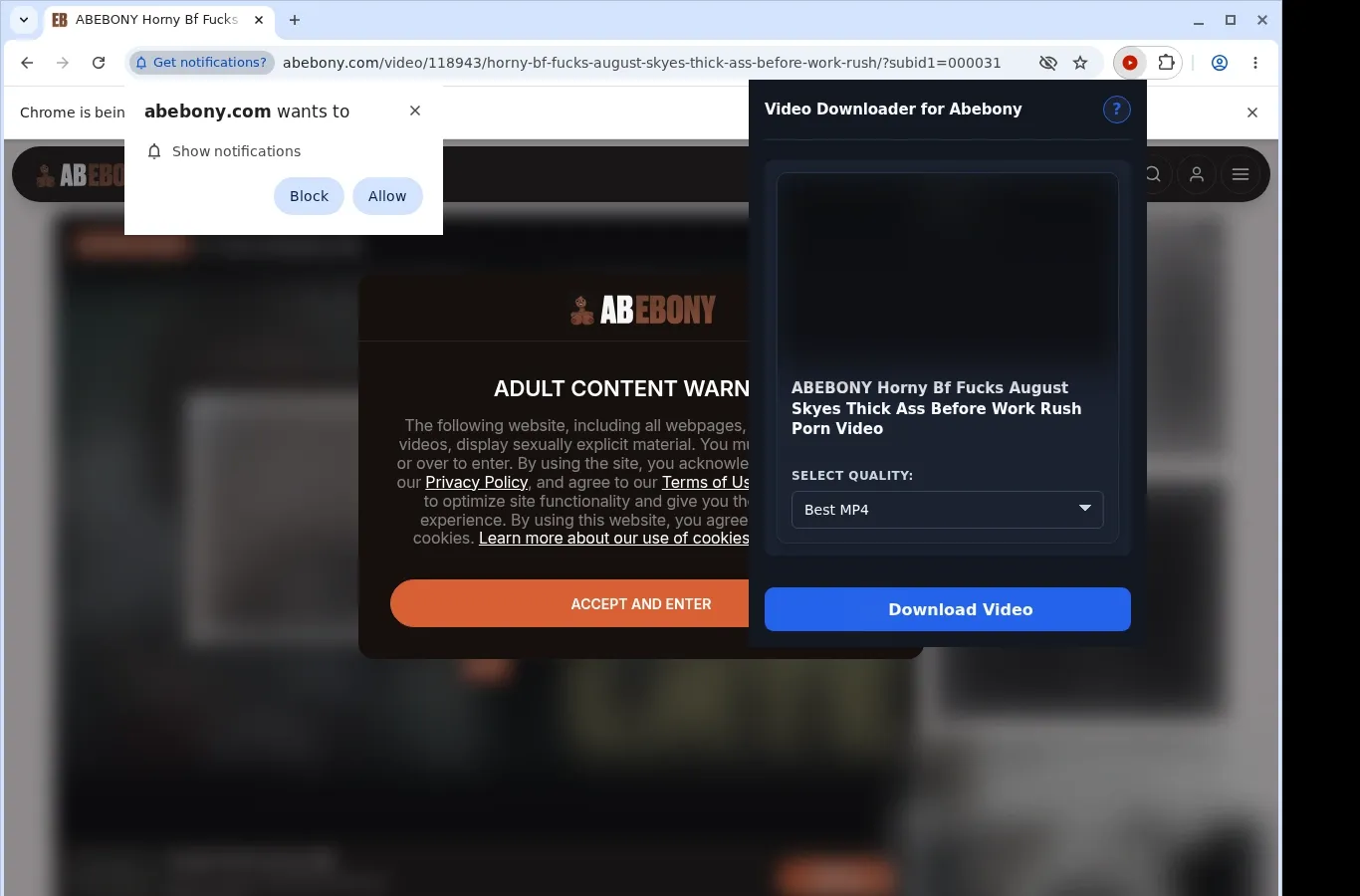
How It Works
- Head to the video: Navigate to the Abebony page that contains the video you are after and wait while it loads as usual.
- Open the extension: It searches the page for an available video source and presents the download option for that page.
- Pick a format and download: Use the format menu to choose from the file options offered, then save the completed video to your device.
What It Does
- Keep MP4 copies of Abebony videos on your device for watching without a connection.
- Use the download button that shows up on the video page you have open.
- Or click the extension's toolbar icon to begin grabbing the video.
- Downloads run for a single video at a time, which keeps the experience simple.
- File transfers go through the regular download system built into your browser.
- Your browser's downloads list reports how far along each download is.
Abebony Video Downloader vs. Online Downloader Website
With the extension you work from the tab you are already in, rather than carrying a page address over to some other website.
| Abebony Video Downloader | Online Downloader Website |
|---|---|
| Automatically locates the Abebony video that is open. | A link has to be pasted into a text field. |
| Draws on the player context available in your tab. | Session details tied to the player can be lost when a link is pasted. |
| You never have to navigate away from Abebony. | Using one means going to a different site, away from the video page. |
| Picks up whatever is currently playing. | Embedded media might not be recognized by the tool. |
| Begin with the button placed on the page. | You have to hunt for the correct input box on an outside page. |
Compatibility
Browsers: Chrome, Firefox, Edge, Brave, Opera, Whale, Yandex
Compatible With:
- Abebony video pages
- Desktop browsers that can run extensions
- Videos that your browser session is able to open
- Pages offering a video source the extension can pick up
- Computers running Linux, macOS, or Windows
Not Built For:
- Browsers on phones and tablets
- Safari
- Streams protected by DRM encryption or similar measures
- Videos that have been removed or can no longer be reached
- Crawling in bulk or scraping galleries
- Bypassing private, paid, regional, or age-gated access, or site permissions
FAQ
What do I do to begin a download? Start the video on its Abebony page and use the download button that shows up there. The extension icon in your browser toolbar works too.
Which format is the saved file in? An MP4, taken straight from the Abebony player. No conversion takes place, so the file keeps whatever format the site delivers.
Where can I find what I saved? If your browser allows it, files are placed in a folder set up for Abebony. When that isn't possible, they show up in your regular downloads location.
Can several videos download simultaneously? Only one at a time. Stay on a single video in your current tab and let it finish before moving to another.
Know Before You Use It
- The page has to expose a video that can actually be saved.
- The video needs to be one you can already watch in your own browser.
- Starting playback first may be necessary so the active source can be detected.
- The player or host decides which quality options are available.
Only download videos you own or have permission to save.


