Area 51 Video Downloader | How to Download Area 51 Videos
Pricing
Pay per usage
Area 51 Video Downloader | How to Download Area 51 Videos
Work through one page at a time: the downloader keeps its focus on whichever Area 51 tab is in front of you.
Pricing
Pay per usage
Rating
0.0
(0)
Developer

how-to-download-videos
Maintained by CommunityActor stats
0
Bookmarked
2
Total users
1
Monthly active users
21 days ago
Last modified
Categories
Share
Work through one page at a time: the downloader keeps its focus on whichever Area 51 tab is in front of you.
At the moment you decide to save a video, the downloader examines just the Area 51 page that's open. Other tabs are left alone and unrelated files aren't pulled in, which lets you work without second-guessing it. Because it concentrates on a single page, the process stays simple and easy to predict.
Get it Here
👉 Get it here: Area 51 Video Downloader
- ✅ Nothing you download passes through our servers
- ✅ Free of ads, tracking and analytics
- ✅ Works across Windows, Mac and Linux
Preview
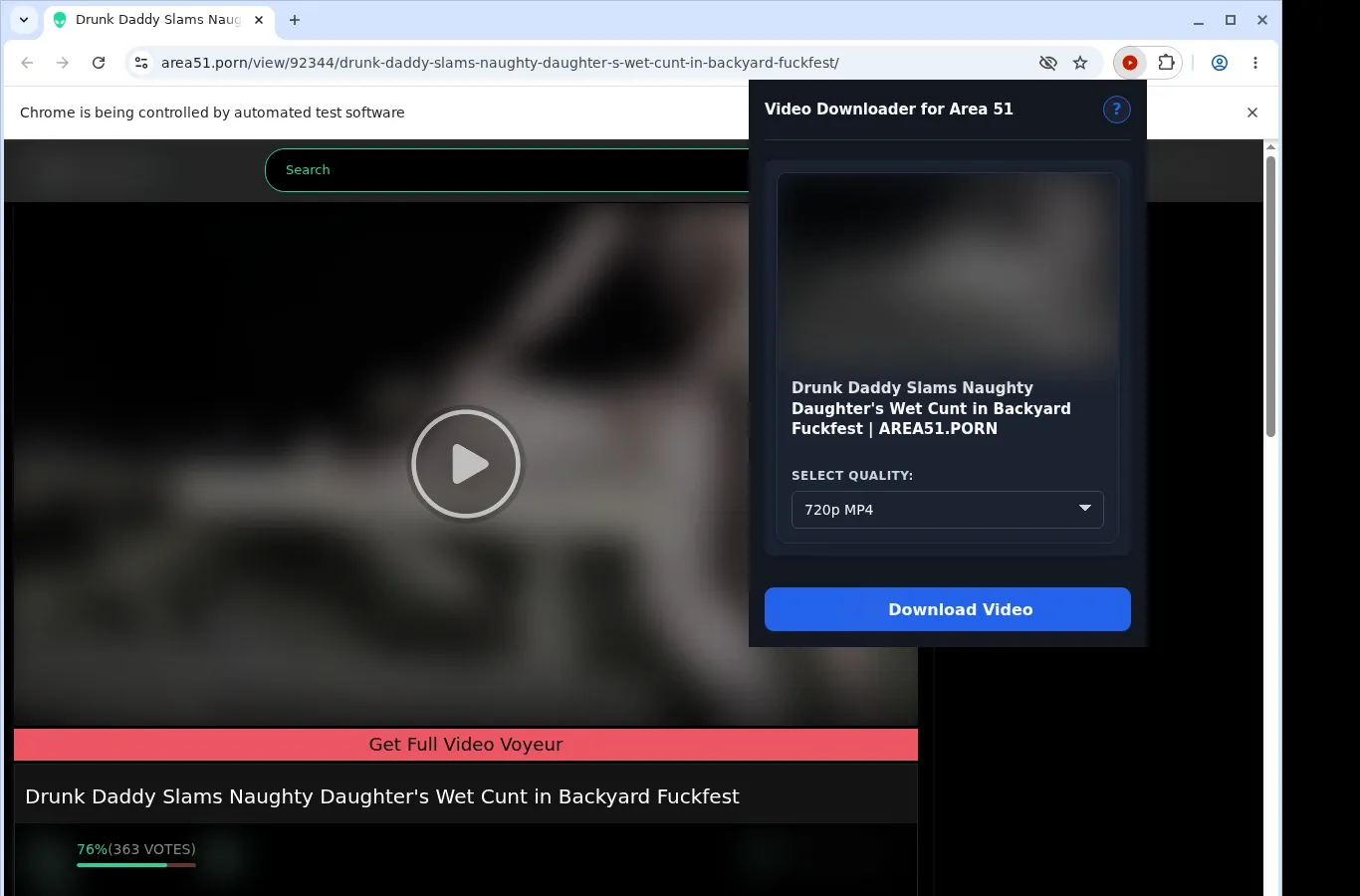
How It Works
- Open the Area 51 page: Visit the Area 51 page with the video you wish to keep and let it load in your browser the usual way.
- Detect the source: Launch the extension to have it look for the video source on this page and show the download option.
- Pick a format and save: Select the file option you want from the format menu, and the finished video goes straight to your device.
What It Does
- Store Area 51 videos on your device so you can watch them offline.
- Press the download icon that appears on the playing video to line up its capture.
- Another way to get started is the popup in the extension's toolbar.
- Videos are downloaded singly, through a simple process.
- Saving is carried out by the standard download manager in the browser.
- Follow progress in the regular list of downloads in your browser.
Area 51 Video Downloader vs. Online Downloader Site
There are two ways to start with the extension, whereas an online tool first asks you to copy the link.
| Area 51 Downloader | Online Downloader Site |
|---|---|
| A download button sits on the current video page | You begin by copying the Area 51 page address |
| The toolbar popup of the extension is a second starting point | After that you have to open an external website |
| You can stay on the Area 51 watch page | You leave the video page in order to paste the link |
| Everything happens within your usual browser workflow | You depend on a separate site being available |
| The open video is detected right away | The tool has to parse the link you submit |
Compatibility
Browsers: Chrome, Firefox, Edge, Brave, Opera, Whale, Yandex
Best Suited To:
- An Area 51 video page that has fully loaded
- Video options exposed by the page
- Desktop browsers that support extensions
Not Built For:
- Media protected by DRM
- Getting around logins or paywalls
- Pages that don't offer a compatible source
FAQ
How do I get started? In a supported desktop browser, open the Area 51 video page you'd like to save. Then press the download button on the page, or use the extension's toolbar popup.
Which video format do I receive? An MP4 file that matches Area 51's native stream. It arrives in its original container, and no conversion is applied.
Is downloading several videos at once possible? No. The tool works on one video per run, so your attention remains on the page you're currently viewing.
Where will I find the files afterwards? They're placed in a folder dedicated to Area 51 on your device. That keeps them organized, so you don't have to dig through your general downloads location.
Know Before You Use It
- The page you select has to hand video options to the browser
- Give the player a little time to load before the check runs
- The source decides which formats and qualities are available
- Access controls and DRM are not bypassed by this workflow
Only download videos you own or have permission to save.