Erotik Video Downloader | How to Download Erotik Videos
Pricing
Pay per usage
Erotik Video Downloader | How to Download Erotik Videos
Keep a personal offline copy of Erotik videos you're already able to watch, with the download tools your browser already provides.
Pricing
Pay per usage
Rating
0.0
(0)
Developer

how-to-download-videos
Maintained by CommunityActor stats
0
Bookmarked
2
Total users
1
Monthly active users
19 days ago
Last modified
Categories
Features
Share
Keep a personal offline copy of Erotik videos you're already able to watch, with the download tools your browser already provides.
The extension runs inside the Erotik tab that's open in front of you. Once the page has loaded, switch it on and it inspects the player for media sources your browser can read, then lists the formats and qualities the player exposes. It adds nothing beyond that.
Get it Here
👉 Get it here: Erotik Downloader
- ✅ Downloads go straight to your device and never pass through our servers
- ✅ There are no ads, tracking or analytics
- ✅ Runs on Windows, Mac, and Linux
- ✅ Support is by email, handled by the team that made the extension
Preview
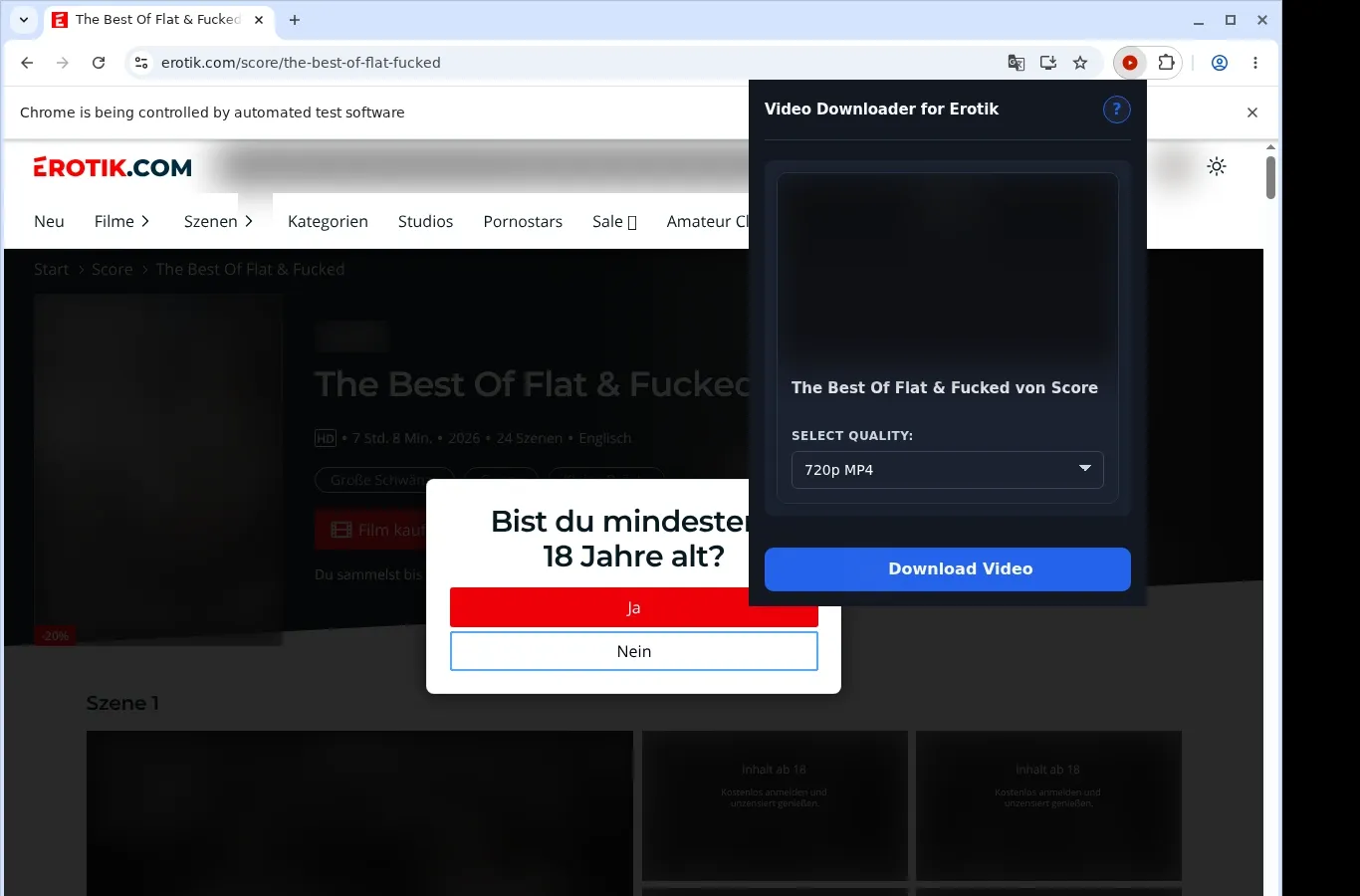
How It Works
- Go to the Erotik page: Browse to the page holding the video you'd like to keep, and give it time to load as usual.
- Let it find the video: Launch the extension. It looks for a usable video source on the current page and presents a download choice.
- Pick a format, then save: Use the format menu to select the file option you prefer, and the finished video is stored on your device.
What It Does
- Copies Erotik clips from the page to your hard drive.
- One click on the current video page begins a download.
- The toolbar popup of the extension gives you a second way to begin.
- Handles a single video per download, which keeps things simple.
- Hands the transfer to the normal download system of your browser.
- Lets you watch progress in the browser's download list.
Erotik Downloader vs. Online Downloader Website
Rather than copying the page address and pasting it into another site, you can save Erotik videos right from the watch page.
| Erotik Downloader Extension | Online Downloader Website |
|---|---|
| Locates the video on the Erotik page you're viewing | Depends on a pasted page link, which may lose the player context |
| Begins with a button on the video page itself | You have to copy the Erotik page address and leave the page |
| Relies on your browser's regular download system | The download hinges on whether the outside site is available |
| Files land in a dedicated Erotik folder | File names can be generic and say nothing about the Erotik source |
| Progress appears in the browser's download list | Progress might only be shown on the outside site's page |
Compatibility
Browsers: Chrome, Edge, Brave, Opera, Whale, Yandex
Works With:
- Erotik pages that are open in the current browser tab
- Video options that come with a saveable video source
- Supported desktop browsers
- Windows, macOS and Linux systems
Not Designed For:
- Mobile browsers
- Safari
- DRM-protected streams
- Media that is private, paid, restricted, region-locked or unavailable
- Crawling in bulk or scraping galleries
- Getting around access controls or permissions
FAQ
How do I begin saving a video from Erotik? Go to the Erotik page containing your video and wait for it to load completely. Then press the download button shown on the page, or begin from the extension's toolbar popup.
Which format will the downloaded video have? The file is the same MP4 that Erotik sends to your browser while the video plays. It remains an MP4 and isn't converted.
Where can I find my downloads afterward? They go into a dedicated Erotik folder within your browser's default download location. Your browser settings let you change that folder.
Is it possible to download several videos simultaneously? No. The extension handles one video at a time, so let the current download finish before you begin another from a different page.
Know Before You Use It
- You need to be able to view the media in your browser already
- The page has to expose a video source that can be saved
- Detection of a source can require playback to start first
- The quality you get depends on the source the page supplies
Only download videos you own or have permission to save.