Freexxxvideos Video Downloader | Download Freexxxvideos Videos
Pricing
Pay per usage
Freexxxvideos Video Downloader | Download Freexxxvideos Videos
A download button appears beside the Freexxxvideos player, so you can save permitted videos without leaving the page.
Pricing
Pay per usage
Rating
0.0
(0)
Developer

how-to-download-videos
Maintained by CommunityActor stats
0
Bookmarked
2
Total users
1
Monthly active users
8 days ago
Last modified
Categories
Features
Share
Freexxxvideos Video Downloader | How to Download Freexxxvideos Videos
A download button appears beside the Freexxxvideos player, so you can save permitted videos without leaving the page.
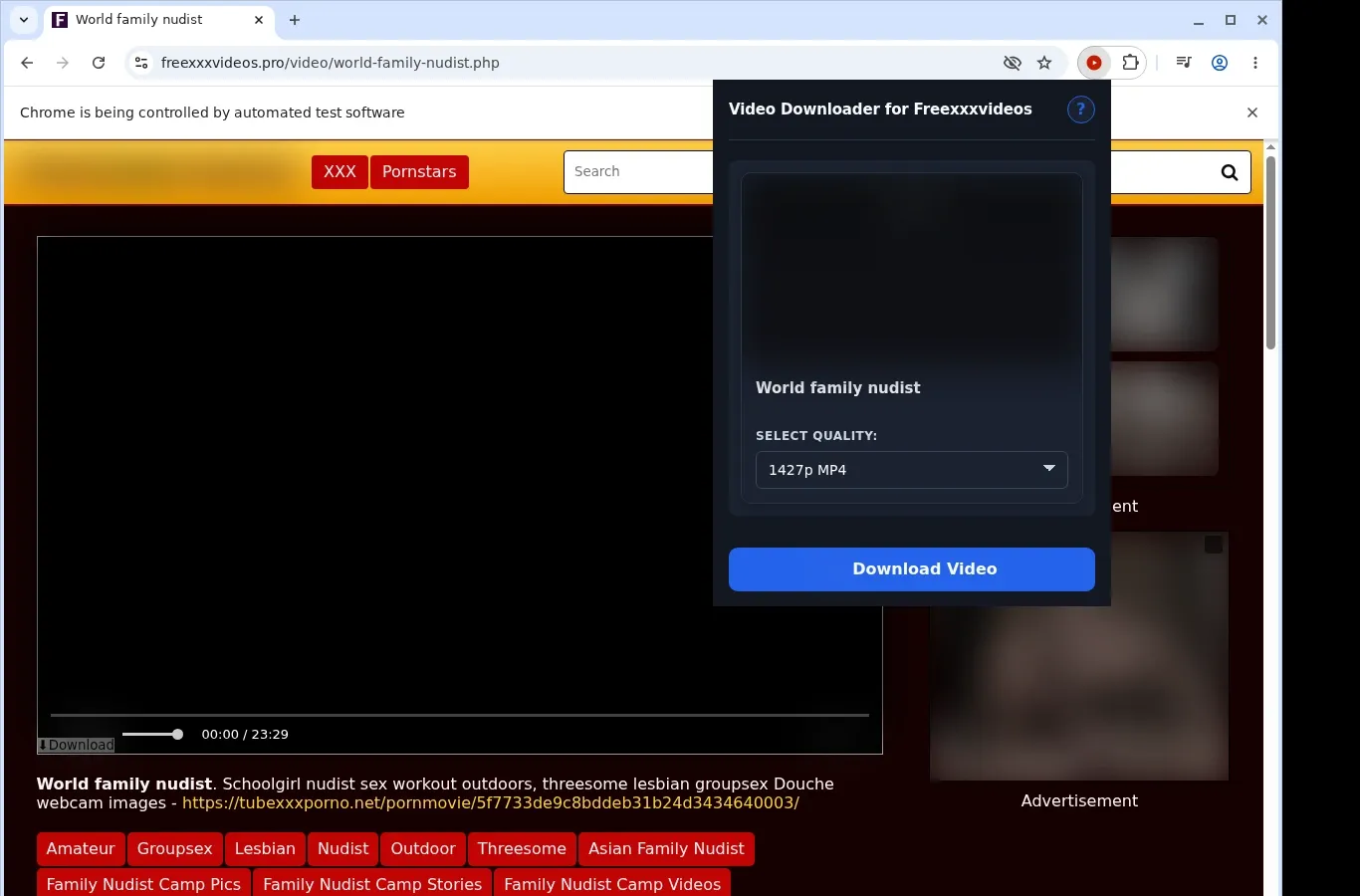
Opening a Freexxxvideos watch page prompts the extension to look for supported video sources and place a download button next to the player. Your browsing continues undisturbed, with no link copying or tab switching. Click the button whenever you want and the available options show up immediately.
Get it Here
👉 Get it here: Freexxxvideos Downloader
- ✅ Downloads skip our servers entirely
- ✅ Contains no ads, tracking or analytics
- ✅ Works across Windows, Mac, and Linux
- ✅ Emails are answered by the developers themselves
Preview
How It Works
- Head to Freexxxvideos: Open the Freexxxvideos page containing the video you'd like to keep and let it load as normal.
- Find the video: Run the extension so it locates the video source and displays a download option for that page.
- Choose and save: In the format menu, pick the file option you want and the finished video is saved to your device.
What It Does
- Take Freexxxvideos videos with one click from the page you're on.
- Begin downloading using the button that shows on the video page you're watching.
- Use the toolbar popup as a second route to start a save.
- Deals with a single video at once, keeping your attention on what you chose.
- Your browser's own download manager fetches and stores the file.
- See the status in the browser's built-in download list until it finishes.
Freexxxvideos Downloader vs. Online Downloader Website
Save from the watch page itself and keep the page and player context.
| Freexxxvideos Downloader | Online Downloader Website |
|---|---|
| Remains on the Freexxxvideos page and video in front of you. | Submitting a link may drop the player context. |
| Starts from the download button on the video page. | You go to another site and paste in the page address. |
| The toolbar popup offers an additional entry point. | An outside tool can't see the video you have open. |
| Handles MP4 video from the site. | A generic link tool might miss embedded content. |
| Files are put into the dedicated Freexxxvideos folder. | A web tool's filenames may have nothing to do with the video. |
Compatibility
Browsers: Chrome, Edge, Brave, Opera, Whale, Yandex
Supported:
- Single Freexxxvideos watch pages
- Desktop browsers that are supported
- macOS, Windows, and Linux
Not Intended For:
- Safari and mobile browsers
- Media protected by DRM
- Gallery scraping or bulk downloads
- Bypassing logins, payments, age gates, or regional limits
- Media that is removed or unavailable
FAQ
How can I begin saving a video from Freexxxvideos? In a supported desktop browser, open a Freexxxvideos watch page and start playback. Then press the download button beside the player to save the MP4 file on offer.
What part of the page holds the download button? It sits next to the Freexxxvideos player on the watch page, letting you begin saving while the video stays in view.
Is the toolbar icon another way to start? Yes. Clicking the extension icon in the browser toolbar opens a popup with the download option for the Freexxxvideos page you're on.
How many videos can be saved simultaneously? One. The extension works on a single video at a time, from the Freexxxvideos page you currently have open.
Know Before You Use It
- The watch page you have open needs to give your browser a usable video source to save.
- Begin playback first, then look for a download option.
- What formats and quality you get depends on the page and host.
- Leave the source tab open until the browser download starts.
Only download videos you own or have permission to save.