Freeyouporn Video Downloader | Download Freeyouporn Videos
Pricing
Pay per usage
Freeyouporn Video Downloader | Download Freeyouporn Videos
Download Freeyouporn videos right from the browser page you have open, using a single click.
Pricing
Pay per usage
Rating
0.0
(0)
Developer

how-to-download-videos
Maintained by CommunityActor stats
0
Bookmarked
2
Total users
1
Monthly active users
8 days ago
Last modified
Categories
Features
Share
Freeyouporn Video Downloader | How to Download Freeyouporn Videos
Download Freeyouporn videos right from the browser page you have open, using a single click.
Stay on the Freeyouporn page that's already open. The downloader locates the video source through the page's own playback, sparing you from copying links or leaving the browser. It lists what the page provides and lets you choose a format.
Get it Here
👉 Get it here: Freeyouporn Downloader
- ✅ Our servers never see your downloads
- ✅ No ads, tracking, or analytics included
- ✅ Supports Windows, Mac, and Linux
- ✅ Reach the builders directly through email support
Preview
How It Works
- Load Freeyouporn: Visit the Freeyouporn page with the video you want and let the browser load it normally.
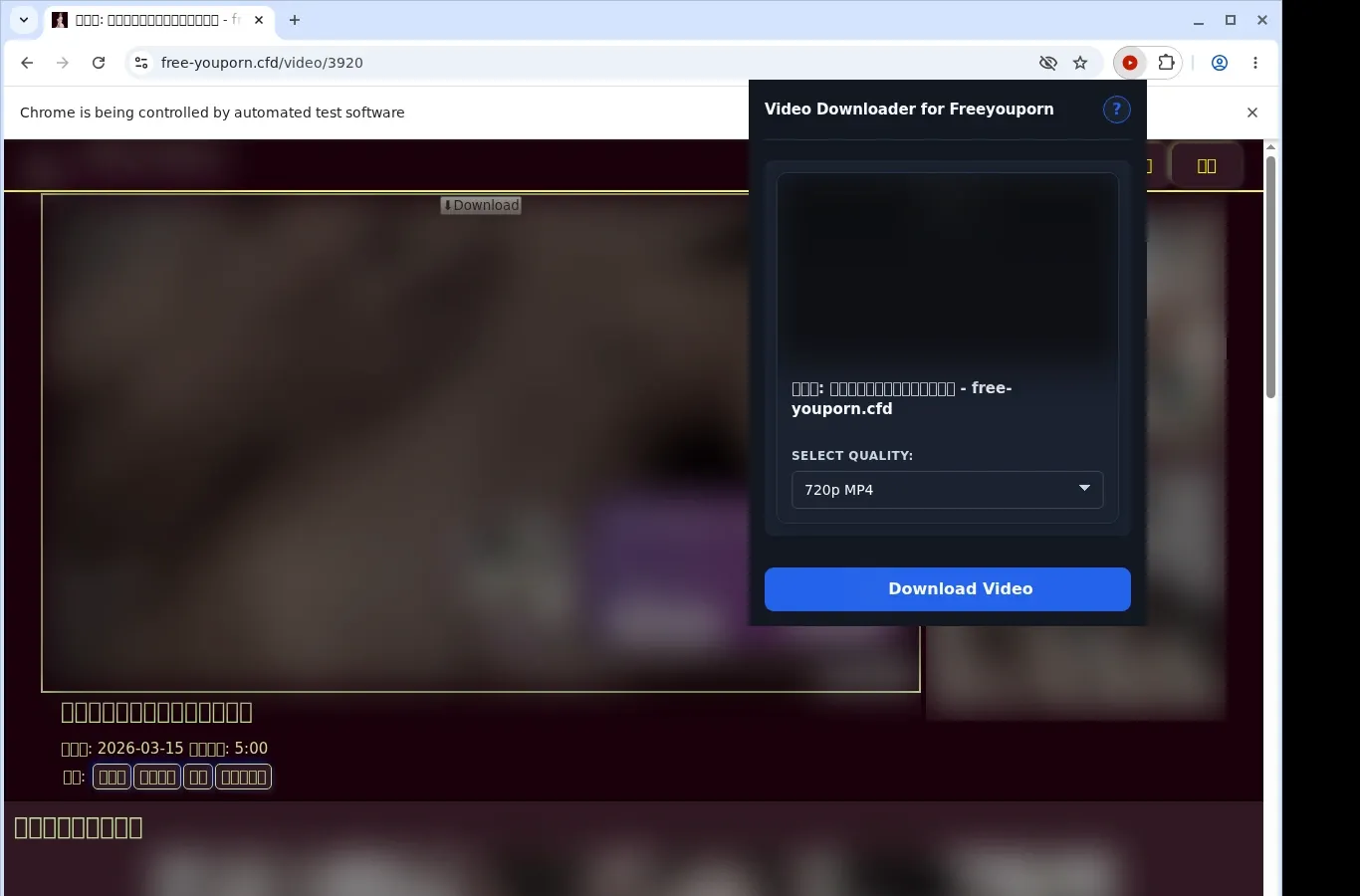
- Detect the video: Launch the extension; it finds the video source on the page and brings up the download option.
- Select a format: From the format menu, choose a file option and save the completed video to your device.
What It Does
- Keep Freeyouporn videos as you browse the site.
- Press the on-page download icon to get started.
- A menu from the toolbar icon provides another way to begin.
- Each download operation covers one video.
- Transfers are handled by the browser's standard download manager.
- Progress appears in the browser's built-in list.
Freeyouporn Downloader vs. Online Downloader Website
A dedicated extension keeps the whole process in your browser rather than sending you to another site.
| Freeyouporn Downloader Extension | Online Downloader Website |
|---|---|
| Relies on your browser's built-in download manager. | You have to follow progress on another site's page. |
| Progress is shown in the browser's download list. | Nothing is integrated into the browser; a results page often refreshes or shows a waiting screen. |
| The download begins from a button on the current video page. | You need to copy the page link and paste it into another site. |
| Stays on the video playing in your active tab. | Pasting a link can drop the player context and session details. |
| Files go into a dedicated Freeyouporn folder. | The online service decides filenames and where files are saved. |
Compatibility
Browsers: Chrome, Edge, Brave, Opera, Whale, Yandex
Supported:
- Freeyouporn video pages hosted at free-youporn.cfd
- video options your current browser session can see
- Desktop browsers that support extensions
- macOS, Windows, and Linux
Not Intended For:
- Safari and mobile browsers
- Media with DRM or that is unavailable
- Gallery scraping or bulk downloads
- Bypassing logins, payments, age gates, regional limits, or permissions
FAQ
How can I begin saving a video? Go to a Freeyouporn video page, wait for the player to load, and press the download button that shows up. The extension picks up the MP4 source from the current tab.
Where is the download button located? Once playback starts, the download icon is right on the video page. The extension's toolbar popup gives you the same option.
Is it possible to grab several videos together? No. One video is processed at a time, limited to the active Freeyouporn tab, so only the video playing on that page is downloaded.
Which format do I receive? MP4. The downloader uses Freeyouporn's MP4 video source and leaves the file in that format, with no conversion.
Know Before You Use It
- The page you have open has to present video options to your browser session.
- Play the video normally before checking the page.
- Your choices depend on the current page and source.
- Leave the source tab open until the browser download starts.
Only download videos you own or have permission to save.