

Instagram Profile Monitor
Pricing
from $24.00 / 1,000 new profile discovery & baselines
Instagram Profile Monitor
Monitor Instagram profiles over time and track follower growth, engagement metrics, and profile changes with historical data and visualizations.
Pricing
from $24.00 / 1,000 new profile discovery & baselines
Rating
0.0
(0)
Developer

Hpix
Maintained by CommunityActor stats
0
Bookmarked
505
Total users
5
Monthly active users
a month ago
Last modified
Categories
Share
ℹ️ About
Track Instagram profiles over time with historical data, trend analysis, and a built-in interactive dashboard. No login required — just add usernames and run.
✨ Features
- 📊 Interactive dashboard — single-page visual analytics for all monitored profiles, dark mode included
- 📈 Historical tracking — data persists between runs, building a complete growth history
- 🔍 Change detection — automatically flags follower, bio, and engagement shifts
- 👥 Bulk monitoring — track multiple profiles simultaneously in one run
- 📐 Engagement analytics — average likes, comments, views, and engagement rate over time
- 📥 CSV & PDF export — download per-profile data or reports from the dashboard
- 🕐 Customizable lookback — analyze the last 7, 30, 90 days or any window
📊 Interactive Dashboard
Every run generates a dashboard you can open from your browser. It includes a portfolio overview, per-profile drill-downs with trend charts, and plain-language insights.
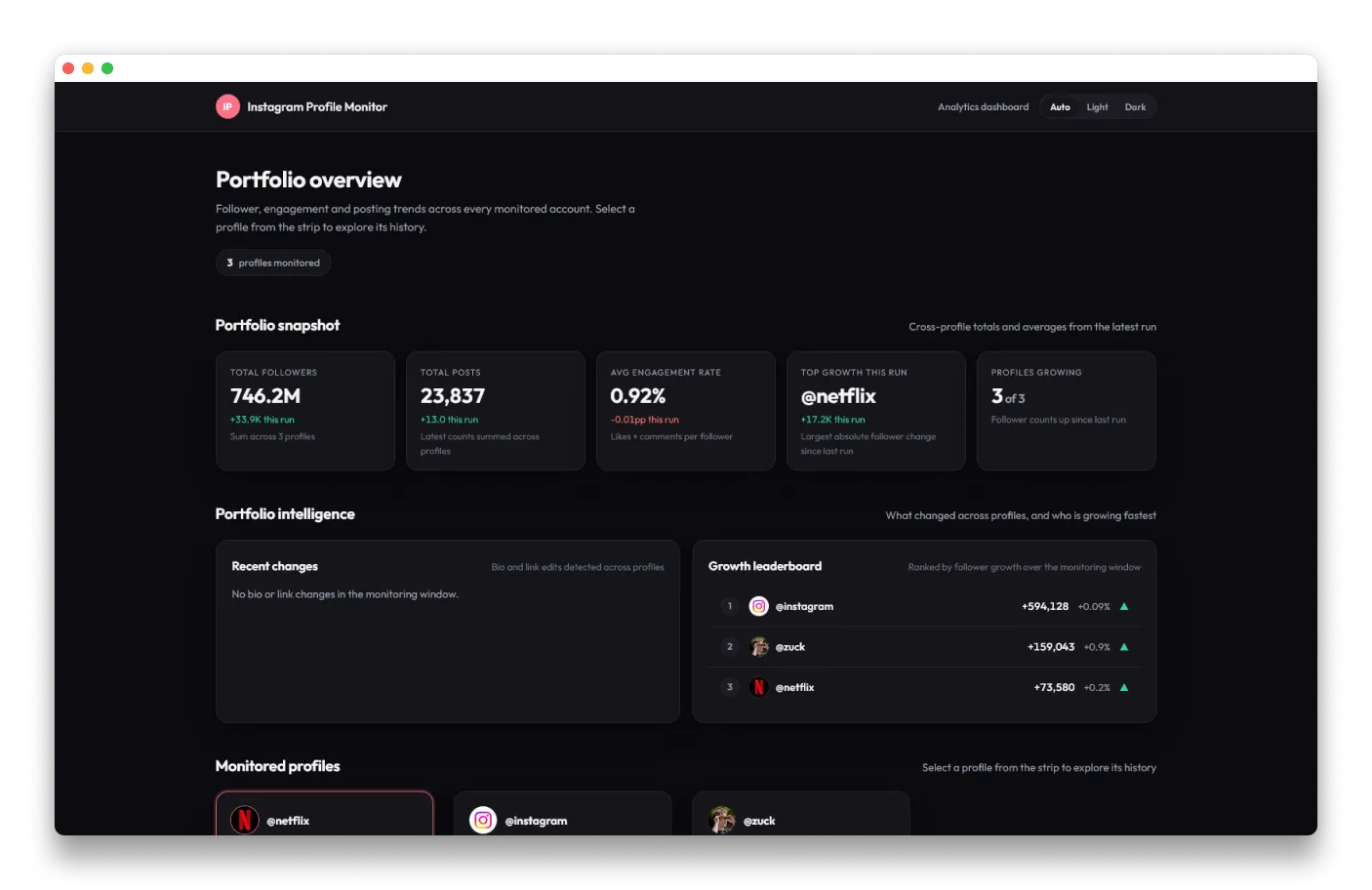
Portfolio view — compare all monitored profiles at a glance. Growth leaderboard, engagement rates, and recent changes in one view:
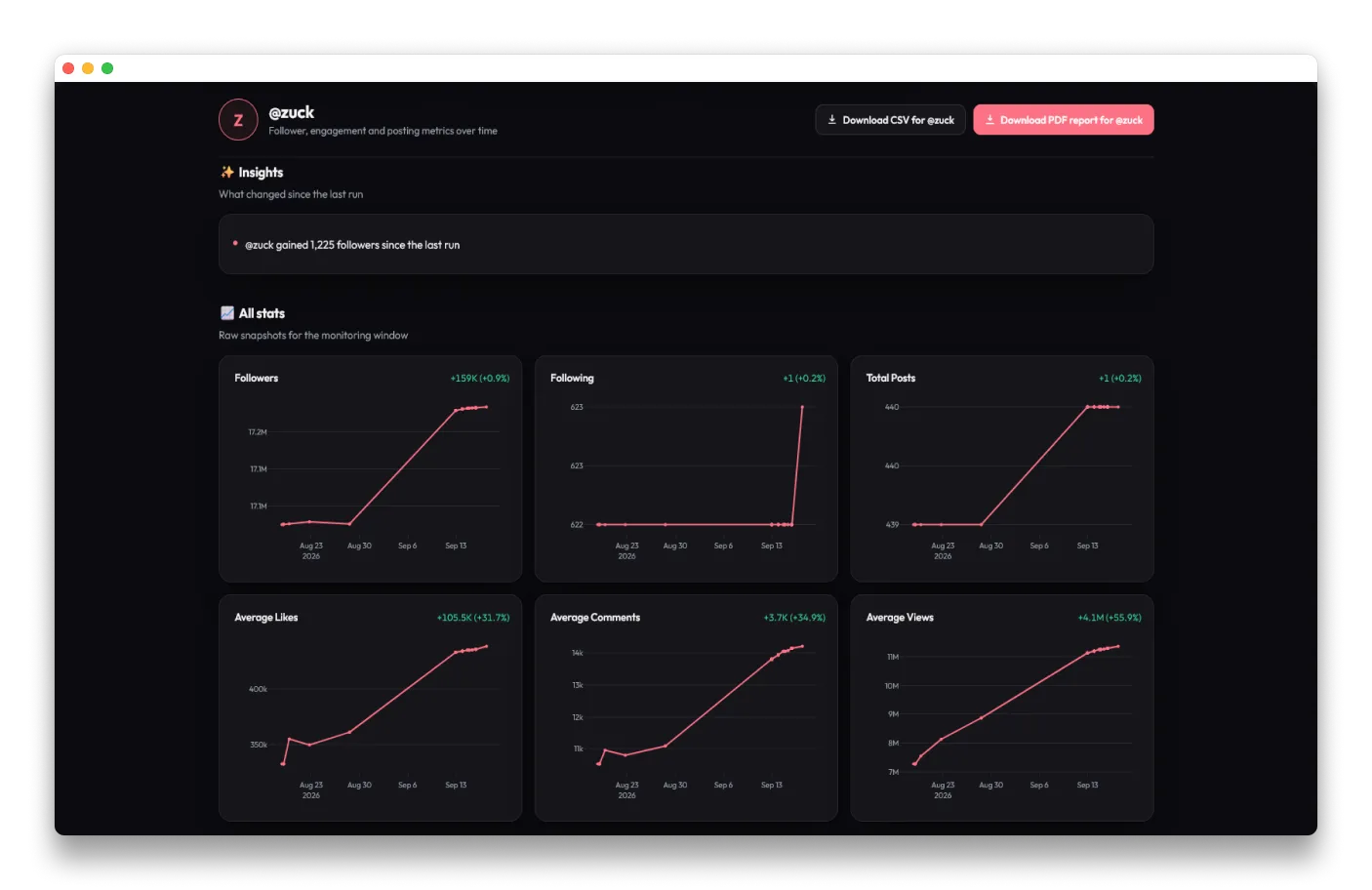
Per-profile analytics — follower trends, posting cadence, and automated insights. Export to CSV or PDF:
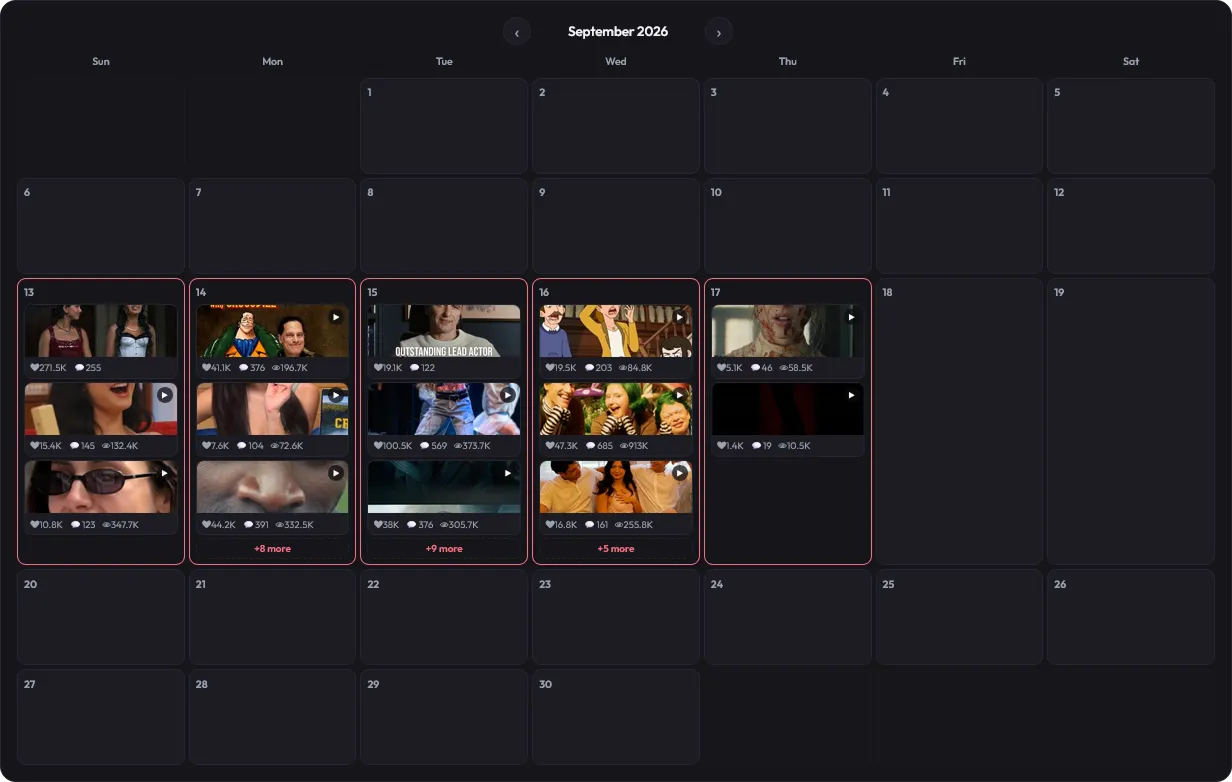
Posts calendar — view individual posts metrics on a calendar view:
🔎 When Should I Use This?
| Use Case | Best Tool |
|---|---|
| Track competitor/influencer growth over time | ✅ This actor |
| Need a visual dashboard, not raw JSON | ✅ This actor |
| Monitor 5–100 profiles at developer-friendly prices | ✅ This actor |
| One-time profile, post, or reel extraction | ➡️ Instagram Scraper |
| Massive data extraction | ➡️ Instagram Scraper |
💰 Pricing
Pay-per-event. No subscription, no platform usage charge — you only pay for what you use.
| Action | Standard | Gold (Business) |
|---|---|---|
| Start Tracking | $0.01 / run | $0.005 / run |
| New Profile Discovery & Baseline | $0.04 / profile | $0.024 / profile |
| Historical Snapshot & Trend Analysis | $0.02 / profile | $0.012 / profile |
Example: 10 profiles, weekly runs
| Standard | Gold | |
|---|---|---|
| Month 1 (all new) | $0.44 | $0.26 |
| Month 2+ (returning) | $0.24 | $0.14 |
Example: 100 profiles, weekly runs
| Standard | Gold | |
|---|---|---|
| Month 1 (all new) | $4.04 | $2.42 |
| Month 2+ (returning) | $2.04 | $1.22 |
Compare that to other Instagram monitoring tools at $2.75 ~ $44.99/mo — this actor is dramatically cheaper.
💡 Scheduling Tip
Set up a schedule in Apify Console for daily or weekly runs. This actor persists data between executions, so each run adds to your historical dataset automatically. Daily gives the best trend resolution; weekly is the cheapest.
⚙️ Inputs
| Field | Type | Description |
|---|---|---|
profiles | string[] | Instagram usernames to monitor (e.g., ["zuck", "cristiano"]) |
history_days | integer | Days of history to include in analytics (default: 90) |
Example input:
⬆️ Outputs
The actor produces three data views:
1. Dataset
Per-profile records with stats, growth metrics, and detected changes. Available as JSON, CSV, Excel, XML, or HTML.
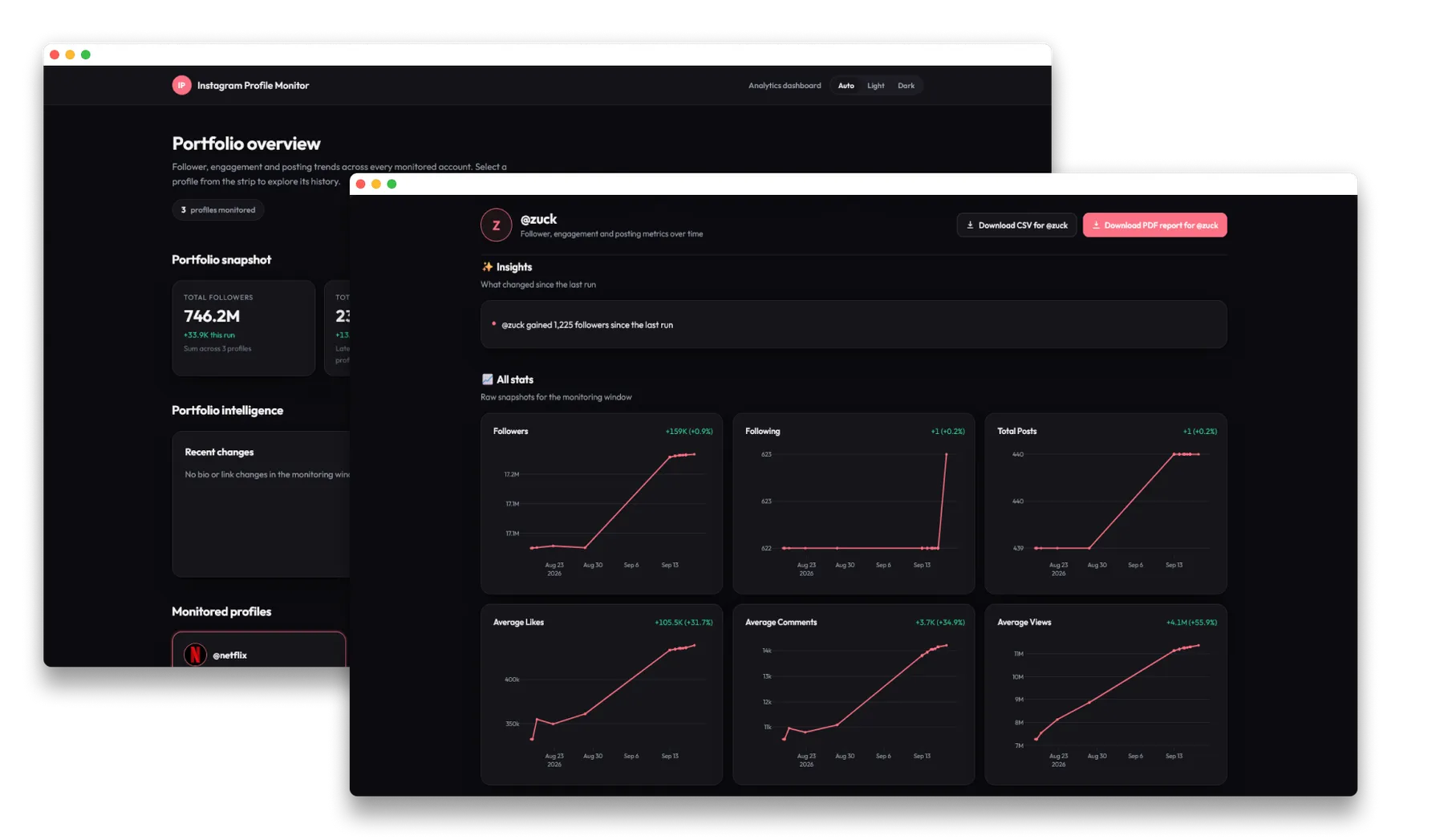
2. Dashboard
Interactive dashboard with portfolio overview, per-profile charts, growth leaderboard, and engagement analytics.
3. Dashboard Data
Per-profile chart data as reports-{username}-data.json for custom integrations or downstream processing.
📖 FAQ
How does historical tracking work?
Your monitoring history persists between runs: each execution adds a new snapshot for every profile. Growth metrics and visualizations require at least 2 data points — they appear starting from the second run.
Can I track private accounts?
Partly. Public accounts get full monitoring — follower and engagement history, per-post analytics, and the complete dashboard. Private and age-restricted accounts cannot be watched post by post, but their publicly visible counts (followers, following, and an approximate post count) are captured on every run, so you can still follow their growth over time. For those accounts there is no engagement data, biography, or profile picture. Either way, only publicly accessible data is ever read.
How often should I run this?
Daily runs give the best trend resolution (you see day-to-day changes). Weekly runs are the cheapest option and still reveal meaningful trends. Set up a schedule in Apify Console.
Can I export the data?
Yes. The dataset exports to JSON, CSV, Excel, XML, HTML, and RSS. The dashboard includes per-profile CSV extraction and PDF reports.
What does "New Profile Discovery" vs "Historical Snapshot" mean?
- New Profile Discovery ($0.04/profile): Charged once per profile, the first time you monitor it. Creates the baseline.
- Historical Snapshot ($0.02/profile): Charged on every subsequent run for returning profiles. Adds data points and generates visualizations.
How does this compare to other Instagram actors?
Other Instagram actors are built for one-time extraction: each run is a fresh snapshot you pay for again. Consumer SaaS products charge monthly subscriptions ($2.75 ~ $44.99/mo). This actor is a developer tool with pay-per-event pricing — no subscription, no lock-in. At 10 profiles weekly, you pay ~$0.24/mo. At 100 profiles weekly, ~$2.04/mo. You also get raw data access, API integration, and scheduling control that consumer tools don't offer.
⚠️ Disclaimer
This Actor monitors public data from Instagram profiles. Features are subject to changes made by Meta. Use responsibly and in accordance with Instagram's Terms of Service.
⛔ Known Limitations
- Private and age-restricted accounts are captured from public metadata only: follower, following, and approximate post counts, without engagement metrics, biography, or profile picture
- Very new profiles with minimal posting history may not have enough data for meaningful analytics
- Aggregated metrics and growth analytics require at least 2 historical data points
📃 Changelog
v1.1.0
- ✨ Unified single-page dashboard with comparison strip and in-page profile switching
- ✨ Light and dark themes across the dashboard and every chart
- ✨ Profile pictures are downloaded once and reused on later runs
- 🔄 Replaced per-profile HTML reports with unified dashboard
v1.0.0
- ✨ Aggregated metrics with 5 KPIs (engagement rate, view-to-engagement ratio, post frequency, comment-to-like ratio, growth rate)
- ✨ Growth analytics (absolute, percentage, daily average)
v0.1.0
- ✨ Multi-profile monitoring with historical tracking
- ✨ Automated visualization generation
- ✨ Change detection for all profile metrics
- ✨ Engagement analytics (likes, comments, views)
- ✨ Customizable history lookback period
👀 See Also
- Instagram Scraper: Scrape Instagram profiles, posts, and Reels at scale.
- Instagram Reels Scraper: Scrape Instagram Reels, Profiles and Posts efficiently and reliably.


