

Government Contracts & RFP Monitor (US + UK Tenders)
Pricing
Pay per usage
Government Contracts & RFP Monitor (US + UK Tenders)
Track live government contracts and RFPs from the U.S. and U.K. Automatically filter by keywords and budget, and get structured results with buyer details, values, and deadlines. Ideal for sales teams, consultants, and anyone selling to the public sector.
Pricing
Pay per usage
Rating
0.0
(0)
Developer

Abhishek Khanra
Maintained by CommunityActor stats
1
Bookmarked
22
Total users
4
Monthly active users
3 months ago
Last modified
Categories
Share
Global Government Tender Monitor & Notion Pipeline
Unlock the multi-trillion-dollar public procurement market, ranked by the work your business actually wins. This Actor monitors government tenders, RFPs, and contract notices across the USA and UK, scores every one of them against your own capability profile, and delivers the qualified opportunities straight into your Notion pipeline. No keywords to re-type. No duplicate rows. No API keys to manage.
Most tender tools hand you a firehose and let you sort it out. This one already knows what you do, what codes you hold, and which agencies you've won with.
Features
- Your Business Profile Drives the Search: Keep your keywords, NAICS/CPV codes, and target agencies in a Notion database your team already maintains. The Actor reads it before every run. Change your strategy in Notion, not in a form.
- Past-Performance Scoring: A contract from an agency you've previously won work with ranks above an identical contract from a stranger. Nothing else on the Store can do this, because nothing else reads your win history.
- Delivered to Your Pipeline, Not a Dataset: Qualified contracts arrive as rows in your Notion pipeline, with buyer, deadline, contact, direct link, and a plain-English reason for the score. Ready to work, not ready to export.
- Never Sends You the Same Contract Twice: The Actor reads your pipeline before it writes to it. Schedule it daily and it only ever tells you what's new.
- No Credentials to Manage: One-click Notion authorization through Apify. No integration secrets, no tokens pasted into input fields. The Actor never sees your Notion credentials at all.
- Rich Procurement Metadata: 35+ data points per tender including direct Buyer Contacts, NAICS/CPV Codes, Set-Asides, and Award Details.
- Currency Normalization: All contract values converted to USD for unified filtering and analysis.
Usage
1. Create two Notion databases
Capability Profile: tells the Actor what you do:
| Name | Type | Weight | Active |
|---|---|---|---|
| cloud migration | Keyword | 3 | ✅ |
| cyber security | Keyword | 2 | ✅ |
| 541512 | NAICS | 2 | ✅ |
| 72000000 | CPV | 2 | ✅ |
| Veterans Affairs | WonAgency | ✅ | |
| Department of the Navy | WonAgency | ✅ | |
| Home Office | ExcludeBuyer | ✅ |
Columns: Name (Title), Type (Select), Weight (Number), Active (Checkbox).
Contract Pipeline: where qualified opportunities land:
Name (Title) · Source ID (Text) · Buyer (Text) · Score (Number) · Budget (USD) (Number) · Country (Text) · Deadline (Date) · Link (URL) · Contact (Email) · Why it scored (Text)
Use Text for
Country, not Select. Notion select columns only accept options that already exist, and they do not learn new ones from an API write. A fresh Select column has no options at all, so every row would be rejected. Text accepts anything. If you prefer Select for the colour coding, create the optionsUSAandUKby hand first.
2. Connect Notion
In Apify Console → Settings → MCP connectors → Add connector → enter https://mcp.notion.com/mcp → authorize and grant access to both databases. That's the only setup step.
3. Configure and run
- Notion connectors: Select your connector in both fields.
- Database IDs: The 32-character ID from each Notion URL.
- Minimum score to write back: Only contracts at or above this reach your pipeline. Default
65. - Dry run: Score everything and log what would be written, without touching Notion. Recommended for your first run.
- Deadline Within (Days): Government frameworks often run years ahead, so
365or more is usually right. - Target Countries:
USA,UK, or leave empty for both. - SAM.gov API Key: (Optional) Free from sam.gov to unlock US federal data. Leave empty to run UK only.
What it looks like
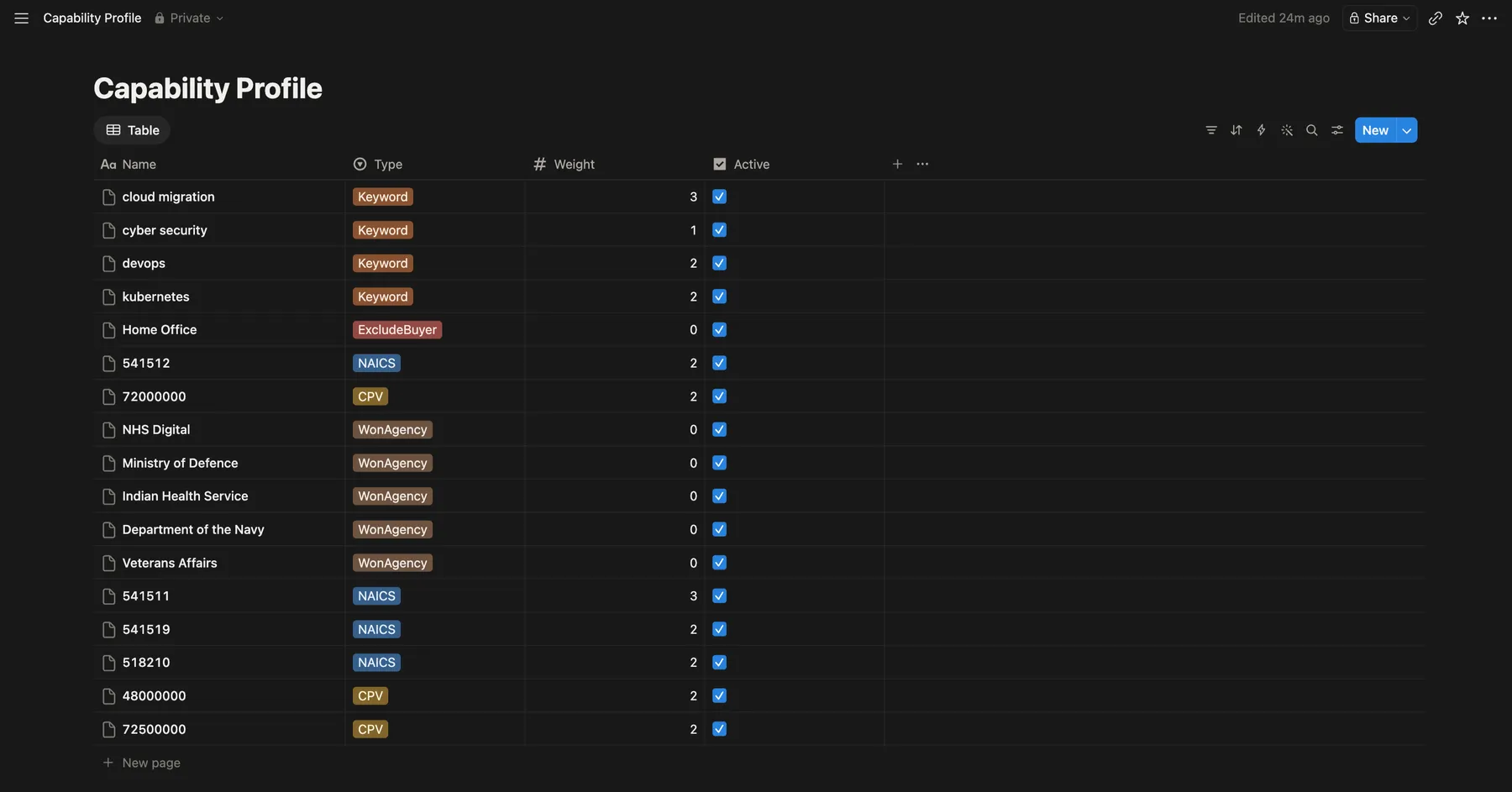 Your capability profile in Notion. This is the only place you configure what to search for.
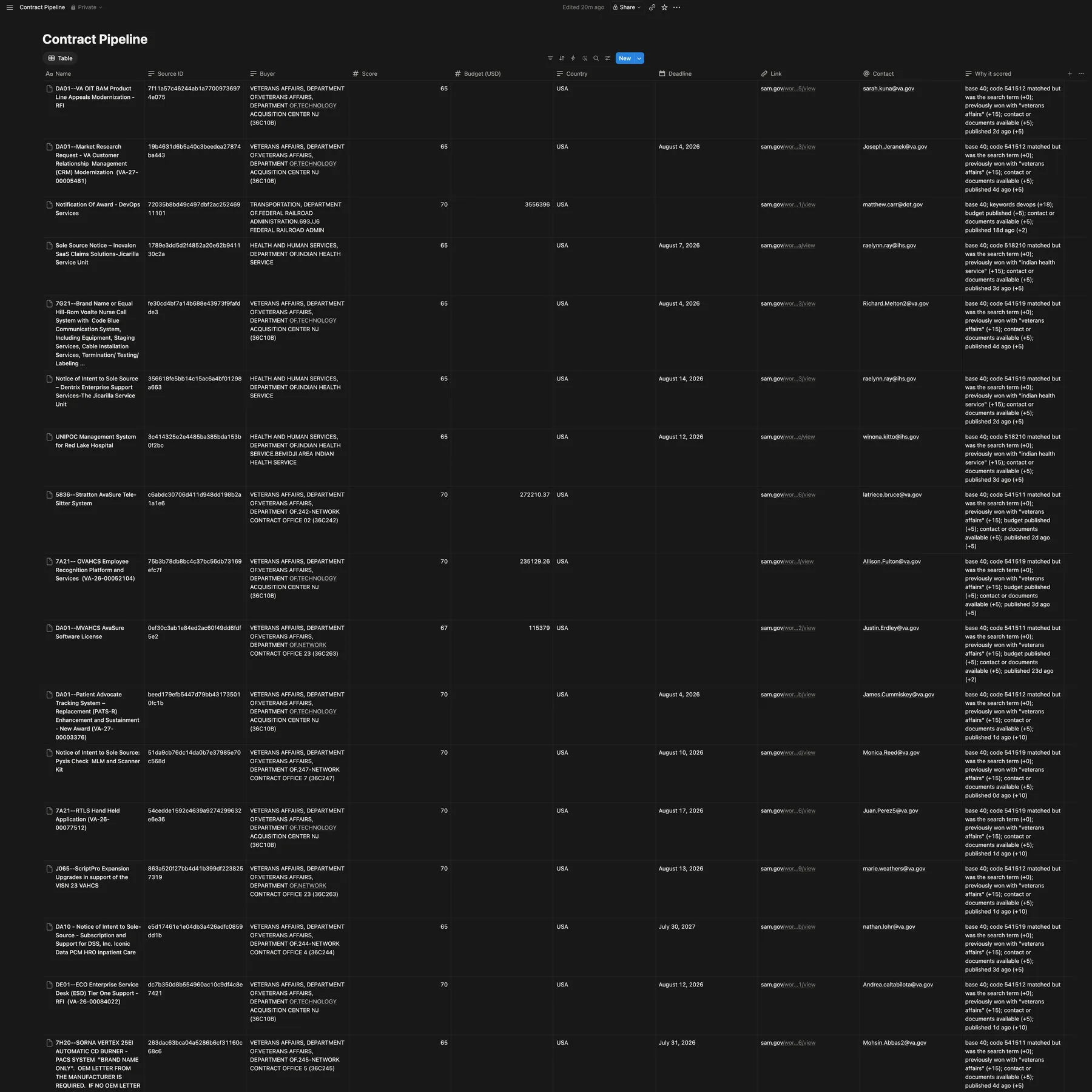 Qualified contracts delivered to your pipeline, scored and explained.
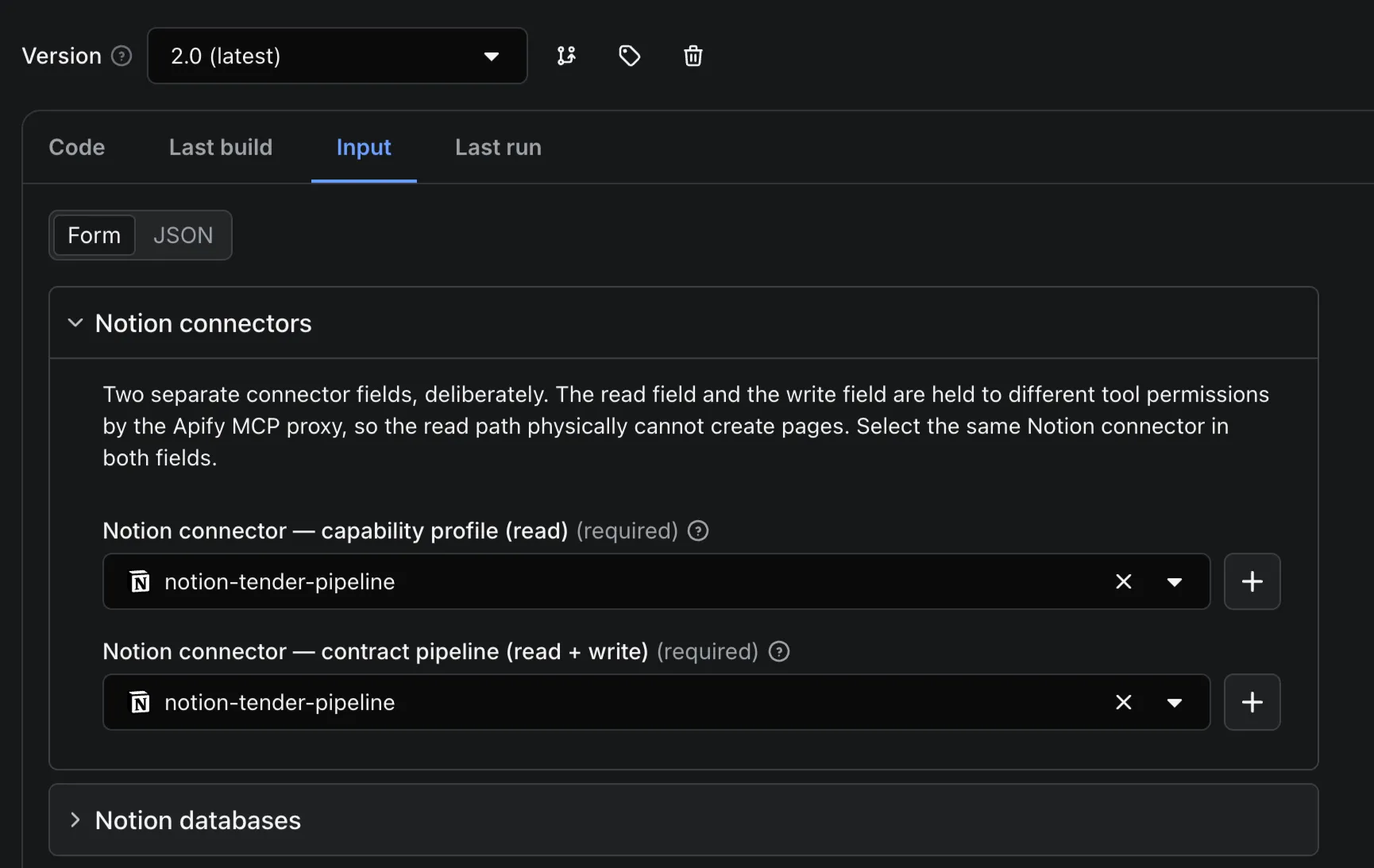 One-click Notion authorization. No API keys.
Output
Every contract is written to your Notion pipeline and returned in a standardized dataset:
title/description: The opportunity itself.buyer+buyerDepartment/buyerAgency/buyerOffice: Granular buyer hierarchy.buyerContactName/buyerContactEmail/buyerContactPhone: Direct route to the procurement officer.country/region/postcode/placeOfPerformance: Where the work happens.noticeType/status: e.g. "Solicitation", "active".naicsCode/cpvCode/classificationCode: Industry classification.setAside/isSMEEligible: Small business eligibility.valueLow/valueHigh/awardValue/budgetUsd/currency: Financials, normalized to USD.deadline/publishedDate/contractStartDate/contractEndDate/awardDate: Full timeline.documentUrls/sourceRecordUrl: Direct links to specs and the official notice.supplierName/supplierUei: Awarded supplier, where applicable.confidenceScore: 0–100, scored against your profile.scoreReason: Plain-English explanation of the score.profileContribution: Points this contract earned specifically because of your capability profile.matchedVia: Which of your profile signals surfaced this contract.keywordsMatched: Which of your keywords hit.
Example output
Note confidenceScore: 70 against confidenceScoreWithoutProfile: 55. That 15-point gap is the past-performance bonus. This contract ranks higher because the Actor read your win history.
Supported Regions
| Region | Source | Status | Features |
|---|---|---|---|
| USA | SAM.gov (Official API) | ✅ Active | Rich Data, NAICS, Set-Asides, Buyer Hierarchy |
| UK | Contracts Finder (OCDS) | ✅ Active | Rich Data, CPV, Document Links |
| EU | TED (Tenders Electronic Daily) | 🔧 In development | See note below |
On EU coverage: v1 listed TED as "coming in v2.0". It isn't in this release, and it's fair to say why. TED migrated to a new API with a different schema, and mapping it into the unified output properly is a bigger job than the original estimate. EU procurement uses different notice types, award structures, and lot handling that don't map cleanly onto the existing US/UK schema. A half-working EU source would be worse than none, because you'd trust it. It remains the most-requested addition and it's the next thing being built.
Integrations
Beyond Notion, results can be pushed anywhere Apify integrates (Google Sheets, Slack, Airtable, Zapier, Make) or pulled via the Apify API. Schedule the Actor daily and it maintains your pipeline on its own.
Built by Abhishek Khanra. Pay-per-use, no subscription required.


