HTTP Request: Bulk API Calls, curl Import, JSON Fields
Pricing
$2.00 / 1,000 requests
HTTP Request: Bulk API Calls, curl Import, JSON Fields
Send GET, POST, PUT, PATCH or DELETE requests to any public API in bulk. Paste URLs or curl commands, or fill a URL template from rows. Get status, headers, JSON or text, extracted fields, array rows and pages. Failed calls are free.
Pricing
$2.00 / 1,000 requests
Rating
0.0
(0)
Developer

Joe Simo
Maintained by CommunityActor stats
0
Bookmarked
1
Total users
1
Monthly active users
8 days ago
Last modified
Categories
Features
Share
Send HTTP requests to any public API or web URL in bulk and get every response as a clean dataset row. Paste plain URLs, curl commands copied from API docs or your browser, or build one request per row from a URL template. Works with GET, POST, PUT, PATCH, DELETE, HEAD and OPTIONS.
Use it from Clay, n8n, Make, Zapier or the Apify API when your tool cannot call an API directly, or to run thousands of API calls in one run instead of one run per call.
What you get for each request
status,ok,statusText,contentType,sizeBytes,durationMs,attemptsjson(parsed), ortext, orbase64for binary bodiesfields: values you pick from the JSON with simple paths likedata.items[0].nameheaders: response headers (Set-Cookie is never saved)redirects: every hop with its status, andfinalUrlrow: your template row, echoed back so results join to your sheet or CRMerroranderrorTypewhen something went wrong
A run summary (responses by status class, failures, retries, 429s, stop reason) is saved in the OUTPUT record.
Features
- curl import: paste
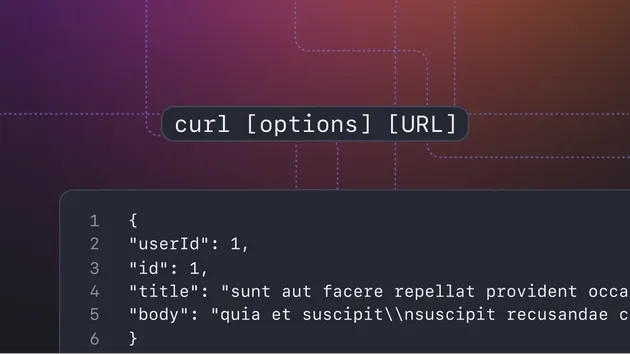
curl -X POST 'https://api.example.com/v1/items' -H 'Content-Type: application/json' --data-raw '{"name":"test"}'. Supports-X,-H,-d,--data-raw,--data-urlencode,--json,-u,-G,-I,-A,-b,--url. - Templates:
https://api.example.com/users/{{id}}?country={{country}}plus rows like[{"id": 1, "country": "US"}]. Placeholders work in URLs (URL encoded), headers, query parameters and bodies (JSON escaped). - Field extraction:
{"title": "data.title", "firstTag": "data.tags[0]"}puts just the values you need in afieldscolumn. - Split arrays into rows: set
splitArrayPathtodata.itemsand every element becomes its own row. - Pagination: follow a next page URL or cursor from the JSON (
links.next,meta.next_cursor) or the standardLink: rel="next"header, with a page limit per request. - Retries that are safe: timeouts, network errors, 429 and 5xx are retried with backoff and
Retry-After. POST and PATCH are only retried on 429 unless you allow more. After a 429 the per-host gap doubles. - Secret headers: API keys go in an encrypted input field, are never written to the output, and are dropped if a redirect leaves the original host. Query values named like
api_keyortokenare shown as***in the output. - Safe by design: private, local and cloud metadata addresses are refused on every connection and every redirect, so the Actor cannot be pointed at internal networks.
Input examples
Plain list of GET requests:
Mixed requests with a shared header and secret key:
One request per row, with fields picked out:
Paginated API into one row per item:
Run with an empty input {} to see a demo against jsonplaceholder.typicode.com, a free fake API for testing.
Output example
Pricing
Pay per request: $2.00 per 1,000 requests that get a response from the server (any status code, including 4xx and 5xx). Each pagination page counts as one request. Timeouts, network errors, refused addresses and invalid input rows are free. Set a maximum cost per run in Apify and the Actor stops exactly at that limit.
Calling it from Clay, n8n, Make or code
Start a run with the Apify API (POST https://api.apify.com/v2/acts/joesimo~http-request/run-sync-get-dataset-items) or the Apify integration in your tool, pass the input JSON above, and read the dataset items. For many calls, put them all in one run: it is faster and cheaper than one run per call.
Good to know
- No proxy and no browser: requests go straight from Apify servers with a descriptive User-Agent (you can set your own
user-agentheader). Sites that block data center IPs or need JavaScript will not work. - Bodies over
maxBodyKb(default 2 MB) are cut and markedtruncated. - Only call APIs and pages you are allowed to use, and follow each API's terms and rate limits. Use
delayPerHostMsandconcurrencyto stay inside them. - No login flows and no captcha solving. If an API needs a key, add it in Secret headers.
Related Actors
- Broken Link Checker to crawl a site and check every link
- Sitemap Extractor for every URL of a site with optional status checks
- DNS Lookup for bulk DNS records