

Image Vectorizer: PNG/JPG to SVG, PDF & DXF (Logo Tracer)
Pricing
Pay per event
Image Vectorizer: PNG/JPG to SVG, PDF & DXF (Logo Tracer)
Turn PNG, JPEG and other images into clean SVG vector graphics: logos, icons, illustrations, line art, scans, photos and pixel art. Auto colors, transparent background, PDF and DXF for cutters, match score. For AI agents and designers.
Pricing
Pay per event
Rating
0.0
(0)
Developer

Jumble Mog
Maintained by CommunityActor stats
0
Bookmarked
2
Total users
1
Monthly active users
11 days ago
Last modified
Categories
Security
Limited permissionsShare
Turn a PNG, JPEG or other raster image into a clean SVG vector graphic. Give it a link, an upload or a base64 data URL, and it traces logos, icons, illustrations, line art and scanned drawings, photos and pixel art into filled vector shapes you can scale to any size, edit in Illustrator, Inkscape, Figma or Affinity, cut on a Cricut, Silhouette, laser or CNC, or print sharp. It reads the image's real colors (anti-aliased edges and JPEG noise don't count as colors), cleans up compression noise, enlarges small images so curves come out smooth, and gives every edge pixel a color found next to it, so letters don't get colored outlines. Every image comes back as an SVG (also inline in the result when small), a PNG preview, a before-and-after image and a match score, and on request a PDF and a DXF of closed outlines for cutters, at a physical size such as 100 mm or 4 in. Optional transparent background. Made for designers, print and sign shops, makers with cutting machines, e-commerce and print-on-demand sellers, developers of design tools, and AI agents that need a real vector file from an image in one call.
What it does
- Traces raster images into SVG paths with smooth Bézier curves (or straight lines, or exact pixel edges), using VTracer.
- Picks the right approach for each image (or you choose):
- Logo or icon: up to 16 flat colors.
- Illustration: up to 32 colors.
- Line art, sketch or scan: black ink on transparency, with the paper dropped.
- Photo: a posterized vector drawing.
- Pixel art: exact squares, one per pixel. Sprites saved at 2x, 4x or 8x are traced at their real pixel size.
- Clean colors:
- The palette comes from the inside of shapes, so blends along edges don't pull colors off.
- Near-white and near-black become pure white and black.
- Every shape uses an exact palette color, listed in the result.
- Set Number of colors to merge shades or keep subtle ones.
- Smooth results from small images: a 256 px icon is enlarged before tracing, with its soft edges, so outlines don't come out stepped.
- Transparent background: the color that covers the image's edges is left out everywhere, and transparent PNGs keep their transparency.
- Files: SVG at the input's pixel size or a physical size; a PNG preview about 1200 px wide; a before-and-after image; a vector PDF; and an AutoCAD R12 DXF of closed polylines, one layer per color, in mm or inches.
- Match score: the share of pixels where the drawing matches the input within 24 levels, so an agent or a script can tell a clean trace from a rough one.
- Many images in one run: up to 200 links, uploads or data URLs.
Who it's for
- Designers and agencies: an editable vector version of a client's old JPEG logo, an icon set or a hand sketch.
- Print, sign, embroidery and merch shops: vector files for large prints, vinyl, screen printing and engraving from whatever the customer sent.
- Makers with Cricut, Silhouette, Glowforge, laser and CNC machines: SVG and DXF cut files at the size you need.
- E-commerce and print-on-demand sellers: scalable artwork for products and listings.
- Developers: an image-to-SVG API for design tools, editors and no-code flows (Make, n8n, Zapier), billed per image with no monthly plan.
- AI agents and LLM apps: language models can't trace images. An agent can pass an image link or data URL and get back the SVG text, its colors and a preview to show the user.
How to use it
- Add image links in Image links, or upload files. The form starts with a sample JPEG logo, so you can click Start right away.
- Leave Kind of image on Auto, or pick one. Optionally set the number of colors, the curve style, the detail level and a transparent background.
- Under Files, set a physical width (such as
100 mm) and add PDF or DXF if you need them. - Click Start. The Images view shows each before-and-after image with its summary and file links, and Details shows the colors, size and counts.
You can also run it through the Apify API, from Make, n8n, Zapier and other integrations, or as a tool for AI agents.
Examples
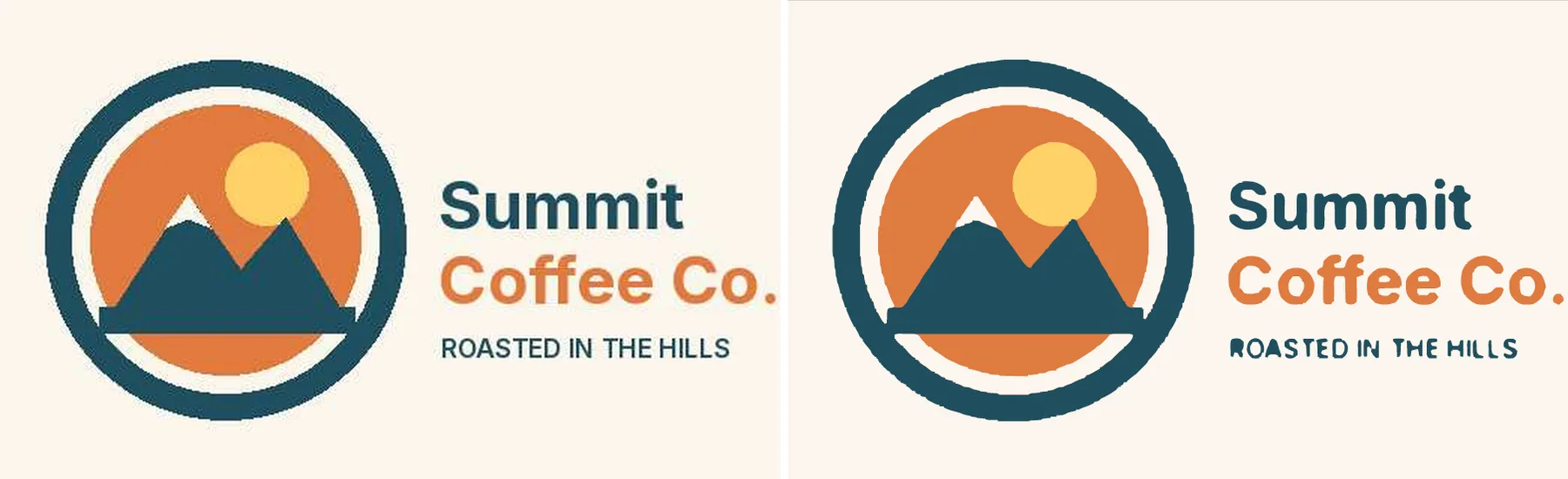
A JPEG logo. The form's sample, a 520 x 320 JPEG saved at quality 60:
Logo: 47 shapes in 4 colors, 63.3 KB SVG, 94.7% match with the input.
The colors come back as #FCF6EE, #204E5D, #DF7B40 and #FED167, the four colors of the badge, with no blends or JPEG noise. The JPEG's mosquito noise around the letters is why the match isn't higher; the drawing itself is clean. With Transparent background on and a width of 100 mm:
Logo: 37 shapes in 3 colors, 60.2 KB SVG, 91.5% match with the input, background #FCF6EE made transparent.
The SVG, PDF and DXF are then 100 x 61.5 mm.
A 256 px transparent PNG icon (a heart with a white and navy eye):
Logo: 3 shapes in 3 colors, 5.7 KB SVG, 99.3% match with the input.
A scanned drawing. A 1600 x 1100 JPEG of black lines and text on gray paper, with scanner noise:
Lineart: 13 shapes in 1 color, 37.6 KB SVG, 96.3% match with the input.
Pixel art. A 16 x 16 sprite saved at 8x (128 x 128 px):
Pixelart: 4 shapes in 4 colors, 1.1 KB SVG, 100.0% match with the input.
A photo. A 514 x 640 color photo of a mountain town:
Photo: 1170 shapes in 1132 colors, 1174.0 KB SVG, 80.8% match with the input.
Photos become posterized drawings with many shapes. Use Detail: low or a few colors (such as 8) for a simpler, poster-like look and a much smaller file.
How-to examples
Each example below is a complete input. The result line is what the run says in summary.
How to convert a JPG or PNG logo to SVG
Result for the form's sample logo, a 520 x 320 JPEG: "Logo: 47 shapes in 4 colors, 63.3 KB SVG, 94.7% match with the input." The four colors come back as clean flat colors, without JPEG noise.
How to vectorize a logo with a transparent background at print size
Result: "Logo: 37 shapes in 3 colors, 60.2 KB SVG, 91.5% match with the input, background #FCF6EE made transparent." The SVG, PDF and DXF are 100 x 61.5 mm, ready for print, a vinyl cutter or a laser cutter.
How to turn a scanned drawing or pixel art into vector paths
Result: the scan is read as line art ("Lineart: 13 shapes in 1 color, 37.6 KB SVG, 96.3% match with the input") and the sprite as pixel art, with sharp square edges ("Pixelart: 4 shapes in 4 colors, 1.1 KB SVG, 100.0% match with the input"). Set preset if the automatic choice isn't the one you want.
How to let an AI agent vectorize images
Add this Actor to the Apify MCP server with https://mcp.apify.com/?tools=jumblemog/image-vectorizer. The agent sends the image links and gives the user svgUrl. matchPercent and the side-by-side comparisonUrl show how close the result is.
FAQ
Is it an AI upscaler? No. It traces the image into real vector shapes (SVG paths), which stay sharp at any size and can be edited in Illustrator, Inkscape or Figma.
Which output formats are there? SVG always, plus PDF and DXF (for CAD, CNC and laser cutters) if you ask for them.
Can I choose the number of colors? Yes. colors takes 2 to 64. Left empty, it uses the image's own main colors.
Does it work on photos? Yes, as a posterized drawing with many shapes. Use "detail": "low" or a few colors, such as 8, for a simpler look and a smaller file.
Does it work with Zapier, Make or n8n? Yes. Call the Actor with its Apify app or an HTTP request, and pass svgUrl to the next step.
Input
| Field | What it is |
|---|---|
imageUrls | Image links, Google Drive or Dropbox share links, pages that declare a main image, or data:image/...;base64, URLs. |
files | Uploaded images. |
preset | auto (default), logo, illustration, lineart, photo or pixelart. |
colors | Number of colors, 2 to 64. Empty: the image's own main colors. |
curves | smooth (default), polygon (straight lines only) or pixel. |
detail | low, medium (default) or high: how small a speck can be and still become a shape. |
removeBackground | Make the edge color transparent (default false). |
outputWidth | A physical width such as 100 mm, 12.5 cm or 4 in; the height follows. Empty: the input's pixels. |
formats | Extra files: pdf, dxf. |
maxImages | Stop after this many images (up to 200). |
Output
One dataset item per image, also saved together in the run's OUTPUT record:
svg holds the SVG text when it's under 100 KB. The SVG's viewBox is the traced size, and its width and height are the input's size or the physical size you set. An image that can't be traced has "status": "failed" and the reason in error, and isn't billed.
How it works
- The image is decoded with Pillow, keeping transparency and following the EXIF rotation. Its main colors are found on a small copy: median-cut colors are merged when they're close, and small colors that only sit between two bigger ones (anti-aliased edges) or are speckles of a nearby tint (JPEG color noise) are dropped.
- Auto picks the preset from those colors and how far the image's pixels are from them. Flat artwork is close, and photos and gradients are far. Gray-only images with ink and paper become line art, and images made of exact blocks become pixel art.
- Logos and illustrations get a light median filter. They're enlarged to about 1200 px with their soft edges, and reduced to the palette with k-means on the inside of shapes. Each edge pixel then gets the nearest color found within a few pixels.
- VTracer turns each color region into Bézier curves. Pixel art is drawn as exact rectangles instead.
- The fills are snapped to the palette, and the SVG is written with a
viewBox. The preview, comparison and PDF are rendered with resvg (through vl-convert). The DXF is written directly, with curves flattened into short segments.
Pricing
You pay per image vectorized, at the price shown on this page, with every file included. Images that can't be downloaded, read or traced are never charged. If you set a maximum cost per run, the Actor stops before an image that wouldn't fit.
Speed
Logos and icons take one to three seconds each, scans and photos three to five. A run through the API answers in about 10 to 20 seconds for one image, including the cloud container starting and the files being saved.
Tips and limits
- Best inputs are flat artwork: logos, icons, badges, clip art, signatures and drawings. A larger or less compressed original always traces cleaner.
- Small text (letters under about 12 px tall) comes out heavier than the original. Trace the biggest copy you have, or replace the text with a font afterwards.
- Gradients and shadows turn into bands of flat color. Use the photo preset or more colors to keep more steps.
- Line art comes out black on transparency. Pick the logo preset instead to keep colored ink or the paper color.
- The transparent background removes the edge color everywhere it appears, including inside letters like O and A, which is usually what a logo needs.
- DXF holds closed outlines on one layer per color, with holes as separate outlines. Shapes stack like the SVG, so for cutting, use line art, a few colors, or
polygoncurves for machines that don't take curves. - Limits: images up to 200 MB and 25 megapixels (larger ones are shrunk), 200 images per run. Already-vector SVG files are refused with a note. Instagram, Facebook, X, TikTok and Pinterest links aren't supported because their terms don't allow downloading.
For AI agents and developers
This Actor works with the Apify MCP server, so AI agents can call it as a tool: pass imageUrls (links or data URLs) and read svg, colors, matchPercent and previewUrl from the result. A direct API call that waits for the answer:
run-sync instead returns the run's OUTPUT: the status, how many images were vectorized and every result as JSON.
In Python, with the apify-client package:
Credits
- Tracing: VTracer by Vision Cortex (MIT).
- Images: Pillow (MIT-CMU), pillow-heif (BSD-3-Clause) and NumPy (BSD-3-Clause).
- Rendering and PDF: vl-convert (BSD-3-Clause), which uses resvg.


