
Franchise Page Inventory
Pricing
from $4.90 / 1,000 page auditeds
Franchise Page Inventory
Inventory franchise or multi-location website pages, location URLs, and page coverage.

Inventory franchise or multi-location website pages, location URLs, and page coverage.
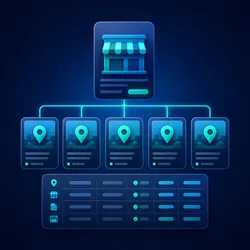
Build a location-by-location inventory for franchise and multi-location websites. The actor combines structured location records with links found in supplied page HTML, resolves relative location URLs, removes duplicate pages, and identifies missing city, state, URL, and location-content evidence.
Results At A Glance
- Structured dataset rows designed for filtering, exports, and API delivery.
- Stable source and record identifiers for repeatable runs.
- Honest null values and diagnostic rows when evidence is unavailable.
- Explicit limits for targets, records, source bytes, and optional reports.
- Pay-per-event billing that stops before paid output when the run budget is exhausted.
Common Uses
- Audit location-page coverage before a site migration
- Find franchise locations that lack dedicated pages
- Normalize city, state, brand, and location URL fields
- Create an evidence list for crawl and indexation work
- Track completeness across a bounded set of franchise directory pages
How It Works
- Normalize the supplied targets and enforce target and byte limits.
- Retrieve a public URL only when
fetchUrlsis enabled. - Combine structured records with location links found in HTML.
- Resolve relative URLs and deduplicate locations by canonical page URL.
- Score required field coverage and identify missing local-content signals.
- Write one dataset row per location plus optional JSON and Markdown reports.
Input
| Field | Purpose |
|---|---|
targets | Franchise directories with HTML and/or structured location records. |
urls | Public directory URLs to retrieve when URL retrieval is enabled. |
fetchUrls | Enables bounded retrieval for public HTTP(S) pages. |
maxTargets | Limits directory pages to 1-50. |
maxTextBytes | Limits text retained from each target. |
includeReport | Writes results, summary, and Markdown report records. |
No field is required for the first run. The bundled bounded example demonstrates the output without making a network request. For URL retrieval, provide public HTTP(S) URLs without embedded credentials and enable the relevant retrieval control.
Input Example
Dataset Output
- Location name, brand, city, state, and resolved page URL
- Page type and whether location-specific content was observed
- Explicit missing-field codes, score, status, and recommendation
- Stable row and source identifiers for repeatable downstream joins
Every dataset row includes pricingEventName so cost-bearing output can be traced to its event. A blocked source can produce a diagnostic row with a null event name; that row is not represented as successful extraction.
Output Records
- Dataset:
{{links.apiDefaultDatasetUrl}}/items - Results JSON:
{{links.apiDefaultKeyValueStoreUrl}}/records/FRANCHISE_PAGE_INVENTORY_RESULTS.json - Summary JSON:
{{links.apiDefaultKeyValueStoreUrl}}/records/FRANCHISE_PAGE_INVENTORY_SUMMARY.json - Markdown report:
{{links.apiDefaultKeyValueStoreUrl}}/records/FRANCHISE_PAGE_INVENTORY_REPORT.md
Report records are written only when includeReport is enabled, there is paid output to report, and the report event is accepted. Digest records follow the same rule for includeDigest.
Pricing
This actor uses pay-per-event pricing. The configured event prices include platform usage; no separate platform-usage pass-through is expected for these events.
| Event | Price (USD) | When it is charged |
|---|---|---|
actor-start | $0.00500 | Before paid run setup. |
page-audited | $0.00490 | Before a page audit is accepted. |
record-extracted | $0.00372 | Before an extracted row is written. |
finding-emitted | $0.00372 | Before a finding-bearing row is written. |
audit-report-generated | $0.05000 | Before audit report records are written. |
The default maximum charge is $10.00. Input limits and run-budget limits remain independent: a broad input can still stop early when another event cannot be charged. A rejected or partial charge prevents the matching paid row or report from being written.
Public Tasks
- Audit public URLs for Franchise Page Inventory issues: Inventory franchise or multi-location website pages, location URLs, and page coverage. This task uses one bounded, credential-free example.
- Find Franchise Page Inventory problems across a website: Inventory franchise or multi-location website pages, location URLs, and page coverage. This task uses one bounded, credential-free example.
- Generate a technical Franchise Page Inventory report: Inventory franchise or multi-location website pages, location URLs, and page coverage. This task uses one bounded, credential-free example.
- Inventory franchise location coverage: Inventory franchise or multi-location website pages, location URLs, and page coverage. This task uses one bounded, credential-free example.
- Find missing franchise location fields: Inventory franchise or multi-location website pages, location URLs, and page coverage. This task uses one bounded, credential-free example.
Each task uses one bounded, credential-free input and can be edited before a run. URL retrieval remains disabled in tasks that already include source evidence.
Cost And Scope Controls
- Start with one target and inspect the dataset before increasing limits.
- Keep report generation off when only dataset rows are needed.
- Supply HTML, XML, text, or records directly when repeatability matters.
- Use URL retrieval only for public sources you are authorized to access.
- Keep byte and record limits close to the downstream requirement.
- Treat charge-limit truncation as partial output, not a complete inventory.
Safety
Only public HTTP(S) sources are accepted for retrieval. Credentialed URLs, loopback hosts, private and reserved address ranges, private DNS answers, and redirects are blocked. Responses are read with time and byte limits. The actor does not bypass authentication, CAPTCHAs, paywalls, access controls, or source restrictions.
Do not submit secrets, session cookies, private contact lists, or sensitive personal data. Review source terms and legal requirements before collecting or redistributing public information.
Limitations
- This actor inventories supplied pages; it does not crawl an entire domain automatically.
- City and state are never guessed from unrelated content.
- A link is included only when its URL or label looks location-related.
- Pages requiring authentication or private-network access are rejected.
Troubleshooting
A blocked diagnostic row appears
Confirm that source evidence was supplied. For URL retrieval, verify that the URL is public HTTP(S), has no credentials, does not redirect, and fits within the byte and timeout limits.
Fewer rows appear than expected
Check the target and record caps, source formatting, duplicate identifiers, and truncatedByChargeLimit in the summary. Increase one limit at a time after inspecting cost and output quality.
Report records are absent
Set includeReport to true and confirm the run produced paid dataset rows. A report is skipped when its billing event cannot be accepted.
Values are null
Null means the supplied source did not establish the value. Add structured evidence at the source or provide a structured input record; do not treat null as a guessed value.
Integration
Dataset items can be consumed through the Apify API, webhooks, exports, or platform integrations. Use stable sourceId and record identifiers as join keys. Preserve checkedAt, source URLs, status, issue codes, and hashes when building recurring comparisons or audit trails.
For scheduled use, begin with one bounded target, compare output across two runs, and only then increase limits. Downstream automation should handle blocked diagnostics, null values, charge-limit truncation, and source-format changes explicitly.
Output Quality Checklist
Before using results operationally:
- Confirm the source URL or supplied evidence is the intended source.
- Review warning, failure, blocked, and issue-code fields.
- Check null fields against the source rather than filling them automatically.
- Confirm the summary does not report charge-limit truncation.
- Retain source identifiers and timestamps with exported records.
- Validate changed records before sending a digest or updating another system.
FAQ
Does the first run call external websites?
No. The bounded input includes source evidence and leaves URL retrieval disabled.
Can I process several sources?
Yes. Use the target or URL arrays and raise the relevant cap gradually.
Are missing values inferred?
No. Missing values remain null or are named in issue fields.
What happens when a charge is rejected?
The actor stops before writing the matching paid output. Already completed rows remain available and the summary identifies truncation where applicable.
Is the Markdown report the primary output?
No. Dataset rows are the primary machine-readable output. Reports and digests are optional buyer-readable records.
Does this guarantee SEO, compliance, or business outcomes?
No. The actor provides extraction and QA evidence. It does not guarantee rankings, legal compliance, completeness of a third-party source, or commercial results.


