
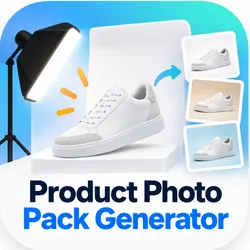
Product Photo Pack Generator
Pricing
from $490.00 / 1,000 listing packs
Product Photo Pack Generator
Turn one product photo into a white-background hero image and three studio-ready ecommerce/social formats while preserving the original product foreground instead of generatively redrawing it.
Pricing
from $490.00 / 1,000 listing packs
Rating
0.0
(0)
Developer

junya yamamoto
Maintained by CommunityActor stats
0
Bookmarked
2
Total users
1
Monthly active users
a month ago
Last modified
Categories
Security
Limited permissionsShare
Create four ecommerce product photos from one image
Turn one product photo into a white-background hero image and three studio-ready ecommerce/social formats while preserving the original product foreground instead of generatively redrawing it.
The Actor accepts one source photo, isolates its foreground with Product Cutout, generates one text-only studio background, and composites the foreground locally into four fixed formats. The product image is not sent to the generative background model.
What you get
| Output | Size | Storage |
|---|---|---|
white-hero | 1200×1200 | white-hero.png |
studio-square | 1080×1080 | studio-square.png |
studio-portrait | 1080×1350 | studio-portrait.png |
studio-vertical | 1080×1920 | studio-vertical.png |
Best for
- Handmade products
- Jewelry and accessories
- Small ecommerce brands
- Packaged products
- Social media listing assets
Input
| Field | Required | Description |
|---|---|---|
imageUrl | Yes | Public HTTPS URL for an image you own or have permission to process. |
productCategory | Yes | Short generic category, such as handbag, mug, or shoe. |
backgroundStyle | No | Background environment description; defaults to clean premium studio. |
One source image is processed per run. Batch processing is not part of this MVP.
Source photo tips
For more reliable cutouts, use a rights-cleared image with the full product inside the frame, a simple or high-contrast background, no props touching or overlapping the product, and no strong overlapping shadows. Transparent parts and thin wires may require visual review. Complex source backgrounds can leave some contamination around the cutout.
Product-preserving workflow
- The source bytes are validated before processing.
- Product Cutout isolates a foreground from the source image.
- The product foreground is not sent to the generative background model.
- A studio background is generated from text only.
- The foreground is composited locally and deterministically into the four fixed sizes.
The cutout step can alter edge and alpha pixels. This tool does not promise exact pixel identity, a perfect cutout, universal product fidelity, marketplace compliance, zero hallucination, or legal compliance.
Output and API
The default dataset contains one metadata-only row with the run status, four artifact names and storage keys, dimensions, content types, the product-lock statement, and the completed listing-pack billing event. The four PNG files are stored in the run's default key-value store under flat record keys. No image base64 or provider response body is written to the dataset.
Pricing
One successfully completed listing pack costs USD 0.49, plus the Apify actor-start synthetic event according to the current pay-per-event configuration. The listing-pack event is charged only after all four files are stored successfully. Validation and failed runs do not charge that event.
Public Store runs require a paid Apify plan because each completed pack incurs third-party image-processing cost. Free-plan Store/API runs exit before BRIA initialization or submission and do not charge the listing-pack event. Owner runs started from the Actor's Development view remain available for private validation.
Limitations
- Results require ordinary visual review, especially for thin, translucent, reflective, or overlapping products.
- The background prompt describes an environment only; it does not preserve every detail of a source background.
- Accepted remote image formats are JPEG, PNG, and WebP; public URLs must use HTTPS on the standard port.
- Remote downloads are bounded to 12 MiB and decoded images are bounded to 8192 pixels per dimension and 16 megapixels total.
- Redirects and URLs containing credentials are rejected. DNS answers are checked once, unsafe answers fail closed, and a selected safe destination is pinned while the original hostname remains used for TLS verification.
- The run makes at most two BRIA submission calls: one cutout and one text-only background generation.
- External providers process the image under their current terms and privacy policies; review those terms before commercial use.
Privacy and rights
Only submit images you own or have permission to process. An external image processor is used. This repository does not verify or promise provider training, retention, or privacy behavior beyond the controls described above.
FAQ
Does AI redraw my product?
The product foreground is isolated and then composited locally. It is not passed to the generative background step. Cutout edges can still change, so review the result.
Why did part of my original background remain?
Cutout quality depends on the source image. Strong shadows, overlapping props, low contrast, and complex backgrounds can make separation less complete.
Which input images work best?
Use a rights-cleared image with the entire product visible, good contrast, and space around the product. Avoid props or shadows that overlap the product.
Do failed runs charge the listing-pack event?
No. The listing-pack event is charged only after all four output files are stored successfully. Apify's actor-start synthetic event follows the configured pay-per-event settings.
Can Free-plan users run the full image pipeline?
No. Public Free-plan runs stop before third-party image processing and before the listing-pack charge. A paid Apify plan is required for the full Store workflow.
Can I generate multiple products in one run?
No. The MVP processes one source image per run.


