Google Fast Search Scraper
Pricing
from $0.04 / 1,000 results
Google Fast Search Scraper
🔥 ~$0.05/1K results 🔥 Search Google and get structured results including web pages, images, and Knowledge Graph entities. Returns titles, URLs, snippets, and full metadata. Supports geo-targeting, language, date filtering, sorting, and auto-pagination up to 100 results.
Pricing
from $0.04 / 1,000 results
Rating
0.0
(0)
Developer

Kai
Maintained by CommunityActor stats
0
Bookmarked
112
Total users
24
Monthly active users
a month ago
Last modified
Categories
Security
Limited permissionsShare
Google Search Scraper
Get Google search results as structured JSON. Web results, image results, and Knowledge Graph entities with auto-pagination up to 100 results.
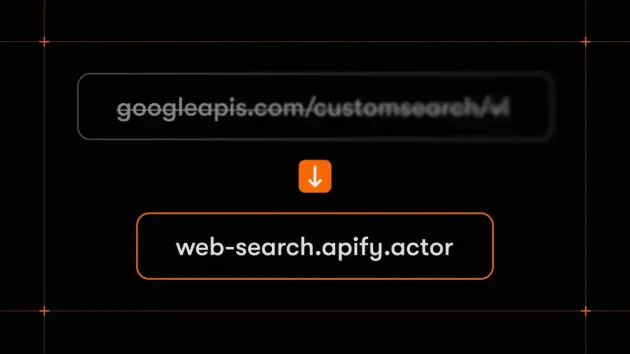
Unlike SERP scrapers that load Google in a browser and parse HTML, this queries Google's API directly. No browser, no CAPTCHAs, no breakage when Google redesigns their page. The trade-off: you get organic results, images, and Knowledge Graph only — no ads, People Also Ask, or AI overviews.
Quick start
Default: 10 results. Set maxResults up to 100:
Image search:
Geo-targeted (search as if from Japan, in Japanese):
Sort by date or restrict to a date range:
Input
| Parameter | Type | Default | Description |
|---|---|---|---|
| query | string | required | Google search query. Supports operators: "exact phrase", -exclude, site:example.com, filetype:pdf |
| maxResults | integer | 10 | Max results (1–100) |
| gl | string | — | Country code for geo-targeting (us, vn, jp) |
| hl | string | — | Interface language (en, vi, ja) |
| sort | string | — | Sort expression (see below) |
| searchType | string | web | web or image |
| knowledgeGraphLimit | integer | 5 | Max Knowledge Graph entities. 0 to disable |
| proxyConfiguration | object | Apify proxy | Proxy settings |
Sort options
The sort parameter accepts expressions that control result ordering.
Sort by date:
| Value | Description |
|---|---|
date | Newest first |
date:a | Oldest first |
Bias by date (promotes recent/old results without excluding undated pages):
| Value | Description |
|---|---|
date:d:s | Strong bias toward recent |
date:d:w | Weak bias toward recent |
date:a:s | Strong bias toward older |
Restrict to date range (format YYYYMMDD):
| Value | Description |
|---|---|
date:r:20250101:20250601 | Jan–Jun 2025 only |
date:r:20250101: | From Jan 2025 onward |
date:r::20250101 | Before Jan 2025 |
Sort by structured data (when pages have PageMaps):
| Value | Description |
|---|---|
review-rating:d | By rating, descending |
review-rating:d:s | Bias toward high ratings |
review-rating:d:s,review-date:d:w | High rating + recent |
review-rating,review-rating:r:3.0: | By rating, minimum 3.0 |
Output
Each search result is one row in the dataset.
Web search:
Image search adds image, mime, and fileFormat:
The html fields contain the same title/snippet with bold tags around matching keywords.
Key-value store
SEARCH_INFO stores search metadata on the first page:
KNOWLEDGE_GRAPH stores entities matching your query:
Limitations
- 100 results max per query, 10 per page
- Results may vary by proxy region even with
glset - Not all queries return Knowledge Graph entities
sortuses Google's date format (YYYYMMDD), not ISO dates- No ads, People Also Ask, or AI overviews (use a SERP scraper for those)