
Realtor Auto Suggestion (AutoFill)
Pricing
$1.00 / 1,000 results
Realtor Auto Suggestion (AutoFill)
Realtor.com location autocomplete scraper that returns addresses, cities, ZIP codes, schools, and neighborhoods for any search query, so developers can build autofill UIs and validate locations affordably.
Pricing
$1.00 / 1,000 results
Rating
0.0
(0)
Developer

Kawsar
Maintained by CommunityActor stats
0
Bookmarked
2
Total users
0
Monthly active users
6 months ago
Last modified
Categories
Share
Realtor Auto Suggest: Location Autocomplete and Address Lookup for Realtor.com
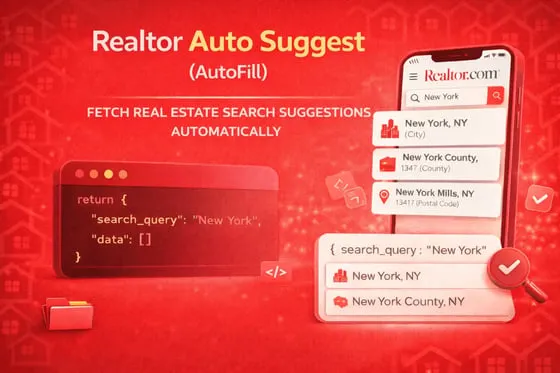
Scrape Realtor.com's autocomplete suggestions for any search term. Type a partial address, city name, ZIP code, or neighborhood, and this actor returns every matching location from Realtor.com's internal suggestion database, complete with GPS coordinates, area types, and property IDs.
You feed it one or more queries, toggle which location types you care about (addresses, cities, schools, ZIP codes, etc.), and get back clean, structured data for each match. If a query has no results, you still get a row back with the original search term so you know it came up empty.
What can you look up?
This actor taps into the same autocomplete endpoint that powers the Realtor.com search bar. It returns suggestions across 12 location types:
- Addresses: Full property addresses with property IDs and coordinates
- Cities: City-level matches with state codes
- Neighborhoods: Named subdivisions and areas within a city
- ZIP codes: Postal code lookups
- Counties: County-level results with FIPS-style identifiers
- Streets: Whole-street results without a specific house number
- Schools: Individual K-12 schools
- School districts: District-level results
- Universities: Colleges and universities
- Parks: Parks and recreation areas
- States: Full state matches
- MLS IDs: Direct MLS listing ID lookups
Use cases
- Address validation: Verify a user-entered address actually exists on Realtor.com before running a more expensive property lookup
- Building search UIs: Power an autocomplete dropdown in your own real estate application using real Realtor.com suggestions
- Lead enrichment: Take partial addresses or city names from a CRM and expand them into full, validated locations
- Geographic research: Look up all neighborhoods, schools, and parks within a city or region
- MLS cross-referencing: Validate MLS IDs against Realtor.com's database
- Data normalization: Convert messy user input ("nyc", "new york city", "Manhattan NY") into standardized city/state/ZIP records
Input Parameters
Search
| Parameter | Type | Required | Default | Description |
|---|---|---|---|---|
queries | array | Yes | ["New York", "11150 Glenoaks", "90210", "Austin TX", "Stanford University"] | Search terms to look up. One API call per query. Example: ["New York", "11150 Glenoaks", "90210", "Austin TX", "Stanford University"]. |
limit | integer | No | 100 | Max suggestions per query. Max 10,000. |
Location type toggles
All enabled by default. Set any to false to exclude that type from results.
| Parameter | Type | Default | Controls |
|---|---|---|---|
includeAddress | boolean | true | Street addresses |
includeNeighborhood | boolean | true | Named neighborhoods |
includeCity | boolean | true | Cities |
includeCounty | boolean | true | Counties |
includePostalCode | boolean | true | ZIP/postal codes |
includeStreet | boolean | true | Whole streets |
includeSchool | boolean | true | Individual schools |
includeSchoolDistrict | boolean | true | School districts |
includeUniversity | boolean | true | Colleges/universities |
includePark | boolean | true | Parks |
includeState | boolean | true | US states |
includeMlsId | boolean | true | MLS listing IDs |
Limits
| Parameter | Type | Default | Max | Description |
|---|---|---|---|---|
timeoutSecs | integer | 300 | 3600 | Overall actor runtime cap in seconds. |
requestTimeoutSecs | integer | 30 | 120 | Per-request timeout in seconds. |
Proxy
| Parameter | Type | Default | Description |
|---|---|---|---|
proxyConfiguration | object | US Datacenter | Apify proxy settings. Default uses US datacenter proxies. |
Example Input: Mixed query batch
Example Input: Only addresses and ZIP codes
Example Input: School lookup
Output: Full field reference
Each autocomplete suggestion is pushed as a flat JSON record:
Output fields explained
| Field | Type | Description |
|---|---|---|
searchQuery | string | The original query you submitted. Always present, even on empty results. |
areaType | string | Category: address, city, neighborhood, county, postal_code, street, school, school_district, university, park, state, mlsid. |
fullAddress | string | Complete formatted location string as displayed by Realtor.com. |
line | string | Street address line (house number + street). Empty for non-address types. |
cityName | string | City name. |
stateCode | string | 2-letter US state code. |
postalCode | string | ZIP code. |
countryCode | string | Country code (usually US). |
latitude | number | GPS latitude. null if not available. |
longitude | number | GPS longitude. null if not available. |
mlsId | string | MLS listing ID. Only populated for MLS-type results. |
propertyId | string | Realtor.com property ID. Only populated for address-type results. |
slug | string | URL-friendly identifier for the location. |
scrapedAt | string | ISO 8601 timestamp of when the data was pulled. |
error | string | Error message if the query failed, or "No suggestions found" for empty results. null on success. |
How it works
- You provide one or more search queries (city names, partial addresses, ZIP codes, etc.)
- The actor checks your boolean toggles and builds the list of area types to request
- For each query, it calls Realtor.com's internal autocomplete API using US datacenter proxies
- It rotates proxy IPs between queries to avoid rate limits
- Each suggestion is flattened into a clean JSON record and pushed to your dataset
- If a query returns zero suggestions, a record is still pushed with the original search term and an error note, so you know which queries came up empty
Tips
- Type partial text and the API completes it. "aus" returns "Austin, TX", "Australia", etc. You do not need to type the full name.
- If you only need specific location types (just cities, just addresses), turn off the others using the boolean toggles. This reduces noise in your results.
- The
searchQueryfield is always included in every output row. This makes it easy to join results back to your input data, even when a query has no matches. - Most queries return 10-50 suggestions. Setting
limitto 100 covers the vast majority of use cases.
Frequently asked questions
What happens if my search term has no results?
The actor pushes a single record with your original query in searchQuery and an error note saying "No suggestions found for this query." Your data will never silently drop a query.
Can I batch multiple searches in one run?
Yes. Put all your queries in the queries array. The actor processes them one by one, rotating proxies between each. Example: ["New York", "90210", "Austin TX", "Stanford University"].
What if I pass a string instead of an array for queries?
The actor handles this automatically. It splits comma-separated strings into individual queries.
How accurate are the GPS coordinates?
The latitude and longitude come directly from Realtor.com's geocoding. For addresses, they point to the property. For cities, they point to the city center.
Can I look up MLS listing IDs?
Yes. Make sure includeMlsId is enabled (it is by default), and type the MLS ID as your query. If Realtor.com recognizes it, you get the match back.
Integrations
Connect Realtor Auto Suggest with other apps using Apify integrations. Push autocomplete results directly into Google Sheets, Slack, Make, Zapier, Airbyte, or any webhook endpoint. Use the Apify API to trigger runs programmatically from any language.