

Tiktok Comments Scraper ($0.20 Per 1K)
Pricing
from $0.20 / 1,000 results
Tiktok Comments Scraper ($0.20 Per 1K)
TikTok comment scraper that pulls comments and replies from any public post, so researchers and marketers get usable data without copying a single comment by hand.
Pricing
from $0.20 / 1,000 results
Rating
5.0
(1)
Developer

Kawsar
Maintained by CommunityActor stats
1
Bookmarked
119
Total users
26
Monthly active users
3 months ago
Last modified
Categories
Share
TikTok Comment Scraper: Extract comments and replies from any TikTok post
The most affordable TikTok comment scraper you'll find. Point it at one post or a hundred and you get a clean dataset: comments, replies, usernames, like counts, timestamps, and the total count per search query. Export it or feed it into whatever tool you're using.
Copying TikTok comments by hand breaks fast. After 30 rows you're losing your mind. This actor hits TikTok's internal comment API and pulls thousands of records in minutes, nested replies included, no browser or login needed.
Why you need a TikTok comment scraper
TikTok comments are where real audience reactions live, not the like count (vanity) or the view count (reach), but the text people type when they feel strongly enough to say something.
Without a scraper you're reading one comment at a time. With one, you can run sentiment analysis, spot recurring topics, track how a conversation shifts over 24 hours, or build a training dataset in an afternoon instead of a week.
Use cases
- Collect comments from brand posts to measure how audiences react over time
- Scrape comments on a competitor's top videos to see what their audience actually asks for
- Track which posts generate the most discussion and what topics keep surfacing
- Build labeled comment datasets for hate speech detection, topic modeling, or text classification
- Pull comment data before signing a creator deal to check authenticity
- Schedule runs to collect new comments from the same posts automatically over time
Input
| Parameter | Type | Default | Description |
|---|---|---|---|
postUrls | array | — | TikTok post URLs to scrape. Supports video posts, photo posts, and short links (vm.tiktok.com). Required. |
maxCommentsPerPost | integer | 100 | Maximum comments to collect per URL. Set up to 100,000 to scrape everything available. |
includeReplies | boolean | true | When enabled, fetches replies nested under each comment. |
maxRepliesPerComment | integer | 50 | Maximum replies per comment. Only applies when reply fetching is enabled. |
timeoutSecs | integer | 300 | Total actor run time in seconds. Max 3,600. |
requestTimeoutSecs | integer | 30 | Timeout per individual request to TikTok. |
proxyConfiguration | object | Apify Proxy (Datacenter) | Optional proxy for requests. Usually not needed; switch to Residential only if you hit empty results from IP rate-limiting. |
Example input
What data does this actor extract?
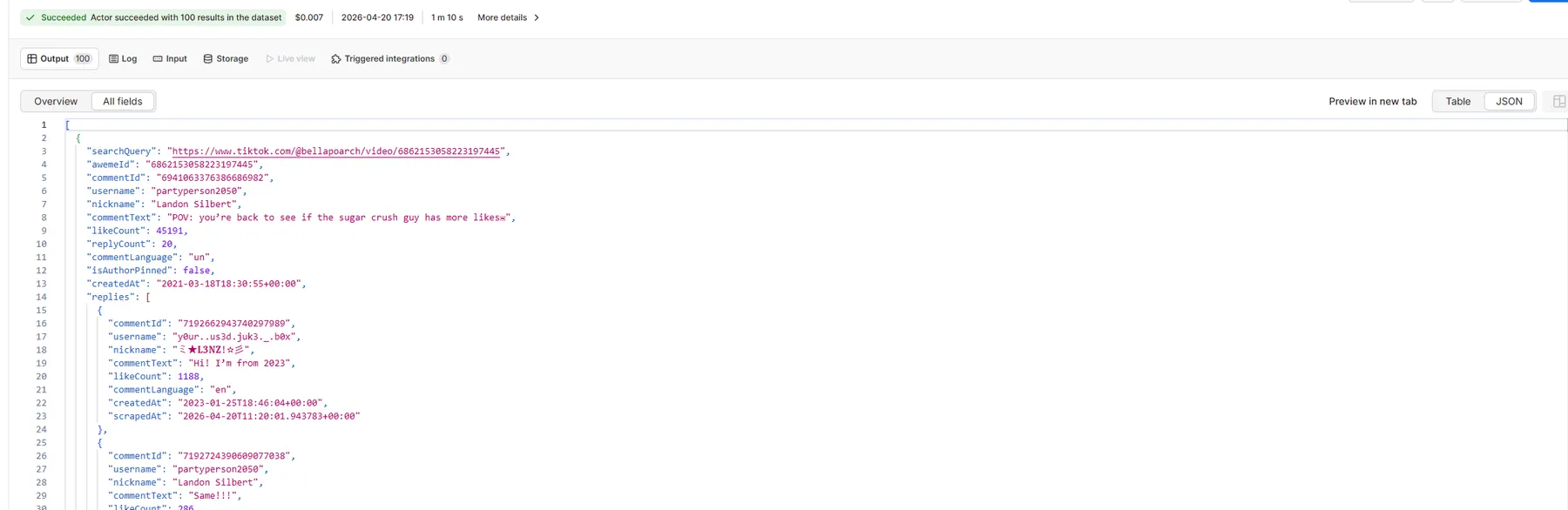
One row per comment. Replies are embedded as an array inside each comment row, so you get the full thread in one record without separate reply rows cluttering your dataset.
Example record:
| Field | Type | Description |
|---|---|---|
searchQuery | string | The post URL used as input |
awemeId | string | TikTok internal post ID from the URL |
commentId | string | Unique comment identifier (cid from TikTok API) |
username | string | TikTok username (unique_id) of the commenter |
nickname | string | Display name of the commenter |
commentText | string | Full text of the comment |
likeCount | integer | Likes on this comment (digg_count from TikTok API) |
replyCount | integer | Total replies this comment has (reply_comment_total from API) |
commentLanguage | string | Language code detected by TikTok (e.g. en, es, fr) |
isAuthorPinned | boolean | True if the post author pinned this comment |
createdAt | string | ISO 8601 timestamp of when the comment was posted |
replies | array | Embedded reply objects. Each has commentId, username, nickname, commentText, likeCount, commentLanguage, createdAt, scrapedAt. Empty array when no replies or replies are disabled. |
scrapedAt | string | ISO 8601 timestamp of when this record was scraped |
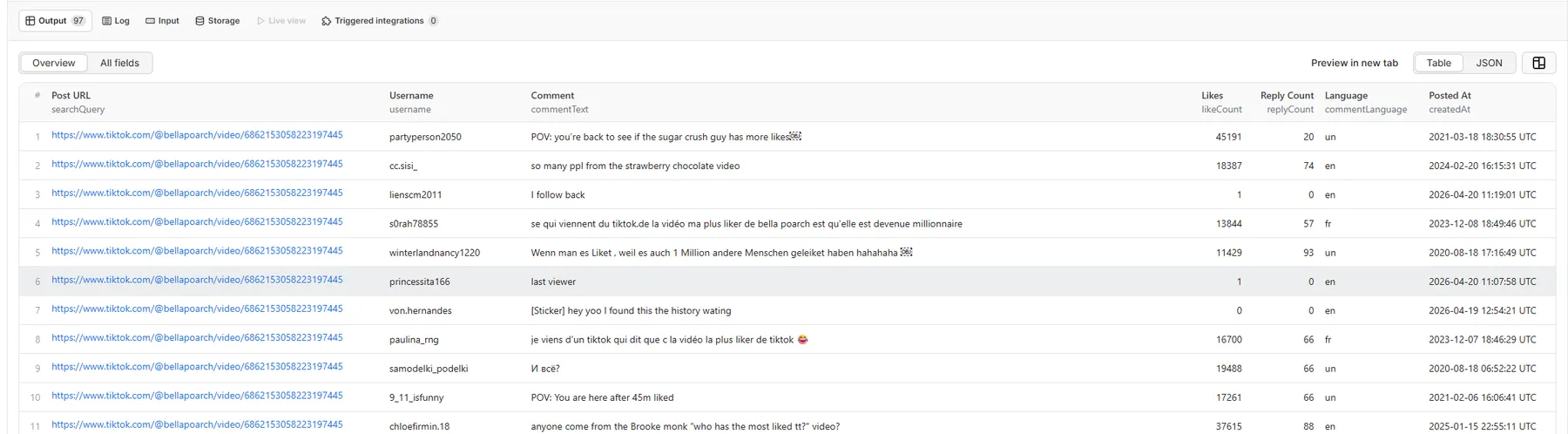
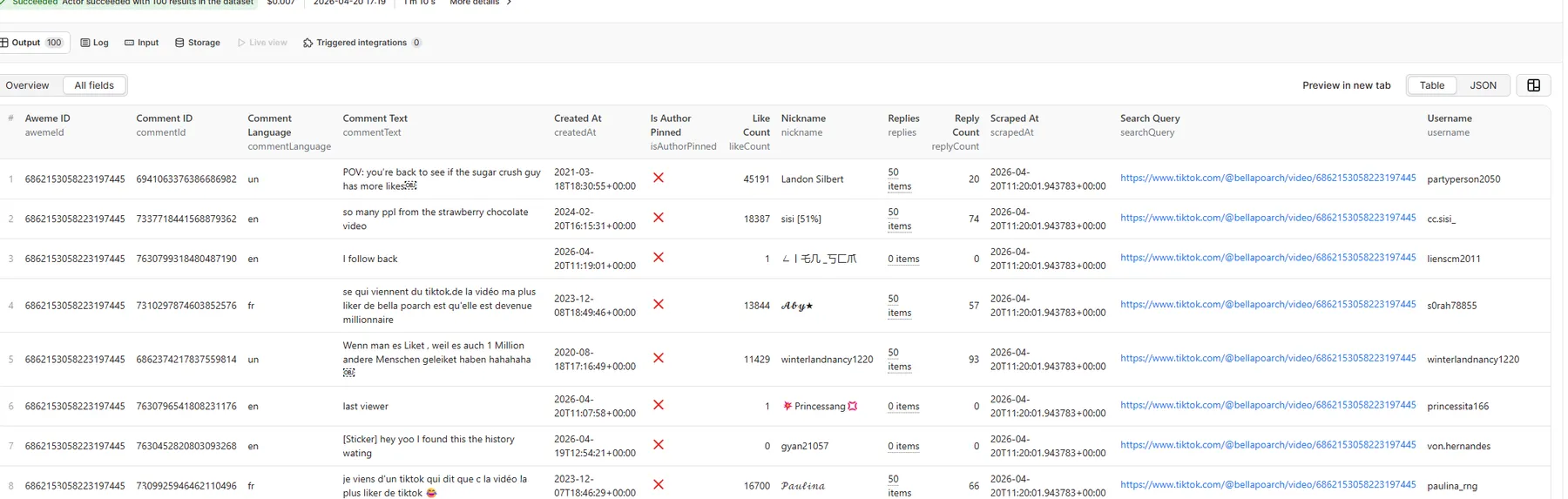
Sample results — table view
Sample results — JSON view
How it works
- The actor resolves each input URL, following redirects for short links like vm.tiktok.com
- It pulls the TikTok post ID (
aweme_id) from the final URL - It pages through TikTok's internal comment API until it hits your limit
- For each comment, replies are fetched immediately and embedded into that comment's row
- Each comment row is pushed to the dataset as soon as it is ready, so data appears in real time
Scheduling: watch TikTok posts for new comments over time
You can put this on a repeating schedule using Apify's built-in scheduler. Set it to run every hour, every day, whatever fits, and it will collect new comments from the same posts each time without you touching anything.
To schedule a run:
- Click "Save as a new task" after setting up your input
- Open the "Schedule" tab
- Pick your interval (every 6 hours is a reasonable starting point)
- It runs on its own and appends new results to the dataset
Good for watching how reactions shift after a launch, tracking a viral post as comments pile up, or monitoring a creator you work with without opening the app.
Video walkthrough
For a quick demo of how to configure and run the actor, see the Apify platform video guides at docs.apify.com.
FAQ
Can this scrape comments from private TikTok accounts? No. Public posts only. Private accounts and age-restricted content need a login, which this actor does not use.
What about short links like vm.tiktok.com? Handled automatically. The actor follows the redirect and pulls the post ID from wherever it lands.
How many comments can I get per run?
Up to 100,000 per post URL. Set maxCommentsPerPost to whatever limit you need. Most use cases land between 100 and 5,000, but viral posts can have far more and the actor will keep paginating until it hits your limit.
Will TikTok block the requests? TikTok does rate-limit scrapers. Apify's proxy (on by default) cuts that risk considerably. If you still hit walls, Residential proxies in the settings usually fix it.
What does the count field mean?
It is the total number of records (comments plus replies) collected for that post URL in a single run. Every row for the same URL will have the same count value, making it easy to group results by source post.
Can I get data from multiple posts in one run?
Yes. Add as many TikTok URLs as you need, one per line. Each URL gets its own searchQuery and count in the output.
Integrations
Connect with other apps via Apify integrations: Google Sheets, Slack, Make, Zapier, and more. Set up webhooks to trigger the next step in your workflow the moment a run finishes.


