

SS.LV - Nekustamie īpašumi - Get Excel or JSON
Pricing
from $5.00 / 1,000 results
SS.LV - Nekustamie īpašumi - Get Excel or JSON
First 1,000 listing is FREE for new users.
Pricing
from $5.00 / 1,000 results
Rating
5.0
(2)
Developer

Art Kuzmics
Maintained by CommunityActor stats
0
Bookmarked
26
Total users
5
Monthly active users
10 months ago
Last modified
Categories
Share
Get Excel or JSON from all Real Estate listings in Latvia on SS.LV
The fields extracted:
- Address: Full Address of property.
- City: City, where the property is located.
- Area: Total area of a property (sq.m.)
- Floor: The floor on which the property is located
- Total Floors: Total floors in the building
- Description: Full description of the listing
- Point_lat: Latitude Coordinate of the property's location
- Point_lon: Longitude Coordinate of the property's location
- Timestamp: Date and time the property was listed.
- URL: Web link to the property listing
Example of exported listings:
| address | city | area | price | floor | total_floors | description | point_lat | point_lon | timestamp | url |
|---|---|---|---|---|---|---|---|---|---|---|
| Brīvības 144 | Rīga | 32 | 232 | 1 | 5 | Izīrē renovētas biroja telpas. Ir apsargāta autostāvvieta ... | 56.9639866 | 24.1402331 | 10.12.2025 21:32 | https://www.ss.lv/msg/lv/real-estate/offices/riga/centre/adogd.html |
| Lizuma 1 | Rīga | 40.5 | 300 | 2 | 5 | Alfa. Nomai tiek piedāvātas biroja telpas 40 kv. m. blakus ... | 56.98577427236340 | 24.20522059313000 | 10.12.2025 19:55 | https://www.ss.lv/msg/lv/real-estate/offices/riga/teika/afdxh.html |
| Blaumaņa 5a | Rīga | 307 | 2150 | 4 | 6 | No 2026. gada janvāra pieejamas biroja telpas reprezentablā ... | 56.9548681 | 24.1226257 | 10.12.2025 19:13 | https://www.ss.lv/msg/lv/real-estate/offices/riga/centre/cgcnx.html |
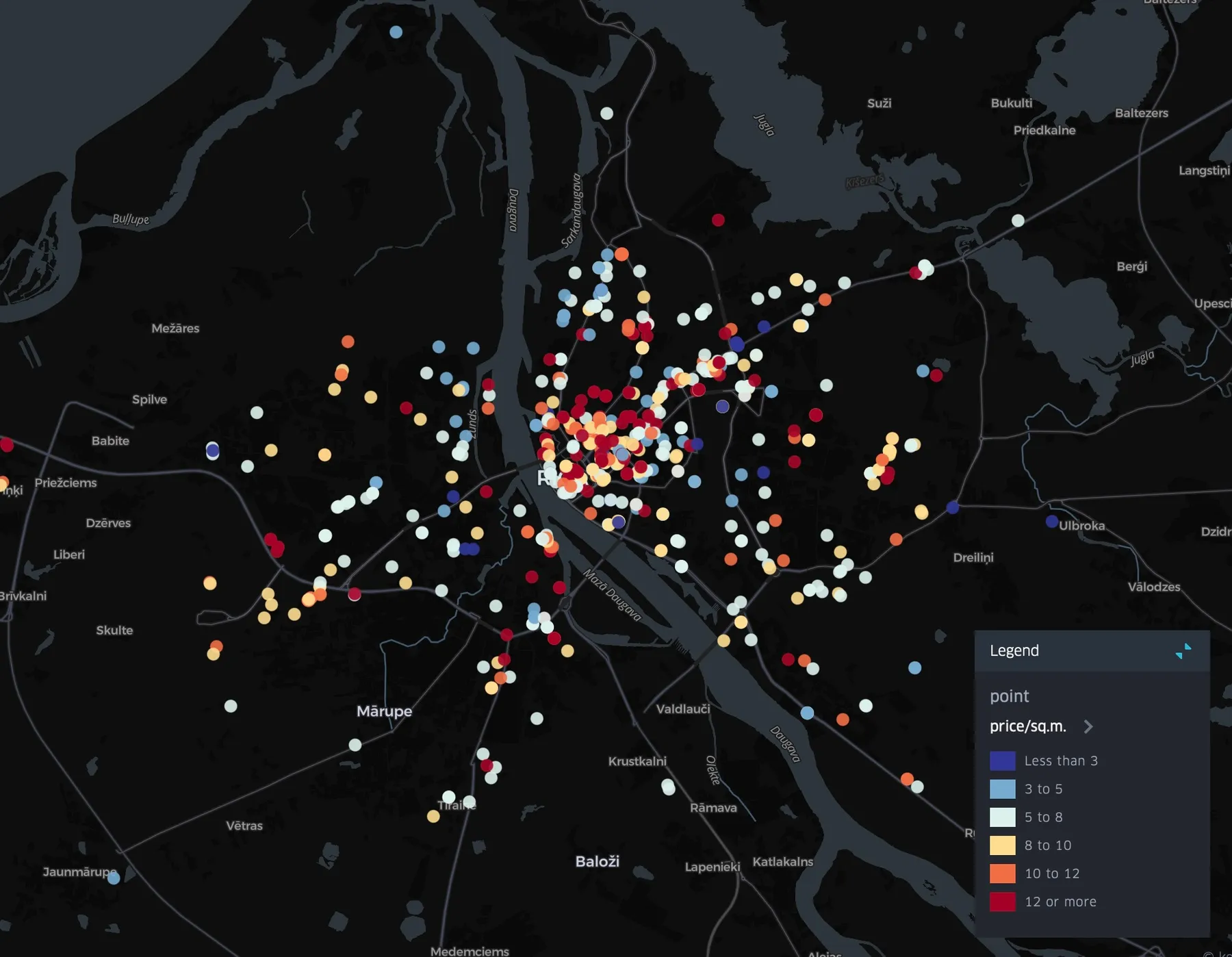
Compatible with kepler.gl map visualisation. To create heatmap, just drag generated CSV to https://kepler.gl/demo.
How it works
A. Find listing categories that you want to scrape
-
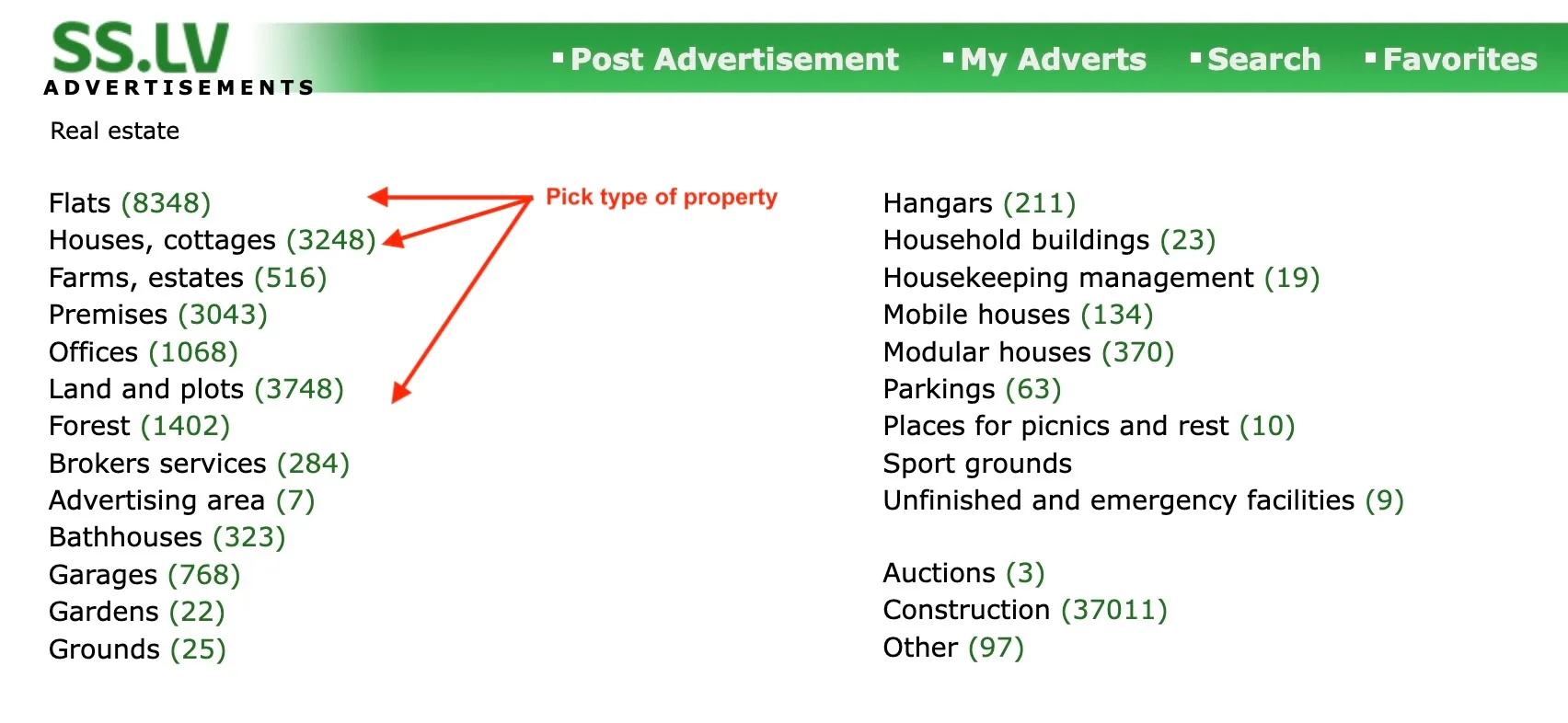
Go to https://www.ss.lv/en/real-estate/ and find real estate type that you want to scrape. Click on it.
-
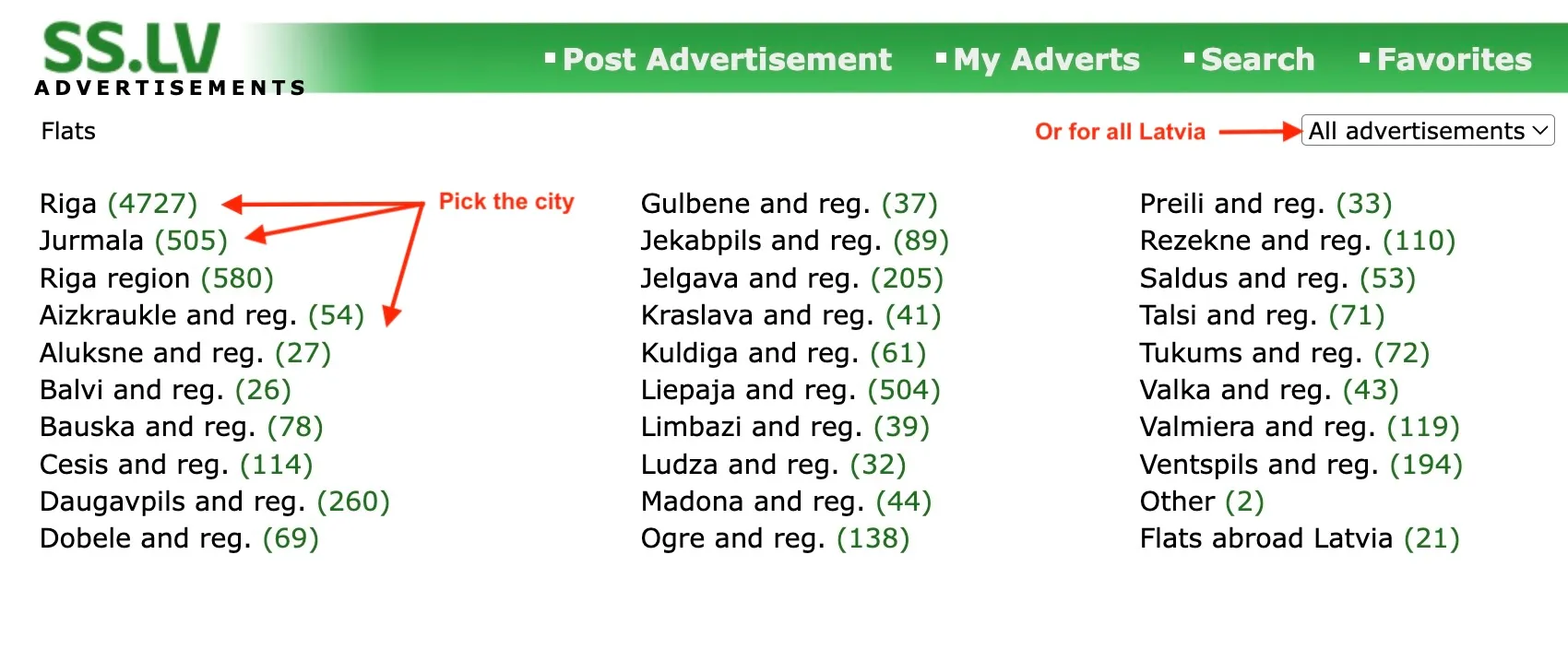
Pick the city that you want to scrape. For example, "Riga". Or, if you want to get all listings across Latvia that appeared in the last 1, 2 or 5 days click on "All advertisements" and select appropriate option.
-
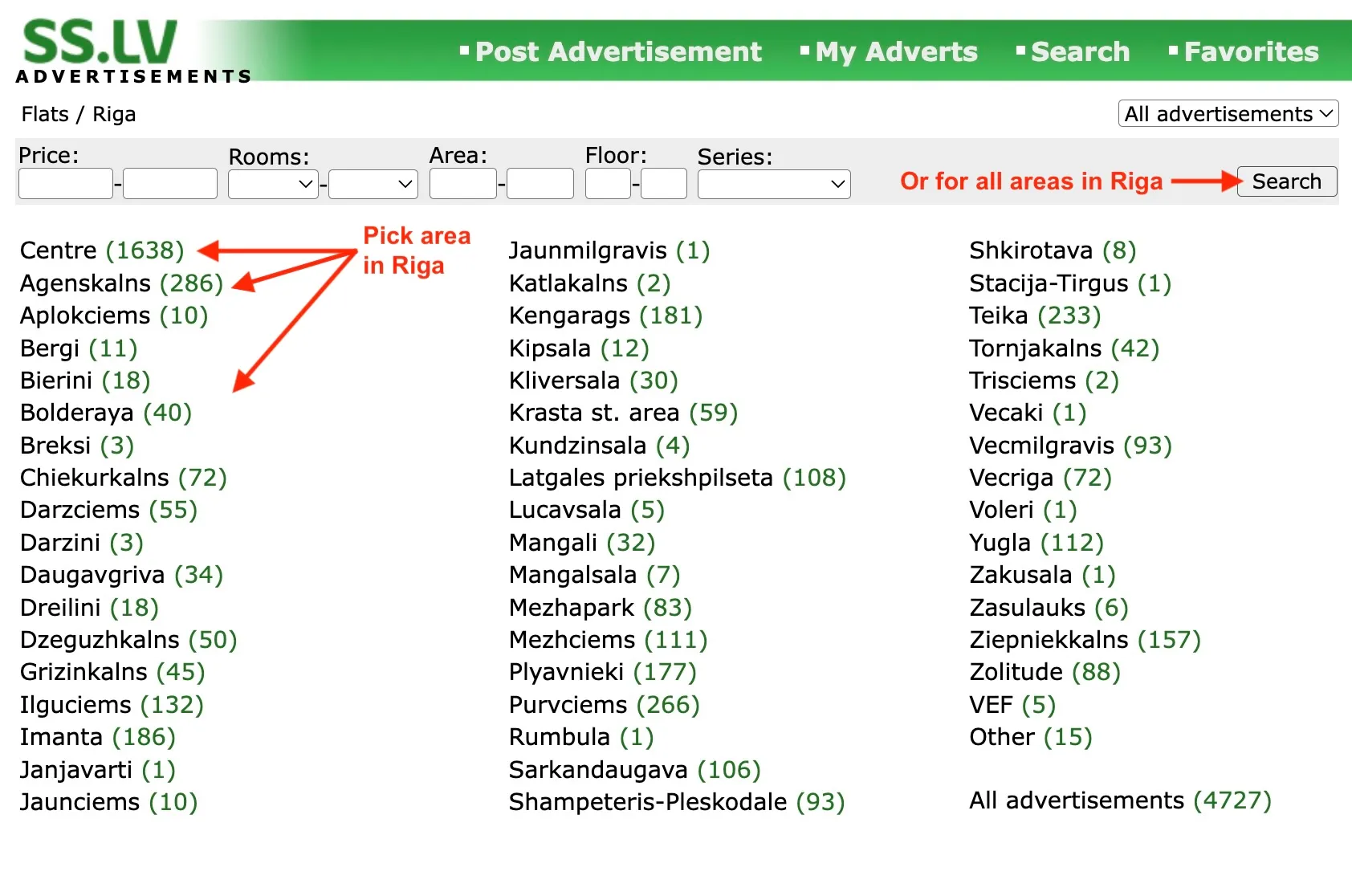
Choose area that you want to scrape or click "Search" in the top right if you want to get listing from all Riga.
-
Select deal type "Sell" (for sale) or "Hand Over" (for rent). Copy the link. For example https://www.ss.lv/en/real-estate/flats/riga/sell/filter/ for all flats for sale in Riga.
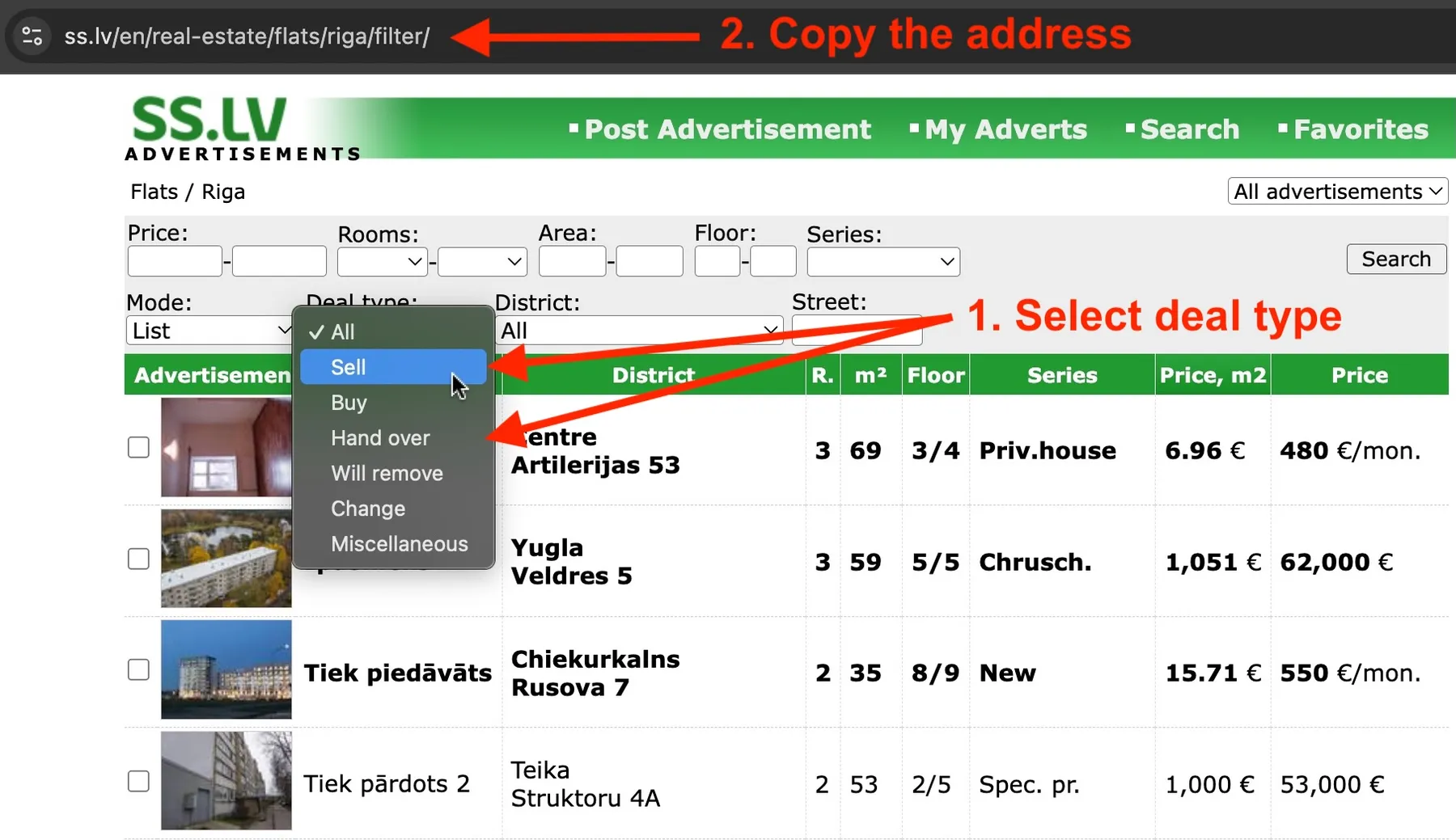
B. Launch scraper
-
Click "Get Started" in the top right corner.
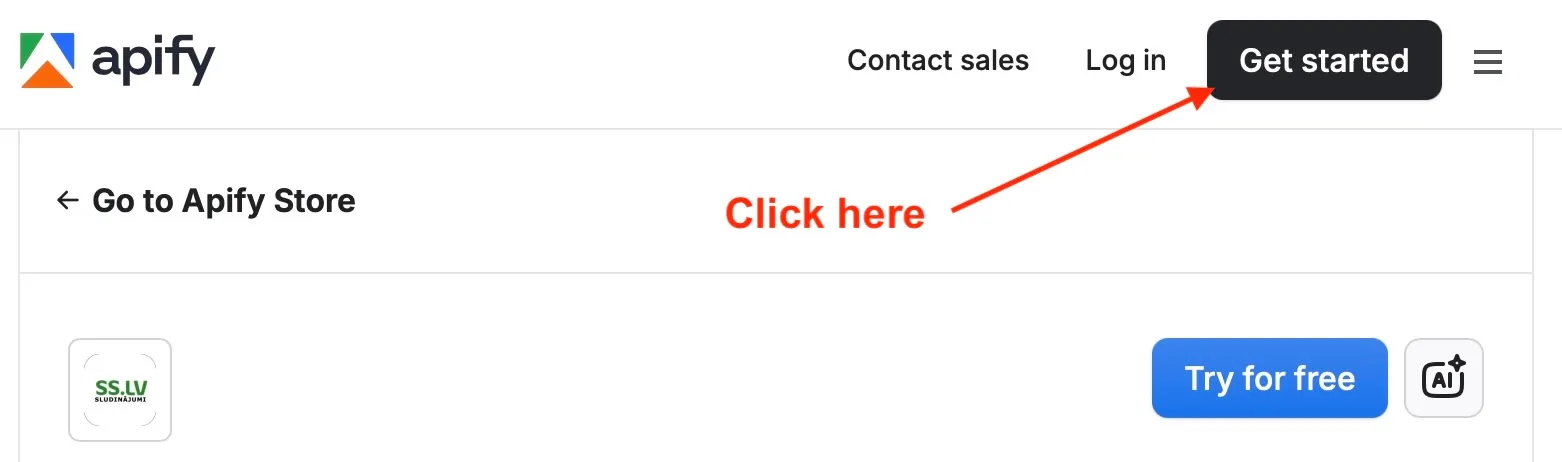
-
Sign up using your Google Account. This will get you to your Console.
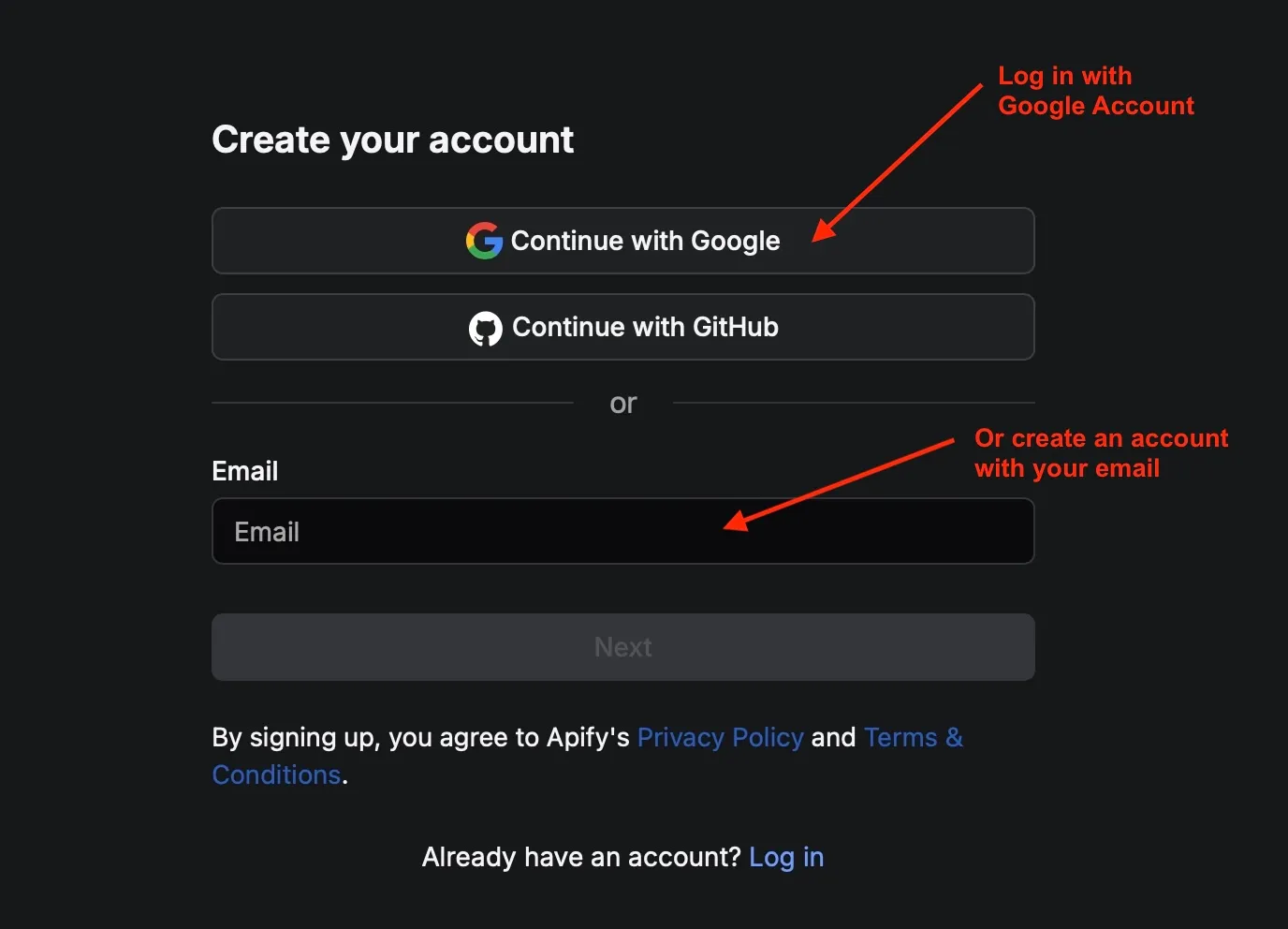
-
In the search bar, type learned_cotton/ss-lv and click to select the SS.LV scraper.
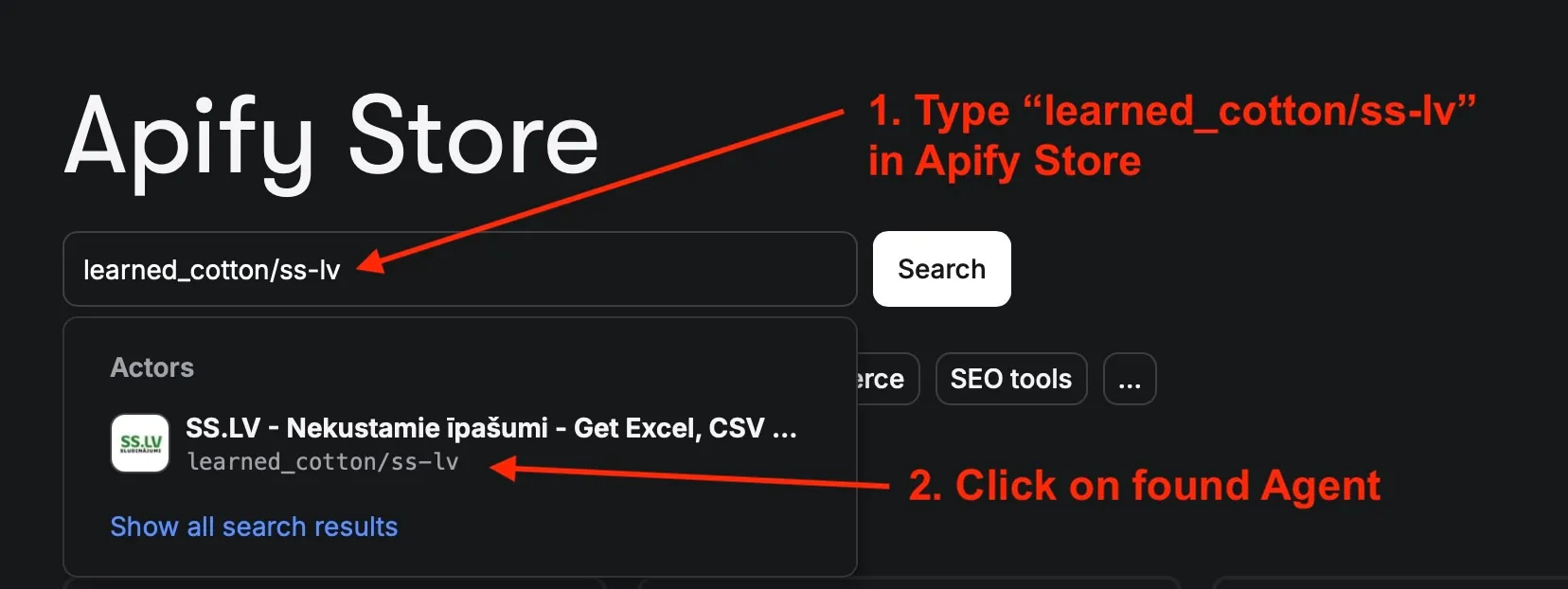
d. In "Start URL" put in the link that you copied at 1.e. step (For example, https://www.ss.lv/en/real-estate/flats/riga/sell/filter/).
e. Click Start. The scraper is working.


