
Notion Connections Scraper
Pricing
from $0.99 / 1,000 connections
Notion Connections Scraper
Scrape Notion Connections: integration name, category, publisher, description, and website/social links from Notion's public app directory.
Pricing
from $0.99 / 1,000 connections
Rating
0.0
(0)
Developer

Lexis Solutions
Maintained by CommunityActor stats
0
Bookmarked
3
Total users
2
Monthly active users
3 months ago
Last modified
Categories
Security
Limited permissionsShare
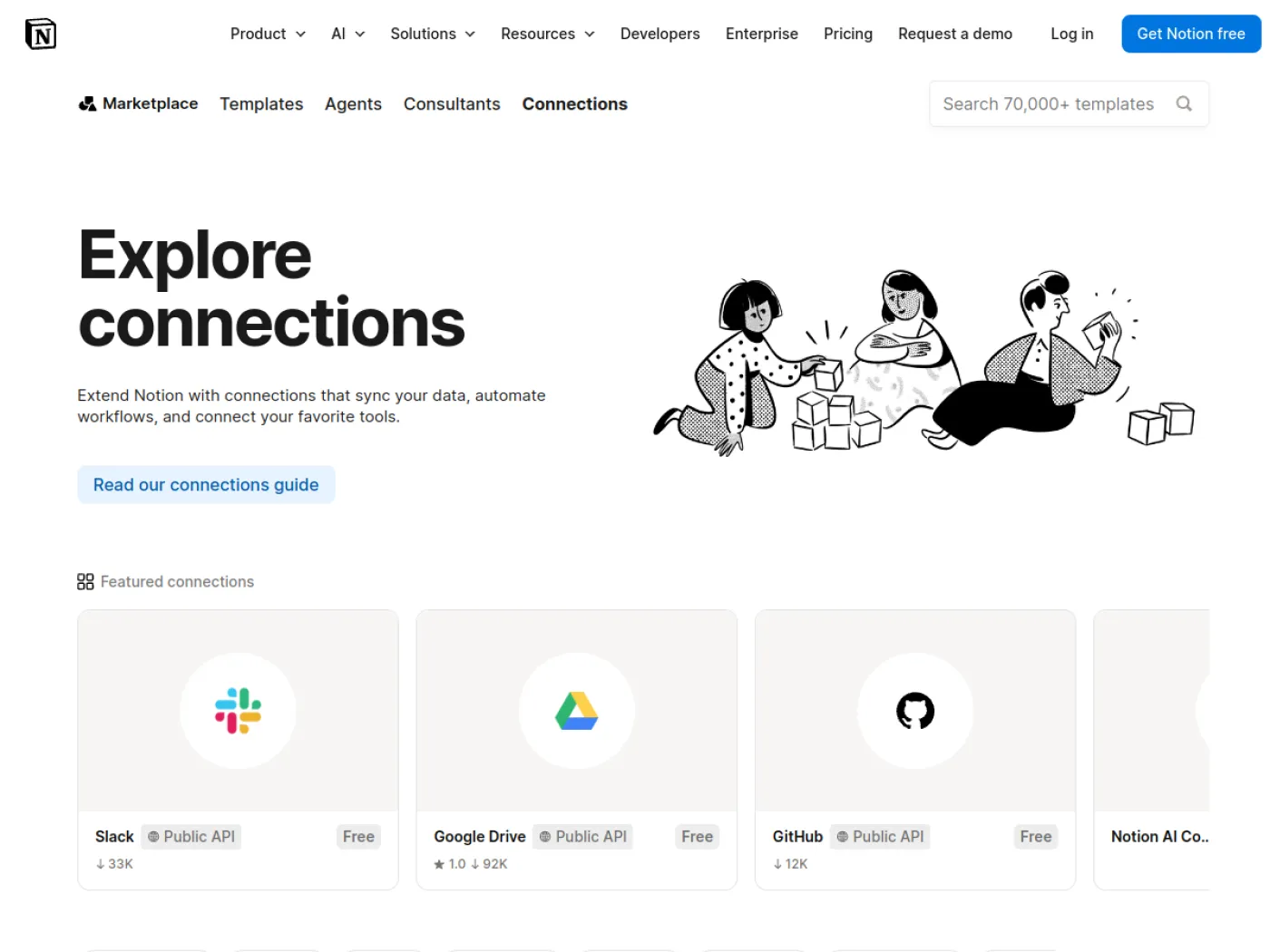
Notion Connections is Notion's public directory of third-party integrations and apps that connect to Notion workspaces — things like Slack, Datadog, Panther, and hundreds of other tools. This actor extracts structured data for every listed connection, including its name, category, publisher, description, and social/website profile links.
Introduction
The Notion Connections scraper accepts either the Notion Connections directory URL or individual connection detail URLs. Directory URLs are paged through to extract structured data for every listed connection, while detail URLs (e.g. https://www.notion.com/connections/slack) are scraped directly to pull the connection's full details, including its about section, features, how-to-use instructions, and preview images — all without needing a Notion account or API key.
Use Cases
- SaaS integration mapping: Build a catalog of every app that integrates with Notion.
- Competitive intelligence: Track which vendors are investing in the Notion ecosystem and how they position their integrations.
- Partner research: Identify potential integration or co-marketing partners within the Notion ecosystem.
- Market monitoring: Watch for new or updated connections added to the Notion directory over time.
Input
Provide the following fields:
startUrls(array, required): Notion Connections URLs to scrape. Use the directory URL (e.g.https://www.notion.com/connections) to list connections, or a specific connection's detail URL (e.g.https://www.notion.com/connections/slack) to extract its full details.maxItems(integer, optional): Maximum number of connections to extract per start URL (default: 5). For detail URLs, each URL yields a single item.proxyConfiguration(object, optional): Apify proxy settings.
Input Examples
1) Default directory scrape
2) Larger extraction with proxy
3) Scrape a specific connection's full details
Output
Every item — whether scraped from the directory listing or a specific connection's detail page — contains fields like:
about, howToUse, and images come from the same structured data for both directory and detail URLs. features differs slightly by source: detail pages render human-readable feature titles and descriptions (e.g. "Read, insert, & update content"), while directory listings only expose the underlying feature keys (e.g. "workspaceEvents") with a null description — scrape a connection's detail URL directly if you need the human-readable feature text for it.
Why use the Notion Connections Scraper?
- Complete directory coverage: Pages through the entire Notion Connections listing automatically.
- Structured output: Ready-to-use JSON records for BI tools, CRMs, and research pipelines.
- Per-URL limits:
maxItemsis enforced per start URL. - Fast: No browser required — extracts data directly from the page's structured data.
- Well-maintained: Actively supported by Lexis Solutions.
FAQ
-
Do I need a Notion account to use this scraper?
No, the scraper works without any account or API key.
-
How many connections can I scrape?
There is no hard limit. Use the
maxItemsfield to control the number of results; the directory currently lists several hundred connections. -
Is this scraper compliant with Notion's terms?
This scraper accesses only publicly available data. Always review the website's terms of service before scraping.
Got feedback or need an extension?
Lexis Solutions is a certified Apify Partner. We can help you with custom solutions or data extraction projects.
Contact us over Email or LinkedIn
Support Our Work
If you're happy with our work and scrapers, you're welcome to leave us a company review here
Image Credit
Image credit: notion.com


