

TikTok Comments Scraper
Pricing
from $2.00 / 1,000 result-items
TikTok Comments Scraper
Scrape comments and reply threads from public TikTok videos by URL — comment text, author, likes, timestamps, language and attached images.
Pricing
from $2.00 / 1,000 result-items
Rating
5.0
(1)
Developer

Goldmine
Maintained by CommunityActor stats
1
Bookmarked
132
Total users
2
Monthly active users
2 days ago
Last modified
Categories
Share
💬 TikTok Comments Scraper — Extract Comments & Replies from Any TikTok Video
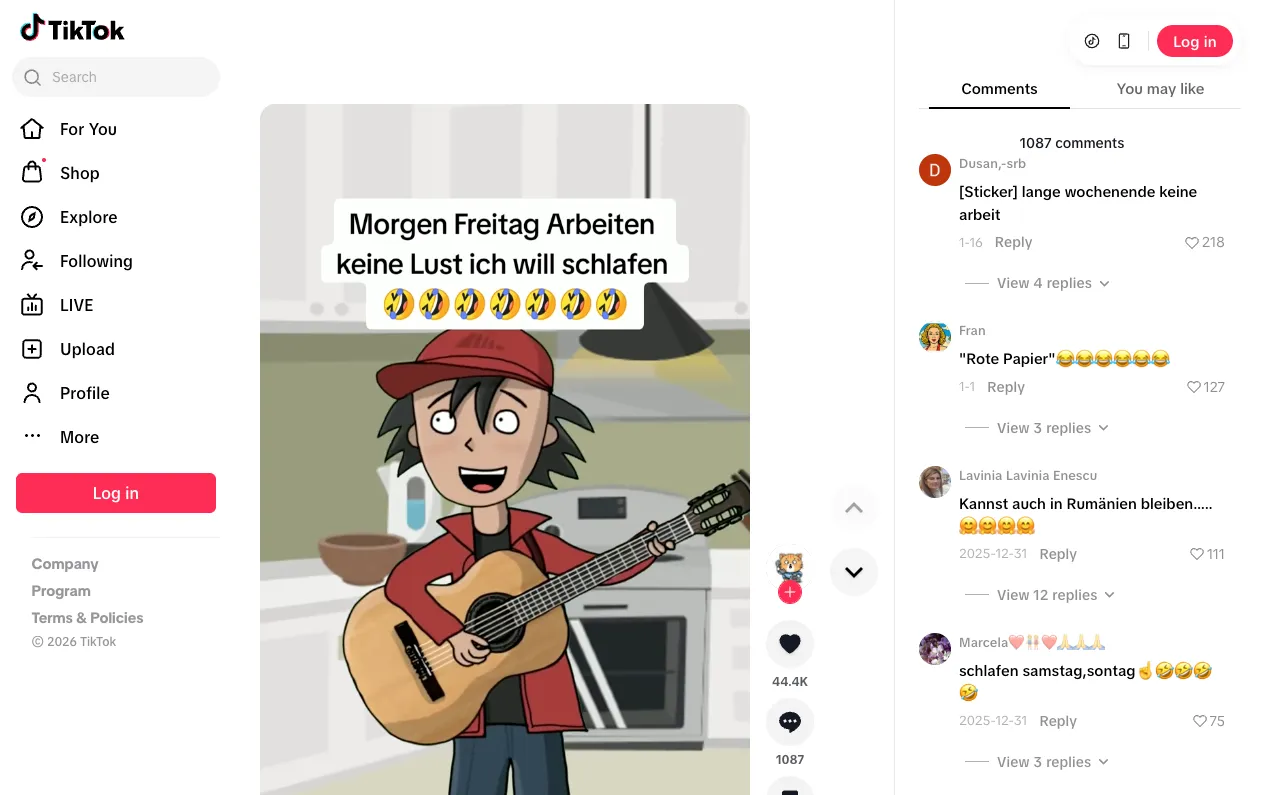
Extract comments and replies from any public TikTok video at scale. Give this Apify Actor one or more video URLs and it returns clean, structured JSON for every comment — text, author, like counts, reply threads, timestamps, and language — ready for sentiment analysis, trend research, or brand monitoring.
🚀 Key Features
- 📥 Bulk extraction — scrape comments from multiple TikTok videos in a single run
- 🧵 Reply threads included — optionally collect up to 50 replies per comment, nested under their parent
- 🎚️ Volume control — set the maximum comments per video (up to 10,000) and replies per comment
- 🌐 Built-in residential proxies — reliable access to TikTok out of the box, no proxy setup needed
- 🖼️ Rich metadata — user nicknames and IDs, avatars, like counts, comment images, timestamps, language
- 📤 Multiple export formats — JSON, CSV, Excel, XML via the Apify dataset
- 🤖 AI-agent ready — callable from LLM agents through Apify's MCP server and REST API
💡 Common Use Cases
- Market research — analyze audience sentiment and trends around products or creators
- Competitor analysis — monitor engagement and audience feedback on competitor content
- Content strategy — identify popular topics and trending discussions
- Brand monitoring — track mentions and customer feedback in comment sections
- Academic research — collect social media discussion data for studies
📥 Input Configuration
| Field | Type | Description | Default |
|---|---|---|---|
urls | Array of URLs | TikTok video URLs to scrape comments from. | Required |
max_comments | Integer | Maximum number of comments to scrape per video (1–10,000). | 50 |
include_replies | Boolean | Whether to also scrape replies for each comment. | true |
max_replies_per_comment | Integer | Maximum number of replies to scrape per comment (1–50). | 10 |
Example Input
📤 Output
Each dataset item is one comment, with its replies nested inside.
| Field | Type | Description |
|---|---|---|
text | String | The comment text. |
cid | String | Unique comment ID. |
aweme_id | String | ID of the TikTok video the comment belongs to. |
create_time | Integer | Unix timestamp of when the comment was posted. |
comment_language | String | Detected language code of the comment (e.g. en). |
nickname | String | Display name of the comment author. |
unique_id | String | Author's TikTok handle. |
user_avatar_urls | Array | Author avatar image URLs (signed TikTok CDN links). |
digg_count | Integer | Number of likes on the comment. |
reply_comment_total | Integer | Total number of replies the comment has on TikTok. |
replies_scraped | Integer | Number of replies actually collected for this comment. |
author_pin | Boolean | Whether the video author pinned this comment. |
has_images | Boolean | Whether the comment has attached images. |
image_list | Array | null | Attached comment images with crop_url and origin_url variants (dimensions + URL list). |
replies | Array | Nested reply comments — same fields as above, plus reply_to_reply_id for threading ("0" = direct reply to the comment). |
Example Output (one dataset item)
Image and avatar URLs are TikTok CDN links signed with an expiry — download them promptly if you need the media itself. (URLs above are shortened for readability.)
You can export the dataset as JSON, CSV, Excel, XML, RSS, or HTML directly from the Apify Console, or pull it through the Apify API.
💰 Pricing
This Actor is pay per event: you pay per comment saved to the dataset, and the replies nested inside a comment are included at no extra charge. On the free Apify plan a comment costs $0.0025, so 1,000 comments cost $2.50; paid Apify plans get a lower per-comment price, down to $0.002. Apify platform usage is billed on top. A free Apify account is enough to try it.
🛠️ How to Use
- Input — paste one or more TikTok video URLs
- Configure — set
max_commentsper video and whether to include replies - Run — start the Actor and watch comments stream into the dataset
- Export — download the data in your preferred format, or fetch it via API
❓ FAQs
What does this Actor scrape?
It is a TikTok comments scraper: it collects comments and (optionally) their reply threads from public TikTok videos, with author info, like counts, timestamps, language, and attached images. Use it to scrape TikTok comments for sentiment analysis, audience research or brand monitoring.
Do I need a TikTok account, login, or cookies?
No. The scraper works with public TikTok videos out of the box.
Do I need to configure proxies?
No — the Actor uses Apify residential proxies automatically for reliable access.
How many comments can I get per video?
Up to 10,000 per video via the max_comments input; the default is 50. max_comments applies to each video separately, and a video with fewer comments returns what it has.
Are replies included?
Yes, by default. Each comment carries a nested replies array (up to max_replies_per_comment, max 50). Set include_replies to false to skip them and speed up runs.
How do I turn a run into ongoing monitoring?
Schedule the Actor in the Apify Console to run hourly, daily, or weekly against the same URLs, and compare datasets between runs.
Can I integrate it with my own tools or AI agents?
Yes — every Apify Actor exposes a REST API and webhooks, integrates with Zapier, Make, Google Sheets, and Slack, and can be called by LLM agents through Apify's MCP server.
Is it legal to scrape TikTok comments?
This scraper accesses only publicly available comments. You're responsible for ensuring your specific use case complies with TikTok's terms of service and applicable laws (including privacy laws) in your jurisdiction. If you're unsure, consult a lawyer.
🧩 Part of the TikTok Scraper Suite
Goldmine's TikTok Scraper Suite covers search results, posts, comments and video files. Also try:
- TikTok Search Scraper — find TikTok videos by keyword, with full stats per result
- TikTok Post Scraper — views, likes, shares, hashtags and author for TikTok posts
- TikTok Video Downloader — download TikTok videos as MP4 files
See every Goldmine Actor at apify.com/logical_scrapers.
📷 Image Credit
Image credit: tiktok.com
📬 Contact & Support
- Issues & feature requests: use the Issues tab on this Actor's page — that is the quickest way to get a fix.
- Email:
coredev.dan@gmail.com - If this Actor saved you time, please leave a ⭐ rating on the Apify Store. It helps us keep it maintained.


