

LinkedIn Public Scraper (Jobs, Companies, Posters)
Under maintenancePricing
from $0.35 / 1,000 results
LinkedIn Public Scraper (Jobs, Companies, Posters)
Under maintenanceScrape public LinkedIn job listings and company profiles — no login, no cookies, no account risk. Get titles, companies, salaries, descriptions, employment type, and full company data. Features incremental updates, adaptive rate-limiting, and drift detection. Fast, lightweight, and compliant.
Pricing
from $0.35 / 1,000 results
Rating
0.0
(0)
Developer

Vivek Gaur
Maintained by CommunityActor stats
0
Bookmarked
1
Total users
0
Monthly active users
16 days ago
Last modified
Categories
Share
🔒 LinkedIn Public Scraper — Jobs, Companies & More
Extract public LinkedIn job listings and company pages — no login, no cookies, no account risk.



📑 Table of Contents
- Why Use This Scraper?
- Quick Start
- Programmatic Integration (API)
- AI & Agent Integrations (MCP)
- Input Parameters
- Output Format
- Incremental Mode
- Adaptive Rate-Limiting
- Drift Detection (Canary)
- Pricing
- Frequently Asked Questions
- Legal & Disclaimer
🌟 Why Use This Scraper?
✅ No Login, No Cookies – Works entirely on LinkedIn's public, logged-out surface. No credentials, no CAPTCHAs, no account-ban risk.
✅ Jobs + Companies in One Actor – Scrape job listings and public company profiles in a single run. Most scrapers do only one.
✅ Incremental Updates – Only emit new, changed, or expired items versus a previous run. Keep scheduled scrapes cheap and fresh.
✅ Adaptive Rate-Limiting – Automatically slows down on 429/5xx and handles blocks gracefully, so it's resilient at scale — no hardcoded "safe" limits.
✅ Drift Detection – A canary mode alerts you the moment LinkedIn changes its page structure, before your users hit breakage.
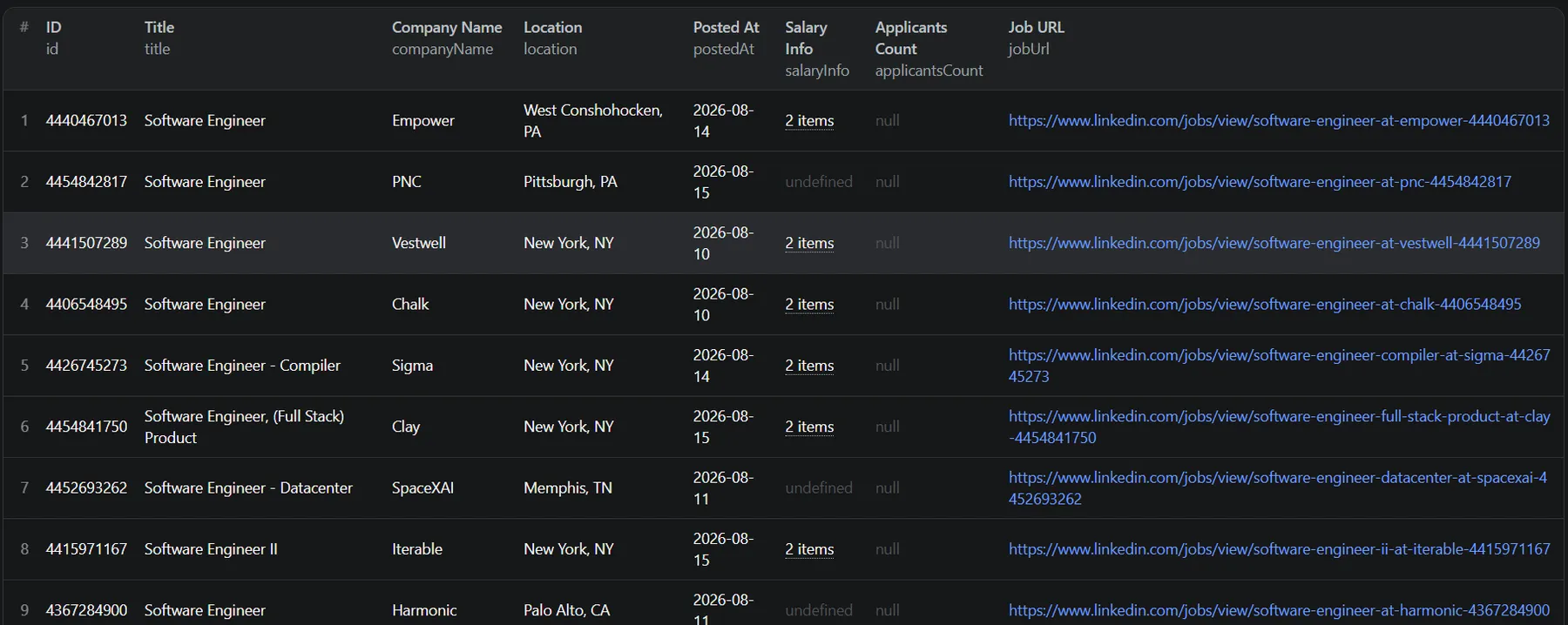
✅ Rich, Structured Data – Full job details (salary, seniority, employment type, function, industries, benefits, applicants, Easy Apply, remote) + full company profiles (industry, size, employees, headquarters, website, founded, specialties).
✅ Lightweight & Fast – Plain HTTP + parsing (no heavy browser), so it's low-cost and quick to run.
⚡ Quick Start
Get your data in three simple steps on the Apify platform:
- Open the Actor page.
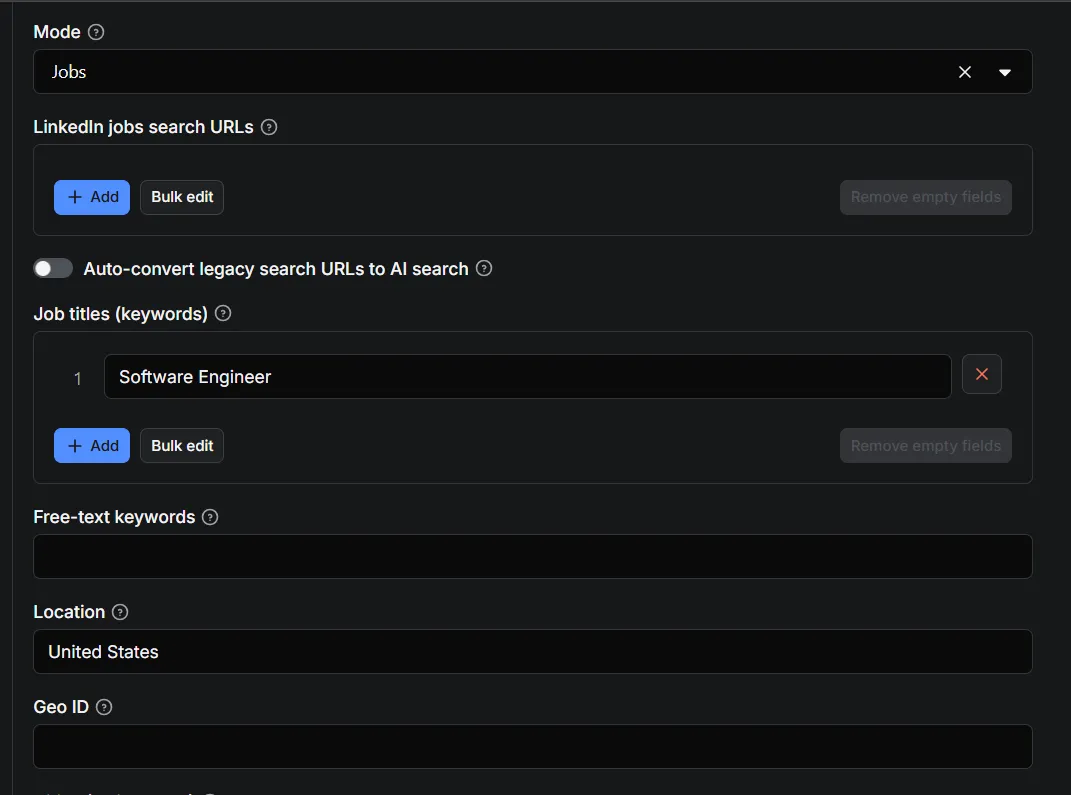
- Fill in the inputs (e.g. Job Titles:
["Software Engineer"], Location:United States). - Click "Start" and wait for the run to finish.
- Download the data in JSON, CSV, XML, Excel, or JSONL.
Or run it right from the Apify API (below).
💻 Programmatic Integration (API)
Integrate the scraper into your database, app, or automation pipeline using the Apify API.
Node.js Example
Python Example
🤖 AI & Agent Integrations (MCP)
Feed real-time LinkedIn job data to your AI agents. The actor integrates with the Apify Model Context Protocol (MCP) server, so you can query it directly from Claude, ChatGPT, Cursor, and other MCP-compatible clients — great for job-market analysis, salary benchmarking, and hiring research pipelines.
📥 Input Parameters
See .actor/input_schema.json for the full form. Highlights:
| Field | Description |
|---|---|
mode | jobs · companies · both |
searchUrls | Paste LinkedIn jobs search URLs (from incognito). Overrides filters when set. |
jobsTitles / keywords | Job titles to search. Each runs its own search; results are merged & de-duplicated. |
location / geoId / cities | Location targeting. cities splits a search across cities to bypass LinkedIn's ~1000-per-search cap. |
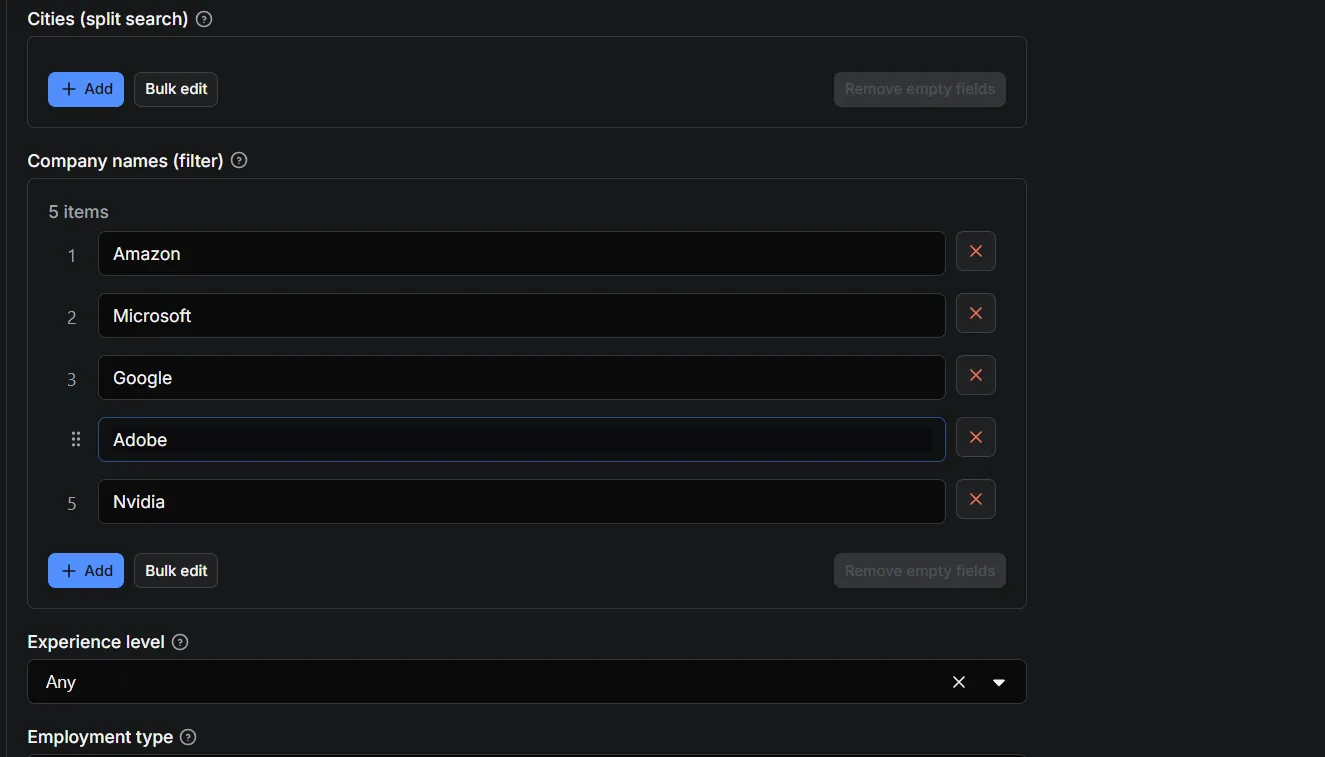
companyNames | Restrict job searches, or (in companies/both mode) the companies to profile. |
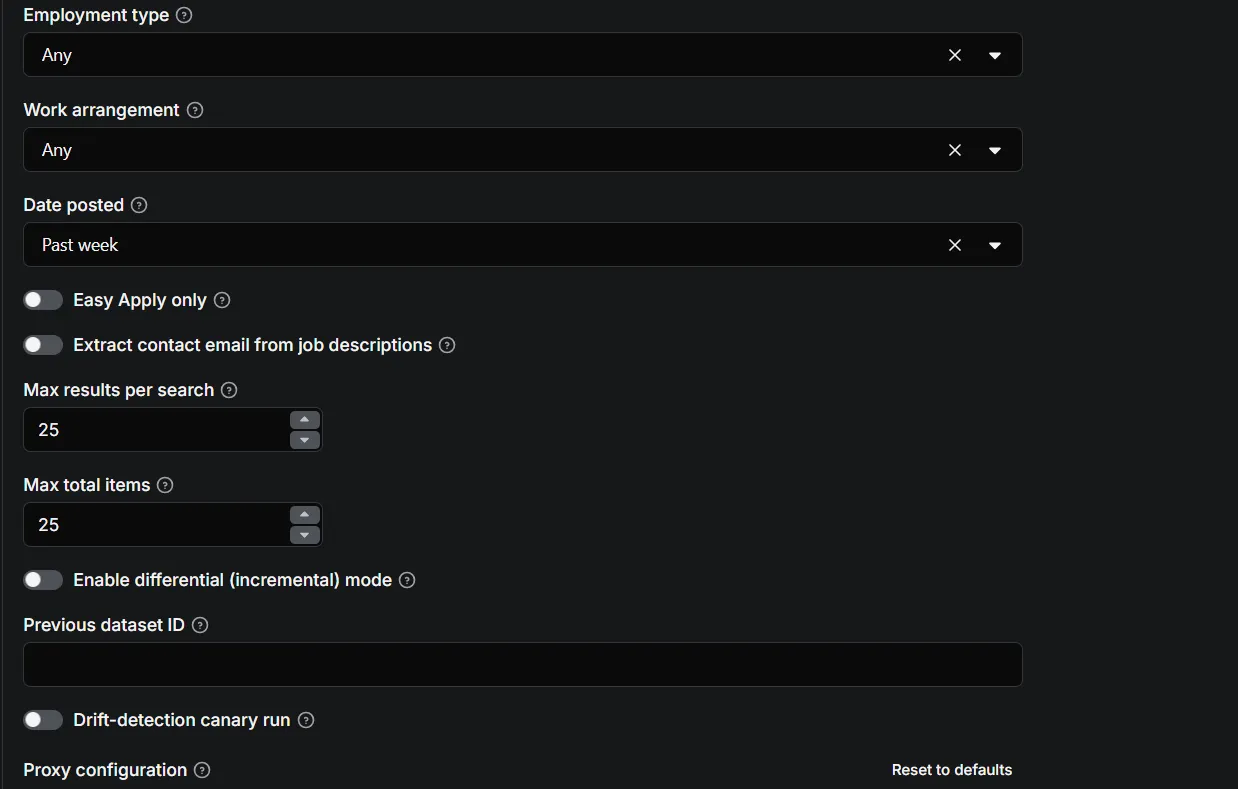
experienceLevel / employmentType / workArrangement / postedWithin | Standard LinkedIn filters. |
easyApplyOnly | Restrict results to Easy Apply jobs. |
extractContactEmail | Opt-in. Extract the first email from a public job description. See GDPR note. |
enableDifferential + previousDatasetId | Incremental mode — only emit NEW / CHANGED / EXPIRED rows. |
canaryMode | Drift-detection canary against a fixed sample + stored known-good schema. |
proxyConfiguration | Datacenter by default. Switch to residential if you hit authwalls. |
minDelayMs / maxDelayMs / maxConcurrency | Throttling knobs. Adaptive backoff overrides these on errors. |
Example input
📤 Output Format
Job row
id, jobUrl, title, companyName, companyUrl, companyLogoUrl, location, postedAt, applicantsCount, salaryInfo, jobDescription, jobDescriptionHtml, seniorityLevel, employmentType, jobFunction, industries, benefits, workplaceTypes, workRemoteAllowed, contactEmail (opt-in), source, scrapedAt.
Company row
companyName, linkedinUrl, universalName, tagline, industry, description, website, employeesCount, companySize, organizationType, followersCount, foundedYear, headquarters, specialties, source, scrapedAt.
Every row includes source and scrapedAt so you can trace where each record came from and when it was captured.
🔄 Incremental Mode
Enable enableDifferential and pass a previousDatasetId to compare against a prior run. The actor then emits only:
newitems not seen before,changeditems whose data shifted,expiredcontrol rows ({ type: 'expired', key, kind }) for jobs/companies that disappeared.
This keeps scheduled runs cheap for you and the data fresh — you get changes, not a full re-scrape every time.
🛡️ Adaptive Rate-Limiting
No hardcoded "safe" numbers. The actor:
- Starts at your
minDelayMs/maxDelayMs, paced with normally-distributed delays. - On 429 / 5xx → exponentially backs off and effectively reduces concurrency.
- On 403 or an authwall redirect → treats it as a hard/blocked error, surfaces it clearly, and doesn't hammer the endpoint.
- Recovers gradually after a run of clean requests.
- Logs its live mean delay so you can calibrate.
🚨 Drift Detection (Canary)
Run with canaryMode: true on a schedule (optionally set the DRIFT_WEBHOOK_URL env var for alerts). It re-scrapes a small, fixed sample of job/company URLs and compares the observed structure against a stored "known-good" snapshot in the key-value store. On a mismatch it logs, emits a drift-alert row, and pings the webhook — so you learn about a LinkedIn change before your users do.
💰 Pricing
Pay-per-event: actor-start once, result-item per output row.
Limited-time launch price: $0.35 / 1,000 results — undercutting the category while you get started. Configure the pricing model in the Apify Console → Pricing tab using the two events this actor emits (actor-start, result-item). Pricing is re-evaluated after measuring real unit economics.
❓ Frequently Asked Questions (FAQ)
Q: Do I need a LinkedIn account or cookies? A: No. This actor uses LinkedIn's public, logged-out endpoints only. No account, no login, no cookies, no account-ban risk.
Q: Is scraping public LinkedIn data legal? A: Scraping publicly available data is generally defensible under US law (hiQ Labs v. LinkedIn, 9th Cir. 2022). However, automated access still technically violates LinkedIn's Terms of Service, and bulk resale of scraped datasets is the risky edge. Use this for lawful research, market analysis, and job aggregation — do not resell the scraped datasets as a data product.
Q: Can I scrape profiles, employees, or posts? A: No. Those require an authenticated session (Voyager) and are deliberately out of scope for this actor, which stays within public data only.
Q: How many jobs can I scrape in one run?
A: Up to ~1000 per search (LinkedIn's cap). By running multiple keywords/locations/cities you can exceed that in a single run, subject to your maxItems setting and proxy/rate-limit behavior.
Q: How do I keep getting fresh jobs every day?
A: Use the date filter (e.g. postedWithin: "r86400") and schedule the actor daily. Combine with incremental mode to only see what's new or changed.
⚖️ Legal & Disclaimer
- This tool is intended for lawful research, market analysis, and job-aggregation use cases.
- It only touches data visible without authentication and does not bypass any access controls.
- The operator acts as a data processor on the requester's behalf; the requester is responsible for lawful basis. Data lives in the requester's dataset, not the operator's stores.
- Automated access technically violates LinkedIn's ToS; use responsibly and respect rate limits.
- The author is not responsible for misuse of this tool.
🛠️ Development
Uses apify, crawlee, got-scraping, and cheerio. No browser is required, so it runs on the lightweight apify/actor-node:20 image.


