

Airbnb Reviews Scraper
Pricing
from $1.79 / 1,000 delivered airbnb reviews
Airbnb Reviews Scraper
Export flat, deduplicated Airbnb reviews with ratings, public reviewer fields, host responses, practical filters, per-listing coverage, and optional repeat-run change tracking.

Use this Airbnb reviews scraper to convert listing URLs into flat, deduplicated review rows with stable identity, original text, ratings, public reviewer fields, host responses, and explicit per-listing coverage. Choose a one-time Airbnb review export for analysis or repeat-run comparison to write only new and updated reviews.
The Actor is designed for reputation research, host-response tracking, review datasets, and recurring monitoring. It distinguishes a genuinely exhausted source from a capped, challenged, or failed window, so incomplete collection is never presented as complete or empty.
🚀 Start in 60 seconds
Paste one public Airbnb room URL and keep the 25-review prefill:
Run the Actor, then open:
- Reviews overview for the most useful review, rating, reply, state, and coverage fields.
- Full review export for every schema-backed field.
OUTPUTin the default key-value store for per-listing coverage, limits, warnings, and billing counts.
The first request to a listing can take longer than later pages. Keep the first test to one listing; wider batches can then use the default listing concurrency.
🎯 Choose the right workflow
One-time export
Keep:
Every accepted review is written with state: "CURRENT". This is the clearest choice for a single export, an analysis dataset, or a workflow that manages its own history.
Track changes across runs
Use:
The first changes-only Compare run creates an Actor-scoped V2 baseline and writes no review_result rows. This prevents a release migration or a new namespace from rebilling historical reviews as changes. Later compatible runs classify stable review identities as NEW, UPDATED, or UNCHANGED; with includeUnchanged: false, only NEW and UPDATED rows are written.
On repeat runs with the same listing URLs, extraction settings, and stateNamespace, the Actor compares the new trusted window with that V2 baseline. It writes only genuinely NEW or UPDATED rows when unchanged output is off; unchanged reviews remain free, and failed or unverified targets do not advance state.
Reuse the same listing, extraction settings, and stateNamespace for a compatible comparison. Different namespaces keep independent monitors separate. Partial or capped windows never infer that a missing review was deleted.
Fast recent or full pagination
fast_recentmakes the minimum requests needed for the requested newest window. It is recommended for quick exports and monitoring.full_paginationcontinues until the requested cap, a hard safety ceiling, or positive source exhaustion. Reaching the cap is reported as partial or capped coverage.
Sorting and filters can change which reviews are observed. Use MOST_RECENT with a lower date boundary when you want the Actor to stop after it reaches older reviews.
📦 What you get
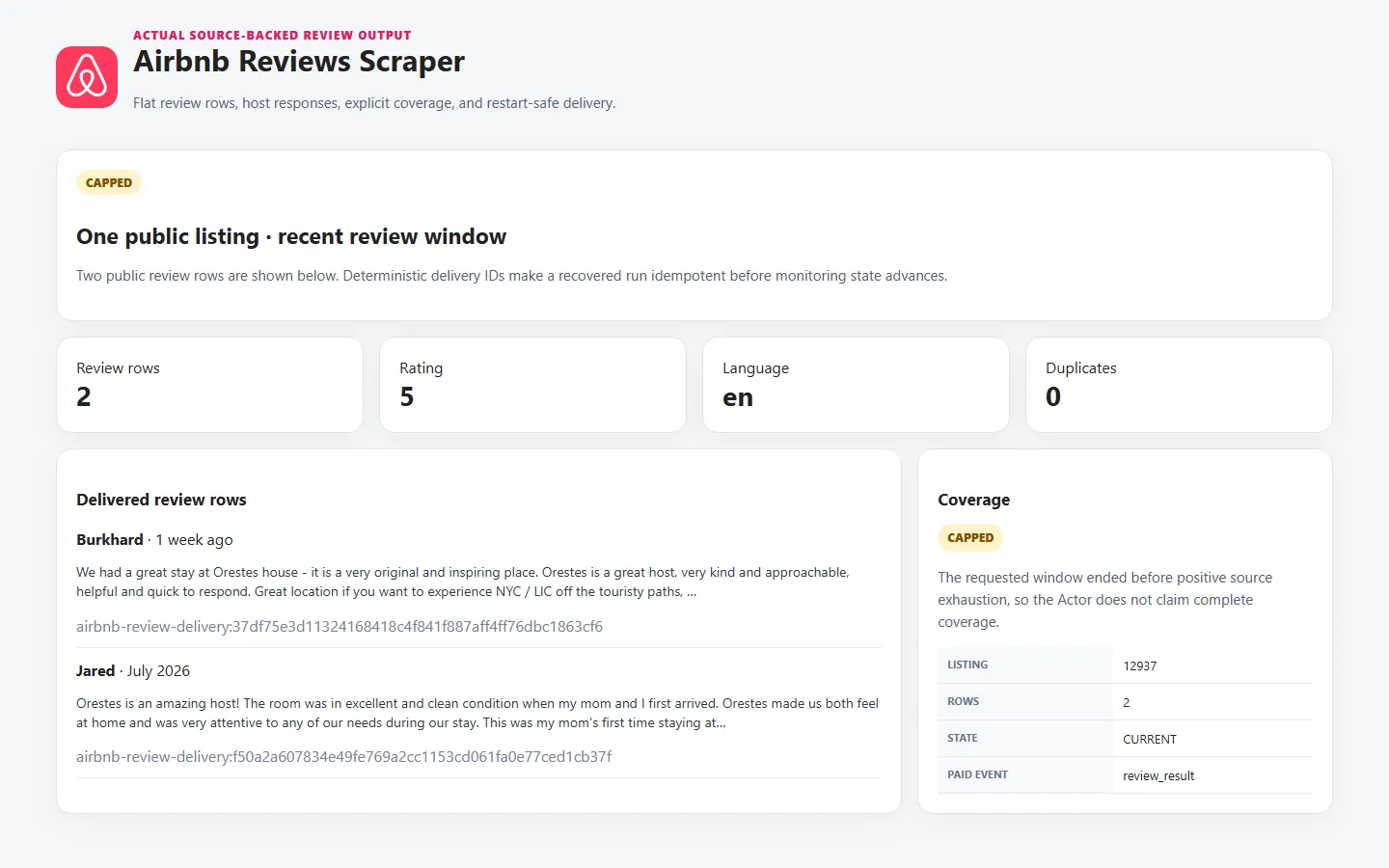
Each paid dataset item is one unique review row. Core fields include:
- stable buyer-facing
reviewIdfor deduplication and repeat-run results; - deterministic
deliveryIdfor idempotent restart recovery; - canonical
listingIdandlistingUrl; - original and localized review text where exposed;
- publication timestamp, source language, rating, and stay context;
- optional public reviewer fields;
- optional host response text and date;
- repeat-run state and comparison validity;
- canonical coverage status;
- collection timestamp and warnings.
A representative row shape:
Missing source fields remain null. Duplicate listing targets are processed once, and duplicate review identities are not delivered or charged twice.
🎛️ Input guide
Review selection
| Input | Use it when | Work and result impact |
|---|---|---|
listingUrls | You have one or more public Airbnb room URLs | Each unique listing adds source work; the schema accepts up to 100 entries |
maxReviewsPerListing | You need a bounded number of rows per listing | Higher values can require more pages and runtime |
scrapeMode | You want a recent window or deeper pagination | Full pagination continues until exhaustion, a cap, or a safety stop |
sortBy | You need newest, relevance, or rating order | Date-based early stopping is available only with Most recent |
sinceDate, untilDate | You need a publication window | Deterministic post-filters; the lower boundary can save pages with Most recent |
reviewLanguages | You need specific original languages | Empty keeps every language |
minRating, maxRating | You need a rating range | Applied deterministically to extracted rows |
Optional fields
locale controls localized source labels and dates; it does not translate review text. Turn off includeReviewerPublicFields for a smaller row shape. Turn off includeHostResponses when replies are not needed; V1 does not make a separate request for them.
Monitoring controls
incrementalMode, includeUnchanged, and stateNamespace work together. Changes-only delivery means incrementalMode: "compare" and includeUnchanged: false. Failed, blocked, and unverified targets are not charged a monitor_target event and do not advance monitoring state.
Limits and safeguards
pageSize: 50is the efficient default; smaller values usually increase request count.concurrencyparallelizes listings while pages within one listing remain ordered.maxRequestsandmaxRuntimeSecsstop new work before a hard buyer-visible ceiling.requestTimeoutSecsbounds one source request.
💰 Pricing
This Actor uses pay per event. The prices below are the current configured Store prices.
| Apify plan | Per delivered review | Per 1,000 delivered reviews |
|---|---|---|
| Free | $0.00319 | $3.19 |
| Bronze | $0.00287 | $2.87 |
| Silver | $0.00251 | $2.51 |
| Gold | $0.00179 | $1.79 |
| Platinum | $0.00135 | $1.35 |
| Diamond | $0.00076 | $0.76 |
One-time export formula
Free example: 25 delivered reviews cost $0.0043 + (25 × $0.00319) = $0.08405.
Gold example: the same 25 reviews cost $0.0043 + (25 × $0.00179) = $0.04905.
Gold reduces the review event by exactly $0.00140 per row, or $1.40 per 1,000, compared with Free. That is a 43.89% unit discount. At 25 delivered reviews, the complete-run saving is $0.03500, or 41.64%, because the $0.0043 start remains flat.
Changes-only formula
One verified target with no changed reviews costs $0.0043 + $0.0008 = $0.0051 on every plan. With five changed rows, the complete charge is $0.02105 on Free and $0.01405 on Gold.
Suppressed unchanged rows, coverage, warnings, duplicates, and failed, blocked, or unverified targets are free. The one-time start is charged only after at least one target returns usable source observations or positively proves an exhausted empty review set. A failed, blocked, challenged, or no-collection run does not charge it. The first changes-only Compare run can charge actor_start and one monitor_target per verified target, but writes and charges zero review_result rows while creating the Actor-scoped V2 baseline.
✅ Coverage you can trust
Every review row carries per-target coverage context, and OUTPUT contains the full run report.
COMPLETErequires positive source exhaustion for the requested extraction shape.PARTIALorCAPPEDmeans the review limit, request limit, runtime, charge limit, challenge, timeout, or other stop condition prevented a complete claim.EMPTY_CONFIRMEDrequires verified source evidence that no matching reviews exist for the requested shape.FAILEDorBLOCKEDis explicit and never converted to empty output success.
sourceTotalReviews, sourceOffset, sourcePage, sourceExhausted, and warnings help explain what was actually observed. Post-filters can legitimately produce zero delivered rows even when source reviews were seen; coverage keeps those cases distinct.
Monitoring state is fail-closed: an unverified target does not replace the last safe snapshot, and deletion is never inferred from partial or capped collection.
🔌 API and automation
Use the same input through the Apify API. Keep the Actor ID and token in environment variables:
After completion, read defaultDatasetId from the run and fetch:
For recurring monitoring, keep the same stateNamespace and compatible extraction settings on each scheduled call. The Actor does not create schedules itself.
❓ FAQ and support
Why did the first changes-only Compare run return no review rows?
There is no Actor-scoped V2 snapshot yet. The first run establishes a free review-row baseline so a release migration or new namespace cannot rebill historical reviews. Later compatible runs can identify and emit genuinely new or updated content. Use one-time export mode when you want the current review rows immediately.
Can changes-only monitoring cost money when zero rows are written?
Yes. A verified non-failed target uses one monitor_target event because source work and safe state comparison still occurred. No review_result event is charged when no changed row is delivered.
Why is coverage partial when I received the number of reviews requested?
Reaching maxReviewsPerListing proves the requested delivery cap was met, not that the source had no more reviews. Choose full pagination and a sufficiently high cap only when you need stronger exhaustion evidence.
What should I include in a support report?
Include the Apify run ID, input with tokens or secrets removed, the listing that failed, the expected and observed result, and the relevant row warnings or OUTPUT report. Never send an API token in a support message.


