

Realitica Property Scraper & Listing Monitor
Pricing
from $0.56 / 1,000 useful basic property listing or changes
Realitica Property Scraper & Listing Monitor
Scrape Realitica listings across the Balkans by location, filters, or URL. Export prices, €/m², rooms, images, and optional seller contacts. Monitor new listings, updates, price changes, and safely confirmed removals with coverage, summaries, duplicate clusters, and comparables.
Pricing
from $0.56 / 1,000 useful basic property listing or changes
Rating
0.0
(0)
Developer

Luka
Maintained by CommunityActor stats
0
Bookmarked
1
Total users
1
Monthly active users
4 days ago
Last modified
Categories
Share
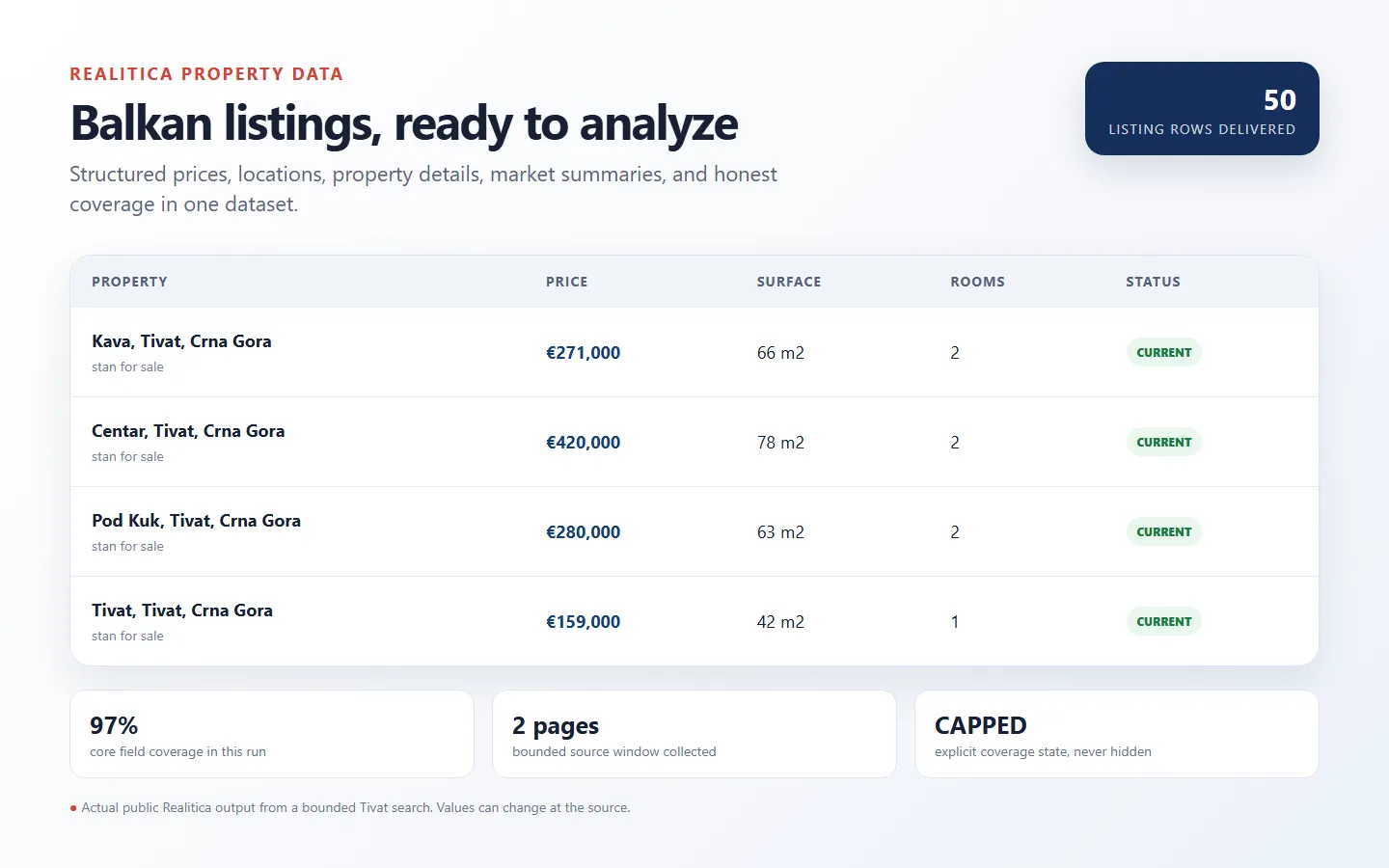
Use this Realitica property scraper to collect listings across Balkan markets as structured rows, then reuse the same input as a Balkan property monitor for new listings, updates, price movements, and safely proven removals. The Actor also produces free coverage evidence, market summaries, duplicate-agency clusters, and explainable comparable-property rows.
Start with familiar location fields or paste exact Realitica URLs. Basic runs stay lightweight; richer detail pages are opened only when you request them or activate a detail-dependent filter.
🚀 Start in 60 seconds
- Open Input and choose a country, area, listing mode, and property type.
- Keep Output mode on Current snapshot for the first exploratory run.
- Set Maximum listing rows to a small number such as
50. - Click Start, then open the Property listings dataset view.
If you already have an exact Realitica results page or listing page, use startUrls instead:
🎯 Choose the right workflow
| What you need | Recommended input | What happens |
|---|---|---|
| Browse a market | Country, area, mode, and property type | The Actor builds bounded Realitica searches |
| Reuse an exact source scope | startUrls | Up to three supplied URLs replace the generated searches |
| Export all current listings | stateMode: "current" | Every useful listing row is returned |
| Monitor only useful changes | stateMode: "changes" | First run seeds; later comparable runs emit changes |
| Bedrooms, parking, sea distance, seller, or phone | Detail controls | Detail pages open automatically and successful enriched rows use the detail price |
| Compare one property with the fetched market | referenceListing | Free comparable rows explain each similarity score |
When startUrls contains at least one URL, it takes precedence over Countries, Areas, Listing modes, Property types, source price, posting-window, and sort fields. Local row filters still apply after the supplied pages are fetched.
Generated searches are limited to three country × listing-mode targets per run. For example, one country with three modes is valid; two countries with two modes would create four targets and is rejected before source work.
📦 What you get
The default dataset intentionally contains several useful record types. Use recordType to select the right rows:
recordType | Purpose | Recommended view |
|---|---|---|
listing | Structured current listings or change events | Property listings |
market_summary | Count, price, and price-per-m² statistics | Analysis |
duplicate_cluster | Likely cross-agency duplicates with matching reasons | Analysis |
comparable | Reference-property matches with explainable scores | Analysis |
coverage | Target results, limits, warnings, field coverage, and billing summary | Coverage |
Listing rows can include location, property type, mode, price, currency, surface, price per m², rooms, seller, source dates, images, state fields, and the canonical Realitica URL. Detail rows may additionally contain bedrooms, bathrooms, parking, distance from sea, description, phone, and a list of fields actually delivered.
Core export fields are listingId, canonicalUrl, title, country, city, propertyType, listingMode, price, currency, surfaceM2, postedDate, postedDatePrecision, updatedDate, updatedDatePrecision, firstSeenAt, lastSeenAt, changeStatus, coverageState, coverageStatus, and collectedAt. Source-dependent fields remain null when the fetched page does not expose them.
For clean exports, filter recordType == "listing"; use the dedicated Analysis and Coverage views for the other rows. The OUTPUT key-value-store record provides a buyer-facing delivery summary, coverage, state counts, resource totals, and charge totals.
🎛️ Input guide
Location search. Countries, Areas, Listing modes, and Property types build the source queries. Source price, date, and sort controls narrow generated searches. Labels should match Realitica's current catalog.
Exact URLs. startUrls is an alternative source selector, not an additional filter. Once supplied, it replaces the generated location searches. Result limits and local filters still apply.
Local filters. Rooms, surface, price per m², currency, keywords, and sublocations filter normalized rows. A completed source request can therefore produce FILTERED coverage when valid source rows do not pass the selected local rules.
Paid detail activation. includeDetails, includeContact, parking: true, bedroom bounds, maximum sea distance, or a seller query opens detail pages automatically. A successfully enriched row receives one detailed_listing_result event instead of a basic event. Failed or unavailable detail can fall back to a basic row when delivery capacity remains.
Comparables. referenceListing scores only the listings already fetched in the run. It does not launch a broader premium search, and comparable evidence rows are free.
Limits. maxListings is the global listing-row ceiling. maxPagesPerSearch limits each source search. Reaching either while more data may remain produces CAPPED coverage rather than a false complete result.
Repeat runs & monitoring
Choose Changes since the previous comparable run, then repeat the same row-affecting input sequentially.
- The first Changes run emits observed listings as
SEEDEDand creates the baseline. - Later comparable runs emit
NEWlistings and meaningfulUPDATEDrows, including price-change fields. - Enable
includeUnchangedonly for audit exports; unchanged rows are free. - A missing listing becomes
ENDEDwithavailabilityStatus: "REMOVED"only after two comparable complete absences. - Capped, partial, blocked, failed, or filtered snapshots do not prove removal.
The Actor derives comparison scope from the source, filters, and detail options. Changing one of those settings creates a separate scope. Avoid overlapping runs for the same monitor.
💰 Pricing
This Actor uses pay per event. The configured schedule charges one start only after a usable verified source result or positively confirmed exhausted-empty result, plus one mutually exclusive event for each useful listing row.
| Event | Free tier | Bronze | Silver | Gold |
|---|---|---|---|---|
Validated Actor start (actor_start) | $0.005 | $0.005 | $0.005 | $0.005 |
Basic listing or useful change (listing_result) | $0.00080 | $0.00072 | $0.00064 | $0.00056 |
Detailed listing or useful change (detailed_listing_result) | $0.00160 | $0.00144 | $0.00128 | $0.00112 |
Free-tier examples:
- 25 basic Current rows:
$0.005 + 25 × $0.00080 = $0.025 - 25 successfully detailed Current rows:
$0.005 + 25 × $0.00160 = $0.045 - A successful verified Changes run with no paid change rows:
$0.005
The detailed event replaces the basic event for that row; it is not added on top. Blocked, failed, and unverified source attempts do not charge the start. Unchanged listings, coverage, summaries, clusters, comparables, and warnings are free. If requested detail is not successfully delivered, an otherwise useful row can fall back to the basic event.
✅ Coverage you can trust
Coverage evidence distinguishes a real source result from a stopped, filtered, or unverified run:
COMPLETE— the configured source window completed without a known cap.EMPTY_CONFIRMED— the source window completed and independently supports zero matching rows.CAPPED— a page, row, request, runtime, or billing ceiling stopped broader work.PARTIAL— useful data was delivered, but part of the requested work failed or remained unresolved.FILTERED— source rows were found, but local filters removed them from listing delivery.BLOCKED— the source denied reliable access for that target.FAILED— no trustworthy result or verified empty result was obtained.
Coverage rows remain in the mixed dataset even when no paid listing row is emitted. targetResults, warnings, raw and unique counts, duplicates removed, and field-coverage statistics explain what happened.
🔌 API and automation
Run with the Apify API by replacing ACTOR_ID and APIFY_TOKEN:
Export dataset rows as JSON, CSV, Excel, XML, RSS, or JSONL through Apify dataset endpoints. For monitoring, first save the exact Changes input as an Apify Task, run it once to seed state, and only then add a non-overlapping schedule.
❓ FAQ and support
Why were my country and area settings ignored?
Check startUrls. Any supplied Realitica URL takes precedence over the generated location search.
Why did a basic-looking filter increase the row price?
Bedrooms, parking, sea distance, seller, and phone are detail-page fields. Requesting one automatically activates detail work. Successful enriched rows use the detailed price instead of the basic price.
Why do some columns look empty?
The dataset contains listings, summaries, clusters, comparables, and coverage. Filter on recordType, or switch to the matching dataset view.
Why did the first Changes run return SEEDED rows?
It created the baseline. Keep the same source, filters, and detail options, then run sequentially to receive later changes.
Why was a missing listing not marked REMOVED?
Removal needs two comparable complete absences. A capped, partial, blocked, failed, or filtered run cannot safely prove disappearance.
For support, share the Apify run ID, the input with sensitive values removed, and the Coverage row or buyer-facing OUTPUT warning.


