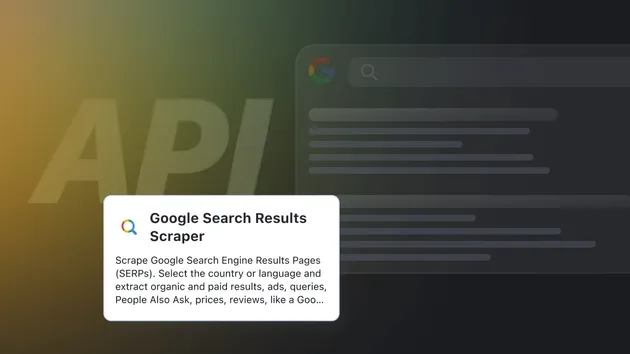
Google Search Scraper – SERP Results with Advanced Filters
Pricing
from $4.50 / 1,000 search results pages
Google Search Scraper – SERP Results with Advanced Filters
Google search results scraper (SERP): position, title, link and snippet for many keywords, with every advanced search filter, any country and language, web, news, images and more. Export to CSV, JSON, Excel or API.
Pricing
from $4.50 / 1,000 search results pages
Rating
0.0
(0)
Developer

Maged
Maintained by CommunityActor stats
0
Bookmarked
3
Total users
2
Monthly active users
7 days ago
Last modified
Categories
Features
Share
What does Google Search Results Scraper do?
Google Search Results Scraper returns Google search results (SERP) for any keyword: the position, title, link, snippet and domain of every organic result, page after page. It also covers Google's advanced search: exact phrase, all/any/none of these words, site, file type, number ranges, date ranges, last update, where the terms appear, language, region and any Google country domain. It handles web, images, news, videos and books searches.
It runs on the Apify platform, so you can schedule it, call it from the API, or connect it to Make, Zapier, n8n and Google Sheets.
Why use it?
- Rank tracking: every row has its
queryandposition, so you can see where a site ranks for each keyword. - Advanced search without the syntax: every option from Google's advanced search page is its own input field.
- Many keywords per run: up to 100 queries, each with as many result pages as you need.
- Any country: set the Google domain (google.co.uk, google.de, google.com.br…) plus the language and region filters.
- Clean, flat rows: ready for CSV, Excel, JSON or the API.
How to use it
- Add one or more Search queries.
- Optionally set the number of pages, results per page, the Google domain and any advanced filters.
- Click Start. Results appear in the Output tab as they come in.
- Download them as CSV, JSON or Excel, or read them through the API.
Input
Search
| Field | What it does |
|---|---|
queries | One or more searches (up to 100 per run). |
query | A single search. Kept for older integrations. |
search_type | web (default), images, news, videos or books. |
google_domain | Which Google to ask, for example google.co.uk or google.de. The country comes from the domain. |
pages, start_page, results_per_page | How many result pages, where to start, and results per page. |
unique_urls, unique_domains | Drop repeated links, or keep only the first result per domain. |
safe_search | Filter explicit results (on by default). |
Advanced search
| Field | What it does |
|---|---|
exact_phrase | Results must contain this exact phrase. |
all_words, any_words, none_words | All of these words, any of them, or none of them. |
site | Only results from this site or domain (for example github.com). |
file_type | Only files of this type: pdf, doc, docx, xls, xlsx, ppt, pptx, txt, rtf, ps, swf, kml, kmz. |
numbers_from, numbers_to | A number range, often used for prices. |
terms_appearing | Where the terms must appear: anywhere, title, url, body or links. |
language | Results in one of 34 languages. |
region | Results from one of 54 regions. |
last_update | Updated in the past hour, day, week, month or year. |
from_date, to_date | A custom date range. |
custom_tbs | Google's raw tbs filter, for advanced users. |
custom_url | Paste a full Google search URL to scrape exactly that search (overrides most other fields). |
Output
One row per result:
| Field | Description |
|---|---|
query | The search this result belongs to. |
position | Rank among this query's results (1 = first). |
title | Result title. |
link | Result URL. |
host | Domain of the result. |
text | The snippet shown under the title. |
page | Which results page it was on. |
engine | google, google_news, google_videos, google_images or google_books. |
Extra fields by search type:
- News:
source(the publisher) andpublished(for example "7 hours ago"). - Videos:
duration. - News and video links point straight to the article or video. Occasionally one stays a Google redirect link (
google.com/goto?...), which still opens the right page. - Images:
image(full-size image URL),thumbnail,imageWidthandimageHeight.linkis the page the image is on.
How is a run charged?
You pay a small fee for each Google results page the Actor loads, plus a fee per result. A page is charged even if it has few results, because loading it costs the same; retries after a failed request are never charged. If a run reaches your spending limit, it stops before loading pages it couldn't pay for, and the status message tells you how many queries were left.
How many results will I get?
Usually 10 per page and query. Set pages for more. Google sometimes shows fewer results on later pages, and very narrow filters can return few or none. The run's status message tells you which queries came back empty.
FAQ
Does this include ads? No. It returns organic results only; paid ads are left out.
Can I track rankings over time?
Yes. Schedule the Actor (daily or weekly) with your keywords and compare position per link between runs.
Can I search Google in another country?
Yes. Set google_domain (for example google.fr) and, if you like, language and region.
Is this Actor maintained? Yes. Report bugs or feature requests in the Issues tab, or reach out on Discord: maged03211.
⭐ Found this Actor useful? A quick review on the Store helps other users find it and keeps it maintained.
Related tools
- Google Trends Scraper – interest over time, by region and related queries
- Google Autocomplete – keyword suggestions for any search
- Google Index Checker – see whether your pages are indexed
- Keyword Research Tool – search volume and keyword ideas
- Website URL Crawler – every link of a site, sitemap URLs and broken links