

YouTube Transcript Scraper: Original Language, SRT, Markdown
Pricing
from $3.00 / 1,000 transcripts
YouTube Transcript Scraper: Original Language, SRT, Markdown
Get YouTube transcripts in the video's original language, not the wrong language of a random caption track. Videos, playlists, channels or search to text, SRT or Markdown. $3 per 1,000.

YouTube Transcript Scraper: Original Language, SRT and Markdown
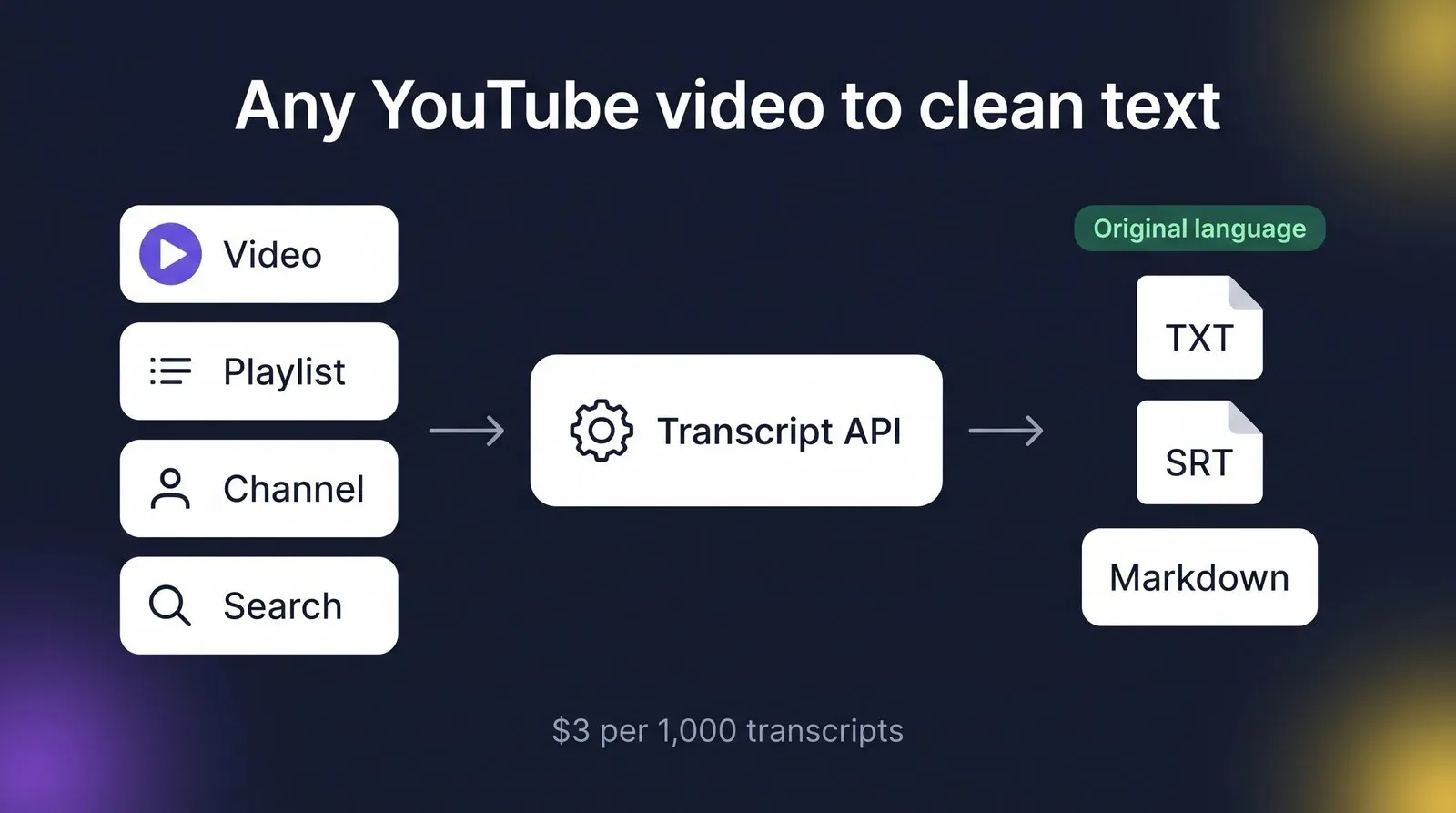
Get clean transcripts from any YouTube video, playlist, channel or search, in the language the video is actually spoken in. Each transcript comes as plain text, timestamped text, SRT subtitles and Markdown, together with the title, channel, duration and language.
$3 per 1,000 transcripts. You only pay when a transcript is delivered. Videos without captions are free.
Why this one
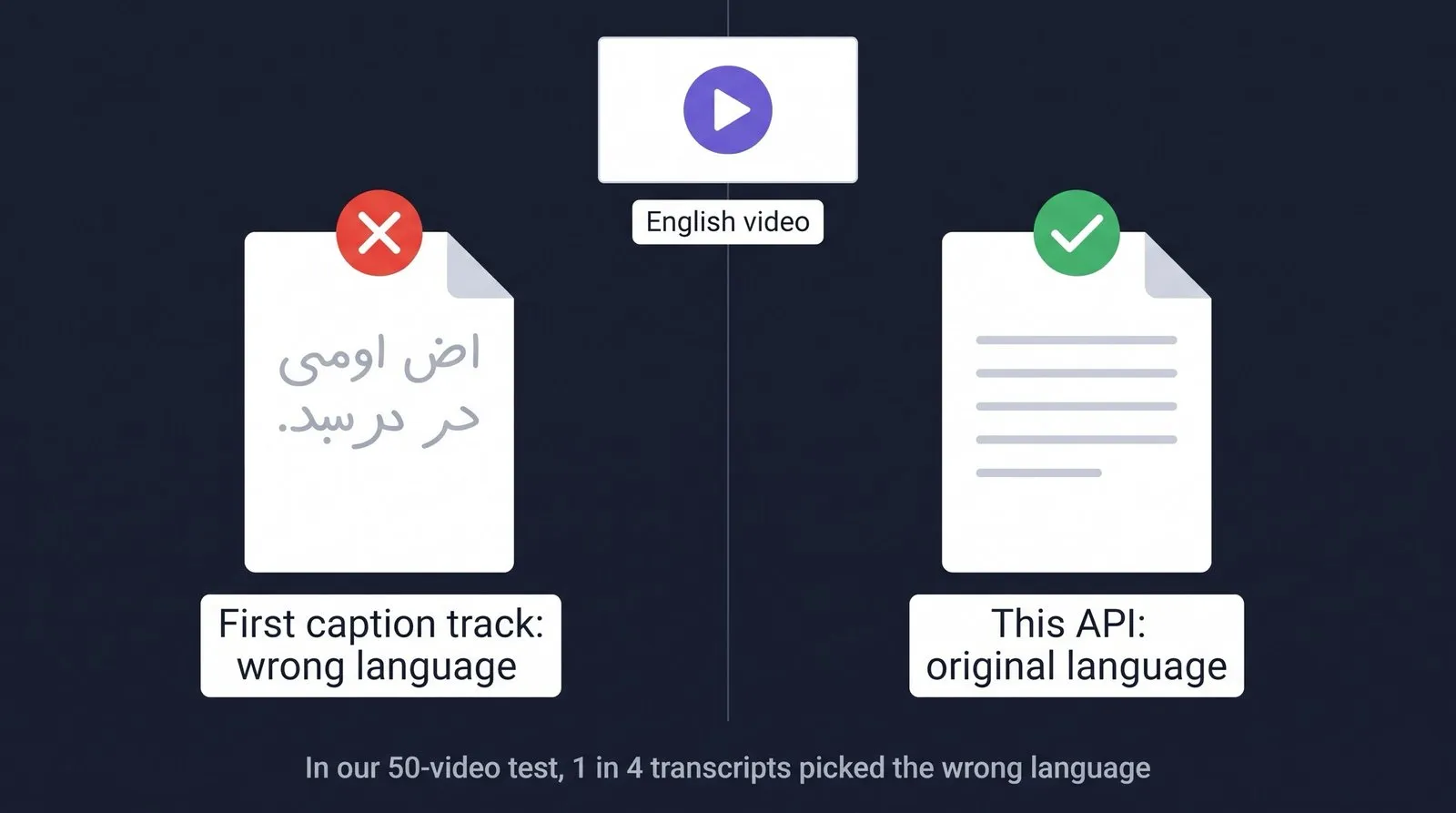
- Original language by default. You get the language the video is spoken in, not a random caption track. Human-made captions come first; auto-generated captions are used only when there are none. Dubbed videos are handled too: the original audio track is detected.
- Every format you need. Plain text, timestamped text, SRT subtitles and Markdown in one run, plus optional raw segments with start times.
- Any input. Video links or IDs, playlists, whole channels and search terms.
- $3 per 1,000 transcripts. You pay only for delivered transcripts.
- Videos without captions are free. They come back clearly marked
no_captionsand are never charged.
What you can do with it
- AI and RAG: feed lectures, podcasts and tutorials to ChatGPT, Claude, LangChain or LlamaIndex. Use
includeSegmentsfor timestamped chunks. - Summaries and newsletters: turn a channel's weekly uploads into notes.
- Content repurposing and SEO: blog posts, show notes and quotes from your own videos.
- Subtitles: download ready-to-use
.srtfiles. - Research: analyse what is being said across a whole channel or search topic.
How to use
- Paste one or more items in Videos, playlists, channels or search terms, one per line:
https://www.youtube.com/watch?v=UF8uR6Z6KLc(alsoyoutu.be/…,/shorts/…,/live/…, or just the 11-character ID)https://www.youtube.com/playlist?list=PL…https://www.youtube.com/@TED(also/channel/UC…,/c/…,/user/…)machine learning lecture(any search term)
- Set Max videos per playlist, channel or search (default 20).
- Optional: type a Language code (
en,es,pt,de,ja…) if you want a specific language instead of the original. - Click Start. Results appear in the Output tab and can be exported as JSON, CSV, Excel or HTML.
Input example
Output example
Illustrative example (values shortened):
Status values
status | Meaning | Charged |
|---|---|---|
ok | Transcript delivered | Yes |
no_captions | The video has no captions at all (common for music, live streams and some Shorts) | No |
language_not_available | You asked for a language the video doesn't have and YouTube refused auto-translation. See availableLanguages | No |
original_language_not_available | Only captions in other languages exist. Set language to one of availableLanguages | No |
unavailable | Private, deleted, age-restricted or region-blocked video | No |
error | Temporary failure after several retries | No |
Pricing
Pay-per-event: $0.003 per delivered transcript ($3 per 1,000), plus a tiny start fee of $0.00005 per run. Nothing is charged for videos without captions, unavailable videos or errors. You can cap the cost of any run with the Max total charge option in the run settings; the Actor stops as soon as the cap is reached.
Platform usage (proxies and compute) is included in the price.
Use it from code
Python
JavaScript
It also works with Make, Zapier, n8n, LangChain and the Apify MCP server for AI agents.
FAQ
Which language do I get? By default, the language spoken in the video. The Actor reads the original audio track (important for dubbed videos) and the speech-recognition track to find it, then delivers human-made captions in that language, or YouTube's auto-generated captions if there are no human ones.
Can I get another language?
Yes, set language. If the video has captions in that language you get them. If not, the Actor tries YouTube's auto-translation, which YouTube often refuses; in that case the item is not charged and availableLanguages lists what exists.
Only human captions?
Turn off Use auto-generated captions. Videos with only auto-generated captions will then come back as no_captions and are not charged.
Very long videos?
Supported (tested with 12-hour lectures). If a single result is too large for one dataset item (rare, over about 8 MB), the large formats are saved to the run's key-value store and the item contains a link (srtUrl, markdownUrl, ...).
How fast is it? In our tests, 50 videos took about one and a half minutes with the default settings (10 in parallel).
Is it legal? The Actor only reads publicly available captions that anyone can see on YouTube. You are responsible for how you use the data, including copyright and YouTube's terms. Don't use it for personal data you have no legal basis to process.
Support
Found a problem or need a feature? Open an issue in the Issues tab.


