

CISA KEV Watchlist Monitor - Catalog Changes and EPSS
Pricing
from $1.20 / 1,000 vulnerability observations
CISA KEV Watchlist Monitor - Catalog Changes and EPSS
Monitor CISA known exploited vulnerability watchlists by vendor, product or CVE. Track saved catalog revisions, exact match evidence and optional FIRST EPSS scores. No API key.
Pricing
from $1.20 / 1,000 vulnerability observations
Rating
0.0
(0)
Developer

Brandt May
Maintained by CommunityActor stats
0
Bookmarked
2
Total users
1
Monthly active users
2 days ago
Last modified
Categories
Share
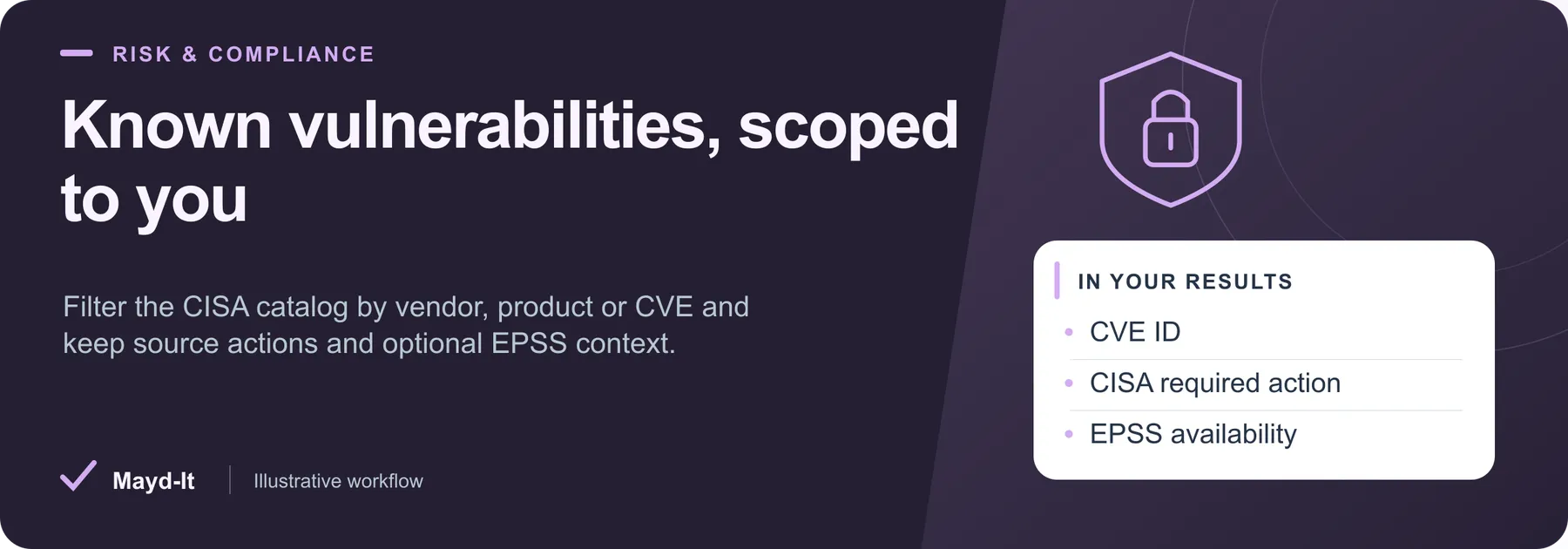
Known vulnerabilities, scoped to you
Turn the CISA Known Exploited Vulnerabilities catalog into a repeatable watchlist for security research and service-desk workflows. Saved observations retain published actions, exact match evidence and optional source-dated FIRST EPSS scores.
Open this Actor in Console · First run · Results · Cost · Full guide
Try this Actor
- Choose a small scope. Use the existing Microsoft Exchange KEV watchlist example below: vendor Microsoft, product Exchange and at most five saved observations. Leave EPSS and comparison off unless you need them.
- Run and review. Open the dataset for CVE rows and the run's key-value-store
SUMMARYfor catalog coverage, filtering and enrichment status.epssStatusdistinguishes absent or unavailable enrichment. - Use the results. Export JSON for nested match evidence and EPSS values, or CSV for the main catalog fields. Use official source links when reviewing required actions.
Read this before using the data: A watchlist match does not establish exposure of your installed assets. Catalog absence is not proof of safety. CISA's published due date retains its original context; it is not a deadline calculated for your organization.
Microsoft Exchange KEV watchlist — copy this input into the JSON editor in Console.
Result preview
The dataset view highlights these columns:
- CVE ID ·
cveId - Vulnerability title ·
title - Published vendor ·
vendor - Published product ·
product - Added to KEV ·
dateAdded - CISA published due date ·
publishedDueDate
Use the original source links and the field definitions below when interpreting the results. CSV works well for flat columns; JSON preserves nested values.
Usage and pricing
Base result rate on the FREE tier: $2 per 1,000 vulnerability observations. The Pricing tab shows your plan's result rate and any Actor Start charge. Set a small result limit for the first run; the requested limit is not a guarantee of that many results.
Customer workflow: A CISA watchlist triage queue with stable tickets
Reconcile an explicit CVE watchlist to CISA source records, update one triage item per CVE, and distinguish catalog corrections from first observations without treating a watchlist match as asset exposure.
Setup: Connect your own Apify and Google Sheets triage register or a human-approved service-desk queue through Make or n8n. Keep credentials in your connector's credential manager.
Start with a 300-second Run timeout and $0.50 maximum run charge, alongside the input's 240-second budget. Check current pricing and the selected scope before increasing either limit.
- Create a Triage register keyed by
cveId, with separate customer-owned asset_match, review_owner and review_status columns. Replace the demo CVEs with your watchlist and seed the register from the first run. - Require a healthy SUMMARY with no source, time, spending or history errors. Compare
matchingCatalogRecordswith saved plus unchanged records before considering the matched watchlist checked. A result cap alone is not complete coverage. - Reuse the exact watchlist and
snapshotNamesequentially, changingonlyChangesto true after bootstrap. Upsert CVEs with Sheets "Append or Update Row" in n8n or a key lookup/update branch in Make. - Show
changedFieldsandpreviousalongside current CISA actions. A reviewer matches the CVE to the organization asset/version inventory before creating or updating a remediation ticket. Keep organization deadlines separate from the CISA published due date.
| Destination information | Actor fields |
|---|---|
| Stable ticket key | cveId |
| Published software | vendor, product |
| Catalog dates | dateAdded, publishedDueDate |
| Published action | requiredAction, knownRansomwareCampaignUse |
| Review evidence | matchedWatchlist, changedFields, previous, url, observedAt |
Keep the meaning: This is a catalog watchlist, not an asset scan. A match does not prove local exposure, and catalog absence does not prove safety. EPSS is off here; enabling it does not make EPSS-only changes trigger change-only output.
Empty or interrupted runs: A healthy unchanged or unmatched watchlist can save zero rows. Do not close tickets automatically. new means new to this saved scope; filter changes can establish a separate scope and baseline.
Reliable delivery: Read the completed run's own SUMMARY and paginated dataset. Retain its run ID; if destination delivery fails, replay that dataset and deduplicate by run ID plus row key. Keep destination writes sequential, and write source text literally.
Validation: Inputs and mappings were checked locally against this Actor. The exact customer connection has not been run end to end. Choose recurrence after a manual bootstrap; this guide creates no schedule. See the run API, pagination guide, and the full Actor guide below for detailed setup and limits.
Full guide
Turn the official CISA Known Exploited Vulnerabilities catalog into a repeatable vendor, product or CVE watchlist. Each paid row is a saved vulnerability observation with the publisher's actions, literal match evidence and optional comparison with previously saved catalog fields. Optional FIRST EPSS enrichment adds the source's current score, percentile and score date.
Quick start
Run with {} to save the latest 20 catalog additions, sorted by CISA dateAdded descending then CVE ID. No API key, login, proxy or browser is required. Empty vendor/product/CVE arrays have the same broad fallback. Console defaults and bare API input use the same behavior. The default does not enable change-only history or EPSS.
Useful recurring workflows
- Maintain a vendor/product watchlist for a service desk or security research workflow, retaining the exact CISA text and which terms matched.
- Observe corrections to required actions, due dates, ransomware-use flags and other published catalog fields.
- Recheck a fixed CVE list and export a stable row identity for downstream ticket reconciliation.
Terms within each vendor or product list are OR matches; populated vendor, product, exact CVE and date filters combine with AND. Vendor/product matches are literal case-insensitive substrings. They are watchlist matches, not assertions about installed versions, affected assets, exploitability in your environment or successful remediation. The Actor does not scan systems or fetch exploit code, third-party advisories or linked vendor pages.
Exact examples
Microsoft Exchange KEV watchlist
Up to five catalog observations matching Microsoft and Exchange, with literal source evidence and published actions.
Use the copyable first-run input above.
Fortinet KEV observations with EPSS
Up to five CISA Fortinet observations with optional source-dated FIRST EPSS scores and honest missing-score status.
Named CVE watchlist with source scores
Look up Log4Shell and PaperCut CVE catalog entries, including published actions and optional FIRST EPSS metadata.
Output and meaning
One row per unique cveId per run. Fields include title, vendor, product, dateAdded, publishedDueDate, description, requiredAction, knownRansomwareCampaignUse, nullable forensicTriage, cwes, original notes, matchedWatchlist, contentHash, catalog version/release time, source URLs and observation time.
The published due date is CISA's catalog field and retains its source context. It is not a deadline calculated for your organization or a legal-compliance determination. dateAdded means inclusion in KEV, not CVE discovery/publication. Unknown ransomware use remains Unknown. CISA catalog absence is not proof of safety. The catalog is a selected list, not a complete vulnerability database.
When requested, epss contains FIRST's 0–1 score, 0–1 percentile, date and source attribution. epssStatus distinguishes available, not_published, unavailable and not_requested. Missing scores stay null. EPSS estimates observed exploitation activity over the following 30 days; it is not a certainty, impact/severity score, asset-specific prediction or replacement for CISA's known-exploitation evidence. No new score or risk ranking is invented. Optional EPSS requests use batches of at most 50 CVEs, one 5-second HTTP attempt per batch, and reserve time for primary output. Low budget or endpoint failure produces partial enrichment and a clear SUMMARY.
Saved comparisons
Set comparePrevious:true to compare catalog fields. onlyChanges:true implies comparison and skips unchanged observations. The first run warns and emits matching observations as comparisonStatus:new; this means new to the saved scope, not a newly published vulnerability. A repeat with no change saves no rows and warns successfully. Ordinary repeated runs can save and charge for the same CVE observation again.
History lives in the named store maydit-cisa-kev-watchlist-history, separated by snapshotName and canonicalized watchlist/date filters. Result limits and EPSS options do not create a new catalog scope. Only confirmed saved rows update history; rejected writes do not. Previous records outside a bounded run are preserved, with no deletion inference. OnlyChanges can inspect more records than maxResults to find changed observations. At most 20,000 saved identities fit one scope. Use one writer per scope; a detected concurrent change preserves the other writer's state and reports partial status. Corrupt history fails explicitly; use a new namespace to start again.
Comparison fields are the published title, vendor, product, dates, description, required action, ransomware-use flag, forensic-triage flag, notes and sorted CWE list. Catalog-wide version/release time, observation time, source ordering and daily EPSS changes are excluded from the change hash. Thus a new unrelated catalog item does not make every existing item appear changed. changedFields, previousObservedAt and previous show the actual prior catalog snapshot. EPSS-only changes are intentionally not emitted in onlyChanges mode.
Coverage, failures and limits
The complete available catalog is fetched once, validated and filtered locally; output is bounded by maxResults, spending and run deadlines. A requested result cap is a successful bounded window. SUMMARY reports catalog size/metadata, matched/filtered records, rows saved, skipped unchanged observations, enrichment coverage and failures. It does not contain paid diagnostic rows. A source outage or malformed catalog fails. Valid empty filters and unchanged repeats warn. Partial records/enrichment, a spent budget or spending cap are explicit. Source-controlled refresh times and upstream availability are not guaranteed.
The default wall-clock budget is 240 seconds, additionally limited by the platform timeout minus 25 seconds. Requests, retries, DNS resolution, redirects and response decompression are bounded. Catalog requests honor robots guidance. Network targets and redirects must resolve to public addresses. Spending-limit preflight and confirmed-row accounting preserve rejected-row history correctly.
Pricing
Initial FREE/BRONZE price: $0.002 per saved vulnerability observation, plus $0.00005 per Actor start. SILVER is 20% lower per result; GOLD/PLATINUM/DIAMOND are 40% lower. Source data is public; the paid service provides watchlist processing, saved observations, comparison state and managed execution.
Sources and attribution
- CISA KEV catalog and canonical JSON, licensed CC0 1.0. Third-party links have their own policies; this Actor does not fetch them. No CISA logo or government endorsement is claimed.
- FIRST EPSS and public API reference. FIRST's FAQ makes scores freely accessible without registration and requests attribution. Data and timestamps are attributed to FIRST; no affiliation is claimed.
This is a catalog observation and data-export tool, with no guarantee of exhaustive vulnerability coverage, asset exposure determination.
Help with your run
Open the Issues tab on this Actor with the run URL, the input field that caused trouble and what you expected to receive. Remove API keys and private information before posting.
Understand your run
Open Run report in the run’s Output tab for saved-record counts, reported source issues and limits, and suggested next steps. Use CSV export to take the saved results into a spreadsheet. The existing JSON results and detailed machine-readable summary remain available.
The report reflects this run’s recorded coverage. A successful run or a saved result does not establish that every possible source record was collected.


