
![Upwork Jobs [130K+ Instant Database, Budgets & Filters] avatar](https://images.apifyusercontent.com/-zH3LW4vmNL3RrCblzGzLlS2dG0kftS8HHubdy8AeUk/rs:fill:250:250/cb:1/aHR0cHM6Ly9hcGlmeS1pbWFnZS11cGxvYWRzLXByb2QuczMudXMtZWFzdC0xLmFtYXpvbmF3cy5jb20vbmduOHZSRVNUa3NleVdFNnAtYWN0b3ItTE9QQndZa2xVUTZGZ2ZqQkgtMm92TElDRjB6Ri11cHdvcmsucG5n.webp)
Upwork Jobs [130K+ Instant Database, Budgets & Filters]
Pricing
from $0.59 / 1,000 job results
Upwork Jobs [130K+ Instant Database, Budgets & Filters]
[From $0.59/1k] The only Upwork jobs scraper with its own 130,000+ job database — instant, uncapped, nothing to get blocked, refreshed every 6 hours. Search by keyword + filters (budget, experience, type, client location, date) or live-scrape any URL. Great for lead-gen, recruiting & idea research.
Pricing
from $0.59 / 1,000 job results
Rating
5.0
(1)
Developer

Muhamed Didovic
Maintained by CommunityActor stats
0
Bookmarked
284
Total users
93
Monthly active users
10 days ago
Last modified
Security
Limited permissionsShare
Upwork Jobs Scraper — 130K+ Instant Database, Fresh Every 6h
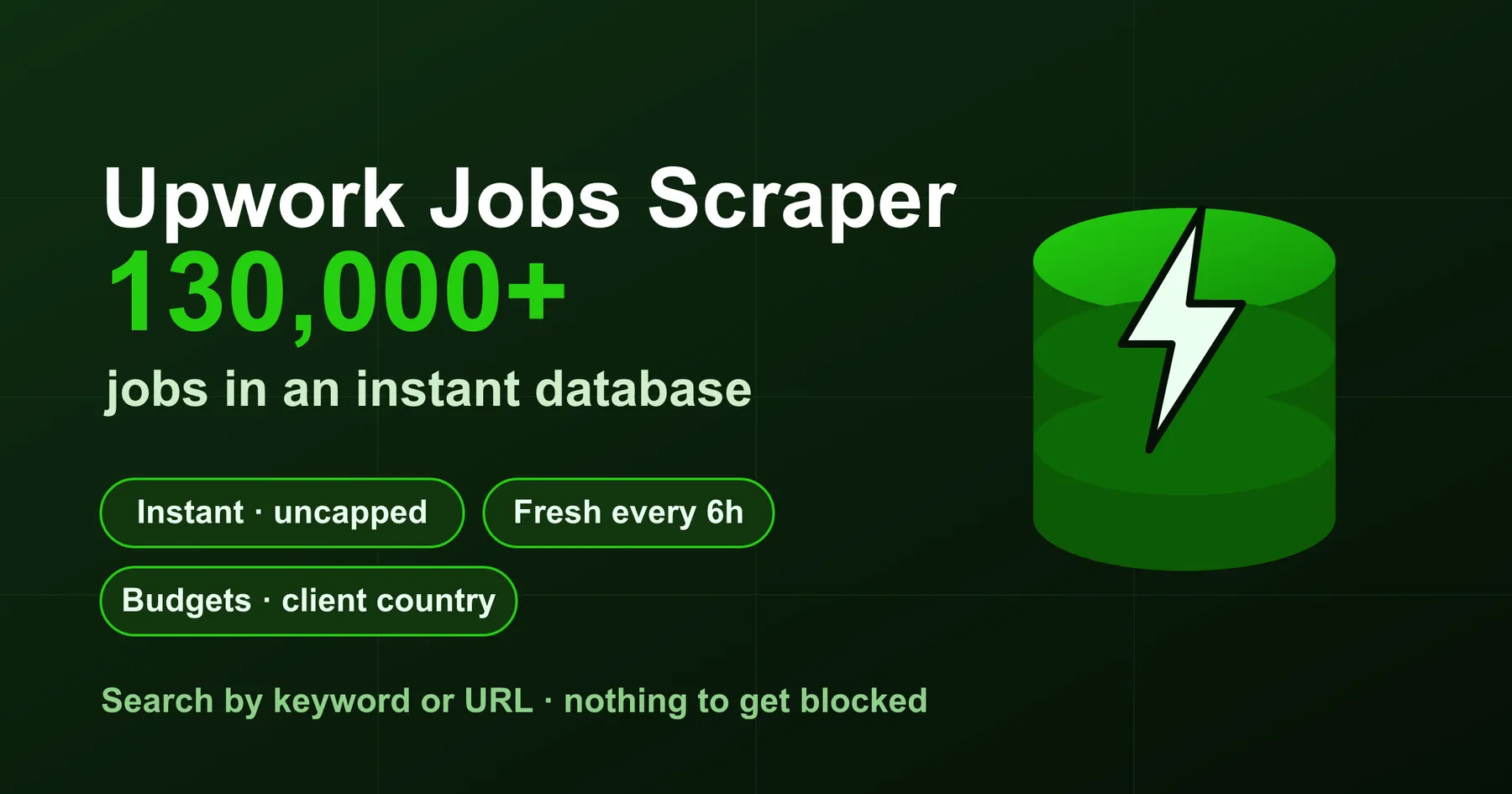
The only Upwork job scraper backed by its own 130,000+ job database — search by keyword and filters and get results instantly, uncapped, with nothing to get blocked. The database is refreshed every 6 hours, so you get today's jobs without ever hammering Upwork yourself. Need a filter we don't cover yet? It automatically falls back to a fresh live scrape, so you always get data.
| You give it | You get back |
|---|---|
A keyword (e.g. python scraper) + optional filters | Every matching job from the 130k+ database, newest first |
| A public Upwork search URL | The same jobs that URL would show, fully structured |
minFixedBudget, experienceLevel, jobType, clientLocation, maxAgeDays, publishedAfter | Precisely filtered results — budgets, client country, skills, activity all included |
Pure HTTP + a pre-harvested database. No browser, no third-party CAPTCHA-bypass service, no per-search 250-job cap.
Why use this instead of a live-only scraper
- Instant & uncapped. Live Upwork scrapers re-fetch every run, get rate-limited, and stop around Upwork's ~50–250 results per search. This one serves from a cumulative database — ask for 5,000 python jobs and get 5,000.
- Always fresh. A background worker refreshes the mirror every 6 hours and ages out jobs older than 45 days, so results are current without you paying for a live crawl each time.
- Budgets & client data included. ~40% of jobs carry an explicit fixed budget and ~100% carry client country — the fields that make Upwork data actually useful for demand analysis.
- Nothing to get blocked. Because the common case is served from the database, there's no live request to detect or ban.
- Two ways in, one clean schema. Paste a search URL or use structured filters — either returns the identical, fully-nested job object.
Overview
Upwork is the largest open marketplace of paid freelance work — every job post is a business holding out a budget to solve a problem. That makes it the richest public signal of what services are in demand and what people will pay for them. This actor turns that stream into structured data you can filter, export, and analyze:
- Recruiters & agencies — find live projects in your niche and the clients posting them.
- Lead generation — surface businesses actively hiring for a service you sell.
- Freelancers — monitor new gigs matching your skills, filtered by budget and client quality.
- Market & startup-idea research — cluster recurring paid tasks to find automation opportunities and validate demand with real budgets, not guesses.
Supported inputs
| Input | Example | Emits |
|---|---|---|
| Search keywords + filters | searchQuery: "web scraping", minFixedBudget: 200 | All matching jobs from the database |
| Upwork search URL | https://www.upwork.com/nx/search/jobs/?q=python&sort=recency | The jobs that URL resolves to |
| Individual job URL | https://www.upwork.com/jobs/~021936702637394960044 | That single job, fully structured |
How it works
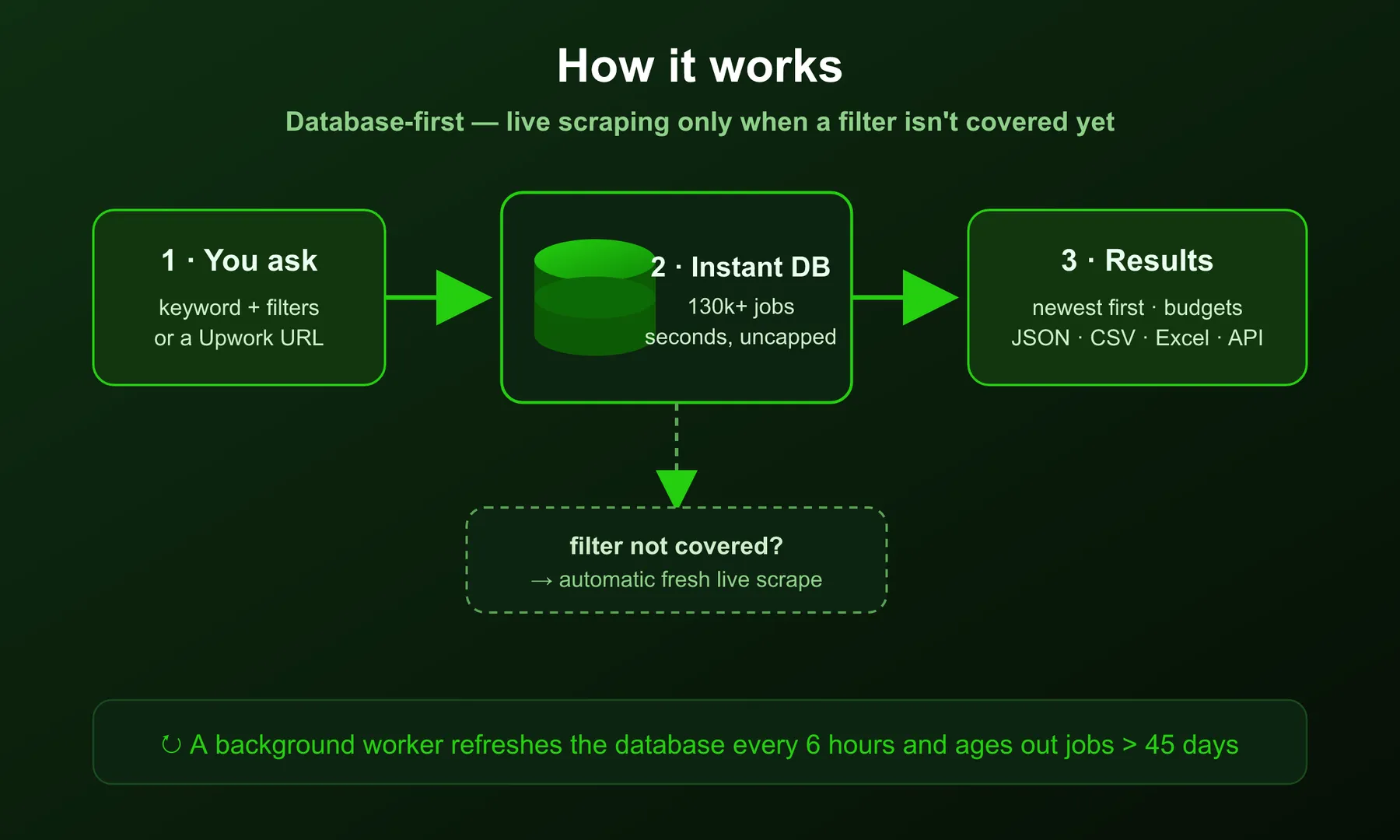
- You submit a keyword + filters (or a URL).
- The Instant Database is queried first — a cumulative Turso store of 130k+ Upwork jobs, indexed for full-text keyword search and filtered by budget, experience, job type, client location and publish date. Results come back in seconds, newest first.
- Automatic live fallback — if a filter combination isn't yet covered in the database, the actor transparently runs a fresh scrape so you still get data.
- A background worker refreshes the database every 6 hours and ages out stale jobs, keeping results current.
- You export to JSON, CSV or Excel, or pull via the Apify API.
Input configuration
| Field | Type | Required | Notes |
|---|---|---|---|
startUrls | array | one of URL / keywords | Public Upwork search or job URLs. Filters in the URL are honored. |
searchQuery | string | one of URL / keywords | Keywords matched against job title + description. |
jobType | array | no | hourly, fixed. |
experienceLevel | array | no | entry, intermediate, expert. |
minFixedBudget | number | no | Only fixed-price jobs with budget ≥ this (USD). |
clientLocation | array | no | Client country name(s), substring match. |
maxAgeDays | number | no | Only jobs published in the last N days. |
publishedAfter | string | no | Only jobs published at/after this ISO date (e.g. 2026-07-01). |
monitorMode | boolean | no | 🔔 Return only jobs new since the previous run for this exact search. Put the Actor on a Schedule for a clean, duplicate-free feed of new gigs. |
maxItems | number | no | Cap on jobs returned per search. |
proxy | object | no | Optional proxy override (only used on live fallback). |
Example input
Output
Each row is one job, returned in Upwork's own nested shape so nothing is lost. Abridged sample:
Key output fields
| Field | Meaning |
|---|---|
opening.job.info.title / .type | Job title and payment type (FIXED / HOURLY) |
opening.job.budget.amount | Fixed-price budget in USD |
opening.job.contractorTier | Required experience level |
opening.job.category / categoryGroup | Upwork category taxonomy |
opening.job.sandsData.*Skills | Occupation + skill tags |
opening.job.publishTime | When the job was posted (sort/monitor on this) |
opening.job.clientActivity.totalApplicants / totalHired | Competition + hiring signal |
buyer.info.location.country | Client country |
buyer.info.stats.* | Client history — assignments, spend, feedback score |
buyer.isPaymentMethodVerified | Whether the client's payment method is verified |
Pricing
Pay-per-event. You're charged per job returned plus a small run-start fee — the same whether a result is served instantly from the database or live-scraped.
| Event | When | Notes |
|---|---|---|
| Actor start | Per run | Standard platform start fee |
| Job result | Per job returned | The bulk of the cost |
🔔 Monitoring mode — a live feed of new gigs
Turn on monitorMode and put the Actor on a Schedule (Apify Console → Schedules, e.g. hourly or daily). Each run then returns only jobs posted since the previous run for that exact keyword + filter combination — a clean, duplicate-free feed you can wire to a webhook, Slack, or email integration.
- The first run seeds the cursor and returns the current matches.
- Every run after returns only what's new (often zero — that's a valid "nothing new yet" result, not an error).
- Each distinct search (different keywords/filters) is tracked separately, so you can run several monitors in parallel.
Typical setup: searchQuery: "shopify developer", minFixedBudget: 200, monitorMode: true, scheduled hourly → you get pinged only when a new matching gig appears.
Common use cases
- "Show me every fixed-budget web-scraping job over $200 posted this week." — recurring manual tasks people pay for = automation opportunities.
- "Alert me the moment a new Shopify-developer gig is posted." —
monitorMode: trueon an hourly schedule (see above). - "Which clients in the US are hiring for lead generation right now?" — filter by keyword +
clientLocationfor a warm B2B lead list. - "What are people paying freelancers to do that I could turn into a product?" — export a category and cluster the recurring pain points with budgets attached.
FAQ
How fresh is the database? Refreshed every 6 hours; jobs older than 45 days are aged out.
What if my exact filter isn't in the database? The actor automatically falls back to a live scrape for that query, so you still get results.
Is there a per-search cap like on Upwork itself? No. Upwork limits a search to a few hundred results; the database serves as many matches as exist, up to your maxItems.
Do I get client budgets? Yes where Upwork exposes them — roughly 40% of jobs carry an explicit fixed budget, and nearly all carry client country and activity stats.
Can I scrape a single job page? Yes — pass the job URL in startUrls.
Support
Questions, custom fields, or bulk/enterprise needs: muhameddidovic@gmail.com. More tools: Upwork Reviews Scraper · Fiverr Scraper · Indeed Scraper.
🤖 For AI Agents & LLM Apps
Compact reference for AI agents calling this actor via the Apify MCP server or the Apify API (actor: memo23/upwork-jobs-scraper-ppe).
Purpose: Return structured Upwork job postings (title, type, budget, skills, category, client country/stats) served instantly from a cumulative 130k+ job database refreshed every 6 hours, with automatic live-scrape fallback for uncovered filters.
Minimal input:
Instead of searchQuery, pass startUrls with a public Upwork search or single-job URL (e.g. https://www.upwork.com/nx/search/jobs/?q=python&sort=recency); URL filters are honoured. Optional filters: jobType (hourly/fixed), experienceLevel (entry/intermediate/expert), sortBy (relevance/recent), categories, subcategories, hoursPerWeek, projectLength, contractToHire, maxAgeDays, publishedAfter (YYYY-MM-DD), minFixedBudget, clientHires, clientLocation, clientTimezone, monitorMode, maxConcurrency, minConcurrency, maxRequestRetries, proxy.
Output: one dataset row per job in Upwork's nested shape — opening.job.info (ciphertext, type, title), opening.job.status, opening.job.publishTime, opening.job.contractorTier, opening.job.budget (amount, currencyCode), opening.job.category / categoryGroup, opening.job.engagementDuration, opening.job.sandsData (occupation, additionalSkills), opening.job.clientActivity (totalApplicants, totalHired), buyer.info.location.country, buyer.info.stats (totalAssignments, feedbackCount, score), buyer.info.company.profile, buyer.isPaymentMethodVerified.
Behaviors an agent should know:
- Always set
maxItems(default 100); unlike live Upwork (capped ~50–250 per search), the database serves as many matches as exist up to the cap. - Provide exactly one of
searchQueryorstartUrls; a URL's own filters take priority. - Queried against the Instant Database first (newest-first); uncovered filter combos transparently fall through to a live scrape. Jobs older than 45 days are aged out.
monitorMode: trueon a Schedule returns only jobs new since the previous run for that exact keyword/filter set; first run seeds the cursor, later runs may return zero (valid, not an error).- ~40% of jobs carry an explicit fixed budget; nearly all carry client country and activity stats.
- Pay-per-event: charged per job returned plus a small run-start fee, the same whether served from the database or live-scraped.
⚠️ Disclaimer
This actor collects only publicly available job-posting data from Upwork and performs no login, paywall circumvention, or access to private/personal account data. You are responsible for using the output in compliance with Upwork's Terms of Service, applicable laws, and data-protection regulations (including GDPR/CCPA where relevant). This tool is provided for legitimate research, recruiting, and market-analysis purposes. It is not affiliated with, endorsed by, or sponsored by Upwork Global Inc. "Upwork" is a trademark of its respective owner.
SEO Keywords
Upwork scraper, Upwork jobs scraper, Upwork job data, Upwork API alternative, scrape Upwork jobs, Upwork freelance jobs, freelance job data, Upwork market research, freelance demand data, Upwork lead generation, Upwork recruiting tool, gig economy data, freelance market analysis, Upwork jobs database, Upwork job monitoring, startup idea validation, SaaS idea research, pain point research, automation opportunity finder, Upwork budget data, freelance job feed, Upwork jobs by keyword, Upwork jobs by budget.


![Autotrader.com.au [$1💰] Australia Search & Details Scraper🇦🇺 avatar](https://images.apifyusercontent.com/pCkelbtHnioCVauMT6DM9tGYD81m-FmuhD-rXFDHMC4/rs:fill:76:76/cb:1/aHR0cHM6Ly9hcGlmeS1pbWFnZS11cGxvYWRzLXByb2QuczMudXMtZWFzdC0xLmFtYXpvbmF3cy5jb20vbmduOHZSRVNUa3NleVdFNnAtYWN0b3ItYWFINGlJOWIwc2dNNkNWeVMtanhmc2ZZeEVBWi1hdXRvdHJhZGVyLWF1cy5wbmc.webp)


![ForRentUniversity.com [$1.25💰] Scraper · Emails avatar](https://images.apifyusercontent.com/knob38rf08RjbTFOtyPTLKbUpJqNv69gLvD9GZvNHdY/rs:fill:76:76/cb:1/aHR0cHM6Ly9hcGlmeS1pbWFnZS11cGxvYWRzLXByb2QuczMudXMtZWFzdC0xLmFtYXpvbmF3cy5jb20vbmduOHZSRVNUa3NleVdFNnAtYWN0b3Itb2ZkQkJZZ0QzMndpZHZSemotT25mdk55NHJTQS1mcnUuanBlZw.webp)

