

Apple Books & Music Price Monitor
Pricing
from $1.80 / 1,000 results
Apple Books & Music Price Monitor
Apple Store deal alert and listings scraper for worldwide: search any item, get price, location, photos, seller and posting time, with new-listing and price-drop alerts. Filter by price. No login.
Pricing
from $1.80 / 1,000 results
Rating
0.0
(0)
Developer

MrDoe
Maintained by CommunityActor stats
0
Bookmarked
2
Total users
1
Monthly active users
2 days ago
Last modified
Categories
Share
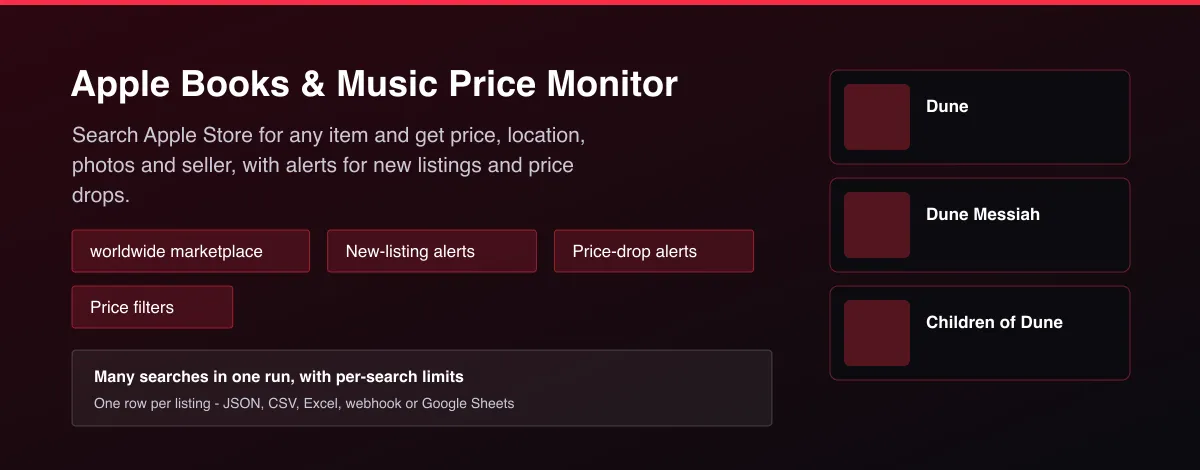
What does Apple Books & Music Price Monitor do?
Apple Books & Music Price Monitor searches Apple Store, the worldwide marketplace, for any item and collects the matching listings. Each row has the title, price, currency, description, location, category, condition, seller name, photos, posting time and the listing link. Add several search terms, filter by minimum and maximum price, and turn on monitor mode so a scheduled run returns only listings that are new or whose price dropped since the previous run.
Why use Apple Books & Music Price Monitor?
- Find deals on Apple Store the moment they are listed instead of refreshing the site.
- Track several searches at once with separate limits and a shared price range.
- Price-drop alerts show when an already-seen listing becomes cheaper.
- Clean structured rows for resellers, price trackers, spreadsheets and Telegram or Discord bots.
- No account or login needed.
What makes this different
Built for hunting deals rather than one-off exports: it searches many terms in one run, keeps a baseline per search between runs, and reports only new listings and real price drops in monitor mode. Prices are normalised to numbers in USD.
How it works
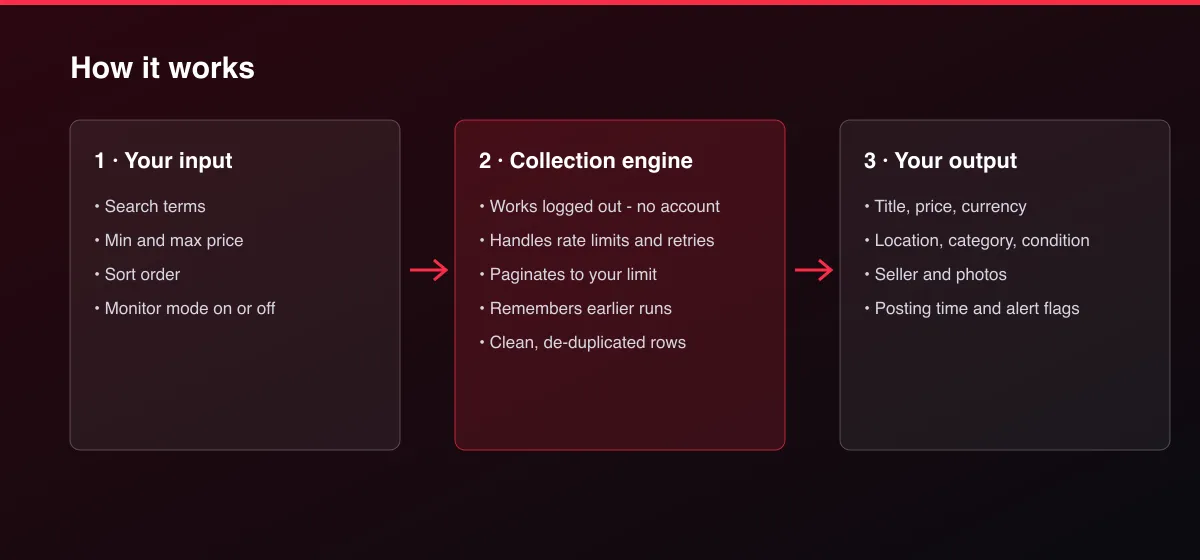
- Your input — type one or more search terms and optional price filters.
- The Actor collects it — the Actor searches Apple Store for each term, newest first, and applies your filters.
- Your output — you get one clean row per listing, or only new listings and price drops in monitor mode.
What data can you extract?
The dataset has 20 fields per row:
| Field | Type | Description |
|---|---|---|
id | string | Apple Store listing ID. |
title | string | Listing title. |
url | string | Listing page. |
price | number | Asking price in USD. |
currency | string | ISO currency code. |
description | string | Listing description. |
location | string | Location shown on the listing. |
city | string | City of the listing. |
category | string | Listing category. |
condition | string | Item condition, when the seller states one. |
sellerName | string | Seller display name. |
isShippable | boolean | True when the seller offers shipping. |
postedAt | string | When the listing was posted or last refreshed (ISO 8601 UTC). |
imageUrl | string | Main image URL. |
imageUrls | array | Up to 10 image URLs. |
attributes | array | Extra Apple Store attributes as name/value pairs. |
searchTerm | string | The search term that found the listing. |
priceDropAmount | number | How much cheaper than the previous run; null if not cheaper. |
priceDropPercent | number | Percent cheaper than the previous run. |
isNewToWatch | boolean | True the first time this listing appears in this search. |
How to use Apple Books & Music Price Monitor
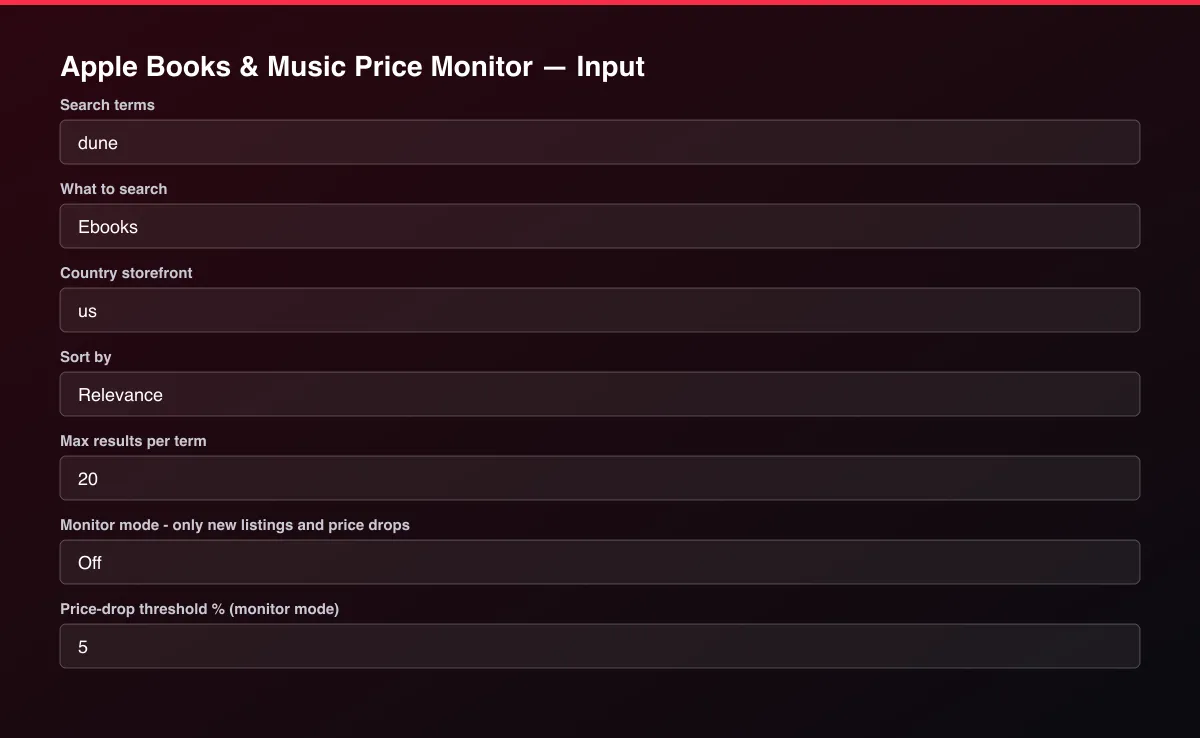
- Open the Actor and go to the Input tab.
- Enter one or more Search terms, for example
dune. - Optionally set filters and a Max results limit.
- Click Start. A default run finishes in under a minute.
- Open the Output tab, then download the dataset or connect it to your tools.
Input Parameters
| Parameter | Type | Required | Default | Description |
|---|---|---|---|---|
searchTerms | array | No | ["dune"] | One or more things to search Apple Store for, in English or the local language of the storefront, e.g. "dune", "stephen king", "sherlock holmes". Max results applies to each term separately. |
minPrice | number | No | — | Only return listings priced at or above this amount in USD. Listings without a price are skipped when a price filter is set. |
maxPrice | number | No | — | Only return listings priced at or below this amount in USD. Listings without a price are skipped when a price filter is set. |
media | string | No | "ebook" | Which part of the Apple store to search. |
storefront | string | No | "us" | Two-letter country code of the store, for example us, gb, de, fr, ca, au or jp. Prices come back in that store's currency. |
sortBy | string | No | "relevance" | Order of the results. |
maxItems | integer | No | 20 | Stop once this many listings have been written to the dataset for each search term. |
monitorMode | boolean | No | false | When on, the run compares against the previous monitored run of the same search and returns only listings that are new or whose price fell by at least the drop threshold. Turn this on for scheduled runs. |
minDropPercent | number | No | 5 | In monitor mode, report a price drop on an already-seen listing only when it is at least this many percent. |
proxyConfiguration | object | No | {"useApifyProxy":false} | Optional. Apple Store works without a proxy at normal volumes. |
Output Data
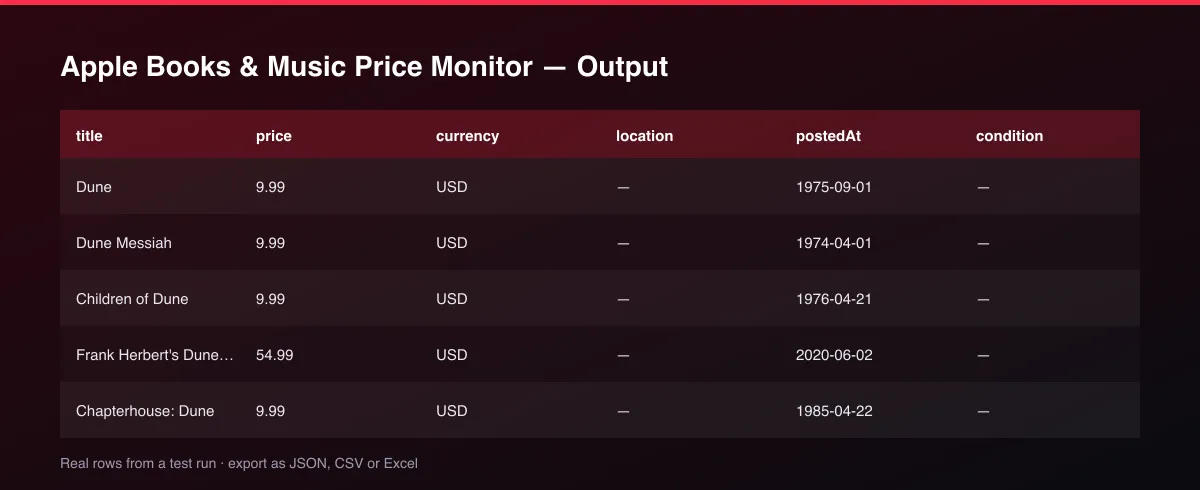
Prices are numbers in USD. postedAt is ISO 8601 UTC when the marketplace provides a timestamp. Fields the listing does not have, such as condition or isShippable, are null.
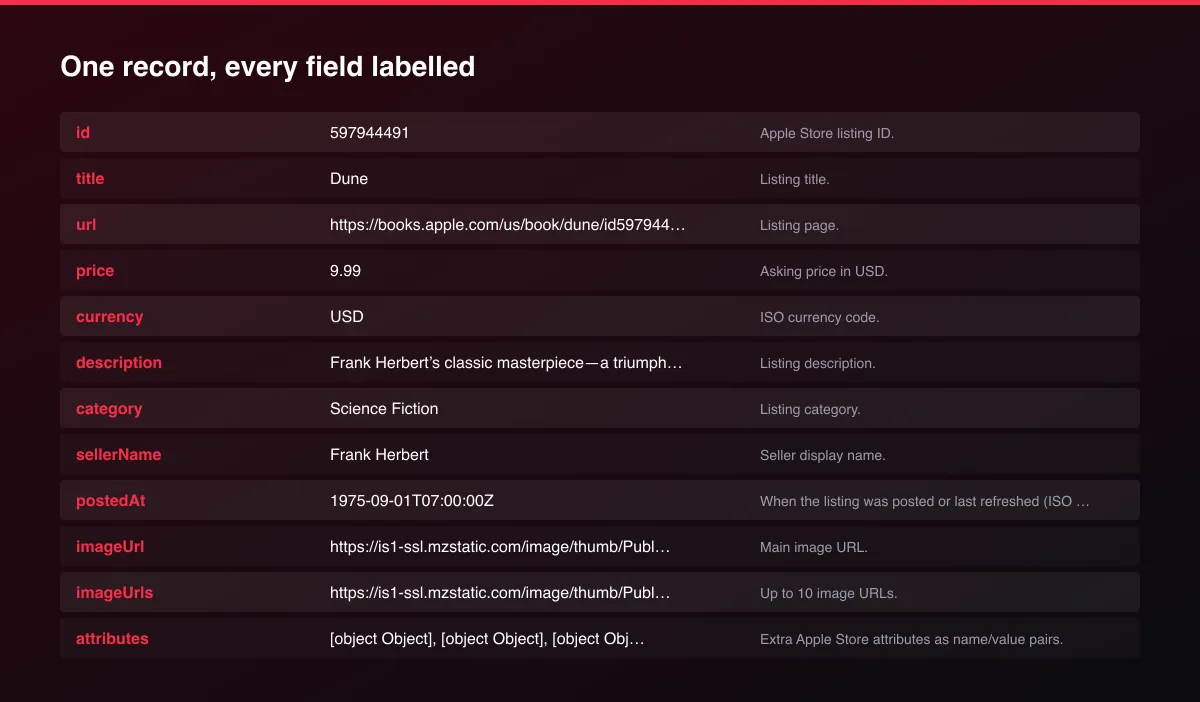
A real dataset item:
Usage Examples
Latest "dune" listings
"stephen king" under 8 USD
Hourly alert for new listings and price drops
Tips for Best Results
- Schedule monitor mode every 10 to 60 minutes and send new rows to Telegram, Discord or Slack.
- Use specific terms (brand and model) to keep the results relevant.
- Keep the same search terms and price range between scheduled runs - the baseline is kept per search.
- Search in English or the local language of the storefront, the language listings are written in.
Known Limitations
- Only listings that Apple Store shows in its public search are returned.
- Each search returns up to 200 results, in the store's own order; there is no other sort order.
- Prices are the current store price in the currency of the chosen country.
- Free items have a price of 0.
- Location and seller are not part of results, so those fields are null.
- Movies are not included because the store does not list them in search.
- Some listings have no price or condition; those fields are null.
- Prices are in USD and are not converted.
- Sold and removed listings disappear from search, so they are not reported.
Integrations
Run it from the Apify API, on a schedule, or from a webhook. Send results straight to Google Sheets, Make, Zapier, Slack or your own database with Apify's built-in integrations.
Export Formats
Download the dataset as JSON, CSV, Excel, XML, HTML table or RSS from the Output tab or the API.
Frequently Asked Questions
How do I scrape Apple Store listings?
Enter one or more search terms and run the Actor. Each matching listing is returned with price, location, photos and seller.
How do I get alerts for new listings?
Turn on Monitor mode and schedule the run. Each run returns only listings that earlier runs of the same search did not report.
Can I get price-drop alerts?
Yes. In monitor mode a listing you have seen before is returned again when its price falls by at least your threshold.
Can I filter by price?
Yes. Set a minimum and maximum price in the marketplace currency.
How many results can I get?
The default is 20 listings per search term. Raise Max results to collect more; the marketplace itself limits how deep a search goes.
How fresh is the data?
It is read live from Apple Store on every run.
Does it remove duplicates?
Yes. Each listing appears once per run.
Do I need an account or login?
No. The Actor collects public Apple Store search results and needs no account, cookies or API key.
Am I charged for failed runs or empty results?
You are only charged for results that are actually written to the dataset.
Can I run it on a schedule?
Yes. Create a Task with your input and add a schedule in Apify Console. With monitor mode on, each scheduled run returns only what changed since the previous one.
Support
Questions or a missing field? Open an issue from the Issues tab on this Actor's page and it will be looked at.
Legal / Responsible Use
You are responsible for using the collected data in line with Apple Store's terms and applicable law. Listings can include sellers' names and locations, which may be personal data; you are responsible for applicable privacy law such as GDPR for anything you store or contact. The Actor is not affiliated with Apple Store.


