

Australian Sportsbook Odds Scraper & Arbitrage Finder
Pricing
from $9.00 / 1,000 results
Australian Sportsbook Odds Scraper & Arbitrage Finder
Live odds from Sportsbet, TAB and Betr across every sport each offers, in one clean dataset. Also cross-checks the same event and market across bookmakers and surfaces the best price and any real arbitrage.

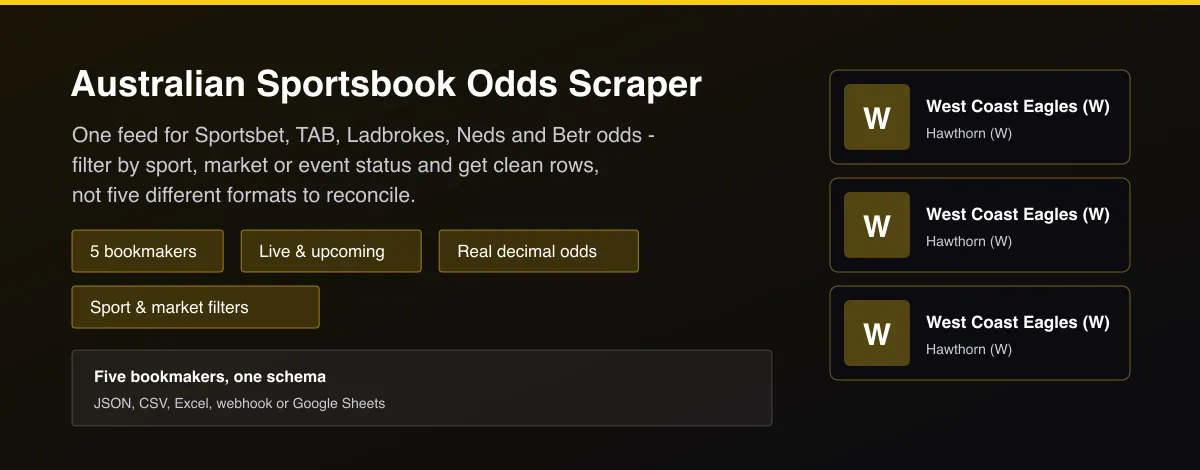
What does Australian Sportsbook Odds Scraper do?
Australian Sportsbook Odds Scraper collects live and upcoming fixed-odds betting odds from three major Australian bookmakers - Sportsbet, TAB and Betr - across every sport each one covers, and returns them as one consistent dataset. Each row is a single betting selection: the bookmaker, sport, league, event, market, selection and its current decimal odds, plus the event's status and start time. On top of that, it automatically cross-checks the same event and market across bookmakers and surfaces the best price for every selection - including any genuine arbitrage opportunity - in a second output. Run it with no input for a free sample, or set bookmakers, sports, markets and a result limit for a full pull you can refresh on a schedule.
Looking for horse, greyhound or harness racing odds instead? See the separate Australian Racing Odds Scraper.
Why use Australian Sportsbook Odds Scraper?
- Three bookmakers normalized into one schema - no per-site formats to reconcile.
- Every sport each bookmaker currently offers - not a hand-picked shortlist.
- Automatic best-price comparison across bookmakers for the same event, with arbitrage flagged when it's real.
- Filter by bookmaker, sport, market or event status before you even open the data.
- Real decimal odds and team names, not summaries or screenshots.
- Each bookmaker is fetched independently - one being slow or empty never blocks the others.
- Schedule it and get a fresh snapshot of the Australian market whenever you need one.
What makes this different
Odds comparison sites show you their own curated view and nothing more. This Actor pulls directly from three bookmakers independently, keeps every bookmaker's own odds and identifiers, and gives you the raw, structured rows to compare, track or feed into your own tools. On top of that, it does the cross-bookmaker comparison itself - matching the same real-world event and market across sites even when each bookmaker names and structures it differently - so you get the best-price and arbitrage view without building that matching logic yourself.
How it works
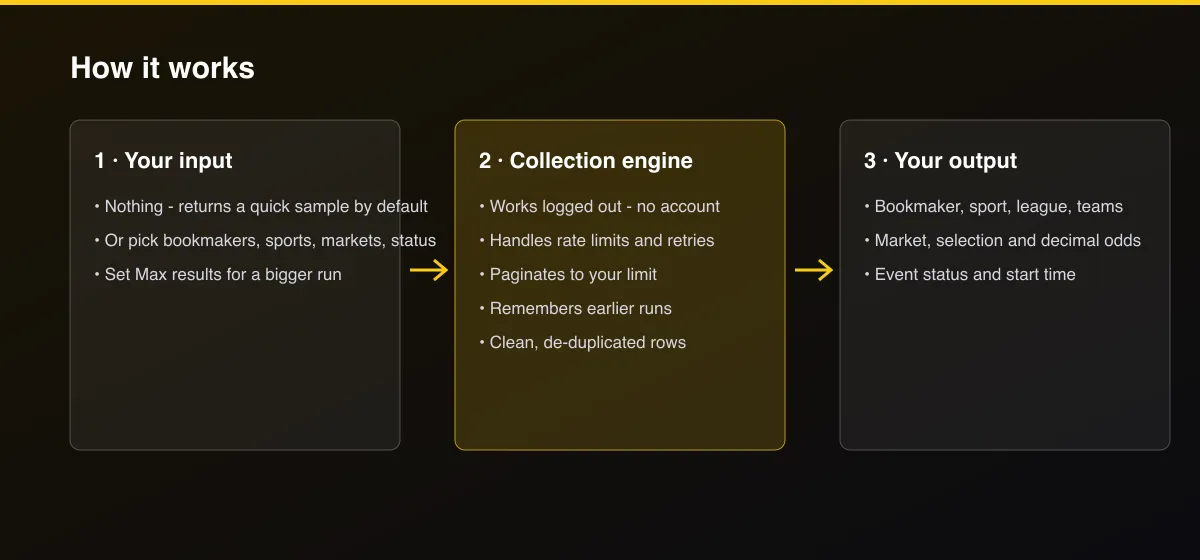
- Your input — pick which bookmakers, sports and markets you want, or leave it default for a quick sample.
- The Actor collects it — the Actor queries each selected bookmaker independently and normalizes every result into one schema.
- Your output — you get one row per betting selection, ready to filter, compare or export.
What data can you extract?
The main dataset has 17 fields per row:
| Field | Type | Description |
|---|---|---|
bookmaker | string | Which bookmaker this row's odds came from. |
sport | string | Sport (e.g. Australian Rules, Basketball). |
league | string | Competition or league name. |
eventId | string | The bookmaker's own identifier for this event. |
homeParticipant | string | Home team or player. |
awayParticipant | string | Away team or player. |
startTime | string | Event start time, ISO 8601, when provided by the bookmaker. |
status | string | live, upcoming, or other. |
marketName | string | The betting market this row prices (e.g. Head to Head, Line). |
marketId | string | The bookmaker's own identifier for this market. |
selectionName | string | The specific outcome this row prices. |
selectionId | string | The bookmaker's own identifier for this selection. |
line | number | Point spread or total line, when the market has one. Null otherwise. |
decimalOdds | number | Current decimal odds for this selection. |
sourceTimestamp | string | When the bookmaker's own system last updated this price, ISO 8601, if provided. |
scrapedAt | string | When this Actor fetched the row, ISO 8601. |
eventUrl | string | Link to this event on the bookmaker's site. |
How to use Australian Sportsbook Odds Scraper
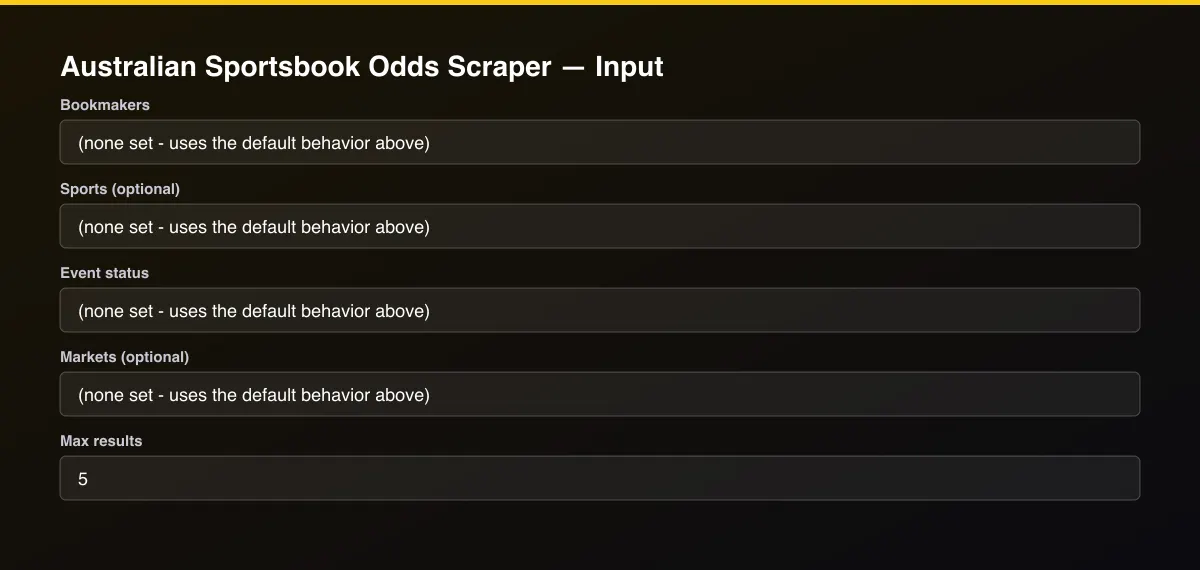
- Open the Actor and go to the Input tab.
- Leave everything default for a quick 5-row sample across all three bookmakers, or set Bookmakers, Sports and Markets to narrow the pull.
- Optionally set filters and a Max results limit.
- Click Start. A default run finishes in under a minute.
- Open the Output tab, then download the dataset or connect it to your tools.
Input Parameters
| Parameter | Type | Required | Default | Description |
|---|---|---|---|---|
bookmakers | array | No | [] | Which bookmakers to query. Leave empty for all three. |
sports | array | No | [] | Filter by sport/league name. Leave empty for all available. |
eventStatus | array | No | [] | live, upcoming, and/or other. Leave empty for all. |
markets | array | No | [] | Filter by market name (substring match). Leave empty for all. |
maxResults | integer | No | 5 | Default is 5 for a free, quick test; raise it for a real run. |
includeArbitrage | boolean | No | true | Also compares odds for the same event and market across bookmakers and writes any best-price or arbitrage opportunity to a second output. Turn off if you only want the raw per-bookmaker rows. |
proxyConfiguration | object | No | {"useApifyProxy":true,"apifyProxyGroups":["RESIDENTIAL"],"apifyProxyCountry":"AU"} | These sites restrict access by region - an Australian residential proxy is required. Defaults to Apify Residential (AU) if left unset. |
Output Data
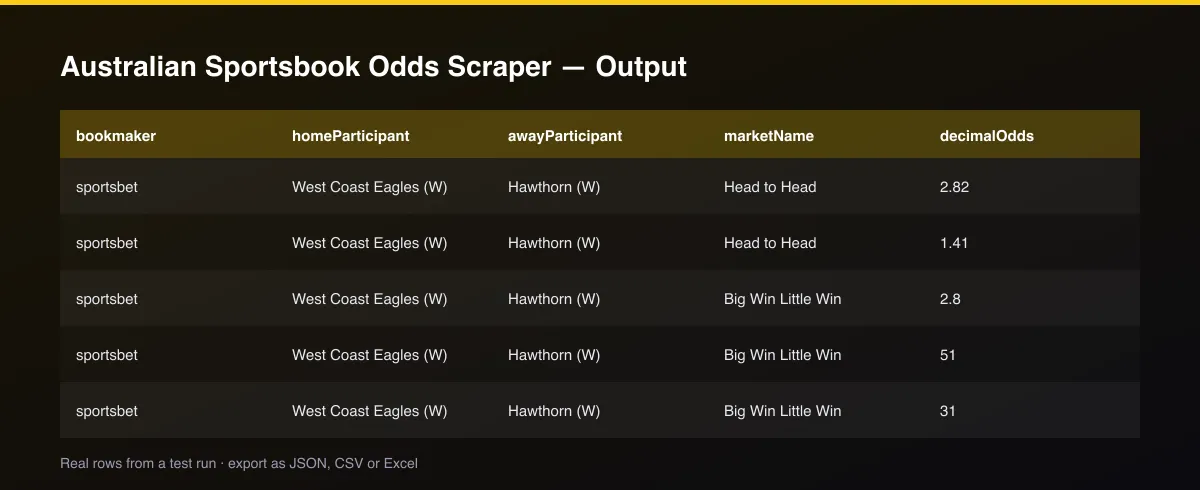
Each row is one betting selection from one bookmaker: decimalOdds is the current price, marketName/selectionName identify what it's a price for, and status tells you if the event is live, upcoming or other. line is set only for markets with a point spread or total.
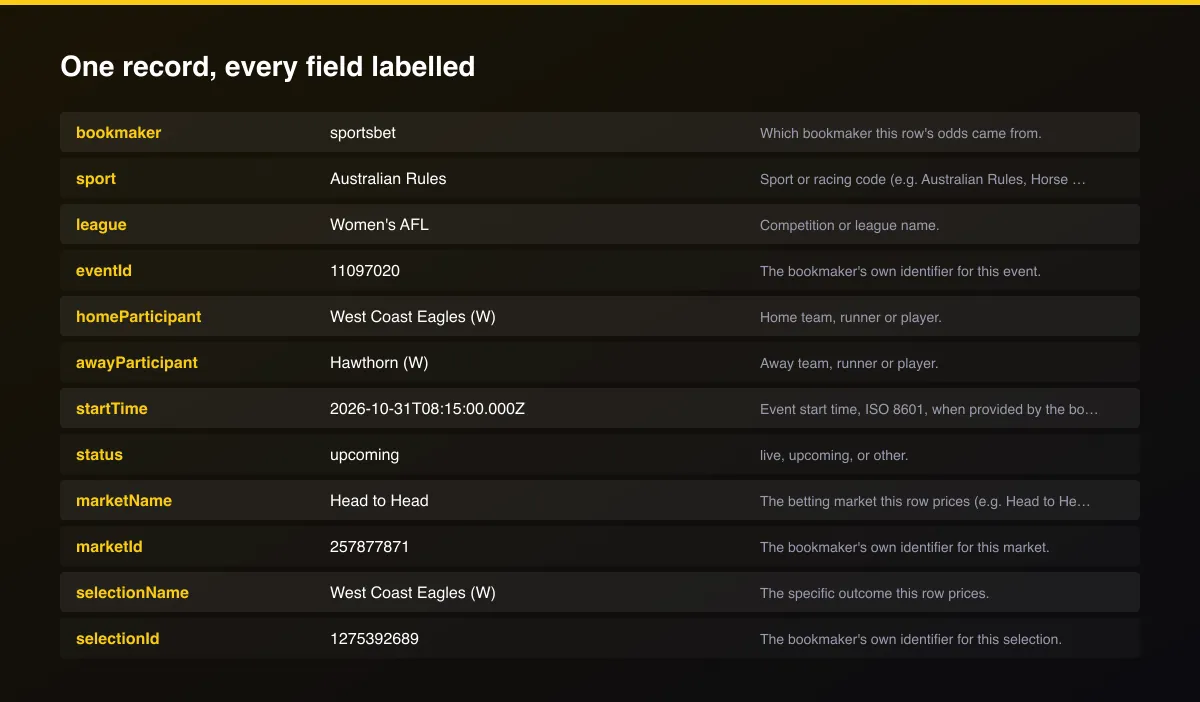
A real dataset item:
Best-price & arbitrage comparison
When includeArbitrage is on (the default), the Actor also matches the same real-world event and market across bookmakers - even when each one names and structures it differently - and writes one comparison row per event/market to a separate arbitrage-opportunities output. Each row shows every bookmaker's price for every selection, which one has the best price, and whether the combination is a genuine arbitrage (the best prices across all selections sum to better than even money). It only ever reports a real comparison backed by at least two bookmakers actually pricing the same market - it never guesses or fabricates a match.
A real comparison row:
This comparison currently covers each event's head-to-head/moneyline market across bookmakers - the market every book prices for every event, in the most directly comparable form.
Usage Examples
Quick sample (default)
One bookmaker, one sport
Live events only, across all bookmakers
Best-price and arbitrage scan for a sport
Tips for Best Results
- Narrow by
sportsormarketsfirst - it's faster than filtering the full dataset afterward. - Set
eventStatustoliveto track in-play odds specifically. - Default is 5 results for a fast test. Set the max to 0 to return everything available.
Known Limitations
- Racing is not covered by this Actor - see the separate Australian Racing Odds Scraper.
- The best-price/arbitrage comparison currently covers each event's head-to-head/moneyline market - handicap, line and total markets aren't cross-checked yet.
- Odds move constantly - treat each run as a snapshot at the time it ran, not a live feed.
- One bookmaker having nothing available for your filters just means fewer rows from that bookmaker, not an error - check the run log for a per-bookmaker summary.
Integrations
Run it from the Apify API, on a schedule, or from a webhook. Send results straight to Google Sheets, Make, Zapier, Slack or your own database with Apify's built-in integrations.
Export Formats
Download the dataset as JSON, CSV, Excel, XML, HTML table or RSS from the Output tab or the API.
Frequently Asked Questions
Which bookmakers are covered?
Sportsbet, TAB and Betr.
Does it cover racing?
No - this Actor is fixed-odds sports only. See the separate Australian Racing Odds Scraper for horse, greyhound and harness racing odds.
Does it find arbitrage?
Yes - with includeArbitrage on (the default), it automatically compares the same event and market across bookmakers and flags it whenever the combination is a genuine arbitrage. Most comparisons won't be - that's an honest result, not a failure, and you'll still get the best price for each selection either way.
Do I need an account or login?
No. The Actor reads public data and needs no account or key.
Am I charged for failed runs or empty results?
You are only charged for results that are actually written to the dataset.
Can I run it on a schedule?
Yes. Create a Task with your input and add a schedule in Apify Console. With monitor mode on, each scheduled run returns only what changed since the previous one.
Support
Questions or a missing field? Open an issue from the Issues tab on this Actor's page and it will be looked at.
Legal / Responsible Use
You are responsible for using the data in line with the source's terms and applicable law. The Actor collects publicly available data only and is not affiliated with the source.


