

AutoTrack Netherlands Car Scraper
Pricing
from $7.00 / 1,000 results
AutoTrack Netherlands Car Scraper
Extracts used car listings from AutoTrack.nl, a major Dutch car marketplace, including price, mileage, full specifications, dealer details, and photos.
Pricing
from $7.00 / 1,000 results
Rating
0.0
(0)
Developer

MrDoe
Maintained by CommunityActor stats
0
Bookmarked
1
Total users
1
Monthly active users
a day ago
Last modified
Categories
Share
Turn AutoTrack.nl listings into structured data in minutes - no coding, no manual copy-pasting. Get price, mileage, full specifications, dealer details, and photos for used cars listed on AutoTrack.nl, a major Dutch car marketplace.
What does AutoTrack Netherlands Car Scraper do?
AutoTrack Netherlands Car Scraper collects used car listings from AutoTrack.nl. Give it one or more listing URLs (by brand, body type, fuel type, and more) and it pages through every result, then visits each listing's own page to pull the full specification table (engine, dimensions, history, warranty), every photo, and the license plate where the seller publishes it.
Why use AutoTrack Netherlands Car Scraper?
- Sourcing - build a shortlist of cars matching your criteria from dealers nationwide.
- Market research - track pricing, mileage, and spec trends by make and model.
- Trade buying - find dealers in a specific area with matching stock.
- Data enrichment - pull full structured listing data into your own valuation tool or CRM.
How to use AutoTrack Netherlands Car Scraper
- On AutoTrack.nl, browse to
/aanbod/merk/{brand}or apply AutoTrack's own filters (body type, fuel type, price, etc.) and copy the URL. - Paste it into Start URLs in the Input tab. Add as many as you like, or paste a direct listing URL (
autotrack.nl/a/...). - Leave Enrich with detail pages on to collect the full spec table per listing (recommended), or turn it off for a faster search-only run.
- Set Max items / Max pages if you want to cap the run, or leave empty to collect everything.
- Click Start and wait for the run to finish.
- Open the Dataset tab to preview, filter, and export your results.
Input
| Field | Type | Description |
|---|---|---|
startUrls | Array | AutoTrack.nl listing URLs or direct detail URLs. Required. |
includeDetails | Boolean | Visit each listing's own page for the full spec table and photos (default: true). |
maxItems | Integer | Maximum listings to collect across all start URLs (default: unlimited). |
maxPages | Integer | Safety cap on result pages per start URL (default: unlimited). |
useCache | Boolean | Skip listings already collected by a previous run (default: true). |
proxyConfiguration | Object | Proxy settings. Residential proxy is used by default. |
Example input:
Output
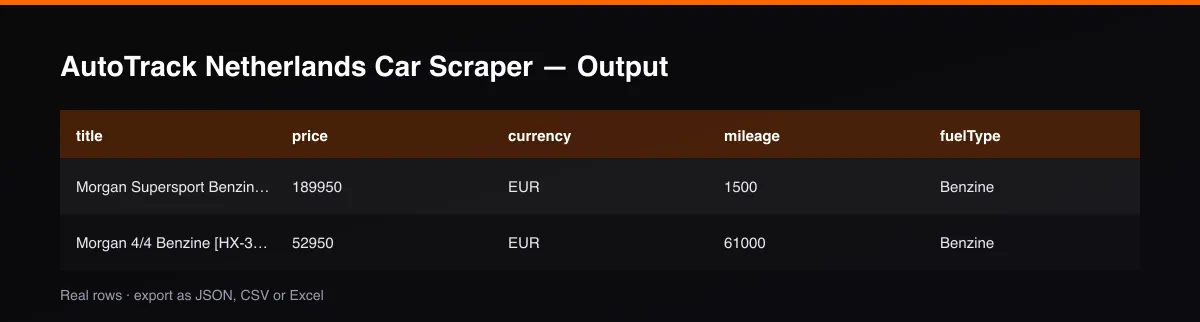
Each listing is saved as one item in the dataset, for example:
Field reference
| Field | Description |
|---|---|
listingId / id, url | AutoTrack's listing ID and its own detail page |
make, model, year, bodyType, color, doors, seats | Vehicle identification |
price, currency, vehicleStatus | Asking price and availability |
mileage, mileageUnit, fuelType, transmission, driveType | Core spec |
dealerName, dealerUrl, sellerLocation | The dealer listing the car and a link to their full stock |
images | Every listing photo |
attributes.specifications | AutoTrack's full spec table (license plate, engine, dimensions, history, warranty, and more), flattened to key/value pairs |
attributes.specGroups | The same data grouped by section as AutoTrack itself organizes it (e.g. "Motor", "Onderstel") |
source, sourceUrl, scrapedAt | Provenance |
Fields with no public data for a given listing are returned as null (or []/{} for arrays/objects) - never fabricated or guessed. License plates are included only where the seller publicly displays them on the listing.
Detail-page enrichment
Search-result pages carry price, mileage, fuel type, and basic identification. The full specification table (engine, dimensions, warranty, history), every photo, and the license plate only exist on the listing's own page. With Enrich with detail pages on (default), the Actor visits each new listing's page once to fill these in. Turn it off for a cheaper, faster run if search-result-level data is enough.
Pagination
The Actor pages through each start URL's results (30 listings per page) until it reaches the last page, maxPages, or maxItems - whichever comes first.
Cache behavior
With useCache on (default), every successfully collected listing's ID is stored permanently in the Actor's key-value store - no expiration, no TTL. Re-running the Actor with the same or overlapping start URLs will skip listings already collected and only return new ones. Disable useCache to re-collect everything.
Cost / performance
The Actor makes one lightweight HTTP request per search page and per enriched listing - no browser is launched. Combined with the permanent cache, this keeps cost low per result.
Troubleshooting
A run returns 0 listings. Double-check the start URL is a valid autotrack.nl/aanbod/... listing page or autotrack.nl/a/... detail URL copied directly from the site.
Why did some fields come back empty? Not every listing includes every field (e.g. some dealers omit certain spec sections). The Actor returns null for anything that isn't available for a given car.
FAQ / Disclaimer
Is this legal? This Actor only collects publicly visible listing data. You are responsible for using the data in accordance with AutoTrack.nl's Terms of Service and applicable law in your jurisdiction.
Found a bug or have a feature request? Please use the Issues tab on this Actor's page - feedback directly shapes future updates.


