

BBC News Scraper
Pricing
from $1.00 / 1,000 results
BBC News Scraper
BBC News news scraper: latest headlines, summaries, authors, publication times, tags and images by section. Filter by topic and time, get only new articles in monitor mode, and optionally the article text. No login.
Pricing
from $1.00 / 1,000 results
Rating
0.0
(0)
Developer

MrDoe
Maintained by CommunityActor stats
0
Bookmarked
3
Total users
2
Monthly active users
23 days ago
Last modified
Categories
Share
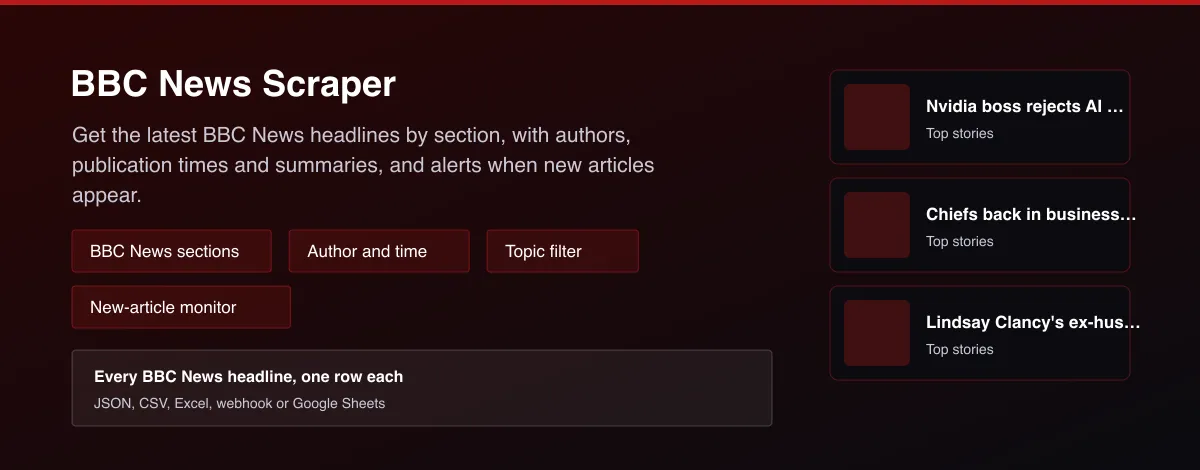
What does BBC News Scraper do?
BBC News Scraper collects the articles that BBC News lists in its public news feeds. Each row has the headline, a short summary, the author, the publication and update time, the section, topic tags, the lead image and the article link. Choose one or more sections, keep only articles that mention your topic or were published in the last hours, and turn on monitor mode to receive only articles you have not seen before. Optionally the Actor also reads the article text.
Why use BBC News Scraper?
- Follow BBC News coverage of any topic without opening the site.
- Filter by section, topic words and how recently an article was published.
- Monitor mode returns only new articles, ready for Slack, Discord, Telegram or email alerts.
- One clean row per article for research, sentiment analysis, media monitoring and news dashboards.
- Runs in seconds because the feeds carry many articles per request.
What makes this different
Articles from several BBC News sections are merged into one deduplicated list, sorted newest first, and monitor mode keeps a baseline between runs so a scheduled run returns only what is new.
How it works
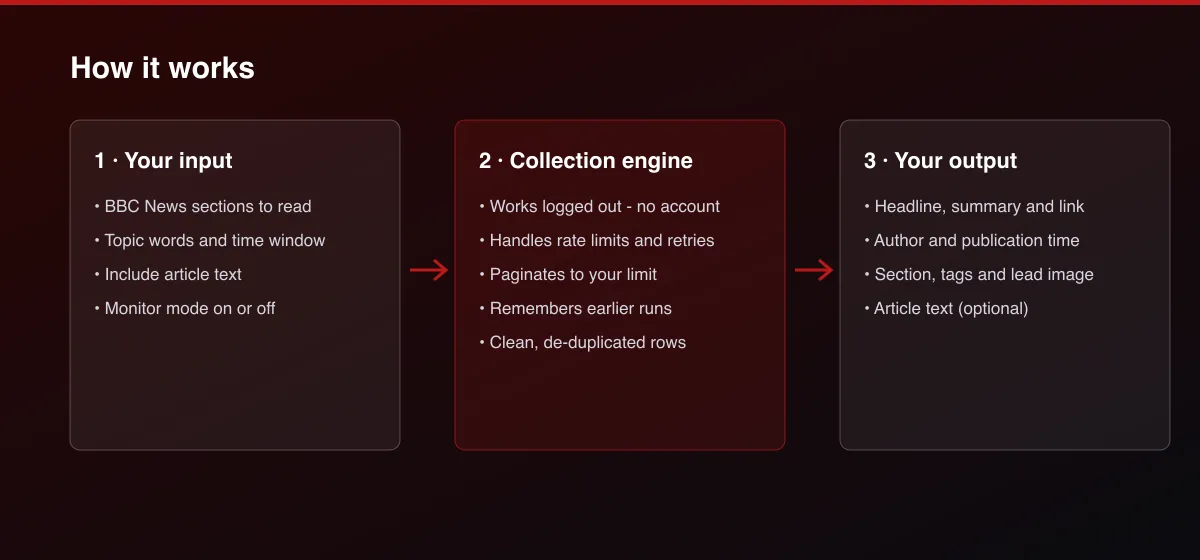
- Your input — choose the sections, add optional topic words and a time window.
- The Actor collects it — the Actor reads the current BBC News articles for those sections and keeps the ones that match.
- Your output — you get one clean row per article, newest first, or only new articles in monitor mode.
What data can you extract?
The dataset has 16 fields per row:
| Field | Type | Description |
|---|---|---|
id | string | Stable article ID, derived from the article address. |
source | string | News outlet. |
section | string | Section the article was found in. |
title | string | Headline. |
url | string | Article address. |
summary | string | Short summary or standfirst. |
author | string | Author or authors; null when not listed. |
publishedAt | string | Publication time, ISO 8601 UTC. |
updatedAt | string | Last update time, ISO 8601 UTC; null when not listed. |
imageUrl | string | Lead image address. |
tags | array | Topic tags or categories. |
text | string | Article text; only when Include article text is on. |
wordCount | integer | Number of words in the article text. |
language | string | Language of the article. |
isNewToWatch | boolean | True the first time this article appears in this list. |
scrapedAt | string | When the record was collected, ISO 8601 UTC. |
How to use BBC News Scraper
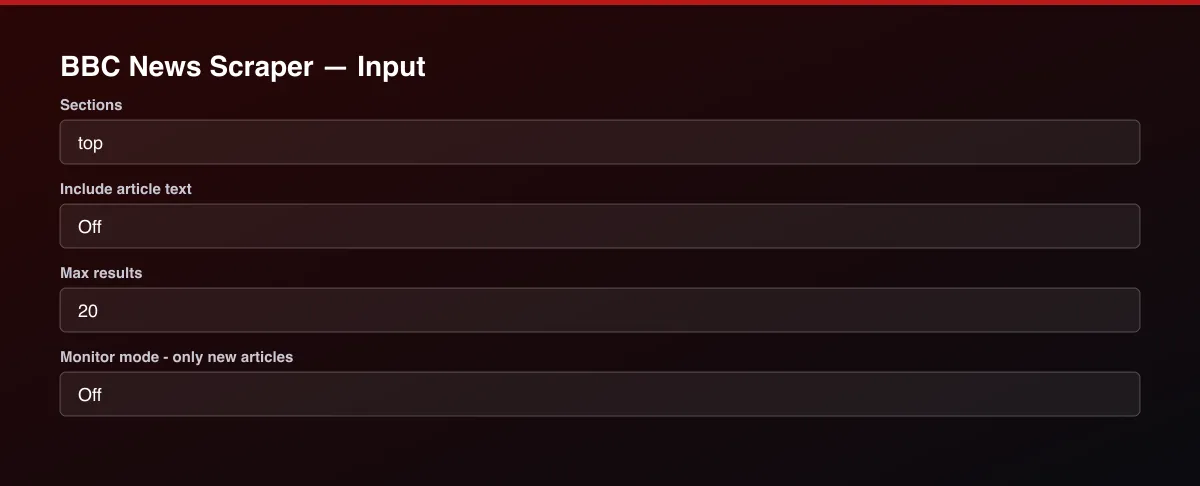
- Open the Actor and go to the Input tab.
- Choose one or more Sections, for example Top stories, and run the Actor.
- Optionally set filters and a Max results limit.
- Click Start. A default run finishes in under a minute.
- Open the Output tab, then download the dataset or connect it to your tools.
Input Parameters
| Parameter | Type | Required | Default | Description |
|---|---|---|---|---|
sections | array | No | ["top"] | Which BBC News sections to read. Articles that appear in several sections are returned once. |
searchTerms | array | No | — | Keep articles whose headline, summary or tags contain all words of any term, for example "climate" or "interest rates". Leave empty to keep everything. |
publishedWithinHours | integer | No | — | Only articles published in the last this-many hours, for example 24. |
includeFullText | boolean | No | false | Off by default. When on, the Actor also reads the text of each article page, which makes the run slower. Some articles are behind a paywall or subscription and return only the free part. |
maxItems | integer | No | 20 | Stop once this many articles have been written to the dataset (newest first). |
monitorMode | boolean | No | false | When on, the run returns only articles that were not in the previous run of the same list. Turn this on for scheduled runs, and set Max results high enough to cover a full feed. |
proxyConfiguration | object | No | {"useApifyProxy":false} | Optional. BBC News works without a proxy at normal volumes. |
Output Data
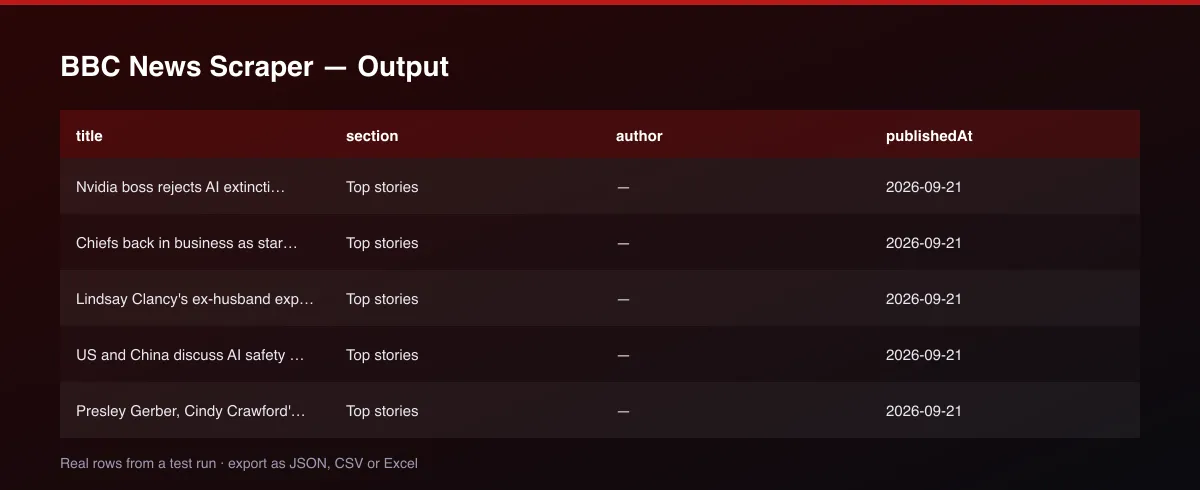
publishedAt and updatedAt are ISO 8601 timestamps in UTC. section is the section the article was found in. isNewToWatch is true the first time an article appears in a watched list. text is only filled when Include article text is on. Fields that do not apply are null.
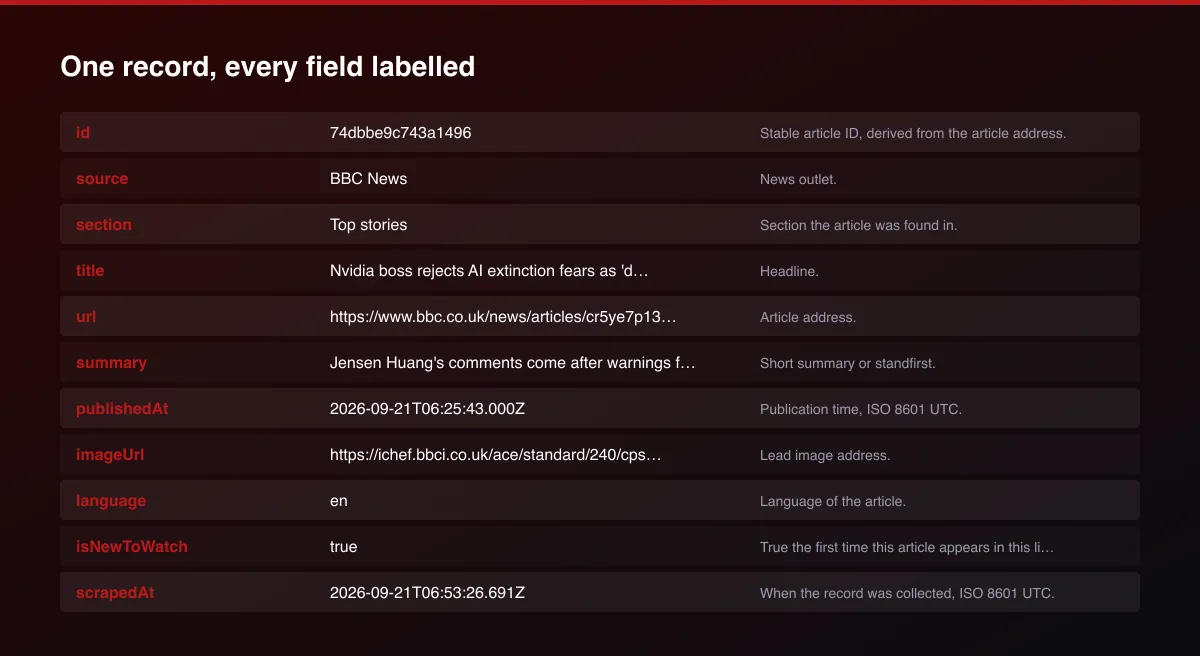
A real dataset item:
Usage Examples
Latest headlines
Articles about "election" in the last 24 hours
Articles with their text
Alert for new articles
Tips for Best Results
- Use Published within the last hours together with a topic word for a daily briefing.
- Schedule monitor mode every 15 to 60 minutes and send new rows to Slack or Discord.
- Keep the same sections and filters between scheduled runs - the baseline is kept per list.
- Select several sections to build a wider feed; duplicates are removed.
Known Limitations
- Only the articles that BBC News currently lists in its public feeds are returned, so very old articles are not available.
- The number of articles per section depends on what the outlet publishes, often 10 to 100.
- Paywalled or subscriber-only articles return only their free part when article text is on.
- Article text is the text of the page; captions, embedded posts and video are not included.
- Monitor mode remembers the articles of each run, so keep the same sections and filters between scheduled runs.
Integrations
Run it from the Apify API, on a schedule, or from a webhook. Send results straight to Google Sheets, Make, Zapier, Slack or your own database with Apify's built-in integrations.
Export Formats
Download the dataset as JSON, CSV, Excel, XML, HTML table or RSS from the Output tab or the API.
Frequently Asked Questions
How do I get the latest BBC News headlines?
Choose the sections and run the Actor. Each article is returned with its headline, summary, author and publication time.
Can I get an alert when a new article is published?
Turn on Monitor mode and schedule the run. Each run returns only articles that were not in the previous run.
Can I search for a topic?
Yes. Add words to Only articles about. An article is kept when its headline, summary or tags contain all words of any entry.
Does it get the article text?
Yes, optionally. Turn on Include article text. Paywalled articles return only their free part.
How many articles can I get?
The default is 20 per run and you can raise it to 500 with Max results. The number available depends on what the outlet lists.
How fresh is the data?
Articles are read live on every run.
Do I need an account or login?
No. The Actor reads public BBC News pages and needs no account, cookies or API key.
Am I charged for failed runs or empty results?
You are only charged for results that are actually written to the dataset.
Can I run it on a schedule?
Yes. Create a Task with your input and add a schedule in Apify Console. With monitor mode on, each scheduled run returns only what changed since the previous one.
Support
Questions or a missing field? Open an issue from the Issues tab on this Actor's page and it will be looked at.
Legal / Responsible Use
You are responsible for using the collected articles in line with BBC News's terms and applicable copyright law. The Actor reads public headlines and summaries and, when switched on, the public text of articles; it does not bypass paywalls or logins. Articles are copyrighted by their publisher, so link to them and do not republish full text. The Actor is not affiliated with BBC News.


![Google News Scraper [only $0.7/1K] avatar](https://images.apifyusercontent.com/Twu1TG04ITI_hwjby-GKjS3ch9YgJ3AaSAGKR67WRFo/rs:fill:76:76/cb:1/aHR0cHM6Ly9hcGlmeS1pbWFnZS11cGxvYWRzLXByb2QuczMudXMtZWFzdC0xLmFtYXpvbmF3cy5jb20vUmVkNnNHSEFOa0x6b3NzdkUtYWN0b3ItemVOd3Z2dk5VNnpWMWFra1MtMTBnTFVnUzdoSS1nb29nbGVfbmV3c19zY3JhcGVyX2Zhc3QucG5n.webp)


