

Congressional Stock Trades Tracker (House & Senate STOCK Act)
Pricing
from $14.00 / 1,000 results
Congressional Stock Trades Tracker (House & Senate STOCK Act)
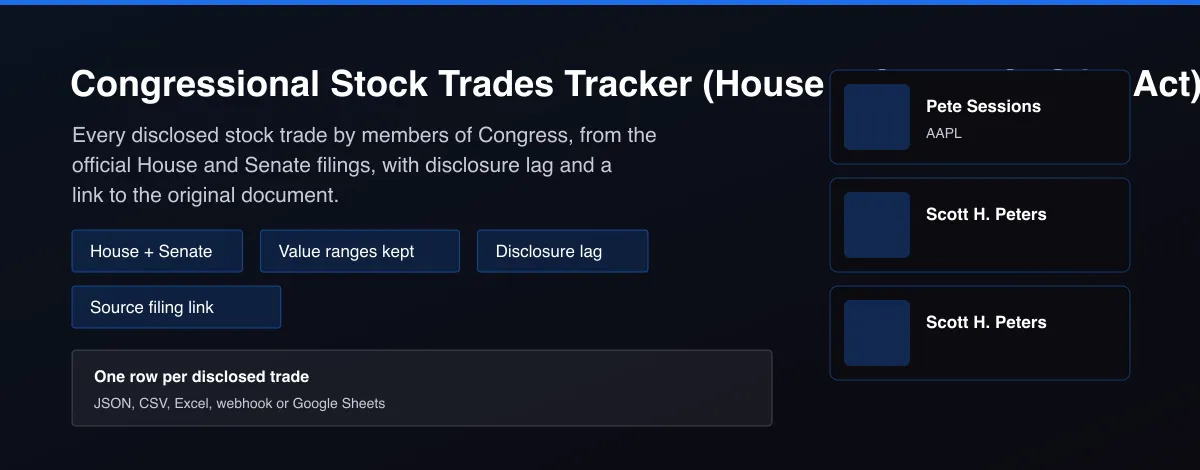
Congress stock trades from official House and Senate STOCK Act filings: member, party, ticker, buy or sell, value range, disclosure lag and a link to the original filing. No API key.

What does Congressional Stock Trades Tracker (House & Senate STOCK Act) do?
Congressional Stock Trades Tracker collects the stock trades that members of the US House and Senate report under the STOCK Act and returns one row per trade. Each row has the member, party, ticker, purchase or sale, transaction date, filing date, disclosure lag in days, the disclosed value range and a link to the original filing. Filter by chamber, member, ticker, filing date or minimum value, or leave the filters empty for the latest filings.
Why use Congressional Stock Trades Tracker (House & Senate STOCK Act)?
- Data comes straight from the official House Clerk and Senate disclosure systems, so every row links back to the filing it came from.
- Disclosed value ranges are kept as a low and a high value, never collapsed into one invented number.
- Disclosure lag in days shows how close to the 45-day deadline each trade was reported.
- Names, tickers and dates are normalized, with the ticker matched from the company name when the filing leaves it out.
- No API key or account needed.
What makes this different
Paid trackers charge a monthly fee for the same public filings. This Actor reads the official House and Senate systems directly, parses the House PDF filings for you, keeps the full disclosed value range, and adds disclosure lag and a source link to every trade.
Who can use the Congressional Stock Trades Tracker and how?
- Retail investors: follow what members of Congress bought and sold, and how quickly they reported it, as one input to your own research.
- Journalists and watchdogs: find late filings (disclosure lag near or beyond 45 days) and large trades with a link to the original document for every claim.
- Quant and data teams: build a clean dataset of political trades with value ranges and lag for backtests and factor research.
- Fintech and app developers: power a congress-trades feed, widget or alert in your product through the Apify API instead of parsing PDFs yourself.
- Researchers and academics: study timing, committee overlap and disclosure compliance across House and Senate members.
- Newsletter and social creators: publish a weekly list of the biggest new trades by ticker or member, with sources.
- Ethics and compliance analysts: screen filings for gaps, late reports and unusually large ranges.
- Advocacy groups: track trading in the sectors your campaign covers, ticker by ticker.
How it works
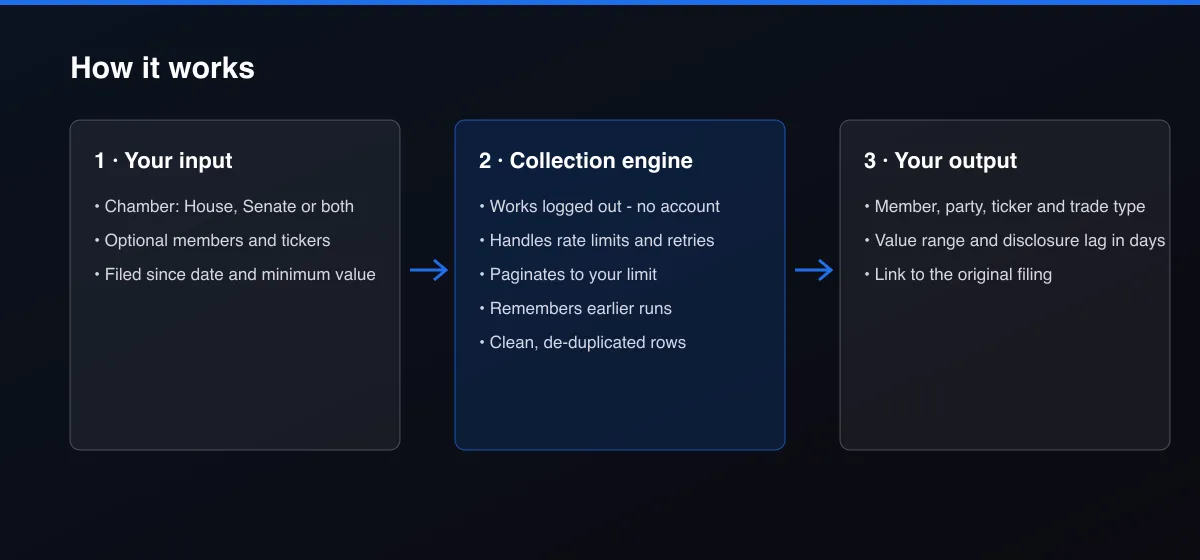
- Your input — choose a chamber and optional member, ticker and date filters.
- The Actor collects it — the Actor reads the newest official periodic transaction reports and extracts every trade.
- Your output — you get one normalized row per trade with the value range, lag and a link to the filing.
What data can you extract?
The dataset has 19 fields per row:
| Field | Type | Description |
|---|---|---|
member_name | string | Member of Congress, normalized to first and last name. |
chamber | string | house or senate. |
party | string | Party of a current member, otherwise null. |
ticker | string | Ticker symbol, null for assets without one. |
asset_description | string | Asset name as filed, without ticker and type code. |
transaction_type | string | purchase, sale or exchange. |
transaction_date | string | Date of the trade (YYYY-MM-DD). |
filed_date | string | Date the report was filed (YYYY-MM-DD). |
disclosure_lag_days | number | Filing date minus transaction date, in days. |
value_range_low_usd | number | Low end of the disclosed value band. |
value_range_high_usd | number | High end of the disclosed value band, null when open-ended. |
source_document_url | string | Link to the original filing. |
owner | string | Whose account: self, spouse, joint or dependent child. |
asset_type | string | Asset type as reported, for example Stocks or Options. |
ticker_source | string | filing or sec_name_match; null when there is no ticker. |
source | string | house_disclosures or senate_disclosures. |
scraped_at | string | Collection time (ISO 8601). |
actor_version | string | Output schema version. |
fetch_path | string | How the filing was read: pdf_text, pdf_ocr or html. |
How to use Congressional Stock Trades Tracker (House & Senate STOCK Act)
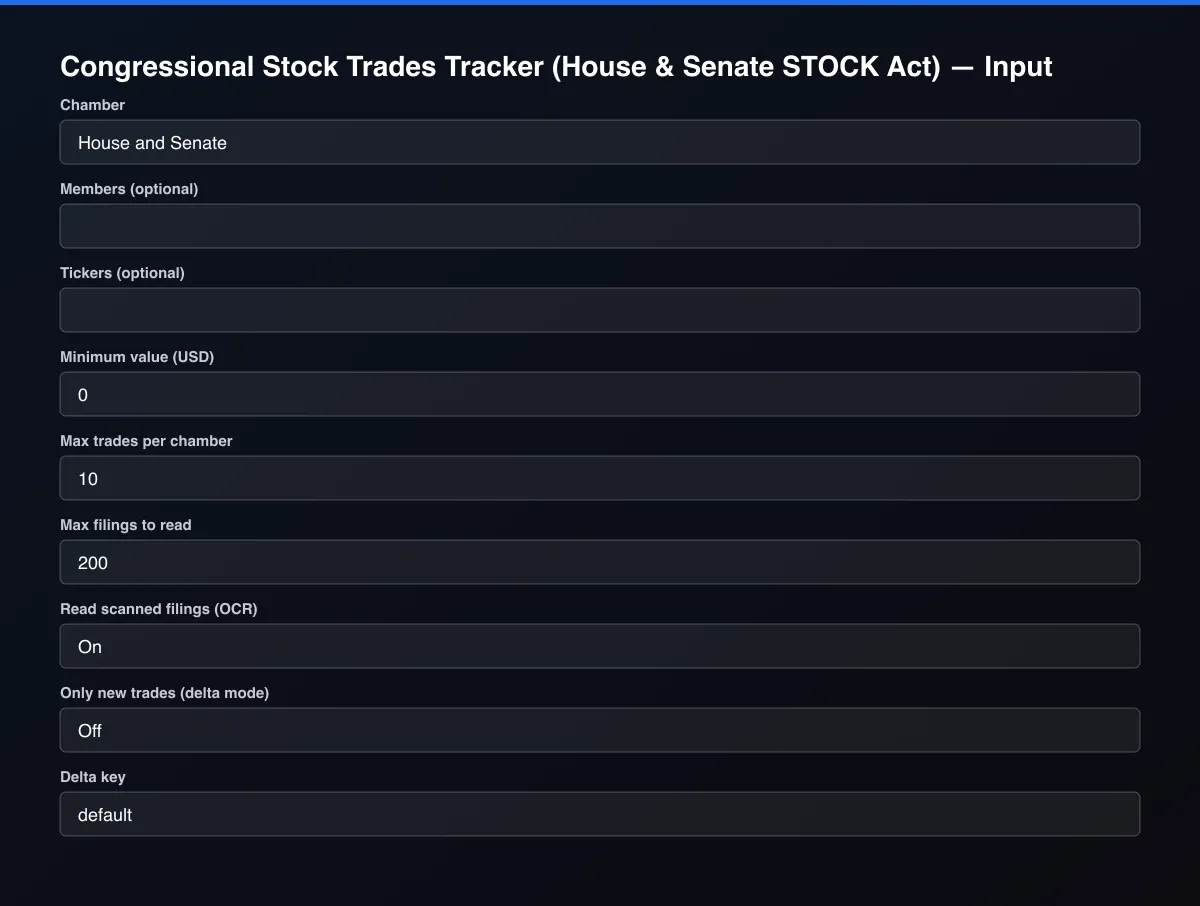
- Open the Actor and go to the Input tab.
- Choose a Chamber, optionally add Members or Tickers, and set Max trades per chamber.
- Optionally set filters and a Max results limit.
- Click Start. A default run finishes in under a minute.
- Open the Output tab, then download the dataset or connect it to your tools.
Input Parameters
| Parameter | Type | Required | Default | Description |
|---|---|---|---|---|
chamber | string | No | "both" | Which chamber's disclosures to read. |
members | array | No | [] | Only return trades by these members, for example Nancy Pelosi. Leave empty for all members. |
tickers | array | No | [] | Only return trades in these tickers, for example NVDA or AAPL. Leave empty for all assets. |
filedSince | string | No | — | Only read filings submitted on or after this date (YYYY-MM-DD). Leave empty for the latest filings. |
minValueUsd | number | No | 0 | Skip trades whose whole disclosed value range is below this amount. Trades with an open-ended range are kept. |
maxItems | integer | No | 10 | Maximum number of trades returned for each chamber. Default is 10 for a quick test; set 0 to return everything that matches. |
maxFilings | integer | No | 200 | Safety cap on the number of filings read per chamber in one run. |
ocrFallback | boolean | No | true | Some House filings are scanned images. Turn this on to try reading image-only copies of the standard report layout. Hand-filled paper forms cannot be read reliably and are listed as skipped. |
deltaMode | boolean | No | false | Return and bill only trades not delivered by an earlier run with the same delta key. Ideal for scheduled monitoring. |
deltaStateKey | string | No | "default" | Name of the tracked stream. Use a different key per watchlist. |
proxyConfiguration | object | No | {"useApifyProxy":false} | Optional proxy. Government disclosure sites normally work without one. |
Output Data
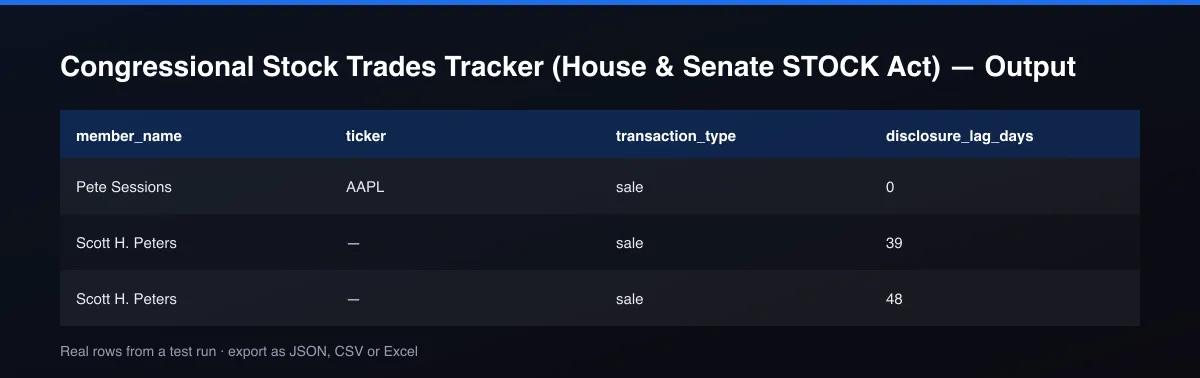
value_range_low_usd and value_range_high_usd are the disclosed band; members report ranges, not exact amounts, and an open-ended band such as "Over $50,000,000" has a null high value. disclosure_lag_days is the filing date minus the transaction date. ticker is null for assets without one, such as Treasury bills, and ticker_source says whether it came from the filing or from an exact company-name match.
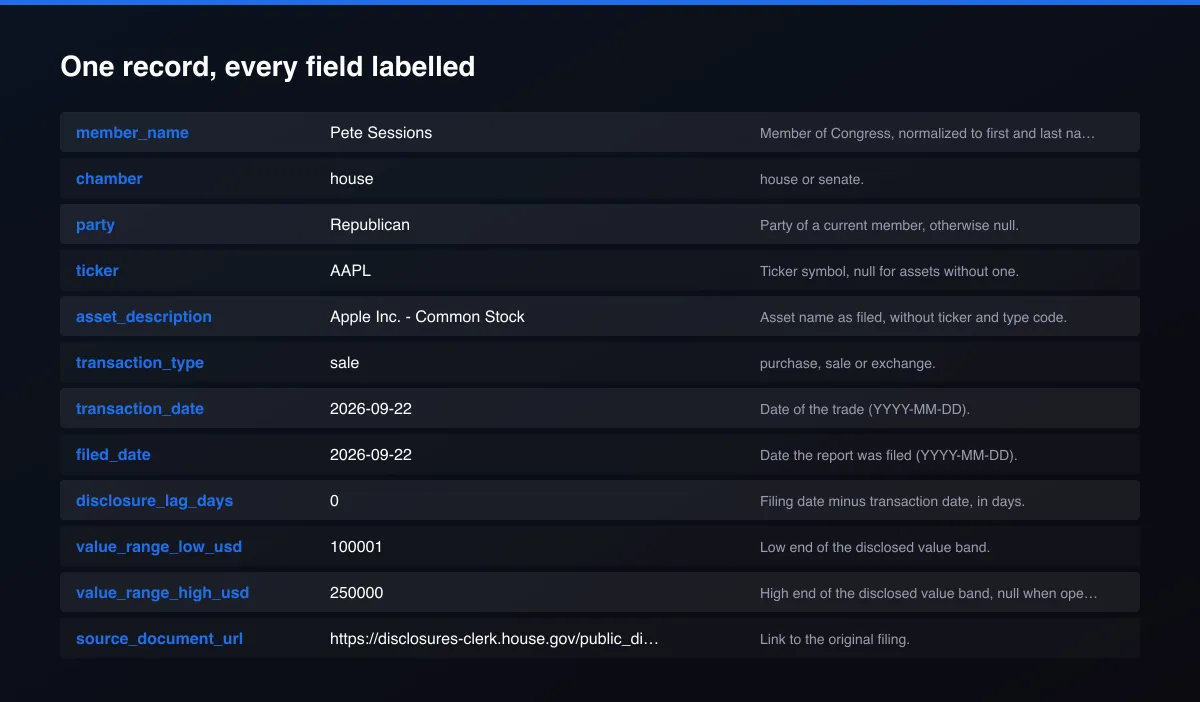
A real dataset item:
How to read and use the results
Each row is one disclosed trade. Sort and filter it the way you would a spreadsheet.
- Filter by member or ticker to follow one person or one company.
- Sort by disclosure_lag_days to find late reports; the STOCK Act asks for reports within 45 days.
- Use the value range. Members report bands, so use value_range_low_usd and value_range_high_usd as a range, not a single amount.
- Verify every row with source_document_url, which opens the original filing.
- Check owner (self, spouse, joint, dependent child) to see whose account made the trade.
- Schedule it with a Filed since date to receive only new filings, and send them to Slack, Google Sheets or your database.
Usage Examples
Latest trades from both chambers
One member's recent trades
Nvidia trades filed this summer
New trades for a watchlist since the last run
Tips for Best Results
- Set Filed since to only read new filings on a schedule.
- Use Minimum value to skip the smallest disclosure bands.
- Check SKIPPED_FILINGS in the run's storage for filings that could not be read; each has a link to the original.
- Read the disclosure lag: filings close to 45 days are often the interesting ones.
- Default is 5 results for a fast test. Set the max to 0 to return everything available.
Reliability by mode
| Mode | Status | Needs login or key? | Notes |
|---|---|---|---|
| House, electronic filings | ✅ | No | PDF text is parsed into trades. |
| Senate, electronic filings | ✅ | No | Read from the official search site. |
| House scanned images of the standard form | 🟡 | No | OCR; check the source link for important rows. |
| House hand-filled paper forms | ❌ | No | Listed in SKIPPED_FILINGS with a link, never guessed. |
| Senate paper filings | ❌ | No | Image only; listed in SKIPPED_FILINGS. |
| Party for former members | 🟡 | No | Null when the member no longer serves. |
✅ works as described, 🟡 works with caveats, ❌ not supported.
Only new records (delta mode)
Turn on Only new trades (delta mode) and set a Delta key. Each scheduled run then returns, and bills, only trades that earlier runs with the same key did not deliver, so you get "what was just filed" instead of the whole list again.
Known Limitations
- Members report value ranges, not exact amounts, so the values are bands.
- Some House filings are hand-filled scanned paper forms and Senate paper filings are images; they cannot be read reliably and are listed in SKIPPED_FILINGS instead of guessed.
- The ticker is null for assets without one, for example Treasury bills, bonds and private funds.
- Trades in a filing marked as an exchange keep both assets in the description and no ticker.
- Party is filled for current members of Congress only; it is null for former members.
- Filings are published with a delay of up to 45 days after the trade, so this is not real-time.
- This is public disclosure data, not investment advice.
Integrations
Run it from the Apify API, on a schedule, or from a webhook. Send results straight to Google Sheets, Make, Zapier, Slack or your own database with Apify's built-in integrations.
Export Formats
Download the dataset as JSON, CSV, Excel, XML, HTML table or RSS from the Output tab or the API.
Frequently Asked Questions
Where does the data come from?
The official House Clerk financial disclosure system and the Senate electronic financial disclosure search. Both are public government records published under the STOCK Act. Filings are read from those official pages and PDF documents, not from a third-party aggregator.
Does it need an account or API key?
No. The Actor needs no account, login or API key.
Why is the value a range?
Members disclose a band such as $1,001 to $15,000, not an exact amount. The Actor returns both ends and leaves the choice of how to use the range to you.
Are scanned filings supported?
Electronic filings and image-only copies of the standard layout are read. Hand-filled paper forms are not machine-readable; they are listed in SKIPPED_FILINGS with a link to the document.
Am I charged for failed results?
No. You are only charged for trades that are written to the dataset.
How do I track what a member of Congress is buying?
Enter the member name in Members (for example Nancy Pelosi), leave the chamber on both, and run or schedule the Actor. Each row is a disclosed trade with the ticker, buy or sell, value range and a link to the filing.
Can I get congressional trades as a CSV or in Google Sheets?
Yes. Export the dataset as CSV, Excel or JSON, or connect it to Google Sheets, Make, Zapier or the Apify API.
Do I need an account or login?
No. The Actor reads public government disclosure records and needs no account or API key.
Am I charged for failed runs or empty results?
You are only charged for results that are actually written to the dataset.
Can I run it on a schedule?
Yes. Create a Task with your input and add a schedule in Apify Console. With monitor mode on, each scheduled run returns only what changed since the previous one.
Changelog
- 2026-09-26: Added delta mode, separate House and Senate event pricing, and the fetch_path provenance field.
- 2026-09-25: First release: House PDF and Senate HTML trades with value ranges, disclosure lag and source links.
Enterprise and custom work
Need higher volumes, a custom output schema, dedicated scheduling or a no-breaking-changes commitment for a production pipeline? Open an issue on the Actor page and describe your use case. Bulk terms and custom builds are available.
Support
Questions or a missing field? Open an issue from the Issues tab on this Actor's page and it will be looked at.
Legal / Responsible Use
This Actor reads public government financial disclosure records published for transparency under the STOCK Act. Use of the data is subject to the disclosure sites' terms and to 5 U.S.C. § 13107, which prohibits using the data for commercial purposes other than news and communications media distribution, or for credit rating or fundraising. You are responsible for compliance. This is not financial advice.


