

Cross-Platform Ad Search
Pricing
from $2.00 / 1,000 ad returneds
Cross-Platform Ad Search
Searches one brand across Meta, Google/YouTube and LinkedIn ad libraries in a single run and returns the results in one unified dataset.
Pricing
from $2.00 / 1,000 ad returneds
Rating
0.0
(0)
Developer

MrDoe
Maintained by CommunityActor stats
0
Bookmarked
2
Total users
1
Monthly active users
3 days ago
Last modified
Categories
Share
What does Cross-Platform Ad Search do?
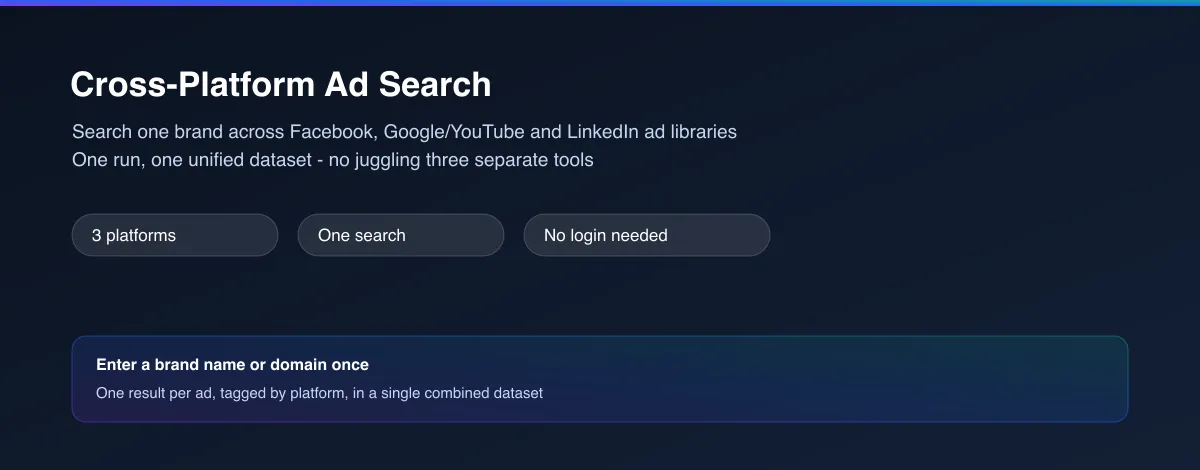
Cross-Platform Ad Search looks up one brand's current advertising on Facebook/Instagram, Google/YouTube and LinkedIn in a single run, and returns every result in one combined, clearly-tagged dataset. Instead of running three separate ad-library tools and stitching the results together yourself, you get one search and one table. No login, no account needed on any of the three platforms.
Why use Cross-Platform Ad Search?
- One search, three networks - stop running Meta, Google and LinkedIn ad lookups separately and merging the results by hand.
- Clearly tagged by platform - every row carries a
sourcePlatformfield, so you can filter, group or compare across networks instantly. - No login needed - works fully logged out on every platform it searches.
- Pick your own mix - search all three platforms, or just the ones relevant to this brand.
- Full detail preserved - each row also carries the complete original record from its source platform, so nothing is lost in the merge.
What makes this different
Competitor research usually means opening three different tools, running the same search three times, and copy-pasting results into one spreadsheet yourself. This Actor does that merge for you - one input, one run, one dataset - so you can see a brand's cross-platform advertising footprint at a glance instead of assembling it manually.
Who uses Cross-Platform Ad Search?
- Marketing and competitive-intelligence teams - get a brand's full paid-advertising footprint across the major ad networks in one pass.
- Agencies pitching new clients - quickly show a prospect what they (or their competitors) are currently running everywhere, without a multi-tool workflow.
- Market researchers and consultants - build a cross-platform advertising snapshot for a report without manually reconciling three different data formats.
- Brand and PR teams - monitor a brand's own advertising consistency and messaging across every major network at once.
How it works
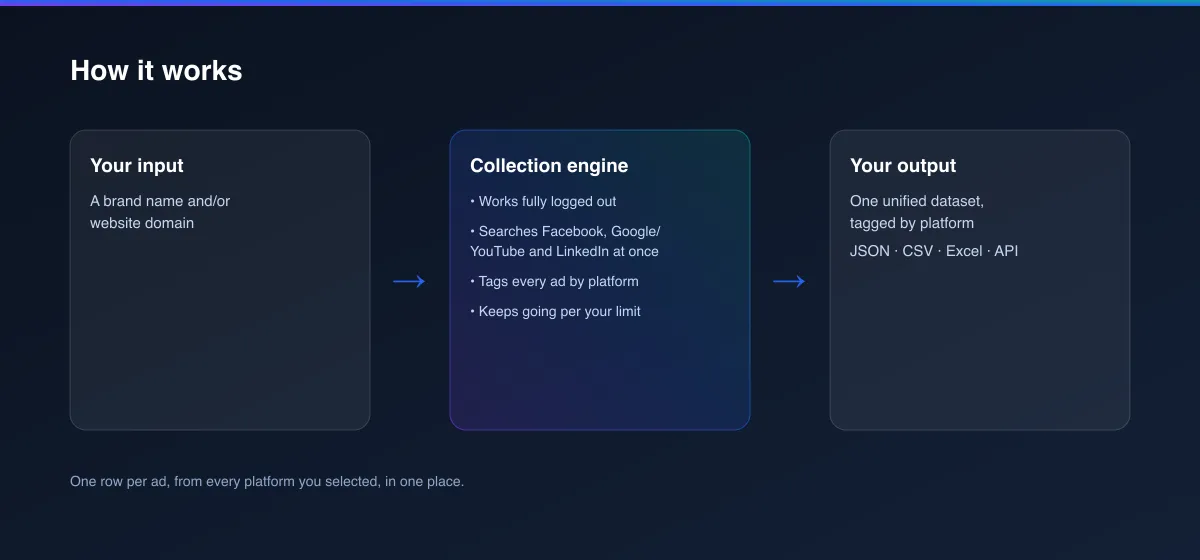
- Your input - a brand name and/or website domain, and which platforms to search.
- The Actor collects it - it searches Facebook/Instagram, Google/YouTube and LinkedIn's own ad libraries for that brand, works fully logged out, and tags every result by platform.
- Your output - one unified dataset with every ad found, ready for a spreadsheet, dashboard or report.
What data can you extract?
| Field | Description |
|---|---|
sourcePlatform | Which platform this ad came from: facebook, google or linkedin |
advertiserName | The advertiser's name as shown on that platform |
country | The country filter applied for this ad, when one was given (platforms default differently when none is given) |
headline | The ad's headline, when that platform provides one |
bodyText | The ad's text/copy, when that platform provides it |
imageUrl / videoUrl / previewUrl | Creative preview links, by type |
ctaText | The call-to-action text, when available |
format | The ad's format/type as that platform describes it |
startDate | When the ad started running, when that platform discloses it |
detailUrl | Direct link to view this ad on its own platform |
raw | The complete original record from the underlying platform search, for full detail |
How to use Cross-Platform Ad Search
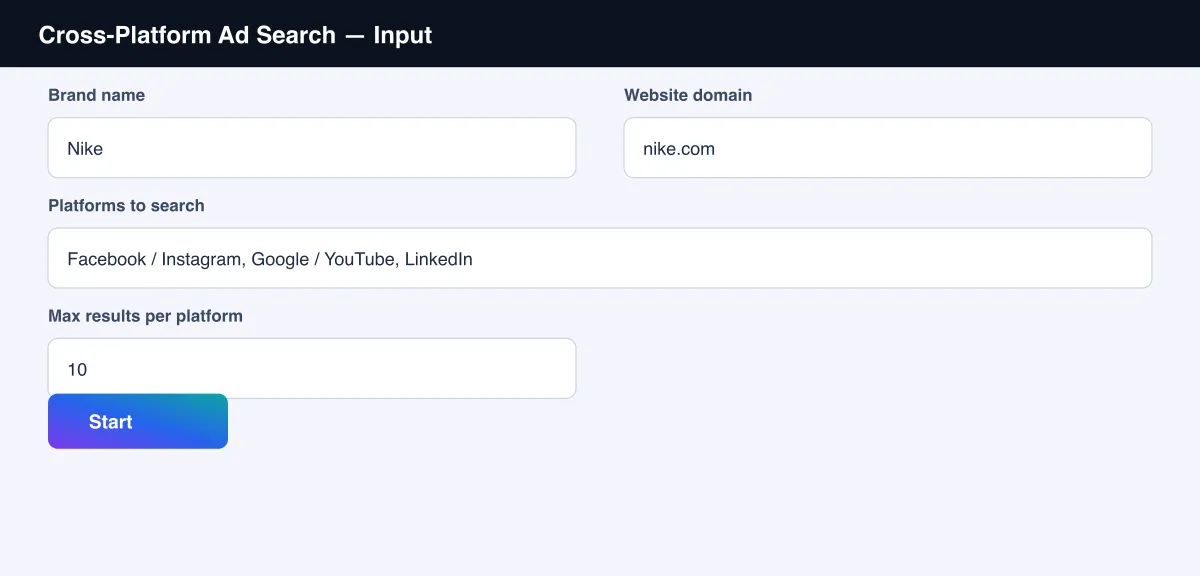
- Open the Actor and go to the Input tab.
- Enter a Brand name and/or Website domain (see the screenshot below).
- Choose which Platforms to search - all three are selected by default.
- Optionally set Max results per platform.
- Click Start.
- Open the Dataset tab, or pull results via the API, once the run finishes.
Input Parameters
| Parameter | Type | Required | Default | Description |
|---|---|---|---|---|
brandName | String | No* | "Nike" | Used to search Facebook/Instagram and LinkedIn |
domain | String | No* | "nike.com" | Used to search Google/YouTube |
pageUrl | String | No | - | A specific Facebook page, used instead of brandName for that platform only |
companyId | String | No | - | A specific LinkedIn company ID, used instead of brandName for that platform only |
country | String | No | - | Limit every platform to one country (2-letter code), e.g. "US", "GB" |
platforms | Array | No | all three | Which platforms to search: facebook, google, linkedin |
maxItemsPerPlatform | Integer | No | 10 | Maximum number of ads to return from each platform |
*Provide brandName for Facebook/LinkedIn and/or domain for Google - a platform you select
without enough matching input is simply skipped.
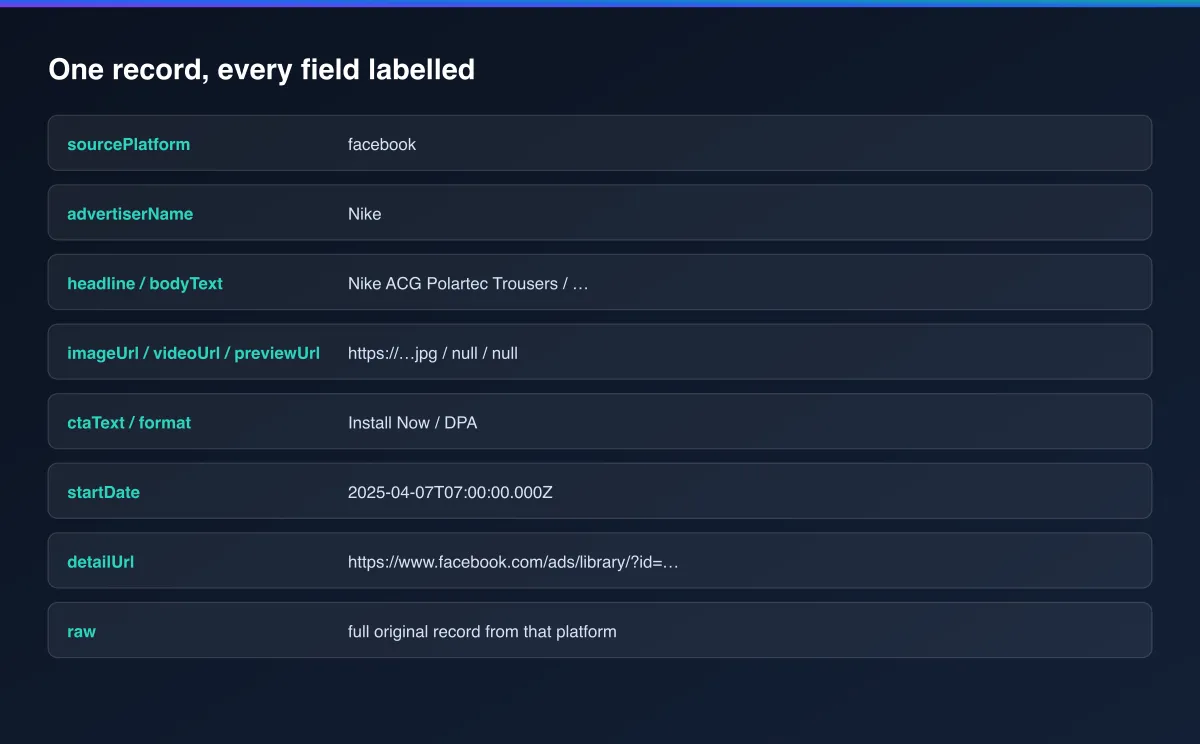
Output Data
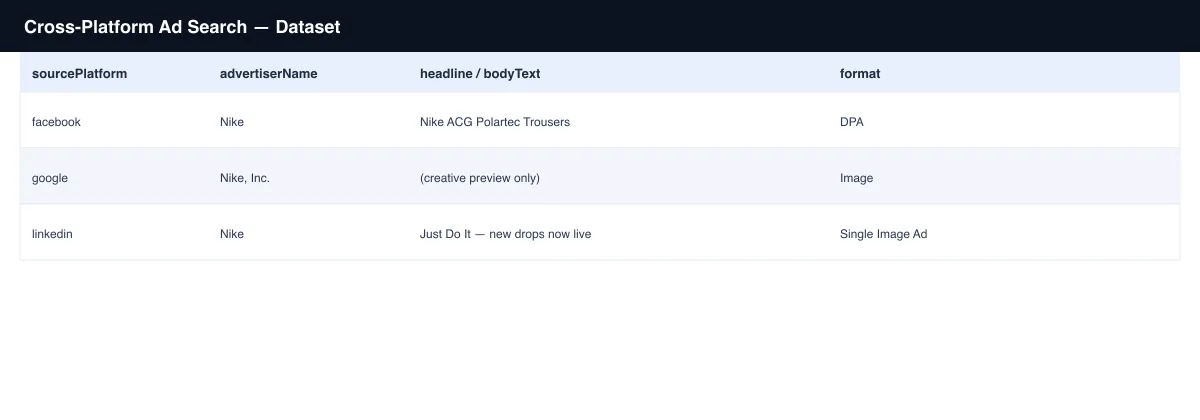
Each ad produces one dataset record. Example:
Usage Examples
- Full competitor snapshot - leave all three platforms selected to see a competitor's complete current cross-platform advertising footprint in one run.
- B2C-focused check - search only
facebookandgooglefor a consumer brand. - B2B-focused check - search only
linkedinandgooglefor a B2B or recruiting brand. - Precise targeting - combine
brandNamewithpageUrland/orcompanyIdwhen you already know the exact advertiser account on one or more platforms. - Market-specific check - set
countryto see only ads targeted at or shown in one market, across all three platforms at once.
Tips for Best Results
- Provide both
brandNameanddomainwhen you have them - between the two, this covers all three platforms' search requirements. - A platform is silently skipped if you select it without the input it needs (e.g. Google
without a
domain) - check the run log if a platform's results are missing. - Use
pageUrl/companyIdto disambiguate when a brand name is shared by multiple advertiser accounts on a given platform.
Known Limitations
- Each platform discloses different information, so not every field is populated for every row - a platform's own Actor README documents exactly what it does and doesn't expose.
- This Actor runs three other published Actors in the background; depending on how they're priced, their own small per-ad charges apply in addition to this Actor's own charges.
- Reflects a snapshot at the time of the run; each platform's current ads change over time.
Integrations
Connect Cross-Platform Ad Search to the rest of your stack via the Apify API, webhooks, scheduled runs, or directly to Google Sheets, Make, and Zapier through Apify's built-in integrations.
Export Formats
Download results as JSON, CSV, Excel, or XML from the Dataset tab, or fetch them programmatically via the Apify API.
Frequently Asked Questions
Do I need an account on Facebook, Google or LinkedIn?
No. Every platform is searched fully logged out.
What happens if I only fill in brandName and not domain?
Facebook and LinkedIn will still be searched normally; Google/YouTube will be skipped, since it needs a website domain to search by.
Why are some fields empty for certain platforms?
Each platform's own ad library discloses different information - for example, Google's
transparency tool gives a creative preview but not separate headline/body text fields, while
Facebook and LinkedIn do. The raw field always has that platform's complete original record.
Can I schedule this to run automatically?
Yes, use Apify's built-in Scheduler to re-check a brand on any interval you choose.
Support
Found an issue or have a request? Open it on the Actor's Issues tab in the Apify Console.
Legal / Responsible Use
You're responsible for using this Actor in compliance with applicable laws and each target platform's terms of service. This Actor retrieves publicly viewable ad information only; it does not collect personal data.


